
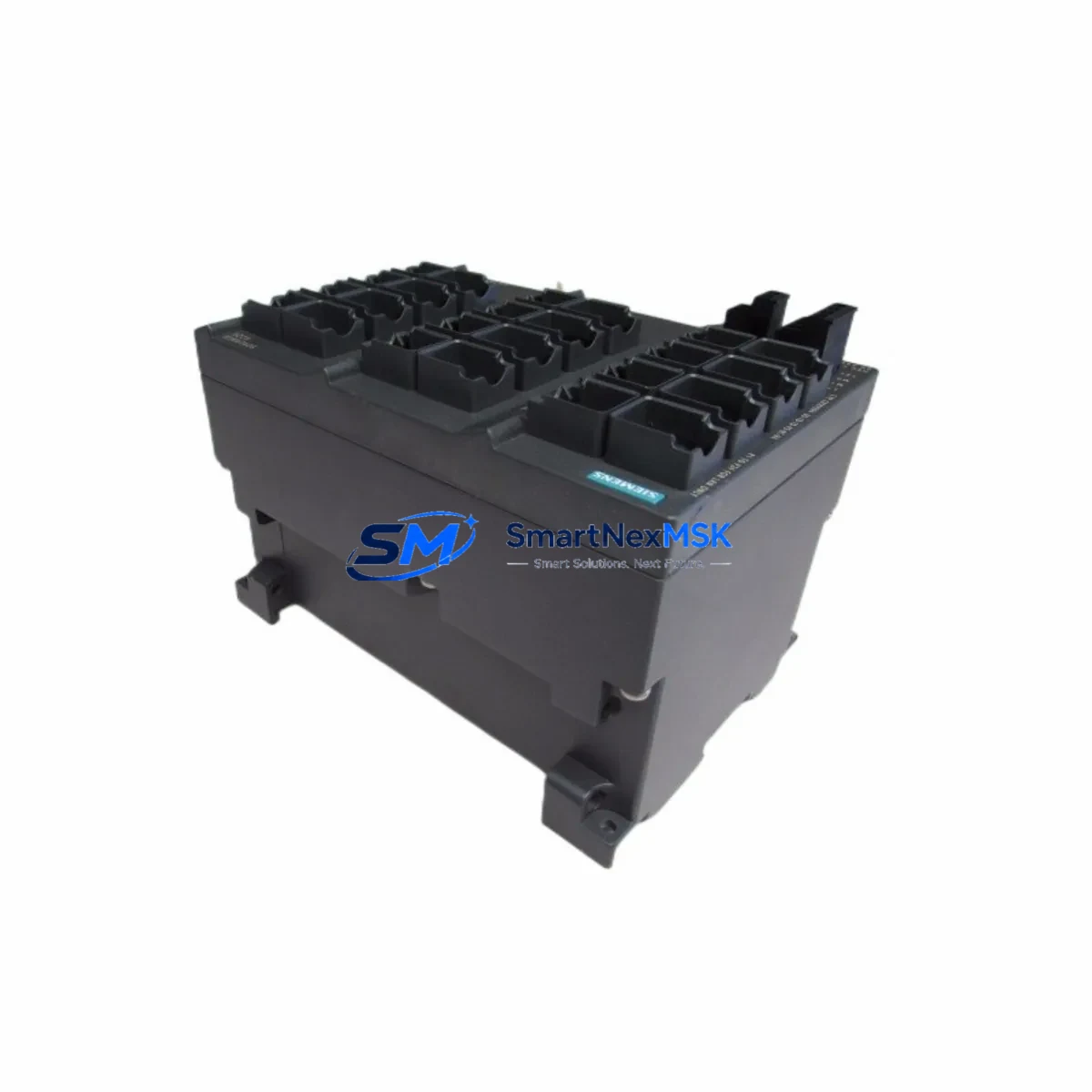
Siemens 6GK5224-0BA00-2AA3 Retrofit-Ready Ethernet Switch for SCALANCE X224 Control Systems
The Siemens 6GK5224-0BA00-2AA3 is a managed industrial Ethernet switch from the SCALANCE X-200 series, engineered for demanding automation environments where network reliability and seamless legacy system integration are non-negotiable. As a retrofit-ready replacement unit, this module is purpose-built to support engineers and maintenance teams executing control system upgrades, panel modernizations, and network infrastructure migrations without disrupting ongoing production operations.
Whether you are replacing an end-of-life SCALANCE X208 or X216 switch in an existing control cabinet, migrating a PROFIBUS-based network to PROFINET, or expanding I/O capacity across a distributed automation architecture, the 6GK5224-0BA00-2AA3 delivers the port density, diagnostic capability, and protocol compatibility required for a smooth transition. With 24 x 10/100 Mbit/s RJ45 ports and full support for PROFINET IO, SNMP, and RSTP ring redundancy, this switch integrates directly into Siemens S7-300, S7-400, and S7-1500 PLC environments without requiring firmware reconfiguration or additional gateway hardware.
Upgrade Compatibility Table
| Parameter | Details |
|---|---|
| SKU / Part Number | 6GK5224-0BA00-2AA3 |
| Series | SCALANCE X-200 (X224) |
| Port Configuration | 24 × RJ45 10/100 Mbit/s |
| Installation | DIN rail or rack mount; 24 VDC redundant power input |
| Communication Compatibility | PROFINET IO, SNMP v1/v2c/v3, RSTP, VLAN (IEEE 802.1Q) |
| Direct Replacement For | 6GK5208-0BA00-2AA3 (X208), 6GK5216-0BA00-2AA3 (X216) |
| Compatible PLC Platforms | Siemens S7-300, S7-400, S7-1200, S7-1500, ET 200SP |
| Commissioning Tool | STEP 7 v5.x, TIA Portal V13–V19, SINEMA Network Manager |
| Retrofit Commissioning Focus | IP address reassignment, PROFINET device name, RSTP topology verification |
| Warranty | 12 Months — covers hardware defects, DOA replacement, and functional verification |
Retrofit Planning for Existing Automation Systems
Successful integration of the 6GK5224-0BA00-2AA3 into a legacy control system begins well before the physical swap. During the pre-retrofit assessment phase, engineers should document the existing network topology, including all connected devices such as the Siemens SCALANCE X208 (6GK5208-0BA00-2AA3) being replaced, any CP 343-1 or CP 443-1 communication processors on the S7-300/400 rack, and downstream ET 200S or ET 200M distributed I/O stations connected via PROFINET.
Power supply verification is a critical pre-installation step. The 6GK5224-0BA00-2AA3 requires a 24 VDC supply with sufficient current capacity — confirm that the existing Siemens SITOP PSU100S or PSU200M power supply in the control cabinet can support the additional load alongside the CPU module, I/O racks, and any IM 153-2 or IM 155-5 PN interface modules already drawing from the same rail. Undersized power supplies are a leading cause of intermittent faults during post-retrofit commissioning.
Terminal wiring and port mapping must be carefully planned when the replacement switch has a different port count than the outgoing unit. When migrating from a SCALANCE X208 to the X224, all eight existing RJ45 connections can be preserved in their original port positions, with the additional 16 ports available for I/O expansion or network segmentation. Label each cable before disconnection and photograph the existing wiring layout for reference during reinstallation. If the control cabinet also houses a Siemens TP700 Comfort or KTP900 Basic HMI panel, verify that the HMI’s PROFINET connection is re-established and the device name is correctly assigned in TIA Portal before restarting the visualization runtime.
For systems using Siemens S7-300 CPU 315-2 PN/DP or CPU 317-2 PN/DP controllers, the PROFINET IO controller configuration in STEP 7 or TIA Portal must reflect the new switch’s MAC address and device name. Export the existing hardware configuration before the retrofit, and use the “Assign IP Address” and “Assign PROFINET Device Name” functions in TIA Portal to commission the replacement unit without modifying the underlying PLC program logic. If the system includes a Siemens SCALANCE S615 security module for remote access or VPN connectivity, verify that the firewall rules and routing tables remain intact after the switch replacement.
Where the retrofit involves migrating from a PROFIBUS DP network to PROFINET, a Siemens DP/PN Coupler (6GK1415-2AA10) may be required as an interim bridge to maintain communication with legacy PROFIBUS slaves — such as ET 200B or ET 200U remote I/O stations — while the full migration is staged across multiple maintenance windows. This phased approach allows production to continue on the existing PROFIBUS backbone while new PROFINET segments are commissioned and validated in parallel.
Downtime Control During System Migration
Minimizing unplanned downtime during a switch replacement requires a structured migration plan that preserves the original control logic and field device communication at every stage. Before powering down the control cabinet, create a full backup of the PLC program from the S7-300 or S7-1500 CPU using TIA Portal or STEP 7, and export the current network configuration from SINEMA Network Manager if it is in use. Store backups on an offline medium independent of the plant network.
During the physical swap, maintain power to any UPS-backed field devices and HMI panels where possible to avoid losing volatile runtime data. The 6GK5224-0BA00-2AA3 supports RSTP ring redundancy, which — when properly configured — allows the network to reconverge within milliseconds of a topology change, significantly reducing the window of communication interruption during hot-swap scenarios in ring-topology installations.
After reinstallation, follow a structured commissioning sequence: restore IP addressing, assign the PROFINET device name, verify RSTP topology convergence, confirm all IO devices return to “RUN” state in the TIA Portal diagnostics view, and validate HMI tag communication before releasing the system to production. Document the as-built network configuration and update the control cabinet wiring diagram to reflect the new switch model and port assignments. All units supplied by SMARTNEXMSK are pre-tested and shipped with a functional verification report, supporting a faster on-site commissioning process and reducing the risk of extended downtime caused by hardware defects.
Retrofit Support FAQ
Q1: Is the 6GK5224-0BA00-2AA3 a direct drop-in replacement for the SCALANCE X208 or X216?
Yes. The 6GK5224-0BA00-2AA3 is mechanically and electrically compatible with the same DIN rail mounting and 24 VDC power input used by the X208 and X216. All existing RJ45 port connections can be transferred directly. The PROFINET device name and IP address must be reassigned using TIA Portal or STEP 7 after installation — no changes to the PLC program are required.
Q2: What commissioning steps are required after installing the replacement switch?
After physical installation, connect to the switch via TIA Portal or a web browser, assign the correct IP address and PROFINET device name, verify RSTP ring topology if applicable, and confirm that all connected IO devices return to active communication status. For systems with SINEMA Network Manager, re-discover the device and update the network topology map. Total commissioning time is typically 30–60 minutes for a straightforward replacement.
Q3: How is wiring compatibility verified before the retrofit?
Document all existing port-to-device mappings before disconnecting any cables. The 6GK5224-0BA00-2AA3 uses standard RJ45 connectors on all 24 ports, compatible with Cat5e and Cat6 patch cables. No special adapters or terminal converters are required. If the existing installation uses M12 D-coded connectors, an RJ45-to-M12 adapter or a SCALANCE X-200IRT variant should be evaluated instead.
Q4: What does the 12-month warranty cover, and how is a claim processed?
The 12-month warranty covers hardware defects, dead-on-arrival (DOA) units, and failures under normal operating conditions. Each unit is functionally tested prior to shipment and ships with a test report. To initiate a warranty claim, contact SMARTNEXMSK with the order reference, a description of the fault, and photographic evidence of the installation. Replacement units are dispatched within 3–5 business days upon claim approval.
© 2026 SMARTNEXMSK. All rights reserved.
Original Source: https://smartnexmsk.com
Contact: [email protected] | +86 18259474341



