
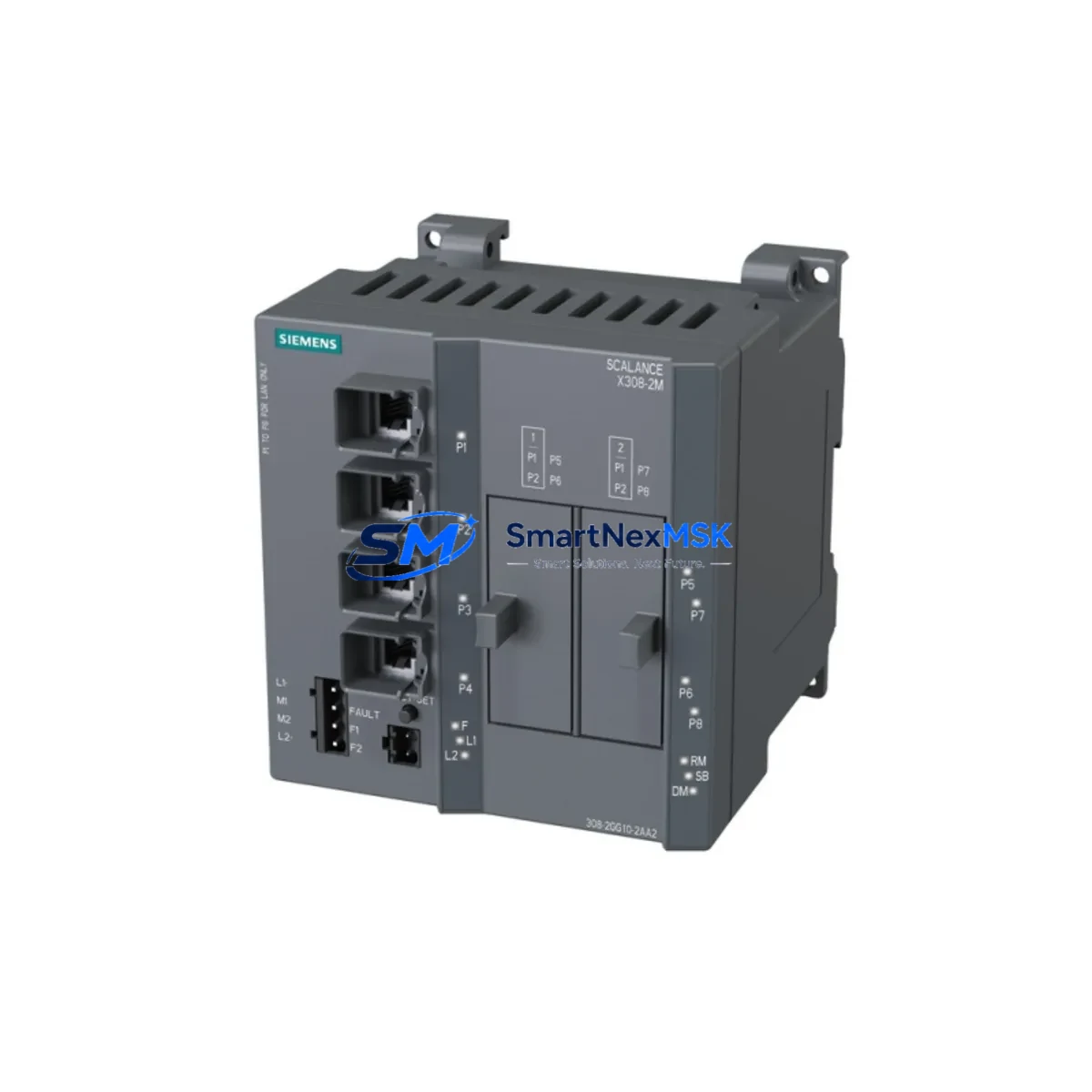
Siemens 6GK5308-2GG10-2AA2 Maintenance-Ready Spare SCALANCE X308-2
The Siemens 6GK5308-2GG10-2AA2 is a managed industrial Ethernet switch from the SCALANCE X308-2 series, engineered for high-availability automation networks in manufacturing, process control, and critical infrastructure environments. As a maintenance-ready original spare, this unit is sourced, inspected, and dispatched to support rapid replacement workflows — minimizing unplanned downtime and protecting production continuity.
For maintenance engineers managing PROFINET-based control architectures, the 6GK5308-2GG10-2AA2 is a direct replacement for aging or failed network nodes within SIMATIC S7-300, S7-400, and S7-1500 distributed I/O topologies. Its 8-port managed configuration supports ring redundancy (MRP), VLAN segmentation, and SNMP-based diagnostics — all critical capabilities for industrial network resilience. Procurement engineers will find this unit available for immediate dispatch with full traceability documentation and a 12-month warranty covering defects in materials and workmanship.
Spare Maintenance Table
| Parameter | Specification |
|---|---|
| Part Number / SKU | 6GK5308-2GG10-2AA2 |
| Product Series | SCALANCE X308-2 |
| Manufacturer | Siemens AG |
| Country of Origin | Germany |
| Product Type | Managed Industrial Ethernet Switch |
| Number of Ports | 8 x RJ45 (10/100/1000 Mbps) |
| Redundancy Protocol | MRP (Media Redundancy Protocol), RSTP |
| Network Protocol | PROFINET IO, SNMP v1/v2c/v3, LLDP |
| Power Supply Input | 24 V DC (18-32 V DC operating range) |
| Power Consumption | Approx. 12 W (typical load) |
| Operating Temperature | -40 C to +70 C |
| Protection Rating | IP30 (DIN rail mount) |
| Mounting | 35 mm DIN rail |
| Compatibility | SIMATIC S7-300 / S7-400 / S7-1500, ET 200 distributed I/O, SINUMERIK, SIMOTION |
| Maintenance Recommendation | Replace every 7-10 years or upon port failure, LED fault indication, or ring break event |
| Warranty | 12 Months – covers manufacturing defects, functional failure under normal operating conditions |
| Condition | Original spare – tested prior to dispatch |
Maintenance Planning for Continuous Operation
When replacing the 6GK5308-2GG10-2AA2 in a live control cabinet, a disciplined inspection of the surrounding electrical and communication infrastructure is essential to prevent repeat failures and ensure network stability after restoration.
Begin with the 24 V DC power supply rail feeding the switch. Units such as the Siemens SITOP PSU100S 24V/5A or equivalent DIN rail power supplies should be checked for output voltage stability and ripple — a degraded power supply is a common root cause of switch instability in aging panels. Verify that the terminal blocks and cable ferrules on the 24 V input are tight and free of oxidation, particularly in high-humidity or high-vibration environments.
Inspect the Ethernet patch cables and M12 connectors connected to each port. Industrial-grade Cat 6 shielded cables should be used throughout; unshielded or consumer-grade cabling is a frequent source of intermittent communication faults in PROFINET rings. If the switch is part of an MRP ring, confirm that the ring port configuration on the replacement unit matches the predecessor — incorrect ring port assignment will cause a ring break alarm on the SIMATIC S7-1500 or S7-300 CPU.
Check the SIMATIC S7 CPU communication module (e.g., CP 343-1, CP 443-1, or the integrated PROFINET interface on S7-1500) for firmware compatibility with the replacement switch. Older CP modules may require a firmware update to support the LLDP neighbor detection and SNMP trap forwarding features of the X308-2 series.
For panels that also house ET 200SP or ET 200M distributed I/O heads, verify that the PROFINET device names and IP addresses are correctly assigned after switch replacement — PROFINET device naming is topology-sensitive and a misconfigured switch can cause I/O head dropouts even when the physical connection is intact.
If the control cabinet includes a SIMATIC HMI panel (e.g., KTP700 Basic, TP1200 Comfort, or Comfort Panel series), confirm that the HMI PROFINET connection is restored and that the project network topology view in TIA Portal reflects the new switch. HMI communication loss during switch replacement is a common source of operator alarm floods that can mask underlying process issues.
Also inspect any signal isolators or surge protection devices (e.g., SIMATIC NET OLM optical link modules or Phoenix Contact TRABTECH surge arresters) installed on the Ethernet lines. These components are often overlooked during switch replacement but can degrade network performance if their protection elements are worn. Similarly, check fiber optic transceivers or SFP modules if the X308-2 installation uses fiber uplinks — dirty or aged SFP modules are a leading cause of intermittent ring faults in long-distance PROFINET segments.
Finally, review the SCALANCE X-200 or X-300 series network management configuration (via SINEMA Server or Web Based Management) to confirm that VLAN assignments, port mirroring settings, and SNMP community strings are correctly transferred to the replacement unit before returning the system to production.
Site Replacement Workflow
Step 1 – Pre-replacement documentation: Export the current switch configuration via Web Based Management (WBM) or SINEMA Remote Connect before powering down. Save the configuration file to a USB drive or engineering laptop. Record all port assignments, VLAN IDs, and ring port designations.
Step 2 – Safe isolation: Notify the control room and place the affected PROFINET ring segment into a safe state. If MRP is active, the ring will degrade to a line topology upon switch removal — confirm that the PLC program handles this gracefully without triggering an emergency stop.
Step 3 – Physical replacement: Remove the 6GK5308-2GG10-2AA2 from the DIN rail. Install the replacement unit in the same slot. Reconnect all Ethernet cables in the original port sequence. Reconnect the 24 V DC power supply.
Step 4 – Configuration restore: Import the saved configuration file via WBM. Verify that the device name and IP address are correctly assigned. If the switch is a PROFINET IO device itself, use TIA Portal Assign Device Name function to push the correct PROFINET name.
Step 5 – Ring verification: Confirm MRP ring closure via the switch LED indicators (ring port LEDs should show solid green). Check the SIMATIC CPU diagnostic buffer for any remaining PROFINET alarms. Clear acknowledged alarms and return the system to automatic mode.
Step 6 – Post-replacement test: Run a 15-minute observation period monitoring PROFINET cycle times and I/O response. Log the replacement in the maintenance record with date, technician name, and new unit serial number.
Spare Parts Support FAQ
Q1: Is the 6GK5308-2GG10-2AA2 a direct drop-in replacement for older SCALANCE X308-2 units?
Yes. The 6GK5308-2GG10-2AA2 is the current production part number for the SCALANCE X308-2 managed switch. It is backward-compatible with all SCALANCE X308-2 installations and can be configured to match the predecessor unit settings via configuration file import. No hardware modifications are required.
Q2: What does the 12-month warranty cover?
The 12-month warranty covers manufacturing defects and functional failures under normal industrial operating conditions. Each unit is tested for port functionality, power-up behavior, and basic PROFINET communication before dispatch. Warranty claims are processed via our sales team with a return merchandise authorization (RMA) procedure.
Q3: How should I manage spare inventory for SCALANCE X308-2 switches in a multi-line facility?
Industry best practice recommends holding one spare unit per 10-15 installed switches, or one per critical production line where a network fault would cause a full line stop. For facilities with 24/7 operations, a minimum of two spares per site is recommended to cover simultaneous failures during peak production periods. Spares should be stored in anti-static packaging in a climate-controlled environment and rotated into service every 5-7 years regardless of apparent condition.
Q4: Can compatibility be verified before the unit is shipped?
Yes. Our technical team can cross-reference your existing installation details (firmware version, TIA Portal project version, PROFINET topology) against the replacement unit specifications before dispatch. Contact us with your system details and we will confirm compatibility in writing prior to order confirmation.
2026 SMARTNEXMSK. All rights reserved.
Original Source: https://smartnexmsk.com
Contact: [email protected] | +86 18259474341



