
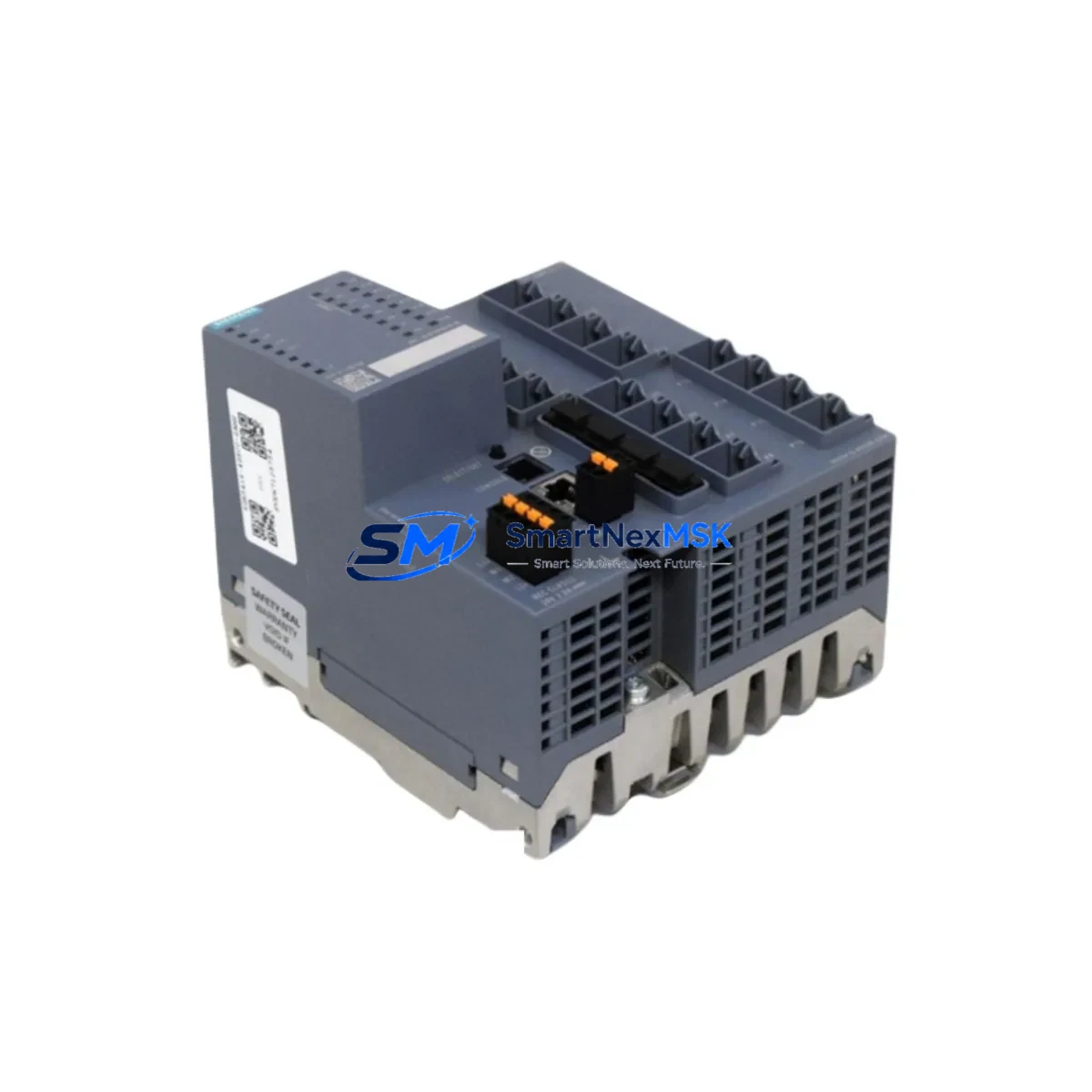
Siemens 6GK5416-4GS00-2AM2 Maintenance-Ready Spare XM400: Spare Replacement & Industrial Downtime Risk Control
The Siemens 6GK5416-4GS00-2AM2 is a modular managed industrial Ethernet switch from the SCALANCE XM400 series, specifically the XM416-4C variant. Designed for demanding industrial environments, this switch supports up to 16 copper ports and 4 combo ports, delivering high-availability network infrastructure for PROFINET, PROFIBUS, and Ethernet-based automation architectures. As a maintenance-ready original spare, it is sourced, tested, and shipped to support rapid replacement in active production environments — minimizing unplanned downtime and protecting the continuity of your control system network.
Whether you are managing a scheduled overhaul, responding to an unplanned network fault, or building a strategic spare parts inventory for a SIMATIC-based plant, the 6GK5416-4GS00-2AM2 is a critical component to have on hand. Its compatibility with STEP 7, TIA Portal, and SINEMA Remote Connect makes it a plug-and-replace solution for most XM400 installations without requiring full network reconfiguration.
Spare Maintenance Table
| Parameter | Specification |
|---|---|
| Part Number / SKU | 6GK5416-4GS00-2AM2 |
| Product Family | SCALANCE XM400 |
| Model | XM416-4C |
| Type | Modular Managed Industrial Ethernet Switch |
| Port Configuration | 16 × RJ45 (10/100/1000 Mbps) + 4 × Combo (SFP/RJ45) |
| Protocols Supported | PROFINET, SNMP, RSTP, MRP, LLDP, IGMP Snooping |
| Power Supply Input | 24 V DC (18–32 V DC operating range) |
| Operating Temperature | -40 °C to +70 °C |
| Protection Rating | IP30 |
| Mounting | DIN Rail / S7-400 rack compatible |
| Management Interface | Web-based, SNMP v1/v2c/v3, CLI, TIA Portal integration |
| Redundancy Support | MRP (Media Redundancy Protocol), RSTP |
| Origin | Germany (DE) |
| Compatibility | SIMATIC S7-300/400/1500, SCALANCE XM400 chassis, TIA Portal V14+ |
| Application Environment | Process automation, discrete manufacturing, energy, water treatment |
| Warranty | 12 Months — Tested before shipment |
Maintenance Planning for Continuous Operation
When replacing the 6GK5416-4GS00-2AM2 in a live automation environment, maintenance engineers should treat the switch replacement as part of a broader network and control cabinet inspection. The XM416-4C does not operate in isolation — it is typically integrated into a PROFINET ring or star topology alongside other critical components that should be verified simultaneously to prevent cascading faults.
Begin by inspecting the 24 V DC power supply module feeding the switch — a degraded SITOP PSU100S or PSU200M can cause intermittent switch resets that mimic hardware failure. Check the SCALANCE XM400 media modules (e.g., MM992-2SFP or MM992-2SHDSL) installed in the expansion slots, as these are often overlooked during switch replacement but are equally subject to wear in high-vibration environments.
Inspect all RJ45 patch cables and SFP fiber transceivers connected to the switch. Industrial-grade Cat6 shielded cables and compatible SFP modules (e.g., 6GK5991-2AA00-8AA0) should be tested for continuity and signal integrity before the new switch is commissioned. Faulty cabling is a leading cause of post-replacement network instability.
For PROFINET-critical lines, verify the status of the SCALANCE S615 security module or SCALANCE SC636-2C if network segmentation is in use. These devices sit upstream of the XM416-4C and must be confirmed operational before restoring the PROFINET ring. Similarly, check the CP 343-1 or CP 443-1 communication processor in the S7-300/400 rack — a failed CP module can prevent the PLC from re-establishing PROFINET communication even after a successful switch replacement.
During cabinet inspection, also verify the terminal blocks and DIN rail grounding in the network segment. Loose PE connections on the switch chassis can introduce EMI-related packet loss. If the installation includes SIMATIC ET 200SP or ET 200M distributed I/O nodes connected through this switch, confirm that each IM module (e.g., IM 155-6 PN ST) is responding correctly after the switch is brought online. Finally, review the SINEMA Remote Connect tunnel configuration if remote access is enabled — VPN credentials and firewall rules may need to be re-applied after a switch swap.
Site Replacement Workflow
Step 1 — Pre-replacement verification: Export the current switch configuration via TIA Portal or the web interface (Configuration > Export). Save the .xml or .cfg backup to a USB drive or engineering workstation. Confirm the firmware version on the replacement unit matches the installed version (or is a compatible upgrade path).
Step 2 — Safe isolation: Notify the control room of planned network interruption. Place the PROFINET ring in open-ring mode if MRP is active to prevent topology errors during the swap. Power down the switch using the 24 V DC feed — do not hot-swap without confirming the installation supports it.
Step 3 — Physical replacement: Remove the existing 6GK5416-4GS00-2AM2 from the DIN rail or S7-400 rack. Transfer all media modules and SFP transceivers to the replacement unit. Re-seat all RJ45 connections and verify cable labeling matches the port map documented in your network diagram.
Step 4 — Configuration restore: Import the saved configuration file via the web interface or TIA Portal. Assign the correct IP address and PROFINET device name. Confirm SNMP community strings and VLAN assignments are restored correctly.
Step 5 — Commissioning and handover: Restore 24 V DC power. Verify all PROFINET devices reconnect within the expected timeout window. Check MRP ring status — the ring should close within 200 ms. Document the replacement in the maintenance log with date, firmware version, and technician sign-off. The replacement unit carries a 12-month warranty from the date of shipment, with pre-shipment functional testing completed.
This workflow is designed to minimize mean time to repair (MTTR) and restore production continuity with minimal engineering intervention. Keeping a pre-configured spare on the shelf — with firmware pre-loaded and configuration backed up — can reduce switch replacement time from hours to under 30 minutes.
Spare Parts Support FAQ
Q1: Is the 6GK5416-4GS00-2AM2 a direct replacement for older SCALANCE XM400 variants?
Yes. The XM416-4C is backward-compatible with the XM400 chassis and media module ecosystem. It can replace earlier XM416 variants provided the firmware is updated to match the existing network configuration. Always verify the PROFINET device name and IP assignment before going live.
Q2: What pre-shipment testing is performed on this spare?
Each unit undergoes functional power-on testing, port link verification, and basic PROFINET communication checks before dispatch. Units are shipped with original packaging and include a test report upon request. The 12-month warranty covers manufacturing defects and functional failures under normal operating conditions.
Q3: How should this spare be stored in a long-term inventory program?
Store in a dry, temperature-controlled environment (0–40 °C, <95% RH non-condensing). Keep in original ESD-safe packaging. Perform a power-on self-test every 12–18 months if the unit remains in storage. Update firmware to the latest stable release before deployment to ensure compatibility with current TIA Portal versions.
Q4: Can this switch be used in a new installation, or is it only for replacement?
The 6GK5416-4GS00-2AM2 is fully suitable for both new installations and direct replacement of failed units. It supports all current SCALANCE XM400 features including MRP, RSTP, VLAN, QoS, and SINEMA integration. For new installations, ensure the 24 V DC power budget of the cabinet accounts for the switch’s rated consumption plus all connected media modules.
© 2026 SMARTNEXMSK. All rights reserved.
Original Source: https://smartnexmsk.com
Contact: [email protected] | +86 18259474341



