
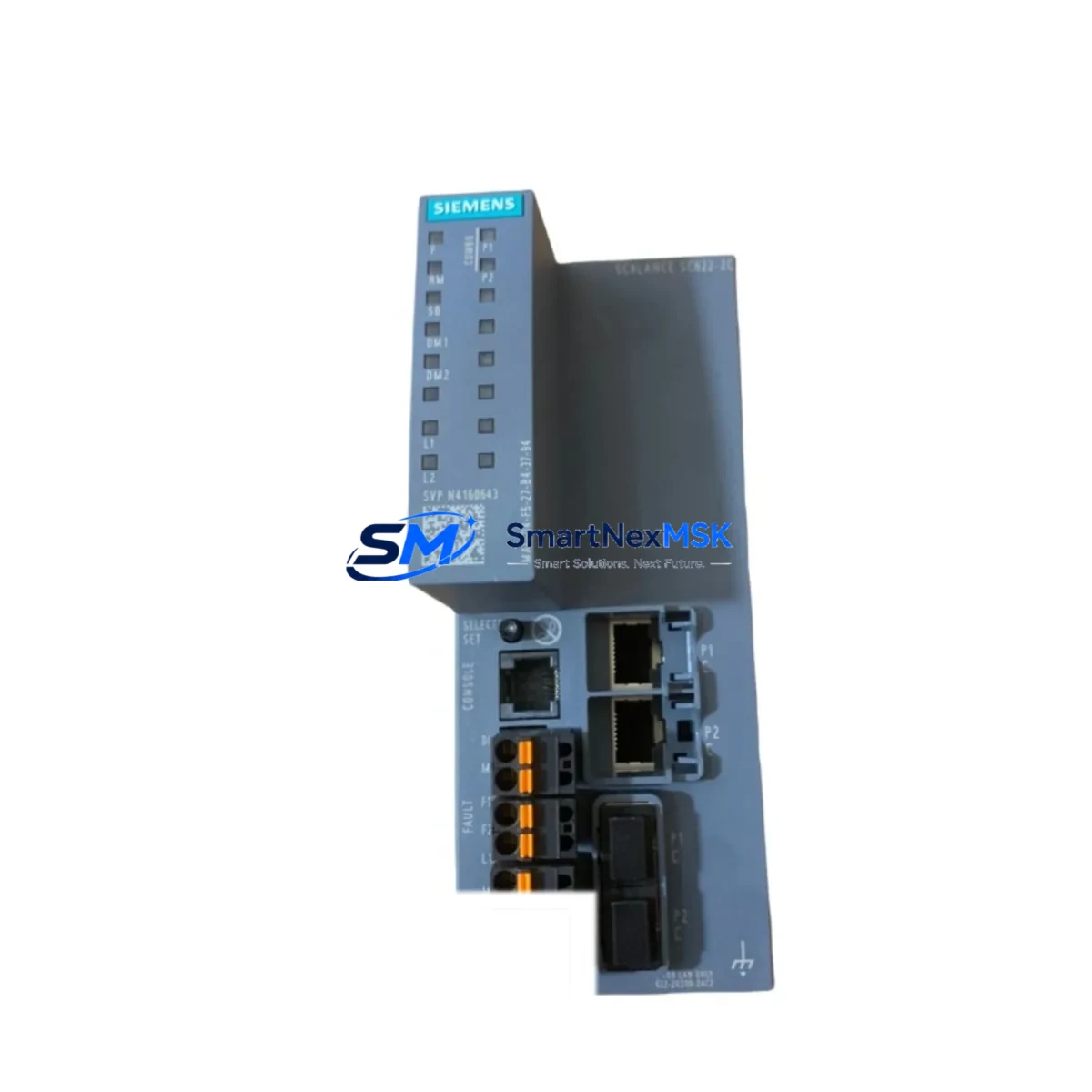
Siemens 6GK5646-2GS00-2AC2 Spare for SCALANCE XC-200 Automation
The Siemens 6GK5646-2GS00-2AC2 is a managed industrial Ethernet switch from the SCALANCE XC-200 series, engineered for demanding factory automation, process control, and infrastructure networking environments. As a maintenance-ready original spare, this unit is stocked and tested to support rapid replacement in production lines, control cabinets, and distributed automation systems where unplanned downtime carries significant operational cost.
For maintenance engineers managing aging SIMATIC or SINUMERIK installations, the 6GK5646-2GS00-2AC2 provides a direct, compatible replacement path without requiring firmware reconfiguration or topology redesign. Its managed switching capabilities — including VLAN segmentation, PROFINET IO support, RSTP/MRP ring redundancy, and SNMP-based diagnostics — make it a critical node in any industrial Ethernet backbone. Procurement engineers can rely on our 12-month warranty and pre-shipment functional testing to reduce incoming inspection overhead and accelerate return-to-service timelines.
Spare Maintenance Table
| Parameter | Specification |
|---|---|
| Part Number / SKU | 6GK5646-2GS00-2AC2 |
| Product Series | SCALANCE XC-200 |
| Manufacturer | Siemens AG |
| Country of Origin | Germany |
| Device Type | Managed Industrial Ethernet Switch |
| Port Configuration | 16 × RJ45 10/100 Mbps + 2 × SFP Gigabit Combo |
| Network Protocols | PROFINET IO, SNMP v1/v2c/v3, RSTP, MRP, VLAN (IEEE 802.1Q) |
| Redundancy | MRP (Media Redundancy Protocol), RSTP Ring |
| Power Supply Input | 24 V DC (18–32 V DC operating range) |
| Power Consumption | Approx. 12 W (typical load) |
| Operating Temperature | -40 °C to +70 °C |
| Protection Rating | IP30 (DIN rail mount) |
| Mounting | 35 mm DIN rail |
| Certifications | CE, UL, ATEX Zone 2 (Class I Div 2) |
| Compatibility | SIMATIC S7-300/400/1200/1500, SINUMERIK, WinCC, TIA Portal |
| Management Interface | Web-based GUI, SNMP, CLI (Telnet/SSH) |
| Warranty | 12 Months — Functional test performed before shipment |
| Condition | Original, New or Refurbished-to-OEM-spec |
| Lead Time | In-stock: ships within 1–3 business days |
Maintenance Planning for Continuous Operation
When replacing the 6GK5646-2GS00-2AC2 in a live control cabinet, a disciplined maintenance engineer will not stop at the switch itself. The SCALANCE XC-200 sits at the intersection of multiple electrical and communication subsystems, and a thorough inspection of adjacent components is essential to prevent repeat failures and ensure stable network restoration.
Begin with the 24 V DC power supply feeding the switch — units such as the Siemens SITOP PSU100S 24V/5A (6EP1334-2BA20) or equivalent SITOP compact modules should be load-tested and output voltage verified under full cabinet load. A degraded power supply is a common root cause of intermittent switch resets and port instability. Inspect the terminal blocks and DIN rail power distribution bars for loose connections, oxidation, or thermal discoloration, particularly on the 24 V feed and PE ground rail.
Next, audit the PROFINET IO cables and RJ45 patch cords connected to the switch ports. Industrial-grade Cat5e/Cat6 cables with IP67-rated M12 connectors (where applicable) should be inspected for bend radius violations, jacket damage, and connector seating. Faulty cabling is frequently misdiagnosed as switch failure. If the installation includes fiber SFP modules in the combo ports — such as the Siemens 6GK5991-1AB00-8AA0 SFP transceiver — verify optical power levels and clean the LC connectors.
For cabinets integrating SIMATIC S7-1500 or S7-300 PLCs, confirm that the CP 343-1 or CP 1543-1 communication processors are correctly configured for the replacement switch’s MAC address and PROFINET device name. A PROFINET device name mismatch after switch replacement is a leading cause of post-maintenance startup failures. Similarly, if the network topology includes SCALANCE XB-200 unmanaged switches as downstream devices, verify their port link status after the managed switch is restored.
In systems using signal isolators or barriers — such as Phoenix Contact MINI Analog or Pepperl+Fuchs KFD series — confirm that analog I/O signal integrity is maintained after the network restoration, as PROFINET communication interruptions can trigger safe-state outputs on some I/O modules. Check 24 V relay output modules and digital I/O terminal blocks for any latched fault states that may have been triggered during the network outage.
Finally, if the control system includes an HMI panel — such as a Siemens SIMATIC TP700 Comfort or KTP900 Basic — reconnect and verify that the HMI project communication tags are re-established after the switch replacement. Log the replacement event in the site maintenance register and update the spare parts inventory to reflect the consumed unit, triggering a reorder for the next 6GK5646-2GS00-2AC2 to maintain minimum stock levels.
Site Replacement Workflow
Step 1 — Pre-replacement verification: Document the existing switch configuration using the SCALANCE web interface or SINEMA Remote Connect. Export the device configuration backup (.xml) before powering down. Note all PROFINET device names, IP addresses, VLAN assignments, and port mirror settings.
Step 2 — Safe isolation: Follow site LOTO (Lockout/Tagout) procedures. Disconnect the 24 V DC supply from the switch. Label and photograph all cable connections before removal. For ring-topology installations using MRP, notify the network administrator to expect a brief ring-open event.
Step 3 — Physical replacement: Remove the faulty 6GK5646-2GS00-2AC2 from the DIN rail. Install the replacement unit. Reconnect all Ethernet cables in the documented port sequence. Restore 24 V DC power.
Step 4 — Configuration restore: Import the saved configuration backup via the web GUI or use TIA Portal’s device replacement wizard for PROFINET-managed devices. Verify that the replacement switch adopts the correct PROFINET device name and IP address automatically (if DCP-based assignment is active).
Step 5 — Functional verification: Confirm all downstream PROFINET IO devices return to RUN state in the PLC. Check HMI communication tags. Verify MRP ring closure if applicable. Run a 15-minute observation period before releasing the line to production.
Step 6 — Documentation: Record the replacement in the site maintenance log. Update the spare parts register. Initiate reorder for the consumed spare to maintain buffer stock.
Spare Parts Support FAQ
Q1: Is the 6GK5646-2GS00-2AC2 a direct drop-in replacement for older SCALANCE XC-200 variants?
Yes. The 6GK5646-2GS00-2AC2 is fully compatible with existing SCALANCE XC-200 series installations. Configuration backups from the outgoing unit can be restored directly to the replacement switch via the web interface, minimizing reconfiguration time. Always verify firmware version compatibility with your TIA Portal project before deployment.
Q2: What pre-shipment testing is performed on this spare?
Every unit undergoes functional power-on testing, port link verification, and management interface access confirmation before dispatch. Units are shipped in anti-static packaging with a test report. Our 12-month warranty covers manufacturing defects and functional failures under normal operating conditions.
Q3: How should I manage spare inventory for SCALANCE XC-200 switches in a multi-line facility?
Industry best practice for critical network infrastructure is to maintain a minimum of one spare unit per 10 installed switches, or one per production line — whichever is greater. For facilities with 24/7 operations, consider holding two units on-site. Rotate spares on a 3-year cycle to avoid firmware obsolescence and ensure compatibility with current TIA Portal versions.
Q4: Can this unit be used in ATEX Zone 2 / Class I Division 2 hazardous area installations?
Yes, the 6GK5646-2GS00-2AC2 carries ATEX Zone 2 and UL Class I Division 2 certifications, making it suitable for use in areas with occasional explosive atmospheres, such as chemical processing, oil & gas, and pharmaceutical facilities. Confirm local installation requirements and enclosure ratings with your site safety engineer before deployment.
© 2026 SMARTNEXMSK. All rights reserved.
Original Source: https://smartnexmsk.com
Contact: [email protected] | +86 18259474341



