
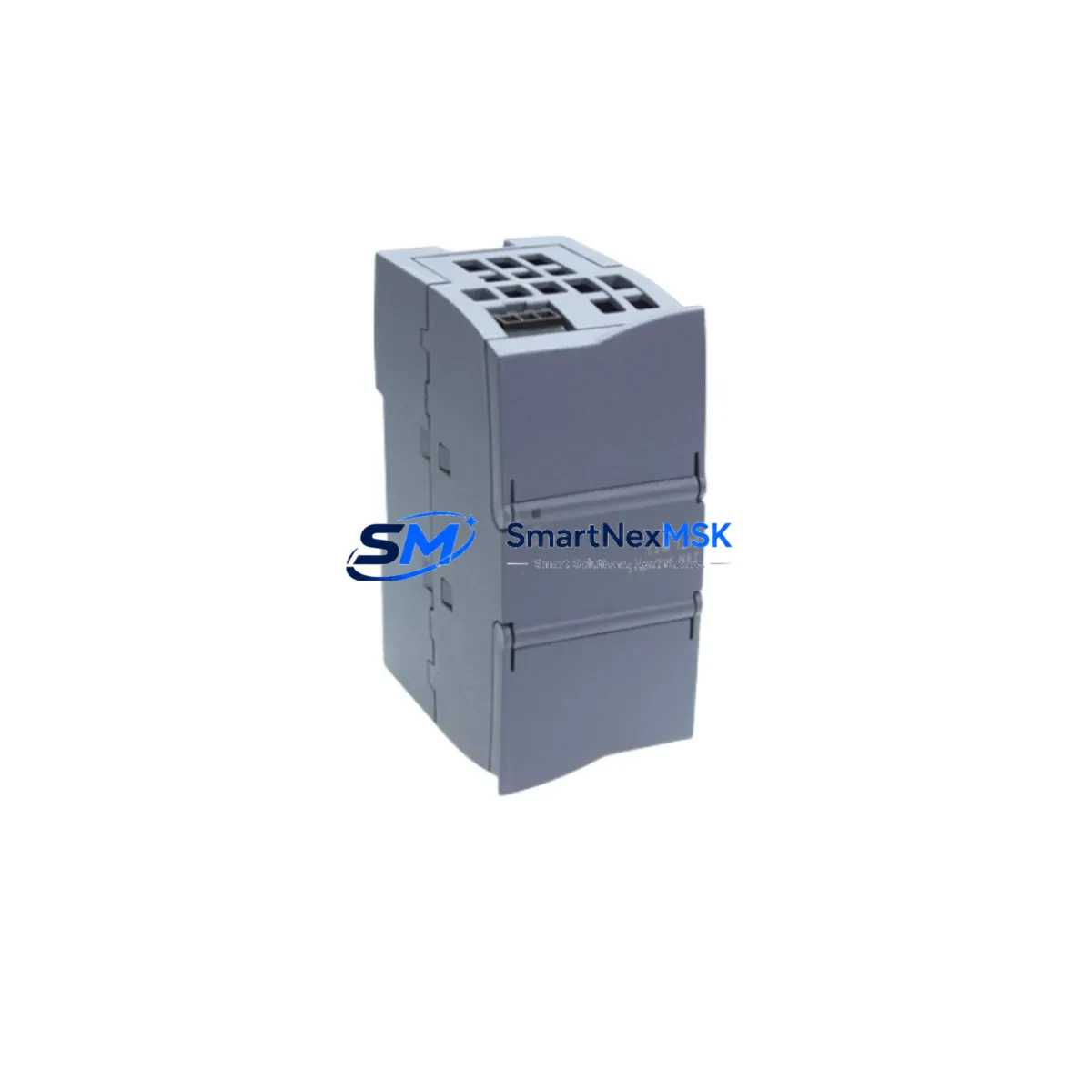
Siemens 6GK7277-1AA10-0AA0 Spare for SCALANCE XC206-2: Maintenance-Ready Industrial Ethernet Switch Replacement
The Siemens 6GK7277-1AA10-0AA0 is a managed industrial Ethernet switch from the SCALANCE XC200 series, designed for demanding automation environments where network reliability is non-negotiable. As a maintenance-ready spare, this unit supports rapid fault isolation and system restoration in PROFINET, PROFIBUS, and Siemens TIA Portal-integrated control architectures. Whether you are managing a scheduled shutdown, responding to an unplanned network fault, or building a proactive spare parts inventory for a multi-cabinet automation system, the 6GK7277-1AA10-0AA0 delivers the compatibility, port density, and managed switching capability required to minimize downtime and restore production continuity.
Maintenance engineers and procurement teams working with Siemens S7-300, S7-400, or S7-1500 PLC systems will recognize the SCALANCE XC206-2 as a critical network node. Its failure can cascade across multiple I/O drops, remote HMI stations, and distributed control segments simultaneously. Stocking a verified original spare eliminates the risk of extended lead times during critical outages. Each unit shipped by SMARTNEXMSK undergoes pre-shipment functional testing and is backed by a 12-month warranty.
Spare Maintenance Table
| Parameter | Specification |
|---|---|
| Part Number / SKU | 6GK7277-1AA10-0AA0 |
| Product Series | SCALANCE XC200 |
| Brand | Siemens |
| Product Type | Managed Industrial Ethernet Switch |
| Port Configuration | 6 × RJ45 10/100 Mbps + 2 × SFP combo ports |
| Supply Voltage | 24 V DC (typical industrial rail supply) |
| Mounting | DIN rail, 35 mm standard |
| Protection Rating | IP30 |
| Operating Temperature | -40 °C to +70 °C |
| Protocol Support | PROFINET, SNMP, LLDP, RSTP, VLAN |
| Compatibility | Siemens S7-300 / S7-400 / S7-1500, TIA Portal, STEP 7 |
| Country of Origin | Germany |
| Warranty | 12 Months — SMARTNEXMSK |
| Pre-Shipment Test | Yes — functional verification before dispatch |
| Typical Application | PROFINET ring topology, cabinet networking, remote I/O linking |
| Maintenance Recommendation | Replace every 7–10 years or upon port fault / LED error indication |
Maintenance Planning for Continuous Operation
When replacing the 6GK7277-1AA10-0AA0 in a live control cabinet, a disciplined maintenance engineer will not stop at the switch itself. The SCALANCE XC206-2 sits at the center of a broader electrical and communication ecosystem, and a thorough inspection of adjacent components is essential to prevent repeat failures and ensure long-term system stability.
Begin with the 24 V DC power supply feeding the switch — units such as the Siemens SITOP PSU100S or PSU200M should be checked for output ripple, load capacity, and terminal tightness. A degraded power supply is a common root cause of intermittent switch resets. Next, inspect the DIN rail terminal blocks (e.g., Weidmüller or Phoenix Contact series) for corrosion, loose ferrules, and proper torque on the 24 V and GND connections.
Review all RJ45 patch cables and SFP fiber modules connected to the switch. Industrial-grade shielded Cat6 cables and compatible SFP transceivers (such as the Siemens 6GK5991-2AB00-8AA0) should be verified for continuity and proper seating. Damaged or counterfeit SFP modules are a frequent source of link instability in harsh environments.
For systems using PROFINET ring topology, confirm that the Media Redundancy Protocol (MRP) configuration is correctly restored after switch replacement. Verify ring manager settings on the adjacent SCALANCE XC-200 or XB-200 series switches and check that the S7-1500 CPU’s PROFINET interface (e.g., 6ES7515-2AM02-0AB0) recognizes the new device without requiring a full hardware reconfiguration.
Inspect the I/O modules downstream of the switch — ET 200SP or ET 200MP distributed I/O stations connected via PROFINET should be checked for communication errors in the TIA Portal diagnostics view. If any IM 155-6 PN interface modules show fault LEDs, address these before returning the system to production.
Do not overlook the control cabinet’s surge protection devices and signal isolators on analog I/O lines. A network fault event is often accompanied by transient voltage spikes that can stress these components. Checking 24 V bus bars, fuse holders (e.g., Phoenix Contact PTFIX series), and any installed communication repeaters or RS-485 isolators for the PROFIBUS segment will complete a thorough cabinet audit.
Finally, if the system includes a Siemens SIMATIC HMI panel (such as a KTP700 or TP1200 Comfort) connected through this switch, verify that the HMI’s Ethernet connection is re-established and that all tag communications are active before signing off on the maintenance record.
Site Replacement Workflow
Step 1 — Pre-replacement documentation: Export the current switch configuration using SINEMA Network Manager or the SCALANCE web interface. Save the IP address, VLAN assignments, port settings, and MRP role to a local backup file.
Step 2 — Safe isolation: Coordinate with the control room to place the affected PROFINET segment in a safe state. Isolate the 24 V DC supply to the switch using the dedicated circuit breaker or fuse in the cabinet. Do not hot-swap without confirming the downstream I/O is in a safe hold state.
Step 3 — Physical replacement: Remove the faulty 6GK7277-1AA10-0AA0 from the DIN rail. Install the replacement unit, reconnect all RJ45 and SFP cables in the same port positions as documented. Restore 24 V DC power.
Step 4 — Configuration restore: Use TIA Portal or the SCALANCE web interface to restore the saved configuration. Assign the correct IP address and verify PROFINET device name assignment via DCP (Discovery and Configuration Protocol).
Step 5 — System verification: Confirm all downstream PROFINET devices are online in TIA Portal diagnostics. Check HMI communications, I/O module status LEDs, and MRP ring closure. Document the replacement in the maintenance log with the new unit’s serial number and warranty start date.
This workflow is compatible with legacy S7-300 and S7-400 systems as well as current S7-1500 and ET 200SP architectures, making the 6GK7277-1AA10-0AA0 a long-term viable spare for mixed-generation automation environments.
Spare Parts Support FAQ
Q1: Is the 6GK7277-1AA10-0AA0 a direct replacement for older SCALANCE XC206-2 variants?
Yes. The 6GK7277-1AA10-0AA0 is the current production variant of the SCALANCE XC206-2 managed switch. It is backward compatible with existing PROFINET configurations and can replace earlier hardware revisions without requiring changes to the TIA Portal project, provided the firmware version is updated to match the project’s hardware catalog entry.
Q2: What pre-shipment testing does SMARTNEXMSK perform on this spare?
Each unit undergoes a functional power-on test, port link verification, and visual inspection for physical damage before dispatch. Units are shipped in anti-static packaging with a test record. The 12-month warranty covers manufacturing defects and functional failures under normal operating conditions.
Q3: How should this spare be stored in a long-term inventory program?
Store the unit in its original anti-static bag inside a sealed carton, in a dry environment between 0 °C and 40 °C with relative humidity below 75% (non-condensing). Avoid proximity to strong magnetic fields or high-voltage equipment. Inspect the unit annually and perform a power-on test every 24 months to confirm readiness.
Q4: Can this switch be used in a new installation, or is it only suitable as a spare?
The 6GK7277-1AA10-0AA0 is fully suitable for both new installations and spare part replacement. It supports current Siemens TIA Portal versions and is compatible with PROFINET IRT and RT communication classes, making it appropriate for new cabinet builds, system expansions, and direct fault replacements in existing automation lines.
© 2026 SMARTNEXMSK. All rights reserved.
Original Source: https://smartnexmsk.com
Contact: [email protected] | +86 18259474341



