
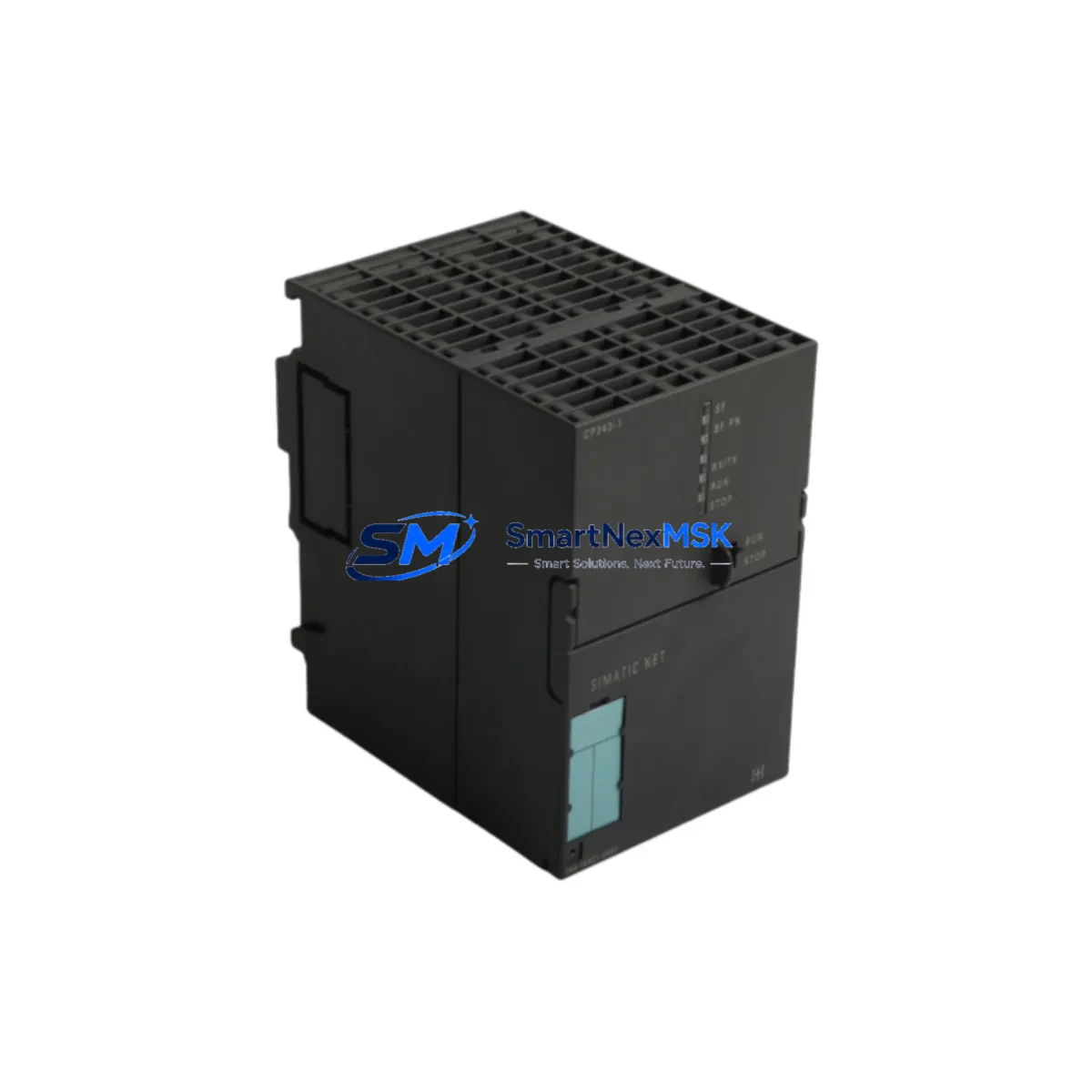
Siemens 6GK7343-1EX21-0XE0 Retrofit-Ready Ethernet CP for S7-300 Control Systems
The Siemens 6GK7343-1EX21-0XE0 is a CP 343-1 Ethernet Communication Processor designed for the SIMATIC S7-300 programmable logic controller platform. As legacy S7-300 systems approach end-of-life and original CP modules become increasingly difficult to source, the 6GK7343-1EX21-0XE0 serves as a direct retrofit replacement that restores full Ethernet connectivity without requiring changes to the existing rack, backplane, or control program. This module supports Industrial Ethernet (IE) communication at 10/100 Mbit/s and is compatible with standard TCP/IP, ISO-on-TCP, and UDP protocols, making it a reliable choice for both like-for-like replacement and protocol migration projects.
For engineers managing aging automation infrastructure, sourcing a verified replacement for the CP 343-1 family is often the fastest path to restoring production uptime. The 6GK7343-1EX21-0XE0 slots directly into any S7-300 rack alongside standard S7-300 power supply modules such as the PS 307 series, CPU modules including the CPU 315-2 DP and CPU 317-2 PN/DP, and existing SM 321 digital input or SM 322 digital output signal modules. No backplane modification is required. The module occupies a standard S7-300 slot and draws power from the existing bus connector, preserving the original cabinet layout and minimizing retrofit labor.
When replacing a failed or obsolete CP module in an S7-300 rack, engineers must verify the slot address assignment in STEP 7 or TIA Portal. The CP 343-1 is configured as a separate node on the Industrial Ethernet subnet, and its IP address, subnet mask, and gateway parameters must be re-entered using the SIMATIC NET configuration tool or via the hardware configuration in STEP 7 HW Config. If the original project file is available, the replacement module can be assigned the same IP address and MAC address alias, allowing the SCADA system, HMI panels such as the SIMATIC TP700 or MP377, and upstream MES or DCS layers to continue communicating without modification to the network topology.
In retrofit scenarios where the S7-300 system communicates with a Siemens S7-400 controller or a distributed I/O network using ET 200M or ET 200S remote I/O stations, the CP 343-1 handles the Ethernet segment while the existing MPI or PROFIBUS DP interface on the CPU manages the field bus layer. This dual-network architecture is common in process industries and discrete manufacturing, and the 6GK7343-1EX21-0XE0 preserves it without requiring changes to the DP master configuration or the GSD files for connected field devices.
For facilities migrating from older CP 343-1 variants such as the 6GK7343-1EX11-0XE0 or 6GK7343-1EX30-0XE0, the 6GK7343-1EX21-0XE0 offers improved firmware compatibility and supports a broader range of open communication connections. Engineers should confirm the firmware version of the replacement module against the CPU firmware level to ensure compatibility, particularly when the S7-300 CPU is running firmware below V2.6. In most cases, a firmware update to the CPU is not required, but it is recommended as part of a comprehensive retrofit validation procedure.
All units supplied by SMARTNEXMSK are tested prior to shipment, including power-on verification, communication port integrity check, and firmware version confirmation. Each module is shipped with anti-static packaging and includes a 12-month warranty covering manufacturing defects and functional failures under normal operating conditions. Expedited shipping is available for urgent production recovery situations.
Upgrade Compatibility Table
| Parameter | Details |
|---|---|
| SKU / Part Number | 6GK7343-1EX21-0XE0 |
| Module Type | CP 343-1 Ethernet Communication Processor |
| Compatible Platform | SIMATIC S7-300 (all CPU variants) |
| Replaces / Upgrades | 6GK7343-1EX11-0XE0, 6GK7343-1EX30-0XE0, CP 343-1 Lean |
| Communication Interface | RJ45, Industrial Ethernet 10/100 Mbit/s |
| Supported Protocols | TCP/IP, ISO-on-TCP, UDP, S7 Communication, Open IE Communication |
| Backplane Interface | S7-300 standard bus connector (no modification required) |
| Power Supply | Via S7-300 backplane bus (no external 24 VDC required) |
| Installation Requirement | Standard S7-300 rack slot; configure via STEP 7 HW Config or TIA Portal |
| HMI Compatibility | SIMATIC TP700, MP377, WinCC flexible, TIA Portal WinCC |
| Programming Tool | STEP 7 V5.x / TIA Portal V13 and above |
| Commissioning Note | Re-assign IP address and subnet parameters after replacement |
| Warranty | 12 Months — covers manufacturing defects and functional failures |
| Pre-shipment Test | Power-on, port integrity, firmware version verification |
Retrofit Planning for Existing Automation Systems
A successful retrofit of the 6GK7343-1EX21-0XE0 into an existing S7-300 control cabinet begins with a thorough audit of the current rack configuration. Engineers should document the slot positions of all installed modules — including the PS 307 5A or PS 307 10A power supply module, the CPU (commonly a CPU 314, CPU 315-2 DP, or CPU 317-2 PN/DP), any SM 321 or SM 323 digital I/O modules, SM 331 or SM 332 analog I/O modules, and any existing FM 350 or FM 351 function modules — before removing the failed CP module. This documentation ensures that the replacement module is inserted into the correct slot and that the hardware configuration in STEP 7 matches the physical rack layout.
Terminal wiring for the Ethernet port is straightforward: the RJ45 connector on the 6GK7343-1EX21-0XE0 connects directly to the plant Ethernet switch using a standard Cat5e or Cat6 patch cable. No special wiring adapter or terminal block conversion is required. If the original installation used a CP 343-1 Lean module with a different connector type, a short patch cable or switch port reconfiguration may be needed. The existing PROFIBUS DP cable connected to the CPU’s DP interface is not affected by the CP module replacement.
For systems that include an IM 360 or IM 361 interface module for multi-rack expansion, the CP 343-1 replacement does not affect the inter-rack communication. The expansion rack configuration and the addresses of remote I/O modules on ET 200M stations connected via IM 153 interface modules remain unchanged. Engineers should verify that the total current draw on the S7-300 backplane bus does not exceed the rated output of the installed power supply module after adding the replacement CP, particularly in densely populated racks.
In facilities where the S7-300 system interfaces with a Siemens SINAMICS G120 or MICROMASTER 440 drive via PROFIBUS DP or USS protocol, the CP 343-1 handles only the Ethernet segment and does not interact with the drive communication layer. However, if the drive is monitored via an OPC server or SCADA system connected through the CP module’s Ethernet port, engineers should verify that the OPC connection parameters are restored after the IP address is reassigned on the replacement module.
Downtime Control During System Migration
Minimizing production downtime during a CP module replacement requires preparation before the maintenance window begins. The recommended procedure is to export the current STEP 7 project from the programming PC using a PC adapter USB or CP 5611 programming cable, save a backup of the hardware configuration and all program blocks (OB, FB, FC, DB), and document the current IP address, subnet mask, default gateway, and all configured S7 connections on the existing CP module. This information can be retrieved from the SIMATIC NET configuration tool or from the hardware configuration in STEP 7 HW Config before the module is powered down.
During the physical swap, the S7-300 CPU should be placed in STOP mode before removing the CP module to prevent communication errors from propagating to connected SCADA or HMI systems. After inserting the 6GK7343-1EX21-0XE0, the IP address and connection parameters are restored using the Primary Setup Tool (PST) or via the hardware configuration download. The CPU can then be returned to RUN mode, and the Ethernet connection to the plant network is re-established within minutes. In most cases, the HMI panels and SCADA system reconnect automatically once the IP address is confirmed, and no changes to the HMI project or SCADA tag database are required.
For critical processes where even a brief interruption is unacceptable, a hot-standby approach using a pre-configured spare module with the correct IP address already assigned can reduce the physical swap time to under five minutes. SMARTNEXMSK can supply pre-configured modules upon request, with IP address and firmware version set to customer specifications before shipment.
Retrofit Support FAQ
Q: Is the 6GK7343-1EX21-0XE0 a direct drop-in replacement for the 6GK7343-1EX11-0XE0?
A: Yes. Both modules are CP 343-1 variants for the S7-300 platform and share the same backplane connector and slot requirements. The EX21 variant offers improved firmware and additional open communication connections compared to the EX11. After physical installation, re-download the hardware configuration from STEP 7 to assign the IP address and activate the S7 connections.
Q: Do I need to modify my existing ladder logic or function block program after replacing the CP module?
A: In most cases, no. The CP 343-1 handles communication at the hardware configuration level, and the CPU program logic does not reference the CP module directly unless the program uses AG_SEND / AG_RECV or TSEND / TRECV communication blocks. If these blocks are used, verify that the connection IDs and rack/slot references in the block parameters match the new module’s slot position.
Q: What commissioning steps are required after installing the replacement module?
A: Assign the IP address using the Primary Setup Tool or STEP 7 HW Config, download the hardware configuration to the CPU, verify the Ethernet link LED on the CP module is active, and confirm that all configured S7 connections and open IE connections are established. Test communication from the SCADA or HMI system to confirm end-to-end connectivity before returning the system to production.
Q: What does the 12-month warranty cover, and what is the return process?
A: The 12-month warranty covers manufacturing defects and functional failures under normal operating conditions. It does not cover damage caused by incorrect installation, overvoltage, or physical impact. To initiate a warranty claim, contact SMARTNEXMSK at [email protected] with the order number, module serial number, and a description of the fault. Replacement or repair will be arranged within 5 business days of fault confirmation.
© 2026 SMARTNEXMSK. All rights reserved.
Original Source: https://smartnexmsk.com
Contact: [email protected] | +86 18259474341



