
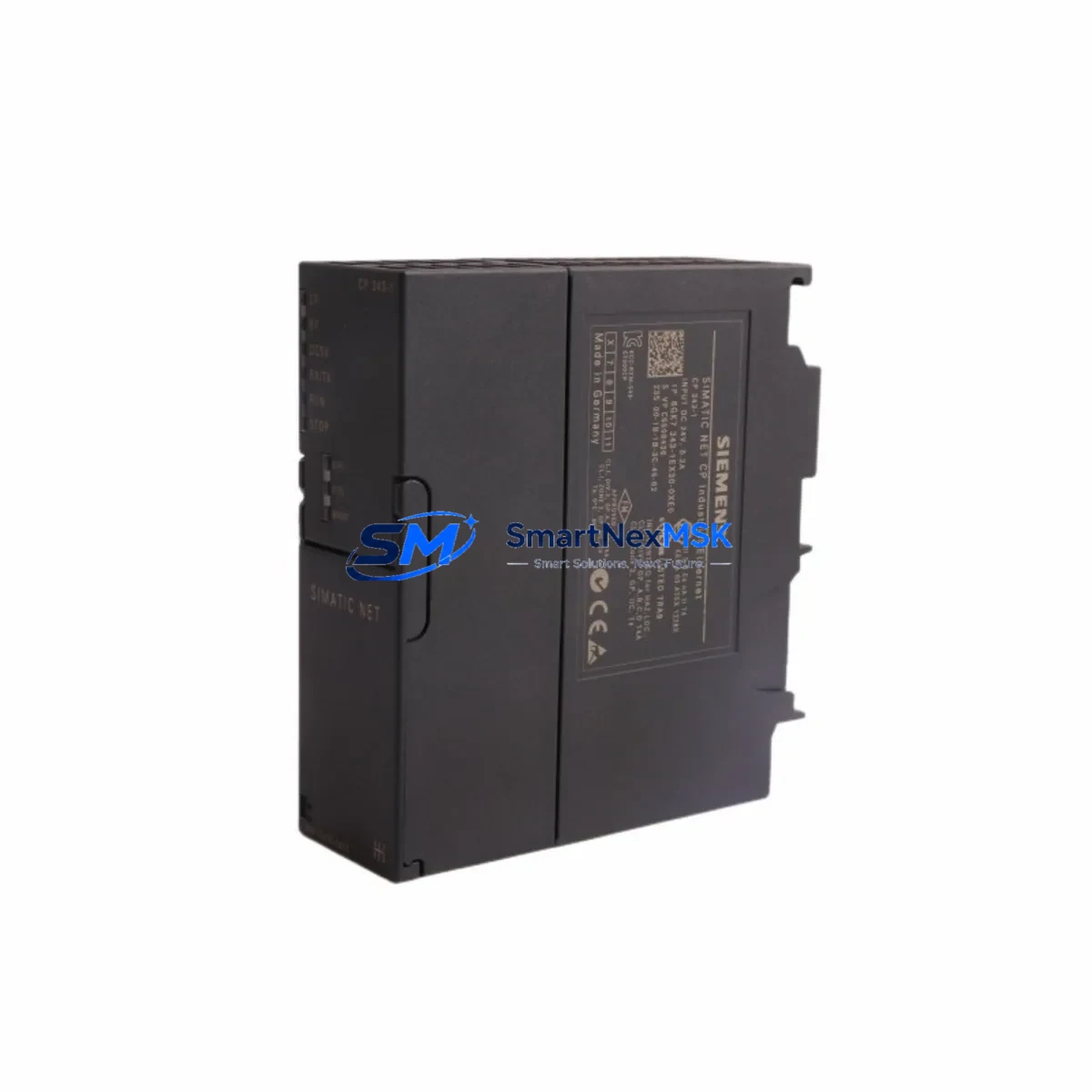
Siemens 6GK7343-1EX30-0XE0 Retrofit-Ready CP for S7-300 Control Systems
The Siemens 6GK7343-1EX30-0XE0 is a high-performance Communications Processor (CP 343-1) designed for integration into the SIMATIC S7-300 rack. As legacy S7-300 systems approach end-of-life and spare parts become increasingly scarce, this module serves as the definitive retrofit solution — enabling aging Ethernet communication infrastructure to be restored, upgraded, or migrated to modern PROFINET/Industrial Ethernet architectures without requiring a full controller replacement.
Whether you are replacing a failed CP 343-1 on an active production line, upgrading from an older 6GK7343-1EX11 or 6GK7343-1EX20 variant, or migrating your plant network from legacy Industrial Ethernet to PROFINET IO, the 6GK7343-1EX30-0XE0 provides a verified, compatible, and immediately deployable solution. Every unit shipped by SMARTNEXMSK undergoes pre-shipment functional testing and is backed by a 12-month warranty.
Upgrade Compatibility Table
| Parameter | Details |
|---|---|
| SKU / Order Number | 6GK7343-1EX30-0XE0 |
| Module Type | CP 343-1 — Communications Processor for S7-300 |
| Compatible Rack | SIMATIC S7-300 standard rail (DIN 35mm), slots 4–11 |
| Backplane Interface | S7-300 K-Bus (P-Bus) — direct plug-in, no adapter required |
| Communication Protocol | PROFINET IO (Controller / Device), Industrial Ethernet (ISO, TCP/IP, UDP) |
| Network Interface | RJ45 × 2 (integrated 2-port switch), 10/100 Mbit/s auto-sensing |
| Direct Replacement For | 6GK7343-1EX11-0XE0, 6GK7343-1EX20-0XE0, 6GK7343-1EX21-0XE0 |
| Programming Tool | STEP 7 V5.5 SP4 or higher; TIA Portal V13 SP1 or higher (via proxy) |
| Power Consumption | 2.0 W from S7-300 backplane (5 VDC) |
| Installation Requirement | Slot assignment via STEP 7 HW Config; module address must be re-assigned after swap |
| Commissioning Note | Download updated HW Config to CPU (e.g. CPU 315-2 PN/DP or CPU 317-2 DP) after installation |
| Warranty | 12 months from date of shipment — covers manufacturing defects and functional failure |
Retrofit Planning for Existing Automation Systems
Successful integration of the 6GK7343-1EX30-0XE0 into an existing S7-300 system requires a structured pre-installation review. Before removing the failed or obsolete CP module, engineers should document the current slot assignment in STEP 7 HW Config, record the existing IP address, subnet mask, and gateway settings, and export the current project backup. This ensures that the replacement module can be configured identically, minimizing the risk of communication loss to downstream PROFINET IO devices or SCADA systems.
In systems where the S7-300 rack also houses a PS 307 power supply module (e.g., 6ES7307-1EA01-0AA0), verify that the total backplane current budget accommodates the CP 343-1 alongside other installed modules such as digital input modules (SM 321), digital output modules (SM 322), or analog I/O modules (SM 331 / SM 332). Overloaded backplanes are a common cause of intermittent CP faults in aging control cabinets.
For systems using a CPU 315-2 DP or CPU 317-2 PN/DP as the central controller, the CP 343-1 operates as an independent communication co-processor, offloading Ethernet traffic from the CPU’s integrated PN interface. This architecture is particularly valuable in retrofit scenarios where the existing CPU is retained but the network infrastructure is being upgraded from a flat Industrial Ethernet topology to a segmented PROFINET IO environment.
When the plant network includes legacy SIMATIC NET OPC servers or S7-PLCSIM environments used for HMI simulation, confirm that the new CP module’s firmware version is compatible with the SIMATIC NET software release installed on the engineering station. In many retrofit projects, the CP 343-1 also serves as the communication gateway between the S7-300 and WinCC flexible or WinCC V7 HMI panels connected via Ethernet, so HMI connection parameters (IP address, rack/slot number) must be updated in the HMI project after the module swap.
For sites migrating from RS-485 PROFIBUS DP networks to PROFINET, the 6GK7343-1EX30-0XE0 can coexist in the same rack as a CP 342-5 PROFIBUS DP master module, allowing a phased migration where some field devices remain on PROFIBUS while new devices are added to the PROFINET segment. Similarly, if the control cabinet includes an IM 360 / IM 361 expansion rack interface, ensure that the rack numbering and module addressing in HW Config are consistent across all expansion racks before downloading the updated configuration.
Programming cables such as the PC Adapter USB A2 (6ES7972-0CB20-0XA0) remain compatible with the S7-300 CPU’s MPI/DP port throughout the retrofit process, allowing engineers to perform online diagnostics and program downloads without interrupting the CP module installation sequence.
Downtime Control During System Migration
Minimizing unplanned downtime is the primary concern in any live-system CP module replacement. The recommended approach is to perform the swap during a scheduled maintenance window, with the following sequence: first, place the CPU in STOP mode via the mode selector switch or STEP 7 online interface; second, power down the PS 307 supply module before physically removing the old CP 343-1 from the backplane slot; third, insert the 6GK7343-1EX30-0XE0 into the same slot and restore power; fourth, use STEP 7 or TIA Portal to download the pre-verified HW Config with the updated CP parameters.
If the original program logic (OB1, FC, FB blocks) does not reference the CP module directly — which is typical in S7-300 architectures where communication is handled via SFB/SFC calls or the CP’s autonomous send/receive jobs — the CPU program itself does not need to be modified. Only the hardware configuration and CP parameter assignment require updating. This significantly reduces the risk of introducing logic errors during the retrofit and allows the system to resume production within the same maintenance window.
For critical processes where even a brief STOP is unacceptable, consider using the CP 343-1’s integrated 2-port switch to pre-configure the replacement module on a parallel network segment, verify connectivity to the SCADA or DCS host, and then perform a hot-swap sequence coordinated with the process control team. Always retain a backup of the original STEP 7 project on a local engineering station before initiating any hardware change, ensuring rapid rollback capability if unexpected compatibility issues arise.
Retrofit Support FAQ
Q1: Is the 6GK7343-1EX30-0XE0 a direct drop-in replacement for the 6GK7343-1EX20-0XE0?
Yes. The -1EX30 revision is the current production successor to the -1EX20 and -1EX11 variants. It occupies the same backplane slot, uses the same K-Bus interface, and is configured using the same STEP 7 HW Config object. After physical installation, re-download the HW Config to the CPU to register the new module’s firmware version. No changes to the PLC program are required in standard configurations.
Q2: What commissioning steps are required after installation?
After inserting the module and restoring power, open STEP 7 HW Config, confirm the CP 343-1 object is assigned to the correct slot, verify the IP address and PROFINET device name settings, and perform a full download to the CPU. Use the STEP 7 online diagnostics or the CP’s integrated web server to confirm that the Ethernet link is active and that all configured connections (S7 connections, ISO-on-TCP, or PROFINET IO relationships) are established before returning the system to AUTO mode.
Q3: Can this module be used in a system that also has a CPU with an integrated PN interface?
Yes. The CP 343-1 operates independently of the CPU’s integrated PROFINET interface. In systems using a CPU 317-2 PN/DP, the CP 343-1 can be configured to handle a separate PROFINET IO domain or to provide additional S7 communication connections, effectively expanding the total communication capacity of the S7-300 station.
Q4: What does the 12-month warranty cover, and how is it claimed?
The 12-month warranty covers all manufacturing defects and functional failures under normal operating conditions (24 VDC supply, ambient temperature within rated range, correct backplane installation). To initiate a warranty claim, contact SMARTNEXMSK at [email protected] with your order number, a description of the fault, and diagnostic screenshots from STEP 7 if available. Replacement or repair will be arranged within 5 business days of fault confirmation.
© 2026 SMARTNEXMSK. All rights reserved.
Original Source: https://smartnexmsk.com
Contact: [email protected] | +86 18259474341



