
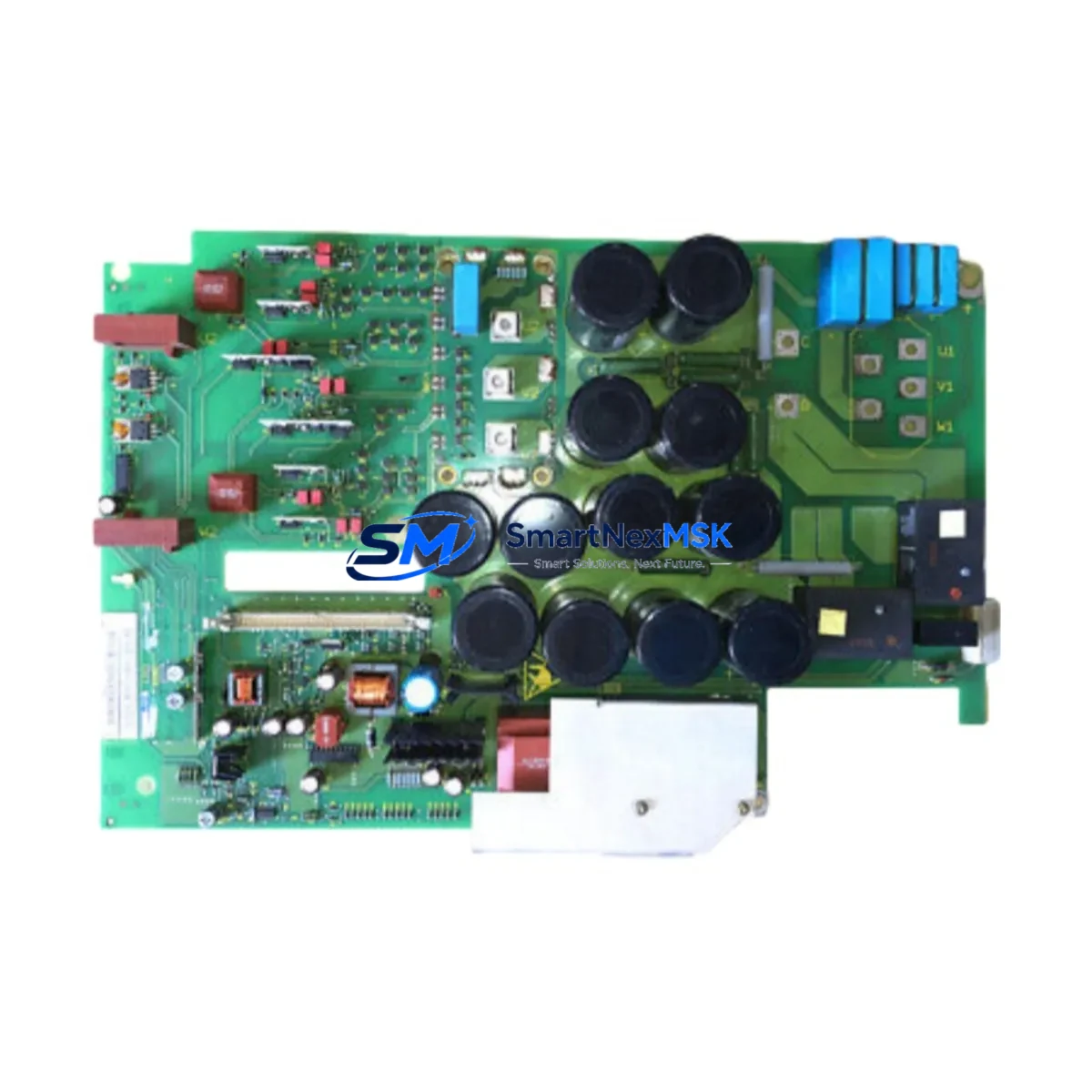
Siemens 6SE7023-4EC84-1HF3 Retrofit-Ready Frequency Converter for MASTERDRIVES Control Systems
The Siemens 6SE7023-4EC84-1HF3 is an 11 kW (15 HP) MASTERDRIVES Motion Control / Vector Control (MC/VC) frequency inverter designed for demanding industrial drive applications. As legacy MASTERDRIVES installations approach end-of-service milestones, this unit serves as the definitive retrofit-ready replacement for aging or discontinued inverter modules within the same platform family. Whether you are upgrading a multi-axis coordinated drive line, replacing a failed unit in a packaging machine, or migrating a legacy paper mill drive system to a supportable configuration, the 6SE7023-4EC84-1HF3 delivers the electrical and mechanical compatibility required for a smooth, low-risk transition.
This inverter operates on a 3-phase 380–480 V AC input and delivers a rated output current of 23.4 A at 400 V, making it suitable for direct replacement of earlier MASTERDRIVES Compact Plus and standard chassis units in the same power class. The integrated PROFIBUS-DP interface (via the CBP2 communication board slot) ensures seamless integration into existing SIMATIC S7-300 and S7-400 PLC networks without requiring protocol conversion hardware or gateway devices. Engineers migrating from older SIMOVERT MASTERDRIVES 6SE70 series units will find that the parameter structure, drive object addressing, and telegram types remain consistent, significantly reducing re-commissioning time.
Upgrade Compatibility Table
| Parameter | Details |
|---|---|
| SKU / Part Number | 6SE7023-4EC84-1HF3 |
| Series | Siemens MASTERDRIVES MC/VC |
| Rated Power | 11 kW (15 HP) |
| Input Voltage | 3-phase 380–480 V AC, 50/60 Hz |
| Output Current | 23.4 A |
| Communication Interface | PROFIBUS-DP (CBP2 slot) |
| Mounting / Form Factor | Compact chassis, standard DIN rail / panel mount |
| Replaces / Compatible With | 6SE7023-4EC84-1HF0, 6SE7023-4EC61, earlier 6SE70 MC/VC variants in same power class |
| Backplane / Rack Interface | Standard MASTERDRIVES option board slots (T400, CBP2, SBP, EB1/EB2) |
| Commissioning Tool | DriveMonitor, STARTER (via USS or PROFIBUS), PC adapter 6ES7972-0CB20-0XA0 |
| Retrofit Recommendation | Direct swap with parameter upload/download; verify firmware version compatibility |
| Warranty | 12 months from shipment date |
Retrofit Planning for Existing Automation Systems
Successful integration of the 6SE7023-4EC84-1HF3 into an existing control cabinet begins with a thorough pre-retrofit audit. Engineers should document the existing terminal wiring layout — particularly the X9 power terminals, the X101/X102 control terminals, and any analog setpoint inputs connected to the CU (Control Unit) board. If the outgoing unit carries a T400 technology board for cam control or cross-coupled axis synchronization, verify that the replacement chassis accepts the same board revision before removal.
Power supply capacity is a critical checkpoint. The 6SE7023-4EC84-1HF3 draws from the DC bus or AC line depending on the installation topology. In multi-drive configurations sharing a common DC bus with a 6SE7031 or 6SE7035 regenerative infeed unit, confirm that the infeed module’s rated DC bus current budget accommodates the replacement inverter’s peak demand. Installations using a standalone 6SE7090-0XX84-0AB0 braking module should verify that the braking resistor sizing remains within the thermal limits specified for the new unit’s duty cycle.
For I/O expansion, the EB1 and EB2 expansion boards — commonly used for additional digital inputs, relay outputs, and analog channels — are fully compatible with this chassis and can be transferred directly from the outgoing unit. Similarly, the SBP (Sensor Board Pulse) used for HTL/TTL encoder feedback retains its wiring and parameter assignments across compatible MASTERDRIVES chassis variants. If the application uses a 6FC5 series SINUMERIK CNC controller as the motion master, confirm the drive object number and axis assignment in the NCK configuration before swapping the physical unit.
PROFIBUS-DP node addressing must be verified against the existing network segment. The CBP2 board’s station address is stored in the drive’s non-volatile parameter set (P918) and should be recorded before the outgoing unit is powered down. After installing the 6SE7023-4EC84-1HF3, restore the address and upload the full parameter set using DriveMonitor or the STARTER commissioning tool connected via the USS interface on the BOP (Basic Operator Panel) port or via the PC adapter cable. HMI screens built on WinCC or SIMATIC OP/TP panels that reference drive parameters via PROFIBUS should be validated for correct data block mapping after the swap.
Where the legacy installation includes a 6SE7090-0XX84-2DA0 SIMOLINK fiber-optic ring for high-speed torque coupling between multiple drives, the replacement unit must carry the matching SLB (SIMOLINK Board) option. Confirm the SLB firmware version is compatible with the ring master’s cycle time settings to avoid synchronization faults during the first powered test run.
Downtime Control During System Migration
Minimizing production downtime during a MASTERDRIVES inverter swap requires a structured hot-swap preparation protocol. Before the maintenance window opens, use DriveMonitor to perform a full parameter backup (P060 = 22 upload sequence) and store the dataset on a local engineering laptop as well as a network share. This ensures that if the replacement unit ships with factory defaults, the original control logic, ramp times, torque limits, and speed controller gains can be restored in minutes rather than hours.
Where the process cannot tolerate a cold restart, consider a staged approach: install the 6SE7023-4EC84-1HF3 in a parallel test cabinet, load the parameter set, and perform a no-load run verification before the scheduled outage. This allows the commissioning engineer to confirm that the speed reference scaling, the PROFIBUS telegram type (typically PPO Type 1 or PPO Type 3), and the encoder feedback signal chain are all functioning correctly before the unit enters the live production environment.
During the physical swap, label all control wiring at the X101/X102 terminal strip before disconnection. Photograph the existing wiring layout and cross-reference against the original electrical schematic. After reinstallation, perform an insulation resistance check on the motor cable before energizing the DC bus. Restore the PROFIBUS node address, reload the parameter set, and execute a low-speed jog test before releasing the drive to automatic mode. Document the commissioning date and firmware version for the 12-month warranty record.
Retrofit Support FAQ
Q1: Is the 6SE7023-4EC84-1HF3 a direct drop-in replacement for the 6SE7023-4EC84-1HF0?
A: Yes. The HF3 suffix denotes a later hardware revision with identical electrical ratings and the same option board slot configuration. Parameter sets created on HF0 units are fully compatible and can be uploaded without modification. Verify that the firmware version on the replacement unit is equal to or newer than the outgoing unit to avoid feature regression.
Q2: Can I reuse the existing motor cable and terminal wiring?
A: In most cases, yes. The output terminal layout (U2, V2, W2, PE) follows the standard MASTERDRIVES Compact chassis pinout. However, if the existing cable was sized for a different ambient temperature or installation method, re-verify the cable ampacity against the 23.4 A rated output current. Shielded motor cables should be re-terminated at the EMC cable clamp on the new chassis to maintain CE conformity.
Q3: How do I verify PROFIBUS-DP communication after the swap?
A: After restoring P918 (PROFIBUS address) and the full parameter set, use the SIMATIC S7 hardware configuration in STEP 7 or TIA Portal to perform a bus scan. Confirm that the drive appears at the correct node address and that the GSD file version matches the CBP2 board revision. Monitor the PROFIBUS diagnostic LEDs on the CBP2 board: steady green on BF and SF LEDs indicates a healthy bus connection. If faults persist, check the bus termination resistors at both ends of the PROFIBUS segment.
Q4: What does the 12-month warranty cover, and how is it claimed?
A: The 12-month warranty covers manufacturing defects, component failures under normal operating conditions, and DOA (dead-on-arrival) units confirmed by pre-shipment functional testing. Warranty claims are initiated by contacting [email protected] with the order reference, unit serial number, and a description of the fault. Units are subject to inspection upon return; warranty does not cover damage caused by incorrect wiring, overvoltage events, or installation outside the rated environmental specifications.
© 2026 SMARTNEXMSK. All rights reserved.
Original Source: https://smartnexmsk.com
Contact: [email protected] | +86 18259474341



