
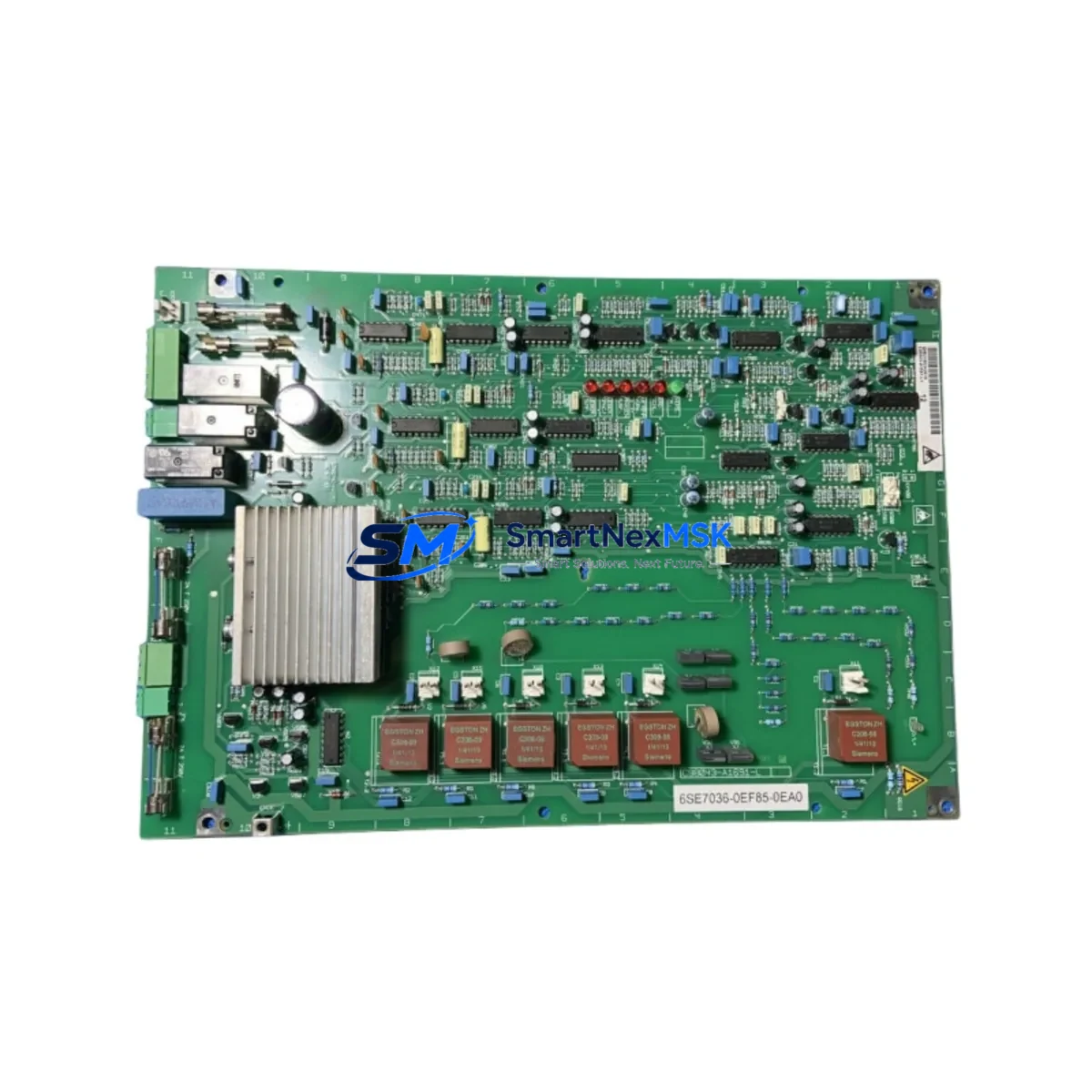
Siemens 6SE7036-0EF85-0EA0 Retrofit-Ready Drive Control for SIMOVERT MASTERDRIVES Control Systems
The Siemens 6SE7036-0EF85-0EA0 is a Control and Pre-Charging Module engineered for the SIMOVERT MASTERDRIVES series — one of Siemens’ most extensively deployed variable-frequency drive platforms across global industrial automation installations. As legacy MASTERDRIVES systems approach end-of-service milestones and OEM support windows close, this module serves as a critical retrofit component for engineers managing aging drive cabinets, upgrading control infrastructure, or restoring failed systems with minimal production downtime. Whether you are replacing a failed unit in a live production line or executing a planned modernization of a multi-drive system, the 6SE7036-0EF85-0EA0 provides a verified, drop-in-compatible solution backed by a 12-month warranty and pre-shipment functional testing.
This module integrates directly into the MASTERDRIVES MC (Motion Control) and VC (Vector Control) chassis families. It manages the pre-charging sequence for the DC link capacitor bank and coordinates with the main control board to handle drive startup, fault response, and power sequencing. When replacing a failed module, engineers must verify the DC bus voltage rating, confirm the pre-charging resistor network is intact, and ensure the fiber-optic communication links to the CU (Control Unit) — such as the 6SE7090-0XX84-0KA0 interface board — are properly reseated. The module communicates via the internal SIMOLINK or CBP2 PROFIBUS interface, so any replacement must match the existing communication protocol configuration stored in the drive’s parameter set.
Upgrade Compatibility Table
| Parameter | Details |
|---|---|
| SKU / Part Number | 6SE7036-0EF85-0EA0 |
| Brand | Siemens |
| Series Compatibility | SIMOVERT MASTERDRIVES MC / VC |
| Module Function | Control & Pre-Charging Module |
| Mounting Interface | Direct backplane slot — no adapter required |
| Communication Protocol | SIMOLINK / PROFIBUS DP (CBP2 compatible) |
| Replacement Compatibility | Direct drop-in replacement for same-series failed units |
| Installation Requirement | Parameter restore via DriveMonitor or STARTER software |
| Commissioning Tool | Siemens DriveMonitor / STARTER |
| Pre-Shipment Testing | Functional test performed before dispatch |
| Warranty | 12 Months from date of delivery |
| Country of Origin | Germany |
| Condition | New / Refurbished-to-spec (confirmed at order) |
Retrofit Planning for Existing Automation Systems
A successful retrofit of the 6SE7036-0EF85-0EA0 into an existing MASTERDRIVES cabinet requires systematic pre-work. Before removing the failed module, engineers should document the full parameter set using Siemens DriveMonitor or the STARTER commissioning tool, saving the drive’s P-parameter list to a PC or memory card. This backup is essential — the replacement module will not retain the previous unit’s configuration and must be re-parameterized from scratch or restored from the saved dataset.
Terminal wiring on the control board must be verified against the original wiring diagram. The 24 VDC auxiliary supply feeding the control electronics — typically sourced from a SITOP PSU100S or equivalent DIN-rail power supply unit — must be confirmed within tolerance before powering the new module. The DC link pre-charging circuit relies on a thermistor-protected resistor network; if the resistors show signs of thermal stress or discoloration, they should be replaced concurrently to avoid repeat failures after the module swap.
For systems using a CBP2 PROFIBUS communication board mounted on the drive’s option slot, the board address and baud rate settings must be re-confirmed after the module swap. In multi-drive configurations — for example, a line of MASTERDRIVES units coordinated by a Siemens S7-400 PLC via PROFIBUS DP — each drive’s node address must be individually verified to prevent bus conflicts. The S7-400 CPU, often paired with a CP 443-5 Extended communications processor, will flag a bus fault if any drive fails to respond within the configured watchdog timeout period.
Where the system includes a Siemens OP17 or TP177B HMI panel connected to the drive network, the HMI screen tags referencing drive status words and fault codes should be validated post-commissioning. Drive fault codes displayed on the HMI are mapped to specific parameter addresses; after a module replacement, it is good practice to trigger a test fault and confirm the HMI alarm response is correct before returning the system to production.
For I/O-intensive applications, the MASTERDRIVES chassis may be fitted with a TB30 terminal board or an SBP encoder evaluation board for closed-loop speed control. These boards plug into dedicated option slots on the drive chassis and are independent of the control/pre-charging module — they do not need to be removed during the swap, but their wiring should be inspected for any vibration-induced loosening. Similarly, if the system uses a CBC communication board for CAN bus connectivity, its configuration parameters should be re-entered after the module replacement is complete. For systems with a Siemens S7-300 CPU managing the broader control cabinet, the PLC program itself requires no modification — only the drive’s internal parameter set needs restoration, which significantly reduces the risk of introducing software errors during a hardware replacement.
Downtime Control During System Migration
Minimizing production downtime during a MASTERDRIVES module replacement requires a structured, pre-planned approach. The recommended sequence is: isolate the drive from the AC supply and allow the DC bus to fully discharge (confirmed by measuring across the DC link terminals with a calibrated meter), then remove the failed 6SE7036-0EF85-0EA0, install the replacement unit, restore the parameter backup, and perform a no-load test run before reconnecting the mechanical load.
Where a hot-standby spare is not available, pre-staging the replacement module with the correct parameter set — loaded offline using DriveMonitor before the maintenance window — can reduce live commissioning time to under 30 minutes for experienced engineers. For critical production lines, it is advisable to keep a pre-configured spare on the shelf. The 6SE7036-0EF85-0EA0 can be stored in its original packaging at ambient temperature and humidity within Siemens’ specified storage conditions without performance degradation.
Once the drive is back online and communicating correctly on the PROFIBUS or SIMOLINK network, a full-speed test run under load should be performed and logged before the maintenance record is closed. This step confirms that the pre-charging sequence, motor control loop, and communication handshake with the upstream S7-400 or S7-300 PLC are all functioning within specification. Proper documentation of the commissioning result — including parameter checksum, test run data, and fault log clearance — is recommended for ISO-compliant maintenance records.
Retrofit Support FAQ
Q1: Is the 6SE7036-0EF85-0EA0 a direct replacement for the original Siemens part?
Yes. This module is a direct form-fit-function replacement for the original Siemens 6SE7036-0EF85-0EA0. It mounts in the same backplane slot, uses the same terminal assignments, and is compatible with the same firmware and parameter structure as the original. No mechanical modifications to the drive cabinet are required.
Q2: What commissioning steps are required after installation?
After physical installation, restore the drive’s parameter set from a previously saved backup using DriveMonitor or STARTER. If no backup exists, the drive must be re-parameterized from the motor nameplate data and application requirements. Verify communication link status on the PROFIBUS or SIMOLINK network, confirm the pre-charging sequence completes without fault, and perform a no-load test run before reconnecting the mechanical load.
Q3: How do I verify wiring compatibility before powering up?
Compare the terminal layout of the replacement module against the original wiring diagram for your specific drive cabinet. Pay particular attention to the 24 VDC control supply terminals, the fiber-optic SIMOLINK connectors, and any option board interface connectors. Confirm that the DC bus discharge is complete before handling any internal wiring. If the original wiring diagram is unavailable, the Siemens MASTERDRIVES operating instructions (document number 6SE7087-6AK85-0AA0) provide the standard terminal assignment for this module family.
Q4: What does the 12-month warranty cover?
The 12-month warranty covers manufacturing defects and functional failures under normal operating conditions from the date of delivery. Each unit undergoes pre-shipment functional testing to verify correct operation before dispatch. Warranty claims are supported by our technical team at [email protected]. The warranty does not cover damage resulting from incorrect installation, overvoltage events, or operation outside the module’s specified environmental ratings.
© 2026 SMARTNEXMSK. All rights reserved.
Original Source: https://smartnexmsk.com
Contact: [email protected] | +86 18259474341



