
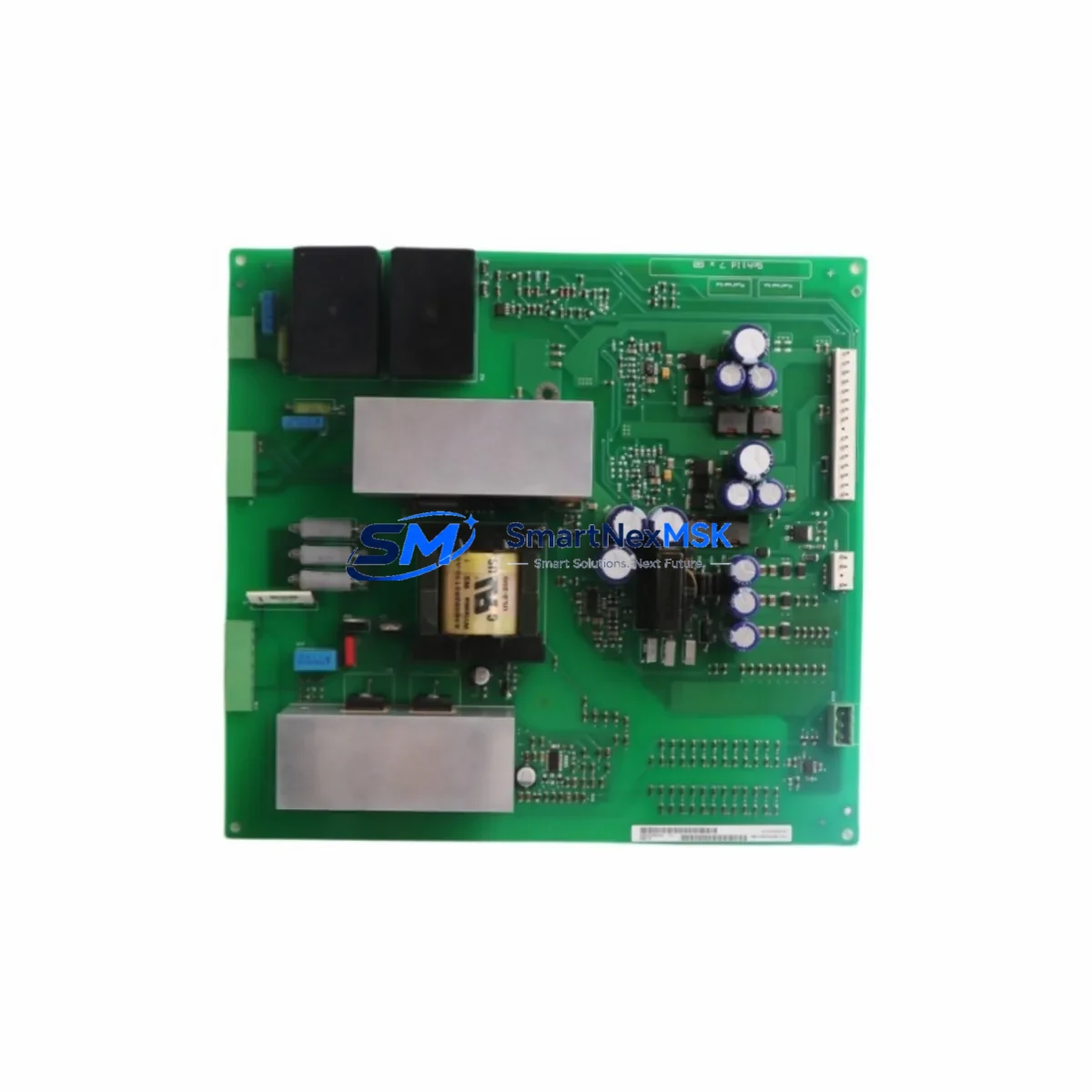
Siemens 6SE7038-6GL84-1JA1 Spare MASTERDRIVES VC: Inverter Power Board Replacement for Industrial Downtime Control
The Siemens 6SE7038-6GL84-1JA1 is an original inverter power board designed for the SIMOVERT MASTERDRIVES VC series — one of Siemens’ most widely deployed vector-control drive platforms in heavy industrial environments. When this board fails, the entire drive train stops. Every hour of unplanned downtime in a production line, compressor station, or material handling system translates directly into lost output and escalating recovery costs. Stocking a verified replacement of the 6SE7038-6GL84-1JA1 is the single most effective measure a maintenance team can take to protect drive availability in aging MASTERDRIVES VC installations.
This unit is sourced as an original Siemens component, fully tested prior to shipment, and backed by a 12-month warranty. It is suitable for direct replacement in MASTERDRIVES VC cabinets operating in the high-power range, and is compatible with the standard MASTERDRIVES VC control and gate-driver architecture. Each unit undergoes functional verification before dispatch to ensure it meets the electrical and thermal performance specifications of the original design.
Spare Maintenance Table
| Parameter | Specification / Notes |
|---|---|
| Part Number (SKU) | 6SE7038-6GL84-1JA1 |
| Brand | Siemens |
| Series | SIMOVERT MASTERDRIVES VC |
| Component Type | Inverter Power Board |
| Origin | Germany (DE) |
| Drive Power Range | High-power MASTERDRIVES VC (consult drive nameplate for exact kW rating) |
| Compatibility | SIMOVERT MASTERDRIVES VC series; verify drive firmware and hardware revision before installation |
| Installation Environment | Industrial control cabinet; IP20 internal mounting; observe ESD precautions |
| Cooling Requirement | Forced-air or liquid-cooled cabinet per original drive specification |
| Maintenance Recommendation | Replace as part of scheduled drive overhaul or immediately upon fault code indicating power board failure |
| Pre-shipment Testing | Functional test performed on every unit before dispatch |
| Warranty | 12 Months from date of shipment |
| Condition | Original Siemens spare; new or factory-refurbished as specified at order |
Maintenance Planning for Continuous Operation
Replacing the 6SE7038-6GL84-1JA1 in a MASTERDRIVES VC drive is rarely an isolated event. A power board failure is frequently preceded or accompanied by stress on adjacent components, and a thorough maintenance inspection at the time of replacement significantly reduces the risk of repeat failures. Maintenance engineers should treat this replacement as an opportunity to audit the full drive assembly.
Begin with the DC bus capacitor bank: capacitors in high-power MASTERDRIVES VC units age under thermal and electrical stress, and a failing capacitor bank can cause the very overvoltage or ripple conditions that damage the inverter power board. Inspect and measure capacitance and ESR values before commissioning the replacement board. Next, check the gate driver board (e.g., the 6SE7038-series gate driver assembly) — gate driver faults can cause asymmetric IGBT switching that stresses the power board; replace or re-test the gate driver if any IGBT fault history is present in the drive’s fault log.
The IGBT modules themselves should be tested for short-circuit and open-circuit conditions using a suitable semiconductor tester. In high-power MASTERDRIVES VC units, IGBT failure is often the root cause of power board damage, so confirming IGBT integrity before energizing the replacement board is essential. Similarly, inspect the snubber capacitors and bus bar connections for signs of arcing, discoloration, or loose torque — these are common contributors to power board stress in high-current applications.
On the control side, verify the MASTERDRIVES VC control board (CU or CB module, such as the 6SE7090-series control units) is free of fault history related to overcurrent or hardware errors. A corrupted parameter set or a control board with degraded analog I/O can cause the drive to command abnormal switching patterns that stress the new power board. Back up and restore drive parameters using the SIMOVERT MASTERDRIVES VC parameter set via the OP1S operator panel or DriveMonitor software before final commissioning.
Check all power supply rails within the cabinet — the 24 VDC SITOP power supply or equivalent that feeds the control electronics should be measured under load. A sagging or noisy 24 V rail can cause intermittent control faults that are misdiagnosed as power board failures. Inspect terminal blocks and power wiring on the input rectifier and output motor terminals for signs of overheating, loose connections, or insulation degradation. Thermal imaging of the cabinet during a short test run is recommended before returning the drive to full production load.
For drives integrated into larger automation systems, confirm that the PROFIBUS DP or PROFINET communication module (such as the CBP2 or CBC10) is seated correctly and that the network address and baud rate settings are intact after the board swap. Communication faults after a power board replacement are almost always configuration issues, not hardware failures, but they can delay restart if not checked proactively. Finally, review the motor thermistor (PTC) circuit and any external motor protection relay in the circuit — these protective devices should be tested to confirm they will respond correctly under the restored drive output.
Site Replacement Workflow
A structured on-site replacement workflow minimizes downtime and ensures the 6SE7038-6GL84-1JA1 is commissioned correctly the first time. Before beginning, isolate the drive from the main supply and verify zero voltage on the DC bus using a calibrated meter — MASTERDRIVES VC DC buses retain dangerous charge for several minutes after power-off. Document the existing drive parameter set and fault log before disassembly.
Remove the faulty power board by following the MASTERDRIVES VC service manual torque sequence for bus bar bolts and connector locking clips. Inspect the mounting surface and thermal interface material — replace thermal pads or paste if the original material shows signs of drying or cracking, as poor thermal contact is a leading cause of premature power board failure in high-power drives. Install the 6SE7038-6GL84-1JA1 replacement, torque all connections to specification, and reconnect all signal connectors with attention to correct orientation.
After mechanical installation, restore the parameter set and perform a no-load test run at reduced speed before applying full production load. Monitor drive temperature, output current balance across phases, and DC bus voltage ripple during the initial run. Log the first 30 minutes of operation data for the maintenance record. This workflow applies equally to planned overhaul replacements and emergency breakdown recoveries, and it is the same process recommended for replacing other MASTERDRIVES VC internal assemblies such as the rectifier bridge, the fan assembly, or the fiber-optic interface board — all of which should be evaluated for remaining service life whenever the cabinet is opened for a power board replacement.
Spare Parts Support FAQ
Q1: Is the 6SE7038-6GL84-1JA1 compatible with all MASTERDRIVES VC variants?
The 6SE7038-6GL84-1JA1 is designed for specific power and hardware revision variants within the SIMOVERT MASTERDRIVES VC range. Always cross-reference the drive’s nameplate data — including the order number, hardware revision (HW), and firmware version — against the replacement board specification before ordering. Our technical team can assist with compatibility verification based on your drive’s nameplate photograph or full order number.
Q2: What is included in the 12-month warranty and how does it apply to field-installed units?
The 12-month warranty covers manufacturing defects and component failures under normal operating conditions from the date of shipment. It does not cover damage resulting from incorrect installation, overvoltage events caused by external faults, or operation outside the drive’s rated parameters. Warranty claims are processed with reference to the original invoice and, where applicable, a fault description and photographic evidence of the failed unit.
Q3: How should the 6SE7038-6GL84-1JA1 be stored if purchased as a strategic spare?
Store the board in its original ESD-protective packaging in a dry, temperature-controlled environment (typically 0–40°C, <75% relative humidity, non-condensing). Avoid storage near strong magnetic fields or in environments with corrosive gases. Inspect the board annually if held in long-term storage, and re-test before installation if stored for more than 24 months. Proper storage conditions preserve the board’s electrolytic components and connector integrity for multi-year spare holding strategies.
Q4: Can this board be used to replace older or discontinued MASTERDRIVES VC power board variants?
In many cases, yes — Siemens designed successive MASTERDRIVES VC power board revisions with backward compatibility in mind for the same power class. However, hardware revision mismatches can cause parameter incompatibilities or require firmware updates on the control board. Always confirm the hardware revision compatibility with our technical team or the Siemens service documentation for your specific drive before installing a replacement board in a legacy system.
© 2026 SMARTNEXMSK. All rights reserved.
Original Source: https://smartnexmsk.com
Contact: [email protected] | +86 18259474341



