
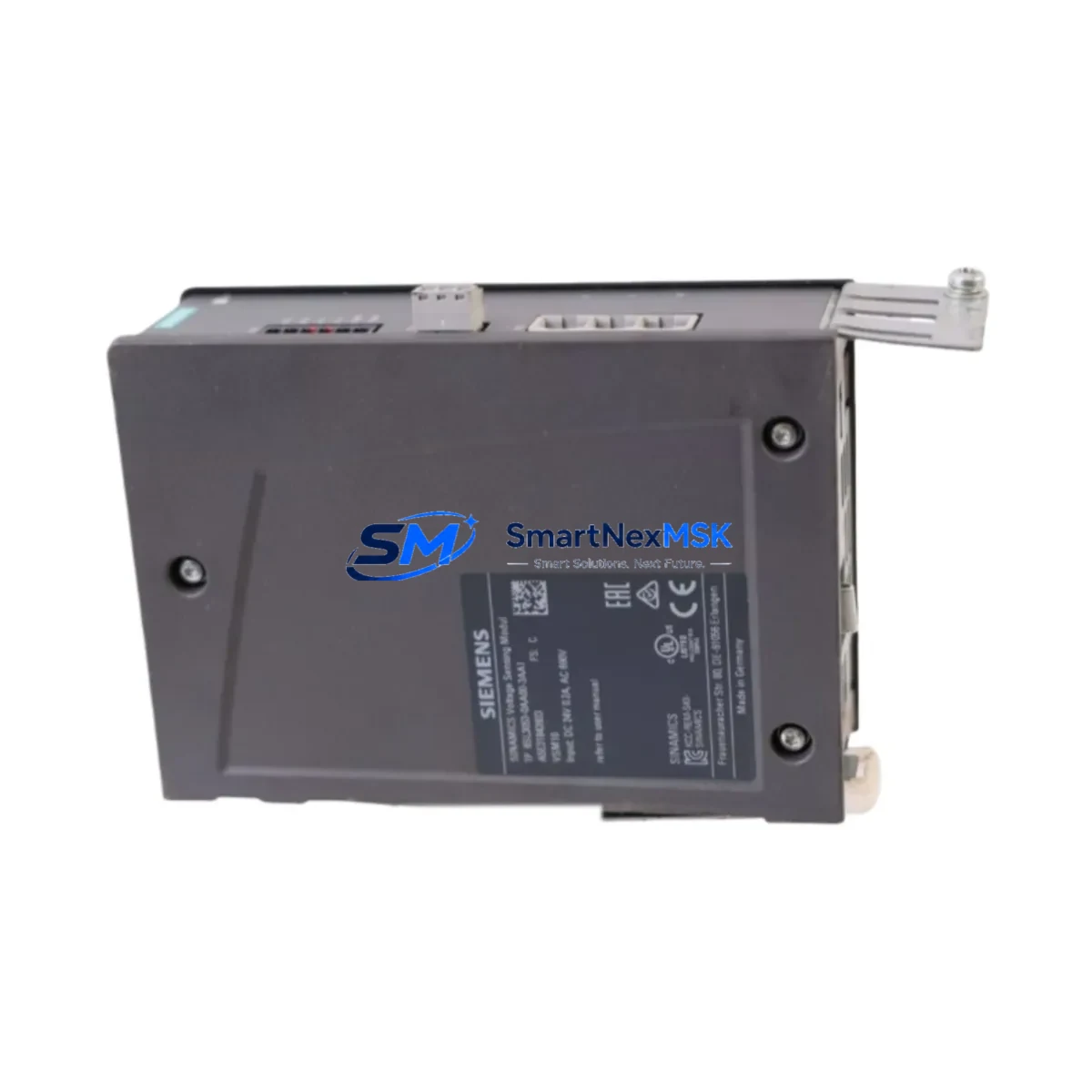
Siemens 6SL3053-0AA00-3AA1 Spare for S120 Automation: Spare Replacement & Industrial Downtime Risk Control
The Siemens 6SL3053-0AA00-3AA1 is an Active Line Module (ALM) within the SINAMICS S120 modular drive system, designed to provide regenerative, sinusoidal line supply infeed for multi-axis drive configurations in demanding industrial environments. As a maintenance-ready spare, this unit enables maintenance and procurement engineers to execute rapid like-for-like replacement, restore drive system availability, and eliminate extended unplanned downtime caused by infeed module failure.
In high-cycle manufacturing, automotive body-in-white lines, paper and printing machinery, and heavy-process industries, the S120 Active Line Module is a critical node in the DC bus architecture. A failed or degraded ALM can cascade into full drive-train shutdown, halting production across multiple axes simultaneously. Stocking a verified 6SL3053-0AA00-3AA1 spare directly addresses this risk and supports a proactive maintenance posture aligned with IEC 62443 and ISO 55000 asset management principles.
Spare Maintenance Table
| Parameter | Specification |
|---|---|
| Part Number / SKU | 6SL3053-0AA00-3AA1 |
| Brand | Siemens |
| Series | SINAMICS S120 |
| Module Type | Active Line Module (ALM) — Regenerative Infeed |
| Supply Voltage | 3-phase AC, 380–480 V ±10% |
| DC Bus Output | Stabilized DC link for S120 Motor Modules |
| Line Frequency | 47–63 Hz |
| Cooling Method | Internal air cooling (booksize format) |
| Form Factor | Booksize — compatible with S120 booksize chassis |
| Communication Interface | DRIVE-CLiQ (integrated) |
| Origin | Germany (DE) |
| Compatibility | SINAMICS S120 Booksize Motor Modules, Control Units CU320-2, CU310-2 |
| Installation | DIN rail / panel mount, booksize backplane bus connection |
| Ambient Temperature | 0 °C to +40 °C (derated to +55 °C) |
| Protection Class | IP20 |
| Maintenance Recommendation | Inspect DC bus capacitors, DRIVE-CLiQ cable, and line filter annually |
| Warranty | 12 Months — Tested & Verified Before Shipment |
Maintenance Planning for Continuous Operation
When scheduling replacement of the 6SL3053-0AA00-3AA1 Active Line Module, a thorough inspection of the surrounding drive cabinet components is essential to prevent repeat failures and ensure system integrity after recommissioning. Maintenance engineers should treat ALM replacement as a trigger for a broader cabinet audit rather than an isolated swap.
Begin by verifying the line reactor (6SL3000-0BE21-6AA0 or equivalent) upstream of the ALM — a degraded reactor can cause harmonic distortion that stresses the new module. Inspect the line filter (6SL3000-0BE23-8DA0) for capacitor leakage or insulation breakdown. Check the 24 V DC power supply module (6EP1333-3BA00) that feeds the control electronics; an unstable auxiliary supply is a common root cause of ALM fault codes that are misdiagnosed as module failure.
On the DC bus side, inspect the booksize Motor Modules (e.g., 6SL3120-1TE21-0AA3) for signs of capacitor bulging or IGBT thermal stress. Verify all DRIVE-CLiQ cables for continuity and connector seating — a loose DRIVE-CLiQ connection between the ALM and the Control Unit CU320-2 DP (6SL3040-1MA00-0AA0) will generate persistent F07900 faults that mimic hardware failure. Review the Voltage Sensing Module (VSM10, 6SL3053-0AA00-3AA0) if installed, as it works in tandem with the ALM for line voltage monitoring.
For cabinet-level inspection, check the terminal blocks and busbar connections on the infeed side for oxidation or loose torque. Inspect fuses and circuit breakers on the incoming supply — a nuisance trip history often indicates upstream impedance issues that will recur after ALM replacement. If the system uses a Braking Module (6SL3100-1BE21-3AA0), verify its chopper resistor condition, as regenerative braking energy management is closely coupled to ALM health. Finally, confirm that the SIMATIC S7-300/400 or S7-1500 PLC controlling the drive has current firmware and that the drive parameter set (p-parameters) is backed up before any module swap.
Site Replacement Workflow
Step 1 — Pre-Replacement Verification: Confirm the replacement 6SL3053-0AA00-3AA1 firmware version matches or is compatible with the existing CU320-2 firmware. Download the current drive parameter set via STARTER or Startdrive commissioning software before powering down.
Step 2 — Safe Isolation: Follow LOTO (Lockout/Tagout) procedures. Discharge the DC bus fully (minimum 5-minute wait after power-off; verify with a calibrated DC voltmeter — DC bus can retain charge above 700 V). Do not rely on indicator LEDs alone.
Step 3 — Module Removal: Disconnect the DRIVE-CLiQ cable, AC line connections, and DC bus busbars in sequence. Remove the booksize module from the backplane bus. Note the mechanical coding to ensure correct slot reinstallation.
Step 4 — Installation of Spare: Seat the replacement 6SL3053-0AA00-3AA1 onto the backplane bus. Reconnect busbars, AC supply, and DRIVE-CLiQ cable. Torque all terminals to manufacturer specification.
Step 5 — Recommissioning: Power up the 24 V supply first. Confirm DRIVE-CLiQ topology recognition on the CU320-2. Restore parameter set if required. Run a no-load test before reconnecting the mechanical load. Verify line voltage symmetry and DC bus voltage stability before returning to production.
This workflow minimizes downtime to under 2 hours for a prepared maintenance team and eliminates the risk of parameter loss or topology mismatch that can extend outages by days when spare parts are sourced reactively.
Spare Parts Support FAQ
Q1: Is the 6SL3053-0AA00-3AA1 compatible with all SINAMICS S120 booksize configurations?
The 6SL3053-0AA00-3AA1 is designed for the S120 booksize platform and is compatible with S120 booksize Motor Modules and Control Units (CU320-2, CU310-2) operating within the specified voltage and frequency range. Always verify the firmware version of the Control Unit against the ALM’s supported firmware matrix before installation. For chassis-format S120 systems, a different ALM variant is required.
Q2: How is the spare verified before shipment?
Each 6SL3053-0AA00-3AA1 unit undergoes functional power-on testing and visual inspection prior to dispatch. Units are checked for DRIVE-CLiQ communication integrity, DC bus output stability, and absence of stored fault codes. A 12-month warranty covers defects in materials and workmanship from the date of shipment, with direct technical support available for compatibility verification.
Q3: What is the recommended spare parts inventory strategy for S120 ALM modules?
For production lines with more than three S120 drive cabinets, maintaining one ALM spare per voltage/power class on-site is recommended. Given typical lead times for new Siemens S120 components, a stocked spare eliminates the 4–12 week procurement gap that can occur during global supply disruptions. For legacy systems where the 6SL3053-0AA00-3AA1 is approaching end-of-life, securing 2–3 units supports a 5–10 year system life extension strategy.
Q4: Can this spare replace older or discontinued S120 ALM variants?
The 6SL3053-0AA00-3AA1 may serve as a direct or near-direct replacement for earlier S120 Active Line Module revisions within the same power class, subject to firmware compatibility confirmation. For cross-variant replacement, our technical team can assist with compatibility mapping against your existing drive topology and parameter set to confirm suitability before shipment.
© 2026 SMARTNEXMSK. All rights reserved.
Original Source: https://smartnexmsk.com
Contact: [email protected] | +86 18259474341



