
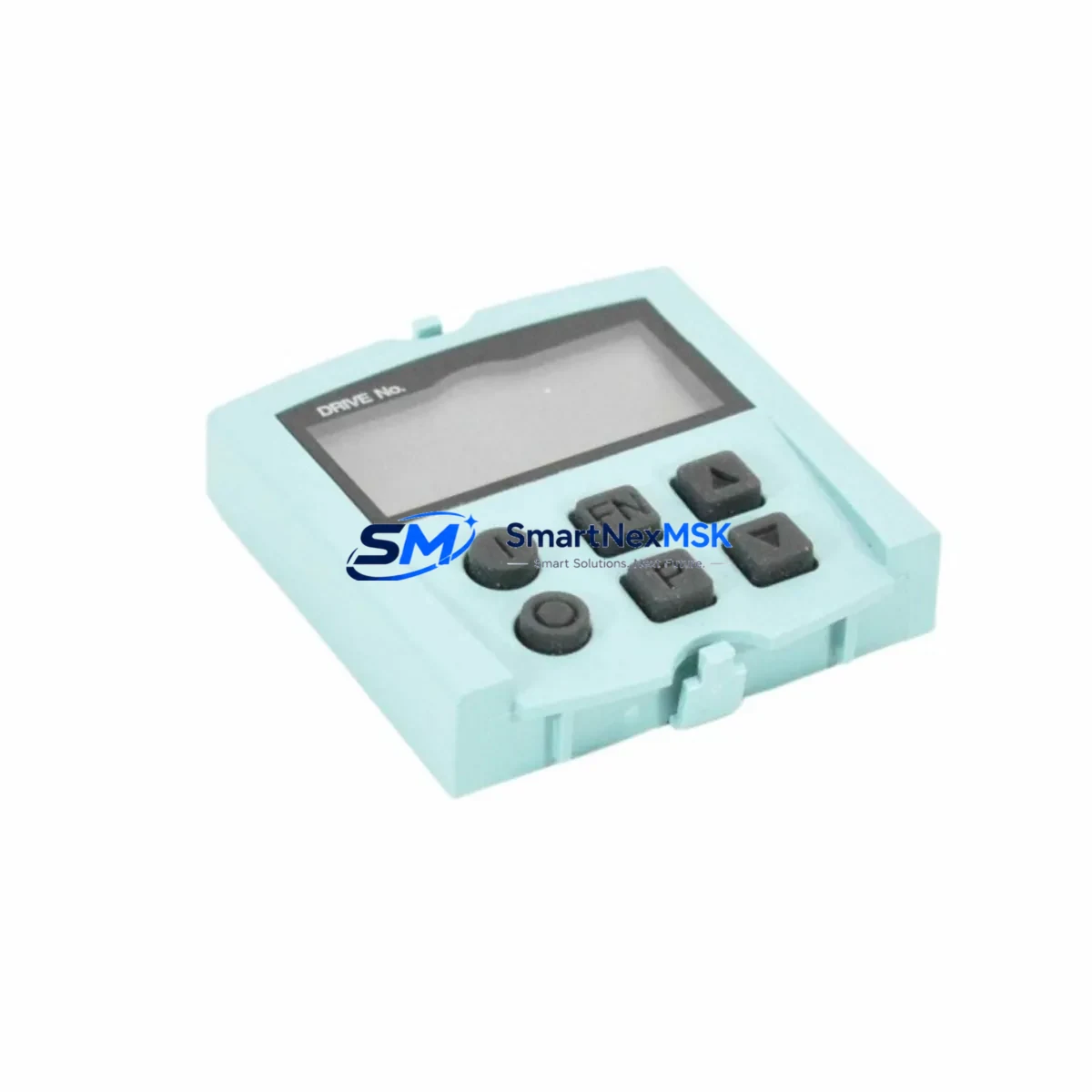
Siemens 6SL3055-0AA00-4BA0 Maintenance-Ready Spare SINAMICS G120
The Siemens 6SL3055-0AA00-4BA0 BOP20 (Basic Operator Panel) is a critical human-machine interface component used across the SINAMICS G120, G120C, G120D, and S120 drive families. In industrial maintenance environments — from automotive assembly lines to water treatment facilities — the BOP20 serves as the primary on-site interface for parameter access, fault diagnostics, drive commissioning, and emergency manual control. When this panel fails or becomes unresponsive, operators lose direct visibility into drive status, making rapid spare part replacement essential to minimizing unplanned downtime.
This listing provides a maintenance-ready, original Siemens 6SL3055-0AA00-4BA0 unit, sourced from authorized supply channels, individually tested prior to dispatch, and backed by a 12-month warranty. Each unit is verified for firmware compatibility and physical integrity before shipment, ensuring it can be installed directly into the control cabinet without additional configuration overhead.
Spare Maintenance Table
| Parameter | Specification |
|---|---|
| Part Number / SKU | 6SL3055-0AA00-4BA0 |
| Component Name | BOP20 Basic Operator Panel |
| Brand | Siemens |
| Compatible Drive Series | SINAMICS G120, G120C, G120D, S120 |
| Interface Type | Plug-in operator panel (front-mount, CU slot) |
| Display | 5-digit 7-segment LED display |
| Supply Voltage | Powered via Control Unit (CU230P-2, CU240B-2, CU240E-2, CU250S-2) |
| Communication | Direct plug-in to Control Unit — no external wiring required |
| Functions | Parameter read/write, fault acknowledgment, setpoint input, drive start/stop |
| Operating Temperature | 0 °C to +60 °C (storage: -40 °C to +70 °C) |
| Protection Rating | IP20 (panel-mounted) |
| Origin | Germany |
| Condition | Original, new or tested-serviceable |
| Pre-shipment Test | Function verified, display and keypad tested |
| Warranty | 12 Months |
| Typical Application | Pump control, conveyor drives, HVAC, compressor stations, OEM machinery |
| Maintenance Recommendation | Inspect connector pins and display integrity every 12 months; replace if display segments fail or keypad becomes unresponsive |
Maintenance Planning for Continuous Operation
When a maintenance or procurement engineer schedules replacement of the 6SL3055-0AA00-4BA0 BOP20, the surrounding drive system should be evaluated holistically to prevent repeat failures and ensure the control cabinet returns to full operational readiness. The BOP20 interfaces directly with the SINAMICS Control Unit — typically a CU240E-2 or CU230P-2 — and any degradation in the Control Unit’s connector port or firmware can cause the new panel to behave erratically. It is advisable to inspect the Control Unit simultaneously and confirm firmware version compatibility.
The Power Module connected to the Control Unit — such as the PM240-2 or PM250 — should be checked for DC bus voltage stability and cooling fan condition during the same maintenance window. A failing power module can generate fault codes that appear on the BOP20 display, leading to misdiagnosis of the operator panel itself.
Inspect the 24 VDC control power supply feeding the Control Unit. Voltage fluctuations or ripple on the 24 V rail are a common root cause of BOP20 communication errors and display glitches. A SITOP PSU100S or equivalent regulated supply should be verified for output stability.
For drives integrated into a PROFIBUS or PROFINET network, the CBE20 Communication Board or onboard PROFINET port should be checked for connector integrity and network address conflicts. A BOP20 replacement performed without verifying network configuration may result in the drive failing to respond to PLC commands after restart.
Terminal blocks and I/O wiring on the Control Unit — including digital inputs (DI0–DI5), analog inputs (AI0, AI1), and relay outputs — should be inspected for loose terminations, corrosion, or insulation breakdown. These faults can cause intermittent drive trips that are incorrectly attributed to the operator panel.
If the installation includes a SINAMICS G120 Smart Line Module (SLM) or braking resistor, verify that the braking chopper circuit is functional and that the resistor has not degraded — particularly in high-cycle applications such as crane or hoist drives.
For multi-axis S120 installations, the CX32 Controller Extension and D410-2 Drive Module should be included in the inspection checklist. A BOP20 used on an S120 CU320-2 may serve multiple axes, and a panel fault can affect visibility across the entire drive line-up.
Finally, verify the condition of the DRIVE-CLiQ cables connecting the Control Unit to motor encoders and power modules. Damaged DRIVE-CLiQ connectors are a frequent source of topology faults that surface as BOP20 error codes, and replacing the panel without addressing cable integrity will not resolve the underlying fault.
Site Replacement Workflow
Step 1 — Isolation and Safety: De-energize the drive system following LOTO procedures. Confirm DC bus discharge (typically >5 minutes after power-off for PM240-2 modules) before opening the cabinet door.
Step 2 — Parameter Backup: If the existing BOP20 is still partially functional, use it to upload drive parameters to the panel memory (P0010, P0970 sequence) or retrieve the parameter file from the connected PLC/SCADA system. This ensures the replacement unit can be configured to match the original drive setup without re-commissioning from scratch.
Step 3 — Panel Removal: The 6SL3055-0AA00-4BA0 clips directly into the Control Unit front slot. Press the release tab and pull the panel forward. No tools are required. Inspect the connector pins on both the panel and the Control Unit for bent contacts or contamination.
Step 4 — Installation of Replacement Unit: Align the new BOP20 with the Control Unit slot and press firmly until the retention clip engages. Re-energize the system and confirm the display illuminates and shows the correct drive status (ready, fault, or inhibited).
Step 5 — Parameter Restore and Functional Test: Download the saved parameter set to the new panel or re-enter critical parameters (motor data, ramp times, PID setpoints). Run a no-load test cycle to confirm the drive responds correctly to start/stop commands and speed references before returning the system to production.
Step 6 — Documentation: Record the replacement date, new unit serial number, and post-replacement test results in the equipment maintenance log. Update the spare parts inventory to trigger reorder of a replacement BOP20 for the next maintenance cycle.
Spare Parts Support FAQ
Q1: Is the 6SL3055-0AA00-4BA0 compatible with all SINAMICS G120 Control Unit variants?
The BOP20 is compatible with the full range of SINAMICS G120 Control Units including CU230P-2, CU240B-2, CU240E-2, and CU250S-2, as well as S120 CU320-2 DP and CU320-2 PN. Always confirm the Control Unit firmware version is at or above the minimum supported release for the BOP20 hardware revision being installed.
Q2: What pre-shipment testing is performed on each unit?
Every 6SL3055-0AA00-4BA0 unit is individually tested for display segment integrity, keypad response, and connector pin condition before dispatch. Units that do not pass functional verification are not shipped. A test report is available upon request for critical infrastructure applications.
Q3: How should spare BOP20 panels be stored in a maintenance inventory?
Store units in original anti-static packaging in a dry environment between -40 °C and +70 °C, away from direct sunlight and electromagnetic interference sources. Recommended stock level is one unit per five installed drives in high-criticality applications, or per site for lower-density installations. Rotate stock every 36 months to prevent connector oxidation.
Q4: What is covered under the 12-month warranty?
The 12-month warranty covers manufacturing defects, display failures, keypad malfunctions, and connector integrity issues under normal operating conditions. It does not cover damage resulting from incorrect installation, overvoltage events, or physical impact. Warranty claims are processed with photographic evidence and a fault description; replacement units are dispatched within 5 business days of claim approval.
© 2026 SMARTNEXMSK. All rights reserved.
Original Source: https://smartnexmsk.com
Contact: [email protected] | +86 18259474341



