
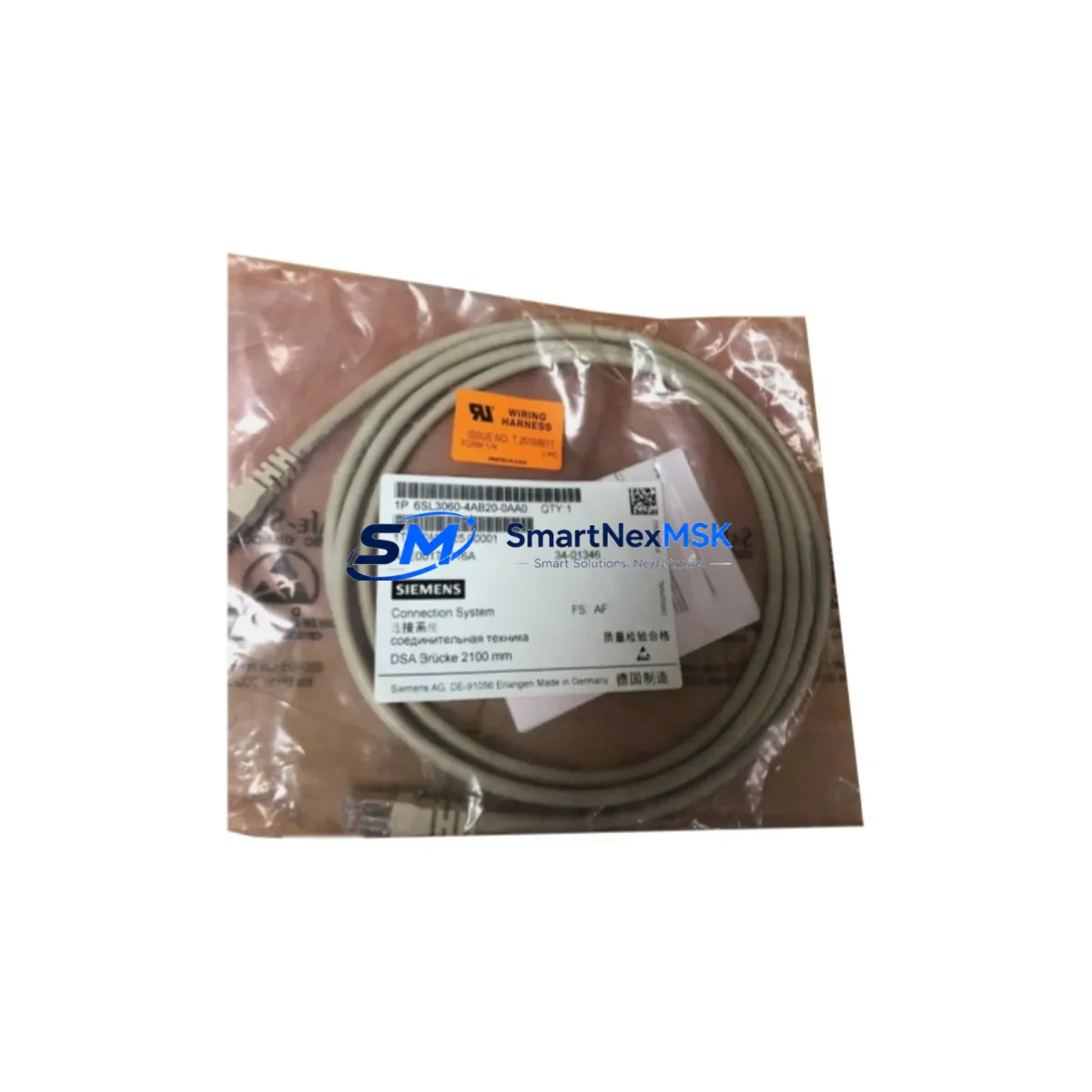
Siemens 6SL3060-4AB20-0AA0 Retrofit-Ready DRIVE-CLiQ Cable for SINAMICS Control Systems
The Siemens 6SL3060-4AB20-0AA0 is a 2-metre DRIVE-CLiQ communication cable engineered for seamless integration within the SINAMICS S120 and SINAMICS G120 drive platforms. As legacy motion-control installations age and OEM support windows close, this cable serves as a verified drop-in replacement that preserves the high-speed serial communication link between the Control Unit (CU320-2, CU310-2) and downstream components such as Motor Modules, Power Modules, Sensor Modules (SMC20, SMC30), and the Active Line Module. Whether you are executing a planned retrofit, recovering from an unplanned cable failure, or upgrading a control cabinet to extend its operational life by five to ten years, the 6SL3060-4AB20-0AA0 delivers the signal integrity and mechanical durability required in demanding industrial environments.
DRIVE-CLiQ (Drive Component Link with IQ) is Siemens’ proprietary digital interface that carries encoder data, temperature feedback, and identification data over a single shielded cable. Maintaining cable quality in this link is critical: a degraded or incorrect cable can trigger F07801 encoder faults, A07910 communication warnings, or complete drive inhibit conditions. The 6SL3060-4AB20-0AA0 uses the correct RJ45-style DRIVE-CLiQ connectors with integrated EMC shielding termination, ensuring compliance with the SINAMICS S120 Function Manual (FH1) wiring specifications and reducing the risk of ground-loop interference in high-noise cabinet environments.
Upgrade Compatibility Table
| Parameter | Details |
|---|---|
| Part Number | 6SL3060-4AB20-0AA0 |
| Cable Length | 2.0 m |
| Interface | DRIVE-CLiQ (RJ45, shielded) |
| Compatible Drive Series | SINAMICS S120, G120, G120C, G120D, G130, G150 |
| Compatible Control Units | CU320-2 DP/PN, CU310-2 DP/PN, CU250S-2 |
| Compatible Modules | Motor Module, Power Module, SMC20, SMC30, ALM, SLM |
| Replaces / Supersedes | 6SL3060-4AB20-0AA0 (same order number, current revision) |
| Installation Requirement | No firmware change required; plug-and-play replacement |
| Communication Compatibility | PROFIBUS DP, PROFINET IO (via CU); DRIVE-CLiQ internal |
| Retrofit Recommendation | Replace in pairs when upgrading Motor Modules or Sensor Modules |
| Commissioning Note | Run automatic topology detection in STARTER or TIA Portal after replacement |
| Warranty | 12 Months — covers manufacturing defects and connector integrity |
Retrofit Planning for Existing Automation Systems
A successful retrofit begins well before the maintenance window opens. When replacing the 6SL3060-4AB20-0AA0 in an existing SINAMICS S120 booksize or chassis installation, engineers should first audit the full DRIVE-CLiQ topology using the STARTER commissioning tool or TIA Portal V17/V18. Export the current drive project file and note the assigned DRIVE-CLiQ port assignments on the CU320-2 DP/PN — this prevents address conflicts after the new cable is seated.
In multi-axis systems, the 6SL3060-4AB20-0AA0 typically connects the Control Unit to the first Motor Module in a daisy-chain topology. Downstream in that chain you may find additional Double Motor Modules (6SL3120-2TE21-0AA3 or similar), a Braking Module, and one or more SMC30 Sensor Modules handling HTL/TTL encoder signals from legacy motors. Each of these components communicates exclusively over DRIVE-CLiQ, so cable quality at every node matters. When planning the retrofit, order sufficient 6SL3060-4AB20-0AA0 cables to replace all suspect segments in a single maintenance window rather than returning for incremental repairs.
Power supply integrity is equally important. Before powering down the cabinet, verify that the SITOP PSU8600 or equivalent 24 V DC supply feeding the CU320-2 and its I/O terminals meets the current draw requirements of the new module configuration. If the retrofit also involves swapping a Single Motor Module for a Double Motor Module, recalculate the DC-link loading on the Active Line Module (ALM). The ALM’s DRIVE-CLiQ port connects directly to the CU via a cable of this same family, so inspect that segment as well.
For installations migrating from an older SIMOVERT MASTERDRIVES or MICROMASTER 440 platform to SINAMICS G120 or S120, the DRIVE-CLiQ architecture replaces the legacy resolver or incremental encoder wiring with a single digital cable. This migration requires an SMC20 or SMC30 Sensor Module Cabinet-Mounted to adapt the existing motor feedback signals. The 6SL3060-4AB20-0AA0 then links the SMC to the Control Unit, completing the feedback loop without rewiring the motor terminal box. Pair this with a new SINAMICS G120 PM240-2 Power Module and a CU250S-2 Control Unit for a complete spindle or conveyor drive upgrade.
HMI integration should be validated before the system goes live. If the plant uses a SIMATIC HMI TP700 Comfort or TP1200 Comfort panel connected via PROFINET to the CU320-2 PN, confirm that the drive’s IP address and device name are preserved in the TIA Portal project. A topology change — even a cable swap — can trigger a device mismatch alarm on the HMI if the PROFINET device name stored in the CU’s non-volatile memory differs from the project configuration. Use the “Reset to factory settings” function only if explicitly required; otherwise, the replacement cable will be transparent to the PROFINET layer.
Downtime Control During System Migration
Minimizing unplanned downtime is the primary concern for any industrial retrofit. For the 6SL3060-4AB20-0AA0 replacement, the physical swap takes under five minutes, but the surrounding verification steps determine whether the line restarts in one shift or three. Follow this sequence to protect program logic and maintain field control continuity:
1. Back up the drive project. Use STARTER or TIA Portal to upload the complete parameter set from the CU320-2 to a PC. Save the .zip archive to a network share, not only to the local engineering laptop. This backup covers all p-parameters, including ramp times, speed limits, torque limits, and safety function configurations (STO, SS1, SLS if active via SINAMICS Safety Integrated).
2. Label and photograph the existing cable routing. DRIVE-CLiQ cables are keyed by port number on the CU. Photograph the port assignments before disconnecting anything. Misrouting a cable to the wrong port changes the DRIVE-CLiQ topology and will cause a topology fault (F01375) on power-up.
3. Perform a controlled drive disable. Issue an OFF3 (fast stop) command from the PLC — typically a SIMATIC S7-1500 or S7-300 via PROFIBUS DP or PROFINET — before cutting 24 V DC control power. This ensures the motor decelerates in a controlled manner and the brake (if present) engages correctly before the cabinet is de-energized.
4. Replace the cable and restore power. Seat the new 6SL3060-4AB20-0AA0 firmly until the locking tab clicks. Restore 24 V DC first, then the main AC supply to the Line Module. Observe the CU320-2 status LEDs: a steady green RDY LED and no active faults on the BOP-2 operator panel confirm a clean topology recognition.
5. Run automatic topology detection and verify. In STARTER, execute “Automatic configuration” or use the TIA Portal online comparison to confirm the detected topology matches the saved project. Download parameters only if a mismatch is detected. Issue a test run at reduced speed before returning the axis to automatic mode.
Retrofit Support FAQ
Q1: Is the 6SL3060-4AB20-0AA0 a direct replacement for older DRIVE-CLiQ cables of the same length?
Yes. Siemens has maintained backward compatibility across DRIVE-CLiQ cable revisions. The 6SL3060-4AB20-0AA0 (2 m) is a plug-and-play replacement for any previous revision of the same order number. No firmware update to the CU320-2 or Motor Module is required solely for the cable swap. Verify the firmware version of your Control Unit is at least V4.7 for full SINAMICS S120 feature compatibility.
Q2: How do I verify wiring and connector integrity before powering up?
Inspect both RJ45 connectors for bent pins, cracked housings, or contamination. Use a DRIVE-CLiQ cable tester or a standard Cat5e/Cat6 continuity tester to verify all eight conductors and the shield continuity. Ensure the cable is not routed parallel to high-voltage AC power cables for more than 300 mm without a grounded metal separator — cross-talk on the DRIVE-CLiQ link can cause intermittent communication faults that are difficult to diagnose under load.
Q3: What compatibility checks are needed when replacing a Motor Module at the same time?
When simultaneously replacing a Single Motor Module (e.g., 6SL3120-1TE21-0AA3) with a newer revision, confirm that the firmware version of the new module is compatible with the CU320-2 firmware. Mismatched firmware versions generate F01018 or F01030 faults. Download the latest firmware package from the Siemens Industry Online Support portal and update the CU before commissioning the new module. The 6SL3060-4AB20-0AA0 cable itself is firmware-agnostic.
Q4: What does the 12-month warranty cover, and what is the shipping lead time?
All units supplied by SMARTNEXMSK carry a 12-month warranty covering manufacturing defects, connector integrity failure, and shielding continuity loss under normal operating conditions. Warranty does not cover physical damage from incorrect installation, excessive bending radius violations, or chemical exposure. Stock items typically ship within 1–3 business days. Pre-shipment functional testing is performed on all DRIVE-CLiQ cables to verify conductor continuity and shield integrity before dispatch.
© 2026 SMARTNEXMSK. All rights reserved.
Original Source: https://smartnexmsk.com
Contact: [email protected] | +86 18259474341



