
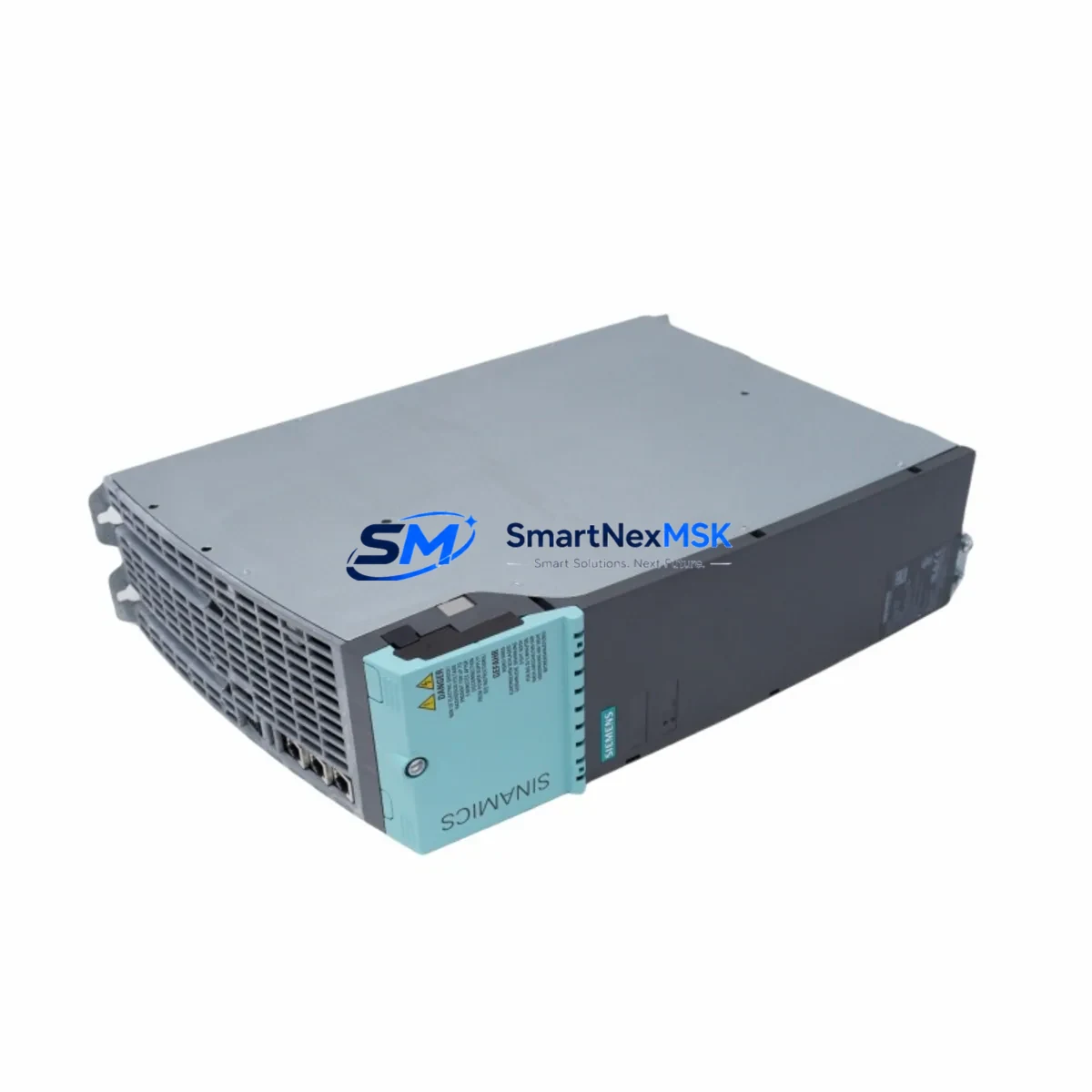
Siemens 6SL3100-0BE31-2AB0 Retrofit-Ready Active Interface Module for S120 Booksize Control Systems
The Siemens 6SL3100-0BE31-2AB0 is a retrofit-ready Active Interface Module (AIM) designed for the SINAMICS S120 Booksize drive platform. This module serves as a direct replacement for aging or discontinued AIM units in existing drive cabinets, enabling engineers to restore full drive functionality without redesigning the control architecture. With a 12-month warranty and pre-shipment functional testing, the 6SL3100-0BE31-2AB0 is a trusted solution for planned maintenance shutdowns, emergency spare replacements, and phased system modernization projects across manufacturing, process, and motion control industries.
The Active Interface Module performs active front-end rectification, providing sinusoidal mains current draw and regenerative braking capability. It interfaces directly with the SINAMICS S120 Booksize Motor Modules via the DC link bus, and communicates with the Control Unit — typically a CU320-2 DP or CU320-2 PN — through the DRIVE-CLiQ topology. When replacing a failed or end-of-life AIM in an existing S120 system, engineers must verify that the replacement module’s firmware version is compatible with the installed Control Unit firmware to avoid DRIVE-CLiQ handshake errors during commissioning.
Upgrade Compatibility Table
| Parameter | Details |
|---|---|
| SKU / Order Number | 6SL3100-0BE31-2AB0 |
| Module Type | Active Interface Module (AIM), Booksize format |
| Compatible Platform | SINAMICS S120 Booksize |
| DC Link Interface | Direct Booksize bus bar connection |
| DRIVE-CLiQ Ports | 2× DRIVE-CLiQ sockets for topology integration |
| Compatible Control Units | CU320-2 DP, CU320-2 PN |
| Mains Voltage | 3-phase AC, 380–480 V ±10% |
| Cooling Method | Internal fan (forced air), Booksize standard |
| Installation | DIN rail / panel mount, Booksize chassis |
| Communication Compatibility | PROFIBUS DP, PROFINET IO (via Control Unit) |
| Replacement Recommendation | Direct drop-in for same-rated AIM in S120 Booksize line-up |
| Commissioning Tool | STARTER / Startdrive (TIA Portal V14+) |
| Warranty | 12 Months — covers manufacturing defects, functional failure |
Retrofit Planning for Existing Automation Systems
Replacing the 6SL3100-0BE31-2AB0 in an operational S120 Booksize drive line requires careful pre-work to avoid extended downtime. Before the replacement window, engineers should document the existing DRIVE-CLiQ topology using STARTER or Startdrive, export the current drive project, and note the firmware versions of all connected components including the CU320-2 PN Control Unit, the Smart Line Module or Active Line Module upstream, and any connected Single Motor Modules or Double Motor Modules in the Booksize cabinet.
Power supply verification is critical. The 6SL3100-0BE31-2AB0 draws its 24 VDC electronics supply from the shared SITOP PSU300S or equivalent 24 V rail within the control cabinet. Confirm that the 24 V supply capacity is sufficient for the replacement module alongside all other consumers on the same rail, including the Control Unit, SMC30 Sensor Module Cabinet-Mounted units, and any TM31 Terminal Module or TM41 Terminal Module providing additional I/O expansion. Undersized 24 V supplies are a common cause of intermittent faults after module replacement.
Terminal and bus bar connections on the Booksize chassis must be inspected before installing the replacement AIM. The DC link bus bars should be checked for oxidation or mechanical damage, and torque values must be applied per the S120 Booksize installation manual. The mains connection terminals on the AIM accept the same cable cross-sections as the original module, but cable ferrules should be replaced if the existing ones show signs of deformation. If the cabinet also contains a Braking Module for dynamic braking, verify that its connection to the DC link remains intact after the AIM swap.
For systems using PROFIBUS DP communication, the CBC10 Communication Board installed in the Control Unit slot must retain its configured DP address. For PROFINET-based systems, the PROFINET device name assigned to the drive must be re-confirmed in the PLC’s hardware configuration after the AIM replacement, as some firmware update sequences can reset device identity parameters. Coordinate with the PLC programmer to verify that the S7-300 or S7-1500 controller’s drive function blocks (e.g., FB284 or standard PROFIdrive blocks) are still correctly mapped to the drive’s process data objects.
If the system includes an OP177B HMI panel or a TP700 Comfort Panel with drive status visualization, confirm that the HMI screen tags referencing drive fault codes and status words remain valid after the firmware update that may accompany the module replacement. Mismatched status word bit assignments between firmware versions are a known source of HMI alarm display errors post-retrofit.
Downtime Control During System Migration
Minimizing production downtime during an AIM replacement on a live S120 Booksize system requires a structured approach. Begin by scheduling the replacement during a planned maintenance window and preparing a complete spare parts kit in advance — including the 6SL3100-0BE31-2AB0 module, replacement bus bar bolts, cable ferrules, and a pre-loaded USB drive with the current drive project file and the correct firmware package for the installed Control Unit version.
Before powering down, use STARTER or Startdrive to perform a full project upload from the Control Unit to preserve the current parameter set, including all speed setpoints, ramp times, torque limits, encoder configurations, and safety function parameters if the system uses Safety Integrated functions. Save the project to both the engineering PC and the USB drive as a backup. If the system uses a SIMATIC Memory Card in the Control Unit, clone the card contents before shutdown.
During the physical swap, follow the Booksize de-energization sequence: isolate the mains supply, discharge the DC link (verify with a voltmeter — allow at least 5 minutes after mains isolation), then disconnect the DRIVE-CLiQ cables, 24 V supply connector, and mains terminals before unbolting the AIM from the chassis. Install the replacement 6SL3100-0BE31-2AB0 in reverse order, torque all connections to specification, and restore power in sequence.
On first power-up with the replacement module, the Control Unit will detect the new component via DRIVE-CLiQ and may prompt a firmware update for the AIM. Allow the update to complete before attempting to download the saved drive project. After project download, perform a no-load test run to verify speed reference tracking, current feedback, and fault-free operation before reconnecting the mechanical load. Document the commissioning date and module serial number for the 12-month warranty record.
Retrofit Support FAQ
Q1: Is the 6SL3100-0BE31-2AB0 a direct drop-in replacement for the same-rated AIM in my S120 Booksize cabinet?
Yes. The 6SL3100-0BE31-2AB0 uses the standard Booksize mechanical format and DC link bus bar interface, making it a direct physical replacement for the same-rated AIM position in an S120 Booksize line-up. Firmware compatibility with the installed Control Unit should be verified before installation using the SINAMICS S120 compatibility matrix.
Q2: What commissioning steps are required after replacing the AIM?
After installation, power up the system and allow the Control Unit to complete any automatic firmware update for the new AIM via DRIVE-CLiQ. Then download the previously saved drive project using STARTER or Startdrive, perform a no-load test run, verify all I/O signals and communication links, and confirm fault-free operation before returning the system to production. For Safety Integrated systems, a safety acceptance test may be required per local regulations.
Q3: How do I verify wiring compatibility before installation?
Compare the mains terminal cable cross-sections, 24 VDC supply connector pinout, and DRIVE-CLiQ port assignments on the replacement module against the existing installation drawings. The 6SL3100-0BE31-2AB0 uses the same terminal layout as other S120 Booksize AIM variants of the same power class, so existing cables and ferrules are typically reusable if they are in good condition.
Q4: What does the 12-month warranty cover?
The 12-month warranty covers manufacturing defects and functional failures under normal operating conditions. Each unit undergoes pre-shipment functional testing to verify DRIVE-CLiQ communication, DC link interface integrity, and electronics supply operation. Warranty claims require the module serial number and proof of purchase. Physical damage caused by incorrect installation, overvoltage events, or environmental contamination is excluded from warranty coverage.
© 2026 SMARTNEXMSK. All rights reserved.
Original Source: https://smartnexmsk.com
Contact: [email protected] | +86 18259474341



