
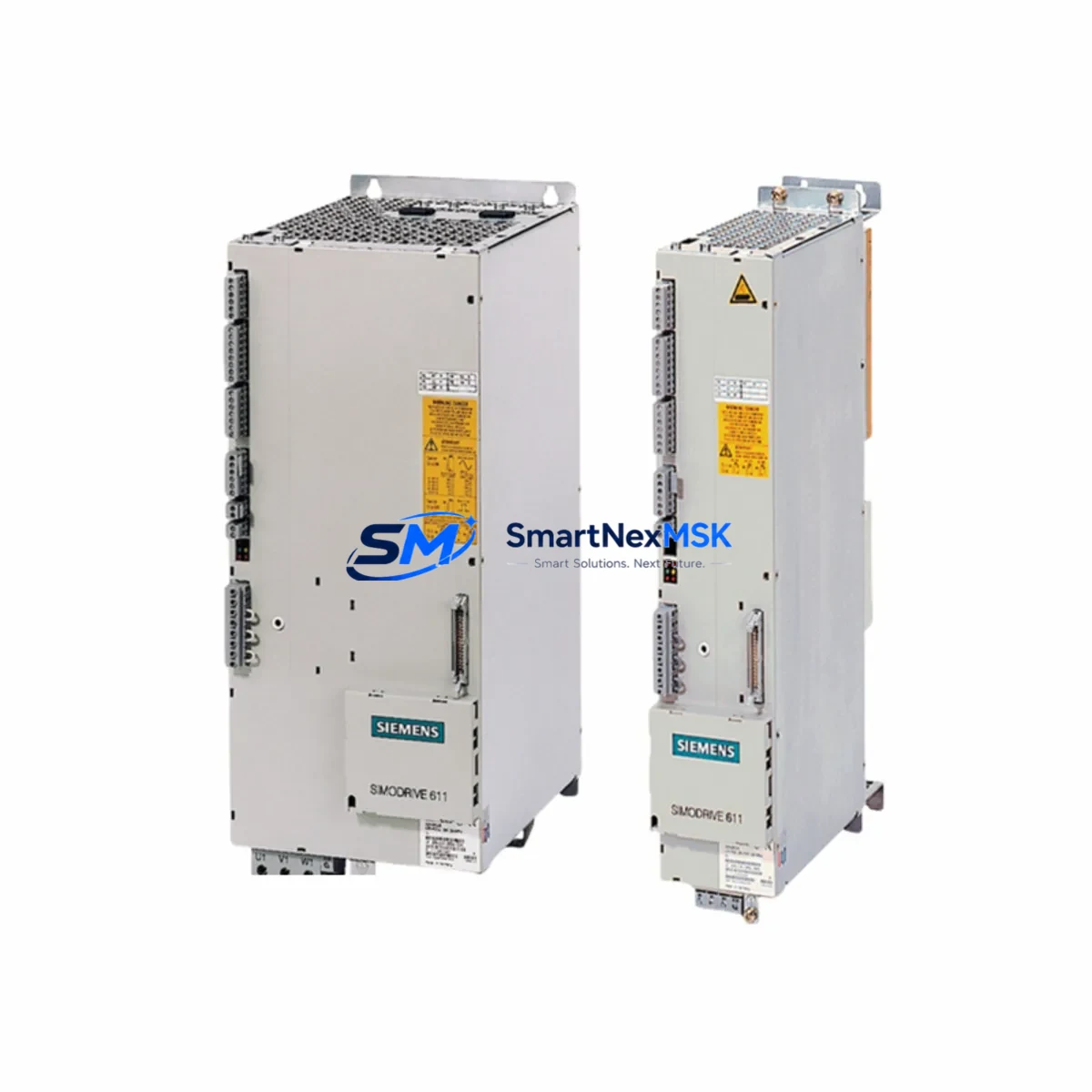
Siemens 6SN1145-1BB00-0FA1 Retrofit-Ready Infeed Module for SIMODRIVE 611 Control Systems
The Siemens 6SN1145-1BB00-0FA1 is a line infeed and regenerative feedback module designed for the SIMODRIVE 611 drive system — one of the most widely deployed servo drive platforms in CNC machining centers, transfer lines, and precision manufacturing equipment. As Siemens has progressively phased out legacy SIMODRIVE 611 components, sourcing a verified, compatible replacement for the 6SN1145-1BB00-0FA1 has become a critical priority for maintenance engineers managing aging production lines. This module is available from verified stock, fully tested, and backed by a 12-month warranty.
The 6SN1145-1BB00-0FA1 functions as the power entry point for the SIMODRIVE 611 drive group. It regulates DC bus voltage, manages regenerative energy feedback to the supply network, and provides the backbone power rail for downstream axis modules such as the 6SN1123 and 6SN1124 series drive modules mounted on the same NE/UE backplane. When this infeed module fails or becomes unavailable, the entire drive group — including spindle and feed axis drives — loses its regulated DC supply, resulting in a full machine stop. Rapid, compatible replacement is essential to minimize unplanned downtime.
Upgrade Compatibility Table
| Parameter | 6SN1145-1BB00-0FA1 (This Unit) | Retrofit Notes |
|---|---|---|
| Module Type | Infeed / Regenerative Feedback (NE Module) | Direct replacement for same NE module slot in SIMODRIVE 611 rack |
| DC Bus Compatibility | SIMODRIVE 611 DC bus rail (600 VDC nominal) | Verify bus bar torque and contact condition before installation |
| Backplane Interface | SIMODRIVE 611 NE/UE backplane connector | Confirm backplane slot alignment; no adapter required for same-series swap |
| Communication | SIMODRIVE 611 internal drive bus (not PROFIBUS) | No protocol reconfiguration needed for like-for-like replacement |
| Installation Requirement | DIN rail / cabinet panel mount, standard SIMODRIVE 611 housing width | Verify cabinet clearance and cooling airflow before mounting |
| Replacement Recommendation | Drop-in for failed or end-of-life 6SN1145-1BB00-0FA1 units | Retain original parameter backup from SINUMERIK or drive commissioning tool |
| Commissioning Focus | DC bus pre-charge sequence, ready signal, enable logic | Confirm SIMODRIVE 611 ready relay output before enabling axis drives |
| Warranty | 12-Month Warranty — functional test performed prior to shipment | |
Retrofit Planning for Existing Automation Systems
Replacing the 6SN1145-1BB00-0FA1 in an active production environment requires careful pre-planning across several system layers. Before the module is swapped, engineers should back up all drive parameters using the SINUMERIK 840D sl or 840Di sl operator panel, or via the SIMODRIVE 611 commissioning software. Parameter sets stored in the NCU or on a CF card ensure that axis-specific tuning data — including speed controller gains, current limits, and encoder assignments — can be restored immediately after the new infeed module is seated and powered.
On the power side, verify that the incoming three-phase supply to the infeed module is within specification and that the line contactor and pre-charge resistor circuit (typically integrated in the 6SN1146 line filter or external contactor assembly) are functioning correctly. A faulty pre-charge path is a common cause of repeated infeed module failures and must be ruled out before commissioning the replacement unit.
Within the SIMODRIVE 611 drive group, the 6SN1145-1BB00-0FA1 shares the DC bus with multiple axis modules. In a typical CNC retrofit scenario, the drive group may include 6SN1123-series single-axis modules or 6SN1124-series double-axis modules for X, Y, Z, and spindle axes. Each of these modules draws from the common DC bus regulated by the infeed module. After replacement, confirm that the DC bus voltage stabilizes within the expected range before enabling individual axis drives.
For systems that also incorporate a 6SN1162 capacitor module or 6SN1113 monitoring module on the same backplane, inspect these components for signs of aging or capacitor degradation — particularly in systems that have been in service for more than ten years. A retrofit of the infeed module is an appropriate time to assess the overall health of the drive group and schedule preventive replacement of ancillary modules.
If the retrofit involves a broader migration from SIMODRIVE 611 to SINAMICS S120, the 6SN1145-1BB00-0FA1 replacement serves as a bridge solution to maintain production continuity while the migration is planned. In such cases, the existing SINUMERIK CNC controller, HMI panel (such as the OP010 or OP012 operator panel), and machine-level I/O wiring can remain unchanged during the interim period. The SINAMICS S120 migration itself will require a new Active Line Module, Motor Modules, and a DRIVE-CLiQ topology reconfiguration — a separate project scope from the immediate infeed module replacement.
Terminal wiring on the 6SN1145-1BB00-0FA1 follows the standard SIMODRIVE 611 NE module layout. Confirm that the enable input (terminal 663), the ready output relay, and the DC bus monitoring connections are correctly re-terminated after module swap. Refer to the original machine wiring diagram and the Siemens SIMODRIVE 611 Configuration Manual (Order No. 6SN1197-0AA00-0BP8) for terminal assignments.
Downtime Control During System Migration
Unplanned downtime during an infeed module failure is typically measured in hours to days, depending on parts availability. With a verified replacement unit available from stock, the physical swap of the 6SN1145-1BB00-0FA1 can be completed within a standard maintenance window — typically two to four hours for an experienced drive technician, assuming parameter backup is already in place and the backplane and wiring are undamaged.
To further compress downtime, prepare the replacement module before the machine is taken offline. Confirm the module’s serial number, firmware compatibility, and physical condition. Have the SIMODRIVE 611 parameter backup file ready on a USB or CF card. Arrange for the SINUMERIK commissioning tool or STARTER software to be available on-site if parameter restoration is required.
During the swap, isolate the drive cabinet from the main supply using the appropriate lockout/tagout procedure. Discharge the DC bus capacitors fully before touching any bus bar connections — SIMODRIVE 611 systems retain hazardous DC bus voltage for several minutes after power-off. After the new module is installed and wiring is verified, restore power in sequence: line supply first, then enable the infeed module, confirm the ready signal, and finally re-enable individual axis drives one at a time.
For facilities running continuous or multi-shift operations, consider maintaining a spare 6SN1145-1BB00-0FA1 unit on-site as part of a critical spares inventory. The 12-month warranty on this unit supports a planned spare strategy without the risk of holding an untested or degraded component.
Retrofit Support FAQ
Q: Is the 6SN1145-1BB00-0FA1 a direct drop-in replacement for my existing SIMODRIVE 611 infeed module?
A: Yes, for systems using the same NE module slot and backplane configuration. Confirm the DC bus voltage rating and housing width match your existing installation. No parameter changes are required for a like-for-like replacement — restore your existing parameter backup after installation.
Q: What pre-shipment testing is performed on this unit?
A: Each 6SN1145-1BB00-0FA1 unit undergoes functional testing prior to shipment, including DC bus regulation verification and enable logic checks. The unit ships with a 12-month warranty covering functional defects under normal operating conditions.
Q: Can this module be used in a SIMODRIVE 611U or 611D system?
A: The 6SN1145-1BB00-0FA1 is designed for the SIMODRIVE 611 NE/UE infeed slot. Compatibility with 611U or 611D variants depends on the specific backplane and power section configuration. Contact our technical team with your full drive group configuration for confirmation before ordering.
Q: What should I check if the replacement module does not produce a ready signal after installation?
A: Verify the incoming three-phase supply voltage and phase sequence. Check the pre-charge circuit and line contactor operation. Confirm that terminal 663 (enable input) is correctly wired and that the DC bus is not shorted by a downstream axis module fault. Review the SIMODRIVE 611 fault code display on the module front panel for diagnostic guidance.
© 2026 SMARTNEXMSK. All rights reserved.
Original Source: https://smartnexmsk.com
Contact: [email protected] | +86 18259474341



