
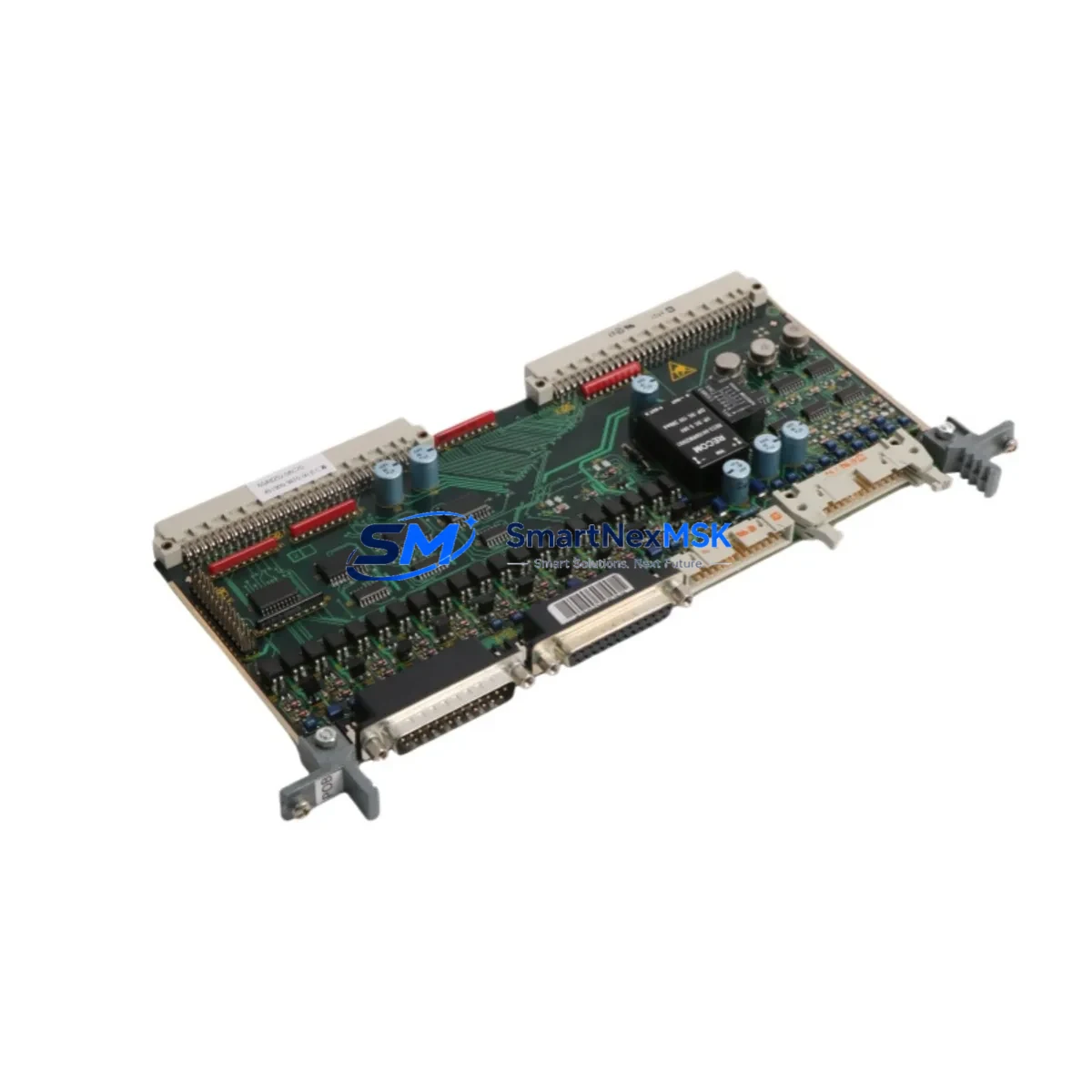
Siemens 6SR0960-0CC07-1AD0 S120 Retrofit I/O Module: Compatible Modernization for Legacy Drive Systems
The Siemens 6SR0960-0CC07-1AD0 is a SINAMICS S120 series I/O expansion module designed for integration into multi-axis drive line-up cabinets. As Siemens continues to evolve its drive platform portfolio, many facilities operating legacy SINAMICS S120 configurations — particularly those built around the CU320-2 Control Unit or earlier CU310 variants — face increasing pressure to source compatible I/O modules for system maintenance, panel upgrades, and production line modernization. The 6SR0960-0CC07-1AD0 addresses this need directly, offering a retrofit-ready solution that preserves existing wiring infrastructure while restoring full I/O functionality.
This module is engineered for use within the SINAMICS S120 booksize and chassis format drive systems. It interfaces with the drive’s DRIVE-CLiQ communication backbone, enabling seamless data exchange with the CU320-2 DP or CU320-2 PN Control Unit without requiring firmware re-engineering. For facilities migrating from older SIMOREG DC Master or MASTERDRIVES MC platforms, the 6SR0960-0CC07-1AD0 provides a structured upgrade path that minimizes re-engineering effort and reduces total downtime during cutover.
Upgrade Compatibility Table
| Parameter | Details |
|---|---|
| SKU / Part Number | 6SR0960-0CC07-1AD0 |
| Series | SINAMICS S120 |
| Module Type | I/O Expansion Module |
| Compatible Control Units | CU320-2 DP, CU320-2 PN, CU310-2 DP |
| Communication Interface | DRIVE-CLiQ |
| Fieldbus Compatibility | PROFIBUS DP, PROFINET IO |
| Installation Format | Booksize / Line-up Cabinet |
| Terminal Wiring | Compatible with standard S120 terminal block layout; verify 24 VDC supply rail |
| Backplane Interface | Direct DRIVE-CLiQ port connection; no adapter required for S120 booksize rack |
| Replacement Recommendation | Suitable for direct replacement of equivalent S120 I/O modules in same chassis generation |
| Commissioning Tool | STARTER v4.5+ or TIA Portal V15+ with S120 drive object |
| Firmware Compatibility | SINAMICS S120 firmware V4.7 and above recommended |
| Country of Origin | Germany |
| Warranty | 12 Months |
Retrofit Planning for Existing Automation Systems
Successful integration of the 6SR0960-0CC07-1AD0 into an existing SINAMICS S120 system begins with a thorough audit of the current cabinet configuration. Engineers should document the existing DRIVE-CLiQ topology — including the sequence of connected components such as the Active Line Module (ALM), Motor Modules (Single Motor Module or Double Motor Module), and any existing Terminal Modules (TM31, TM41, or TM54F) — before introducing the replacement I/O module. This topology map is critical for preserving the drive object addressing scheme within the CU320-2 Control Unit.
Power supply verification is a mandatory pre-installation step. The 6SR0960-0CC07-1AD0 draws its logic supply from the 24 VDC SITOP PSU or equivalent regulated DC rail within the control cabinet. Confirm that the existing power supply — whether a SITOP PSU100S or SITOP PSU200M — has sufficient residual capacity to support the additional I/O module load. Overloaded 24 VDC rails are a common cause of intermittent faults during post-retrofit commissioning.
Terminal block wiring should be mapped against the original S120 I/O assignment documented in the project’s EPLAN or CAD schematics. Digital input and output assignments, analog signal channels, and enable/inhibit wiring must be verified against the replacement module’s terminal layout. Where the original module used spring-clamp terminals, confirm that the replacement module’s terminal type is compatible or plan for terminal adapter installation.
For systems where the SIMATIC S7-300 or S7-400 PLC communicates with the S120 drive via PROFIBUS DP using the CU320-2 DP Control Unit, the GSD file version and DP slave address must be confirmed prior to cutover. If the facility is migrating toward PROFINET IO using the CU320-2 PN, the IP address assignment, device name, and PROFINET IO controller configuration in the TIA Portal project must be updated to reflect the new module’s presence. This is particularly relevant in multi-drive systems where a single S7-1500 PLC manages several S120 drive objects across a shared PROFINET network.
HMI screen updates are often overlooked during I/O module replacements. If the facility operates a SIMATIC HMI TP700 Comfort, TP1200 Comfort, or a WinCC SCADA system with drive status visualization, verify that the I/O signal tags mapped to the replaced module remain valid after the retrofit. Tag renaming or address remapping in the HMI project may be required if the new module introduces any change in the drive object’s I/O variable structure.
Downtime Control During System Migration
Minimizing production downtime during an S120 I/O module replacement requires a structured cutover plan. Begin by creating a full backup of the CU320-2 Control Unit’s parameter set using STARTER or TIA Portal before any hardware is removed. This backup — stored as a project archive or a CF card image — serves as the recovery baseline if commissioning issues arise after the module swap.
Where production schedules permit, perform a bench test of the 6SR0960-0CC07-1AD0 prior to installation. Connect the module to a spare CU320-2 or a test rig running the same firmware version as the production system. Verify that the module is recognized on the DRIVE-CLiQ topology scan and that all I/O channels respond correctly to test signals. This pre-installation validation step can reduce on-site commissioning time by 60–80% and is strongly recommended for critical production lines.
During the physical swap, label all terminal wiring before disconnection and photograph the existing DRIVE-CLiQ cable routing. Re-install the 6SR0960-0CC07-1AD0 in the same slot position as the original module to preserve the drive object’s component numbering. After power-up, perform a DRIVE-CLiQ topology comparison in STARTER or TIA Portal to confirm that the control unit has recognized the new module and that no component mismatch alarms are active. Clear any residual fault memory (p0952 = 0) before returning the drive to automatic mode.
For facilities with strict SIL or safety function requirements — such as those using the TM54F Terminal Module for Safe Torque Off (STO) or Safe Stop 1 (SS1) — a functional safety test must be performed after the retrofit in accordance with IEC 62061 or ISO 13849 validation procedures. Document all test results and retain them as part of the machine’s technical file.
Retrofit Support FAQ
Q1: Is the 6SR0960-0CC07-1AD0 a direct drop-in replacement for the original S120 I/O module in my cabinet?
In most SINAMICS S120 booksize configurations, the 6SR0960-0CC07-1AD0 is a compatible replacement that fits the same mounting slot and uses the same DRIVE-CLiQ interface. However, always verify the terminal block layout and 24 VDC supply wiring against your original cabinet schematics before installation. Minor wiring adaptations may be required depending on the specific cabinet build.
Q2: What commissioning steps are required after installing the replacement module?
After physical installation, power up the system and open the drive project in STARTER v4.5+ or TIA Portal V15+. Run a DRIVE-CLiQ topology scan to confirm the module is detected. Compare the new topology against the saved reference topology. If a mismatch is detected, accept the new topology and re-download the drive parameters. Perform a function test of all I/O channels before returning the drive to production mode.
Q3: Does the module ship pre-tested, and what does the 12-month warranty cover?
Yes. Every 6SR0960-0CC07-1AD0 unit is function-tested prior to shipment. The 12-month warranty covers manufacturing defects and component failures under normal operating conditions. It does not cover damage resulting from incorrect installation, overvoltage events, or operation outside the module’s specified environmental ratings. Warranty claims are processed with full technical support from our team.
Q4: Can this module be used in a system migrating from PROFIBUS DP to PROFINET IO?
The 6SR0960-0CC07-1AD0 I/O module itself is fieldbus-agnostic — its communication with the drive system occurs via DRIVE-CLiQ, not directly via PROFIBUS or PROFINET. The fieldbus interface is determined by the Control Unit (CU320-2 DP for PROFIBUS, CU320-2 PN for PROFINET). If your migration involves replacing the Control Unit as part of the protocol upgrade, the I/O module can be retained and re-used with the new Control Unit without modification.
© 2026 SMARTNEXMSK. All rights reserved.
Original Source: https://smartnexmsk.com
Contact: [email protected] | +86 18259474341



