
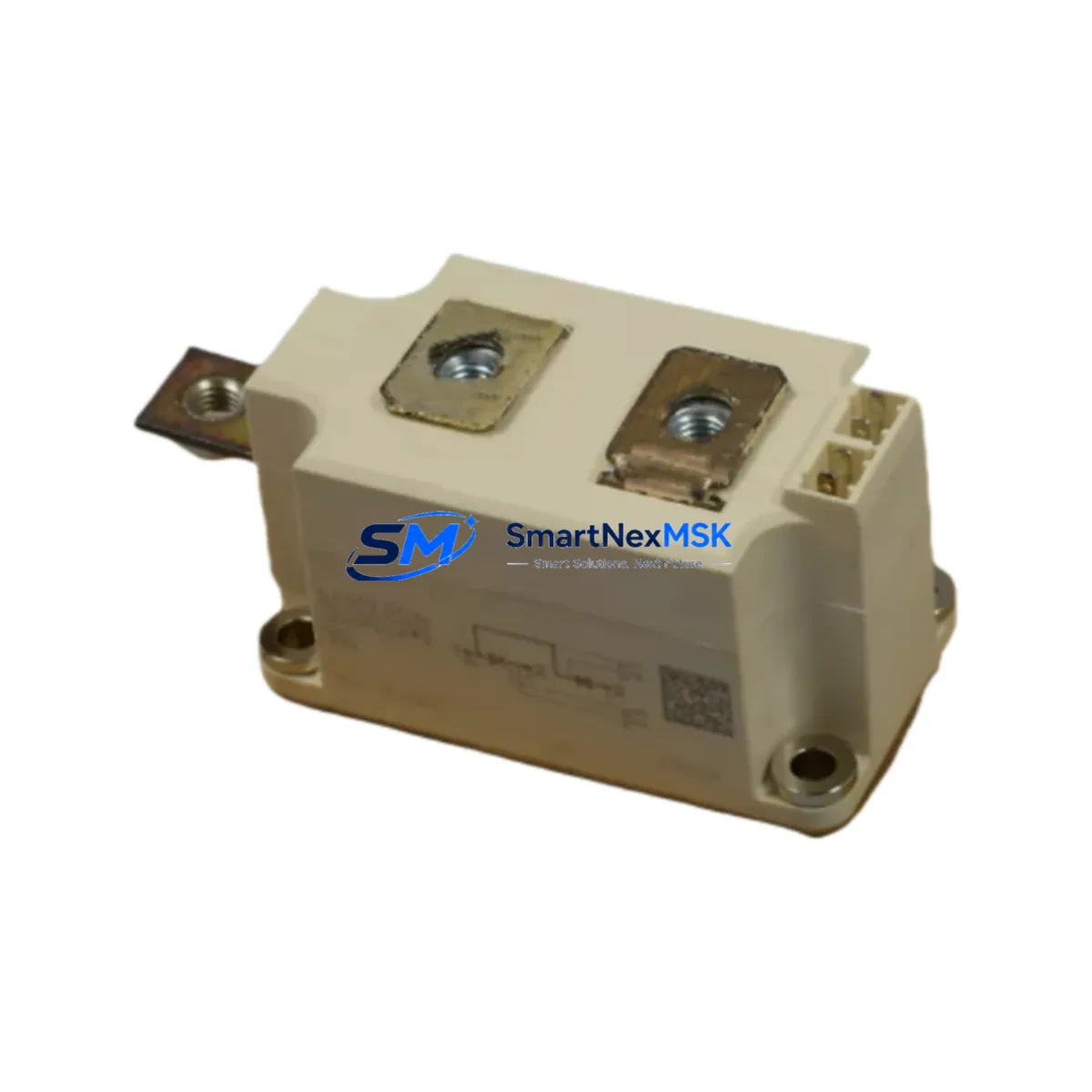
Siemens 6SY7000-0AA88 Spare for SIMODRIVE 611 Automation: Precision Spare Parts for Downtime-Critical Replacement
The Siemens 6SY7000-0AA88 is an original power supply module designed for the SIMODRIVE 611 drive system — one of Siemens’ most widely deployed servo and spindle drive platforms in CNC machining centers, transfer lines, and automated production equipment. When this module fails, the entire drive axis goes offline, halting production. Stocking a verified replacement is the single most effective strategy to minimize mean time to repair (MTTR) and protect your OEE targets.
This unit is sourced as an original Siemens spare, individually tested prior to shipment, and backed by a 12-month warranty. It is suitable for direct drop-in replacement in SIMODRIVE 611 cabinets without firmware modification or hardware rework, provided the system configuration and infeed module ratings are matched during installation.
Spare Maintenance Table
| Parameter | Specification |
|---|---|
| Part Number (SKU) | 6SY7000-0AA88 |
| Brand | Siemens |
| Series / Platform | SIMODRIVE 611 |
| Module Type | Power Supply Module |
| Origin | Germany (DE) |
| Compatible Drive Systems | SIMODRIVE 611A, 611D, 611U series |
| Installation | Direct drop-in replacement; DIN rail / backplane mount |
| Application Environment | CNC machining centers, servo axes, spindle drives, transfer lines |
| Condition | Original spare — tested before shipment |
| Warranty | 12 months from date of shipment |
| Maintenance Recommendation | Inspect DC bus capacitors, check infeed module ratings, verify fan operation on replacement |
| Weight | Approx. 1,000 g |
Maintenance Planning for Continuous Operation
When a SIMODRIVE 611 power supply module such as the 6SY7000-0AA88 is flagged for replacement during a planned shutdown or emergency callout, experienced maintenance engineers treat the event as a trigger for a broader cabinet inspection. The power supply module sits at the heart of the drive system’s energy distribution, and its failure often correlates with stress on adjacent components.
Begin by verifying the SIMODRIVE 611 infeed/regenerative module (e.g., 6SN1145-series) — the infeed module shares the DC bus with the power supply and may exhibit elevated ripple or thermal stress if the supply module has been degrading over time. Check the DC bus capacitor bank for bulging or leakage, and measure bus voltage under load before declaring the system restored.
Inspect the drive axis modules (6SN1123 or 6SN1124 series single- or double-axis modules) connected downstream. A failing power supply can cause undervoltage faults that stress the IGBT stages in these modules. While the cabinet is open, verify the SIMODRIVE 611 monitoring module and check that all 24 VDC auxiliary power supplies — typically sourced from a SITOP PSU or equivalent — are within tolerance, as the control electronics of each axis module depend on stable 24 V logic power.
Terminal blocks and PE/shield terminal strips on the drive cabinet backplane should be inspected for loose connections, oxidation, or thermal discoloration. Loose PE connections are a common root cause of intermittent drive faults that are misdiagnosed as module failures. Similarly, check the motor power cables and encoder feedback cables at both the drive end and motor end — damaged shielding or connector corrosion can cause encoder signal errors that appear as drive module faults.
If the machine uses a SINUMERIK 840D or 810D CNC controller, confirm that the NCU (Numerical Control Unit) and its communication interface to the SIMODRIVE 611D drive bus (PROFIBUS-DP or DRIVE-CLiQ depending on variant) is intact. A power supply replacement is also a good opportunity to check the battery backup module for the NCU to ensure SRAM data retention is not at risk.
For facilities running older SIMODRIVE 611A analog systems, consider stocking the 6SY7000-0AA18 or related power supply variants alongside the 0AA88 to cover different power ratings within the same cabinet family. Proactive spare parts inventory — including axis modules, infeed modules, and at least one power supply module per drive cabinet — is the most cost-effective strategy for aging SIMODRIVE 611 installations where OEM support timelines are extended.
Site Replacement Workflow
Step 1 — Isolation & Safety: De-energize the drive cabinet following LOTO procedures. Discharge the DC bus (minimum 5-minute wait after power-off; verify with a calibrated meter before touching bus bars).
Step 2 — Documentation: Photograph all cable connections, note the slot position of the 6SY7000-0AA88 within the module rack, and record any fault codes displayed on the SIMODRIVE 611 monitoring module or the CNC operator panel before shutdown.
Step 3 — Module Removal: Disconnect the DC bus connector, 24 VDC logic connector, and any signal connectors. Release the module retention clips and slide the module out of the backplane.
Step 4 — Replacement Installation: Insert the new 6SY7000-0AA88 into the same slot. Reconnect all connectors in reverse order. Verify connector seating and locking.
Step 5 — Power-On & Verification: Restore power in sequence — 24 VDC auxiliary first, then main AC infeed. Monitor the SIMODRIVE 611 status LEDs and CNC diagnostics screen. Confirm no fault codes are active. Run a no-load axis jog test before returning the machine to production.
Step 6 — Documentation Close-Out: Record the replacement in the maintenance log with the new module serial number, date, and technician name. Update the spare parts inventory to trigger reorder of a replacement unit.
This workflow is compatible with both planned maintenance windows and emergency breakdown scenarios. The 6SY7000-0AA88 requires no parameter re-entry or drive commissioning when replacing a like-for-like unit in a stable SIMODRIVE 611 configuration.
Spare Parts Support FAQ
Q1: Is the 6SY7000-0AA88 still available as a new original spare, or only as a refurbished unit?
A: We supply the 6SY7000-0AA88 as an original Siemens spare part. Each unit undergoes functional testing prior to shipment. Availability is confirmed at time of order; for long-lead or end-of-life parts, we recommend contacting us to discuss stocking arrangements.
Q2: What is covered under the 12-month warranty?
A: The 12-month warranty covers manufacturing defects and functional failures under normal operating conditions. It does not cover damage resulting from incorrect installation, overvoltage events, or operation outside the module’s rated parameters. Warranty claims are processed with return of the defective unit for inspection.
Q3: How do I verify compatibility before installation?
A: Confirm the SIMODRIVE 611 cabinet configuration — specifically the infeed module type and DC bus voltage rating — matches the 6SY7000-0AA88 specifications. Cross-reference the existing module’s nameplate data with the replacement unit. If you are unsure, share your cabinet layout or existing module part number with our technical team before ordering.
Q4: What is your typical lead time and how are units prepared for shipment?
A: In-stock units are typically dispatched within 1–3 business days. Each module is tested, anti-static packaged, and shipped with a test report. For urgent breakdown situations, expedited shipping options are available — contact us directly to arrange priority dispatch.
© 2026 SMARTNEXMSK. All rights reserved.
Original Source: https://smartnexmsk.com
Contact: [email protected] | +86 18259474341



