
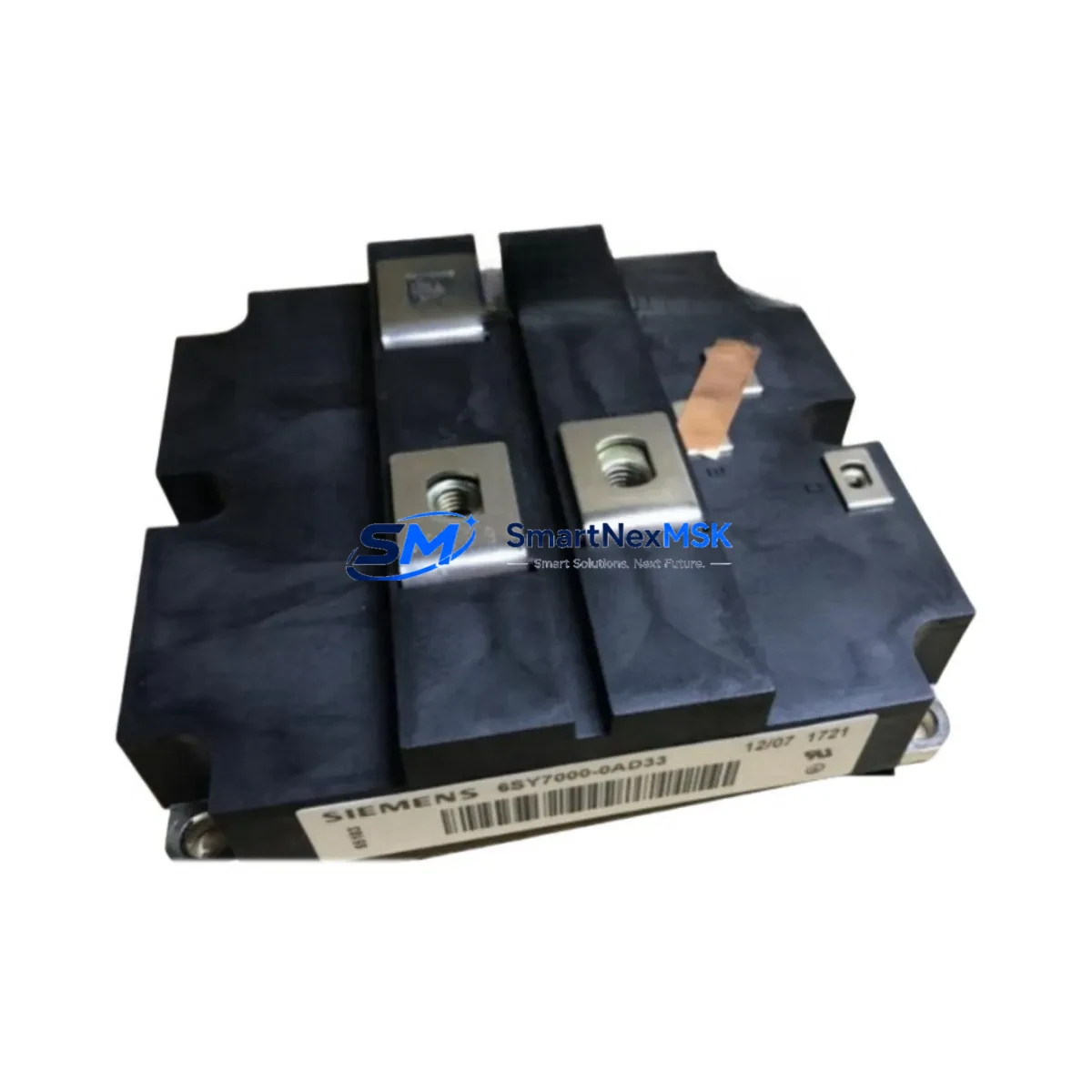
Siemens 6SY7000-0AD35 Retrofit-Ready Backup Battery for SIMODRIVE 611 Control Systems
The Siemens 6SY7000-0AD35 is a retrofit-ready backup battery module engineered for seamless integration into legacy SIMODRIVE 611 servo drive systems. As production lines age and original components reach end-of-life, maintaining control system continuity becomes a critical operational priority. This module provides a verified drop-in replacement path for facilities running SIMODRIVE 611 drive units, preserving parameter memory, encoder reference data, and axis configuration without requiring full drive replacement or PLC reprogramming.
Industrial automation engineers and maintenance teams managing older CNC machining centers, transfer lines, and multi-axis servo systems will find the 6SY7000-0AD35 indispensable when the original battery module fails or approaches its service life limit. Battery failure in a SIMODRIVE 611 environment typically results in loss of absolute encoder position data, requiring time-consuming axis referencing procedures and potential HMI alarm acknowledgment sequences. Proactive replacement with a stocked, tested unit eliminates unplanned downtime and protects the integrity of the drive’s non-volatile memory.
During retrofit planning, engineers must verify compatibility with the specific SIMODRIVE 611 power module variant in use — whether a compact, standard, or high-performance unit — and confirm that the battery connector pinout matches the target drive’s internal interface. The 6SY7000-0AD35 is compatible across the SIMODRIVE 611 drive family and does not require firmware changes or parameter re-entry when installed correctly. All units are pre-tested prior to shipment and supplied with a 12-month warranty.
Upgrade Compatibility Table
| Parameter | Details |
|---|---|
| Compatible Platform | SIMODRIVE 611 (all variants: Compact, Standard, High-Performance) |
| Replaces / Supersedes | 6SY7000-0AD35 (OEM equivalent, direct replacement) |
| Connector Interface | Plug-in battery connector; verify polarity and pin assignment against drive documentation |
| Installation Requirement | Drive power-off recommended; no special tools required; standard DIN rail or module bay mounting |
| Communication Compatibility | No impact on PROFIBUS DP or drive-to-NCU communication links |
| Replacement Recommendation | Replace every 3–5 years or upon low-battery alarm; immediate replacement on encoder data loss |
| Commissioning Notes | After installation, verify encoder reference via SINUMERIK or SIMATIC HMI; re-home axes if absolute position was lost |
| Warranty | 12 months from date of shipment; covers manufacturing defects and premature failure |
Retrofit Planning for Existing Automation Systems
A successful SIMODRIVE 611 battery retrofit begins well before the technician opens the control cabinet. Start by auditing the full drive configuration: document the SIMODRIVE 611 power supply module rating, the number of axis modules in the rack, and the current firmware version loaded on each drive. In multi-axis systems, the battery module typically protects encoder data for all axes sharing the same drive bus, so a single failed battery can affect an entire machining cell.
Next, review the SINUMERIK 840D sl or SINUMERIK 828D NCU configuration to confirm which axes are defined as absolute encoders. If the system uses Heidenhain EnDat or Siemens SinCoder absolute encoders, battery loss will trigger a referencing alarm on the next power-up. Having the 6SY7000-0AD35 on hand before the alarm occurs is the most effective downtime mitigation strategy.
During the physical replacement, ensure the SIMODRIVE 611 NE/NE power module is de-energized and the DC bus has fully discharged before accessing the battery compartment. Label all terminal connections on adjacent SIMODRIVE 611 axis modules before disconnecting any wiring. If the control cabinet also houses a SIMATIC S7-300 or SIMATIC S7-400 PLC, confirm that the PLC program is backed up to a SIMATIC memory card or programming device before beginning work — battery replacement on the drive side does not affect PLC memory, but it is good practice during any planned maintenance window.
For facilities migrating from SIMODRIVE 611 to SINAMICS S120, the 6SY7000-0AD35 can extend the operational life of the legacy system during the transition period, allowing a phased upgrade rather than a full cutover. The SINAMICS S120 booksize platform uses a different battery and memory architecture, so the migration plan should include a parallel commissioning phase where both systems are validated before the legacy drives are decommissioned. During this phase, the STARTER commissioning tool or SINAMICS Startdrive can be used to transfer drive parameters and verify axis behavior on the new platform.
I/O expansion during the retrofit should also be planned carefully. If the existing system uses SIMODRIVE 611 terminal modules for digital I/O, verify that the replacement drive or expanded system can accommodate the same I/O point count. In some cases, adding a SIMATIC ET 200SP distributed I/O station on PROFINET can replace legacy terminal module I/O while providing a more maintainable and scalable architecture going forward.
Downtime Control During System Migration
Minimizing downtime during a SIMODRIVE 611 battery replacement or broader system migration requires a structured approach. Begin with a scheduled maintenance window during a planned production stop — avoid reactive replacement during active production if at all possible. Before powering down, use the SINUMERIK Operate HMI to capture a full data backup, including NC programs, tool offsets, zero-point shifts, and drive parameters. Store this backup on a CF card or network share accessible to the commissioning engineer.
During the replacement, keep the original battery module on-site until the new 6SY7000-0AD35 is confirmed functional and encoder data is verified. On power-up, monitor the SIMODRIVE 611 drive LEDs and the NCU alarm list for any encoder-related faults. If absolute position data was lost, execute the axis referencing procedure as defined in the machine builder’s documentation — this typically involves moving each axis to a known reference point and acknowledging the referencing complete signal on the HMI.
For multi-axis systems, reference all axes before releasing the machine to production. Verify spindle orientation, tool change position, and any fixed-position macros that depend on absolute axis coordinates. Document the post-replacement axis positions and compare against the pre-maintenance baseline to confirm no positional drift has occurred. This verification step is critical for precision machining applications where axis repeatability directly affects part quality.
In cases where the battery failure has already occurred and encoder data is lost, the recovery procedure may require re-teaching tool change positions, pallet reference points, and fixture offsets. Having a documented commissioning record from the original machine setup significantly reduces recovery time. All units supplied by SMARTNEXMSK are tested prior to shipment to confirm battery voltage and connector integrity, reducing the risk of a failed replacement part compounding the downtime event.
Retrofit Support FAQ
Q1: Is the 6SY7000-0AD35 a direct drop-in replacement for the original Siemens battery module?
Yes. The 6SY7000-0AD35 is an OEM-equivalent replacement for the original Siemens SIMODRIVE 611 backup battery module. No parameter changes, firmware updates, or wiring modifications are required for a standard replacement. Verify the connector type matches your specific drive variant before installation.
Q2: What happens to my drive parameters and encoder data if the battery is completely discharged?
If the battery is fully discharged, the SIMODRIVE 611 will lose absolute encoder position data and may lose drive-specific parameters stored in volatile memory. On the next power-up, the NCU will generate referencing alarms for all affected axes. A full data restore from backup and axis re-referencing procedure will be required. Proactive battery replacement before the low-battery alarm is strongly recommended.
Q3: Can I install the 6SY7000-0AD35 while the drive is powered on?
No. Battery replacement should always be performed with the drive powered off and the DC bus fully discharged. Attempting hot-swap replacement risks electrical damage to the battery module, the drive’s internal memory interface, and personal safety. Always follow the lockout/tagout procedure applicable to your facility before opening the control cabinet.
Q4: What warranty and pre-shipment testing does SMARTNEXMSK provide?
All 6SY7000-0AD35 units supplied by SMARTNEXMSK are tested prior to shipment for battery voltage, connector integrity, and physical condition. Each unit carries a 12-month warranty from the date of shipment, covering manufacturing defects and premature failure under normal operating conditions. Expedited shipping options are available for urgent retrofit and breakdown recovery situations.
© 2026 SMARTNEXMSK. All rights reserved.
Original Source: https://smartnexmsk.com
Contact: [email protected] | +86 18259474341



