
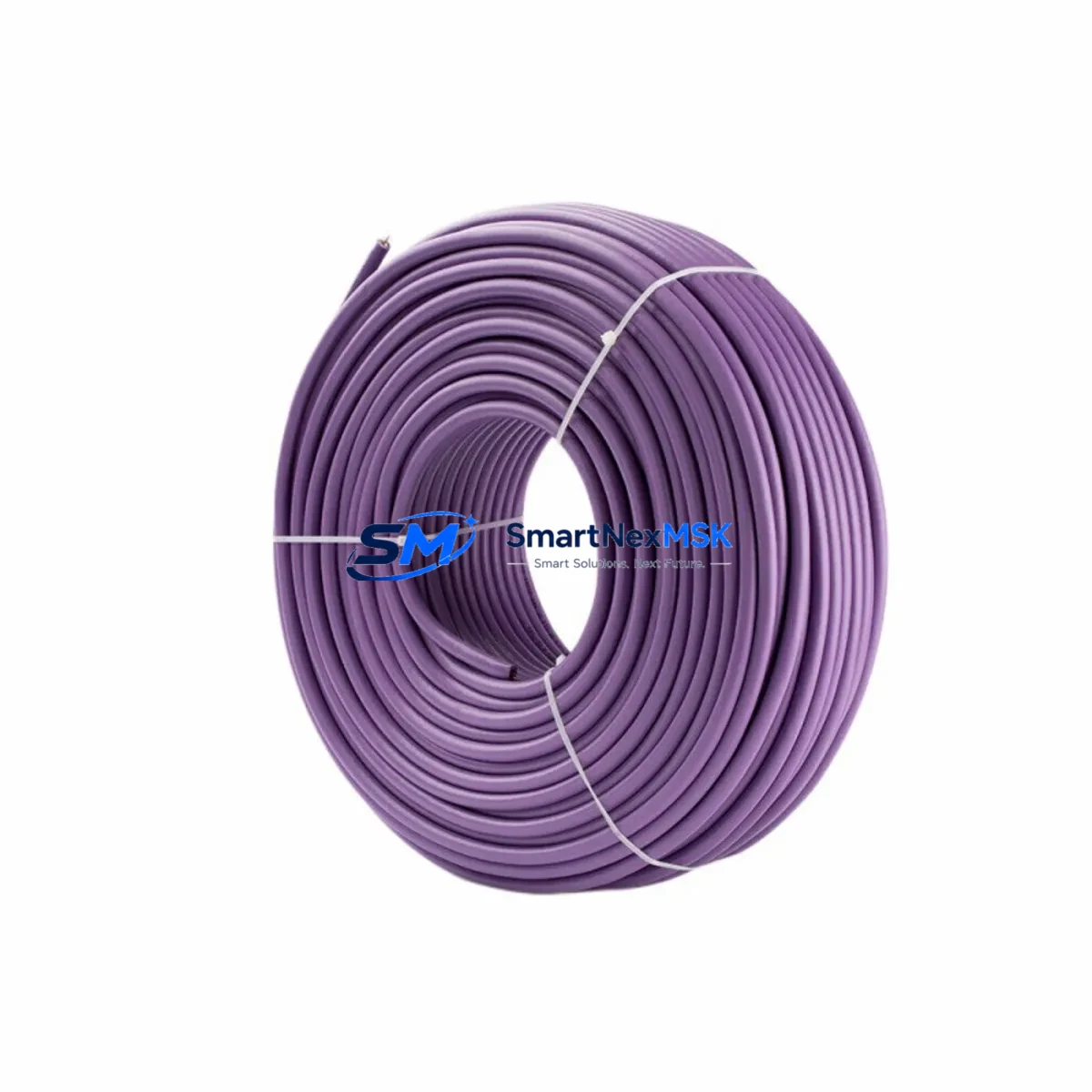
Siemens 6XV1830-0EH10 Retrofit-Ready PROFIBUS DP Cable for SIMATIC NET Control Systems
The Siemens 6XV1830-0EH10 is a shielded, twisted-pair PROFIBUS DP fieldbus cable engineered for reliable data transmission in industrial automation environments. Rated for 12 Mbps operation at distances up to 200 meters per segment, this cable is the standard wiring backbone for SIMATIC NET PROFIBUS networks deployed across legacy and current-generation Siemens control architectures. Whether you are replacing degraded cabling in an aging S5 or S7-300 installation, upgrading a distributed I/O rack, or migrating a control cabinet to a newer S7-1500 platform, the 6XV1830-0EH10 provides a direct, code-compliant retrofit path with no re-engineering of the physical layer.
In retrofit and modernization projects, fieldbus cabling is frequently the most overlooked component — yet it is the one most likely to cause intermittent faults, CRC errors, and unplanned downtime. The 6XV1830-0EH10 uses a violet outer sheath with the characteristic impedance of 150 Ω ±15 Ω, meeting IEC 61158 Type 3 specifications. Its foil-and-braid double shielding suppresses electromagnetic interference from variable frequency drives, servo amplifiers, and high-current switching equipment commonly found in the same control cabinet or cable tray. When replacing older PROFIBUS cabling that has been exposed to heat, oil, or mechanical stress, engineers should verify that the new cable run maintains the correct termination resistance at both ends of each segment — typically achieved using DP connectors such as the Siemens 6ES7972-0BA52-0XA0 or equivalent 9-pin Sub-D connectors with integrated termination switches.
Upgrade Compatibility Table
| Parameter | 6XV1830-0EH10 Specification | Retrofit Notes |
|---|---|---|
| Cable Standard | IEC 61158 Type 3 / EN 50170 | Direct replacement for all PROFIBUS DP Type A cable installations |
| Characteristic Impedance | 150 Ω ±15 Ω | Must match existing segment impedance; verify with cable tester before commissioning |
| Max. Baud Rate | 12 Mbps | Compatible with all PROFIBUS DP baud rates from 9.6 kbps to 12 Mbps |
| Max. Segment Length | 200 m @ 12 Mbps / 1200 m @ 93.75 kbps | Recalculate segment length when splicing into existing runs |
| Shielding | Foil + braid double shield | Connect shield to PE at one end only per segment to avoid ground loops |
| Compatible Controllers | S5-115U/H, S7-300, S7-400, S7-1500, ET 200M, ET 200S, ET 200SP | Verify DP master/slave address assignments after cable replacement |
| Compatible Connectors | 6ES7972-0BA52-0XA0, 6ES7972-0BB52-0XA0 (90° elbow) | Use 90° elbow connectors in tight cabinet installations |
| Installation Environment | Fixed installation, cable duct, conduit | Not rated for continuous flexing; use 6XV1830-3EH10 for drag-chain applications |
| Commissioning Check | Bus termination at both segment ends required | Use PROFIBUS tester or STEP 7 / TIA Portal diagnostics to verify signal quality |
| Warranty | 12-Month Warranty — covers manufacturing defects; tested before shipment | |
Retrofit Planning for Existing Automation Systems
A successful PROFIBUS cable retrofit begins well before the first meter of cable is pulled. Engineers working on S7-300 or S7-400 systems should start by documenting the existing network topology using STEP 7 HW Config or TIA Portal’s network view, identifying every DP master — typically a CP 342-5 or CP 443-5 communications processor — and every slave device on the segment. Common slave devices in legacy installations include ET 200M remote I/O stations with SM 321 digital input modules and SM 322 digital output modules, as well as third-party drives and valve islands connected via PROFIBUS DP. Each of these devices has a fixed station address that must be preserved during the cable replacement to avoid address conflicts and prevent the DP master from losing communication with field devices.
Before disconnecting any existing cabling, photograph or document the terminal wiring at each DP connector. The 6XV1830-0EH10 uses a standard two-wire configuration: the green wire connects to pin 3 (B-line, RxD/TxD-P) and the red wire connects to pin 8 (A-line, RxD/TxD-N) of the 9-pin Sub-D connector. Reversing these connections is a common commissioning error that results in a non-functional bus segment. If the existing installation uses older cable with non-standard color coding, use a multimeter to verify polarity before terminating the new cable.
For control cabinets that house a Siemens S7-300 CPU — such as a CPU 315-2 DP or CPU 317-2 DP — alongside a PS 307 power supply module and multiple SM I/O modules on a DIN rail-mounted rack, the cable replacement can typically be completed within a single planned maintenance window. The DP interface on these CPUs is integrated, so no additional communications module is required. However, if the system is being upgraded to an S7-1500 platform with a CPU 1515-2 PN, engineers must account for the fact that the S7-1500 does not have a native PROFIBUS DP interface — a CM 1542-5 communications module must be added to the rack to maintain PROFIBUS connectivity during the transition period before full PROFINET migration.
In distributed cabinet architectures where ET 200SP or ET 200M stations are connected over long cable runs, it is advisable to replace the entire segment rather than splicing new cable into existing runs. Splices introduce impedance discontinuities that can cause reflections and data errors at high baud rates. When the new 6XV1830-0EH10 cable is installed, verify the bus termination at both ends of the segment using the integrated termination resistors in the DP connector. Segments with more than 32 nodes require a DP repeater — the RS 485 repeater module is a common choice for extending segment capacity without reducing baud rate.
Downtime Control During System Migration
Minimizing production downtime during a PROFIBUS cable retrofit requires a structured approach to change management and a clear rollback plan. The most effective strategy is to perform the cable replacement in segments, working from the DP master outward to the furthest slave device. Before any cable is disconnected, use TIA Portal or STEP 7 to place the CPU in STOP mode and save a backup of the current program to a memory card or PC. This ensures that the original ladder logic, function block diagrams, and data block configurations can be restored immediately if commissioning reveals unexpected compatibility issues.
For systems where continuous operation is critical, consider deploying a temporary bypass using a portable PROFIBUS repeater to maintain communication with downstream slave devices while the upstream cable segment is being replaced. Once the new 6XV1830-0EH10 cable is terminated and the bus termination is confirmed, restart the DP master and monitor the diagnostic buffer in TIA Portal for any station failure or configuration mismatch alarms. If the HMI — typically a Siemens TP700 Comfort or TP1200 Comfort panel connected via MPI or PROFINET — shows communication errors after the cable replacement, verify that the DP master’s GSD file configuration matches the actual hardware configuration of each slave device.
In most straightforward cable replacement scenarios involving a single PROFIBUS segment with fewer than 16 slave devices, the total commissioning time from cable installation to verified bus operation is typically under two hours. Maintaining a spare reel of 6XV1830-0EH10 cable in the plant’s spare parts inventory — alongside spare DP connectors, a PROFIBUS tester, and a set of SM module spares — is the most cost-effective way to ensure rapid recovery from unplanned cable failures. All units supplied by SMARTNEXMSK are tested before shipment and covered by a 12-month warranty against manufacturing defects.
Retrofit Support FAQ
Q: Can the 6XV1830-0EH10 directly replace older PROFIBUS cable with a different outer sheath color?
A: Yes. The 6XV1830-0EH10 is electrically identical to earlier Siemens PROFIBUS DP Type A cables regardless of sheath color. The violet sheath is the current standard per IEC 61158. Verify impedance (150 Ω) and wire color coding at each connector before terminating.
Q: Do I need to modify my STEP 7 or TIA Portal program after replacing the cable?
A: No program changes are required for a like-for-like cable replacement. The DP station addresses, GSD configurations, and I/O mappings remain unchanged. A program modification is only necessary if you are simultaneously upgrading hardware — for example, replacing an ET 200M with an ET 200SP — which changes the hardware configuration in TIA Portal.
Q: What is the correct wiring for the 6XV1830-0EH10 at the DP connector?
A: Connect the green wire to pin 3 (B-line / RxD/TxD-P) and the red wire to pin 8 (A-line / RxD/TxD-N) of the 9-pin Sub-D DP connector. Enable the integrated termination resistor only at the first and last physical device on each bus segment. Incorrect termination is the most common cause of intermittent PROFIBUS faults.
Q: What warranty and pre-shipment testing does SMARTNEXMSK provide?
A: Every 6XV1830-0EH10 unit is inspected and tested before shipment. A 12-month warranty covers manufacturing defects from the date of delivery. For bulk orders or urgent retrofit projects, contact our team to confirm lead time and available stock.
© 2026 SMARTNEXMSK. All rights reserved.
Original Source: https://smartnexmsk.com
Contact: [email protected] | +86 18259474341



