
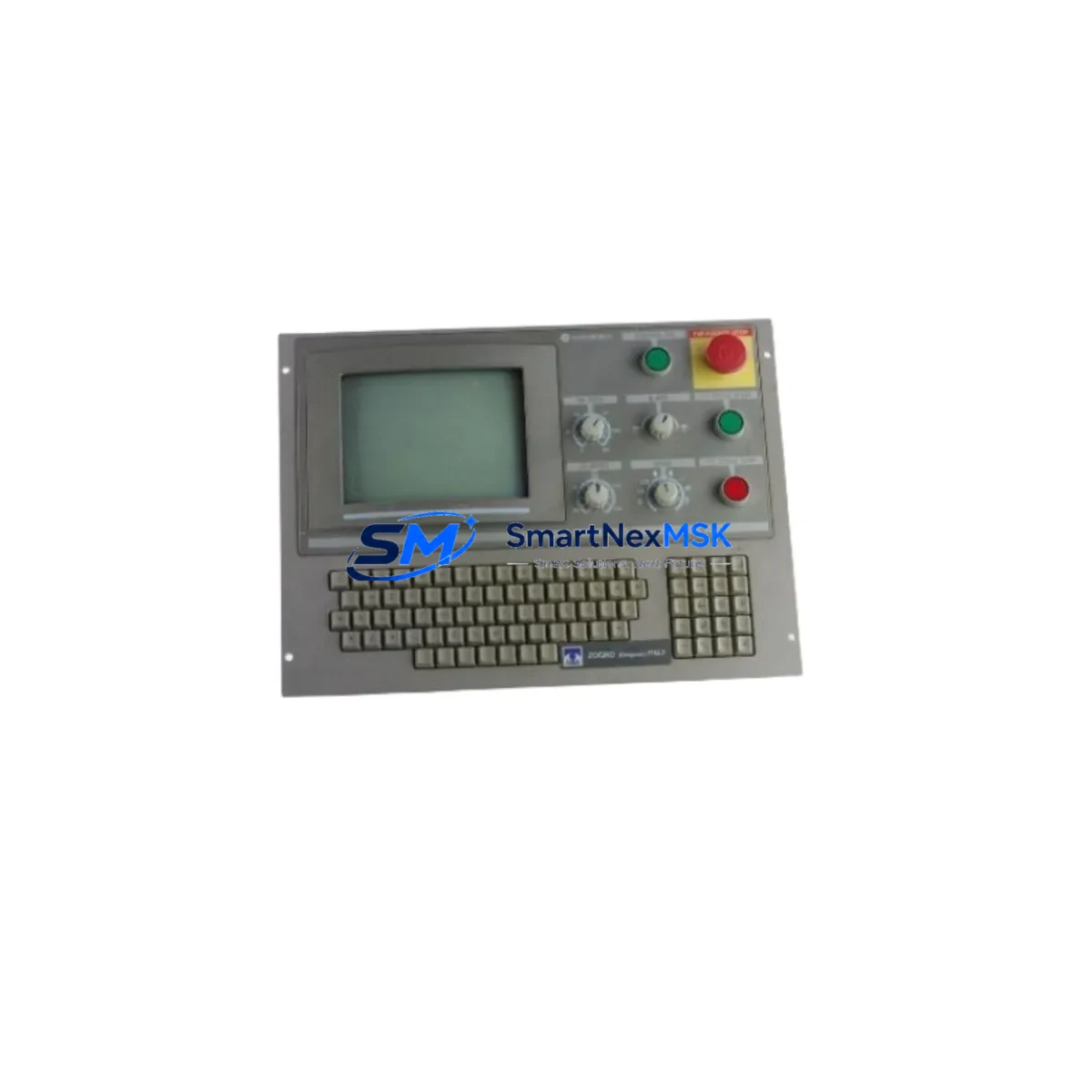
Siemens 86002249 Z-OC Retrofit-Ready Operator Panel for SINUMERIK Control Systems
The Siemens 86002249 Z-OC is a retrofit-ready operator panel engineered for seamless integration into legacy SINUMERIK CNC control systems. Whether you are replacing a failed unit on an aging production line, upgrading a discontinued panel in a multi-axis machining center, or restoring operator interface functionality after an unplanned shutdown, the 86002249 Z-OC delivers the compatibility, reliability, and verified performance that industrial retrofit projects demand. This unit is sourced from authorized channels, fully tested prior to shipment, and backed by a 12-month warranty — giving your maintenance team the confidence to proceed with minimal risk.
Designed for engineers and procurement specialists managing SINUMERIK-based control cabinets, the 86002249 Z-OC supports the operator interface layer of CNC systems where panel replacement must preserve existing HMI screen layouts, softkey assignments, and machine parameter mappings. Before installation, engineers should verify the panel’s power supply input voltage against the existing 24 VDC rail, confirm terminal block wiring compatibility with the existing cable harness, and validate the backplane connector pinout against the control cabinet’s wiring diagram. The SINUMERIK 840D sl and 828D platforms, which share a common operator panel front (OPF) architecture, are among the most common retrofit targets for this unit.
Upgrade Compatibility Table
| Parameter | Details |
|---|---|
| SKU / Part Number | 86002249 Z-OC |
| Brand | Siemens |
| Series | SINUMERIK |
| Product Type | Operator Panel / HMI Front Unit |
| Compatible Platforms | SINUMERIK 840D sl, 828D, 802D sl |
| Interface / Connector | Backplane bus connector; verify pinout against existing cabinet wiring |
| Power Supply Requirement | 24 VDC (confirm rail capacity before installation) |
| Communication Compatibility | PROFIBUS DP / PROFINET (platform-dependent; verify NCU/PCU link) |
| Mounting | Panel cutout mount; confirm dimensional fit with existing cabinet door |
| Replacement Recommendation | Direct drop-in for same-series OPF units; verify softkey layout version |
| Commissioning Note | Reload HMI configuration and machine data after panel swap |
| Origin | Germany |
| Warranty | 12-Month Warranty — tested and verified before shipment |
Retrofit Planning for Existing Automation Systems
A successful retrofit using the 86002249 Z-OC begins well before the panel arrives on site. Maintenance engineers should pull the existing wiring diagram for the control cabinet and cross-reference the terminal block assignments on the operator panel’s rear connector. In SINUMERIK 840D sl installations, the operator panel communicates with the PCU 50.5 or PCU 50.3 via an internal USB or Ethernet link, and this communication path must be re-established after the panel swap. If the system uses a TCU (Thin Client Unit) architecture, the TCU configuration stored on the NCU must be verified to ensure the new panel is recognized on the network.
During the retrofit planning phase, engineers frequently need to account for adjacent components in the same control cabinet. The SINUMERIK NCU 720.3 or NCU 730.3 controller module, which handles CNC and PLC logic, must remain powered and its program logic preserved throughout the panel replacement. The MCP 483C IE machine control panel, often mounted alongside the operator panel, should be checked for firmware compatibility with the replacement unit. If the system includes a PP 72/48D PN digital I/O module for axis and spindle signal routing, its PROFINET address assignments should be documented before any power-down sequence begins.
For older SINUMERIK 810D or 802D sl systems being migrated to a newer control platform, the 86002249 Z-OC may serve as an interim operator interface while the NCU and drive components — such as the SINAMICS S120 drive module or the ALM (Active Line Module) — are upgraded in stages. In these multi-phase retrofit projects, the operator panel is often the first component replaced to restore basic HMI functionality and allow engineers to access machine diagnostics before proceeding with deeper control system changes. The CF card (CompactFlash) containing the NCU system software and machine data should be backed up before any hardware change, and the backup should be verified on a secondary card if possible.
Wiring adaptation may also be required if the existing cable harness uses a non-standard connector shell or if the cabinet door cutout dimensions differ slightly from the replacement panel’s bezel. In such cases, a panel adapter frame or a custom cable extension may be needed. Engineers should also verify that the 24 VDC power supply — typically a SITOP PSU100S or equivalent — has sufficient current capacity to support the replacement panel’s inrush and steady-state load, particularly if additional USB peripherals or a keyboard tray are connected to the panel’s front ports.
Downtime Control During System Migration
Minimizing unplanned downtime is the primary concern in any operator panel replacement on a live production line. The recommended approach is to pre-stage the 86002249 Z-OC in the maintenance workshop before the scheduled maintenance window. This includes powering the panel from a bench 24 VDC supply, verifying the display backlight and softkey response, and confirming that the unit boots correctly when connected to a test NCU or PCU. If the production system uses a TCU-based HMI architecture, the replacement panel can be pre-configured with the correct TCU network parameters so that it is recognized by the NCU immediately upon installation.
During the actual swap, the sequence should follow a structured power-down procedure: save all active machine data and tool offsets via the HMI service menu, power down the control cabinet in the correct sequence (HMI first, then NCU, then drives), replace the panel, reconnect all cables, and restore power in reverse order. After power-up, verify that the HMI displays the correct machine data, that all axis positions are correctly reported, and that the PLC I/O status matches the pre-shutdown state. If the system uses PROFIBUS DP for communication between the NCU and peripheral I/O modules such as the ET 200S or ET 200SP distributed I/O stations, the bus termination resistors should be checked to ensure signal integrity after the panel replacement.
For systems where a full power-down is not feasible, a hot-swap approach may be possible if the control architecture supports it — but this must be validated against the specific NCU and PCU firmware version in use. In all cases, the original program logic stored on the NCU’s CF card remains intact and does not need to be reloaded unless the NCU itself is also being replaced. This significantly reduces the risk of program loss and shortens the commissioning time after the panel swap.
Retrofit Support FAQ
Q: Is the 86002249 Z-OC a direct replacement for my existing SINUMERIK operator panel?
A: The 86002249 Z-OC is designed as a retrofit-compatible replacement for SINUMERIK operator panel front units of the same form factor and connector type. Before ordering, confirm the backplane connector version, softkey row configuration, and display size against your existing panel’s part number. Our technical team can assist with cross-referencing if you provide the original panel’s full part number and system type.
Q: What commissioning steps are required after installing the replacement panel?
A: After physical installation and cable reconnection, power up the control system and verify that the HMI establishes communication with the NCU or PCU. Reload the HMI configuration if required (typically stored on the NCU’s CF card or the PCU’s hard drive). Verify all softkey assignments, machine parameter displays, and alarm screens. If the system uses a TCU, re-register the panel’s MAC address in the TCU configuration tool. A full axis reference run should be performed before resuming production.
Q: Has the unit been tested before shipment, and what does the 12-month warranty cover?
A: Yes — every 86002249 Z-OC unit is powered on and functionally tested before shipment, including display verification, softkey response, and connector integrity checks. The 12-month warranty covers manufacturing defects and functional failures under normal operating conditions. It does not cover damage caused by incorrect installation, overvoltage, or physical impact. Warranty claims are processed with a replacement unit dispatched within 5 business days of fault confirmation.
Q: Can this panel be used during a phased migration from SINUMERIK 810D to 840D sl?
A: In many phased migration projects, the 86002249 Z-OC can serve as an interim operator interface while the NCU and drive components are upgraded in stages. However, full compatibility depends on the specific firmware versions and hardware revisions of the target system. We recommend providing your existing system’s NCU type, software version, and machine data backup to our technical team for a compatibility assessment before committing to a phased migration plan.
© 2026 SMARTNEXMSK. All rights reserved.
Original Source: https://smartnexmsk.com
Contact: [email protected] | +86 18259474341



