
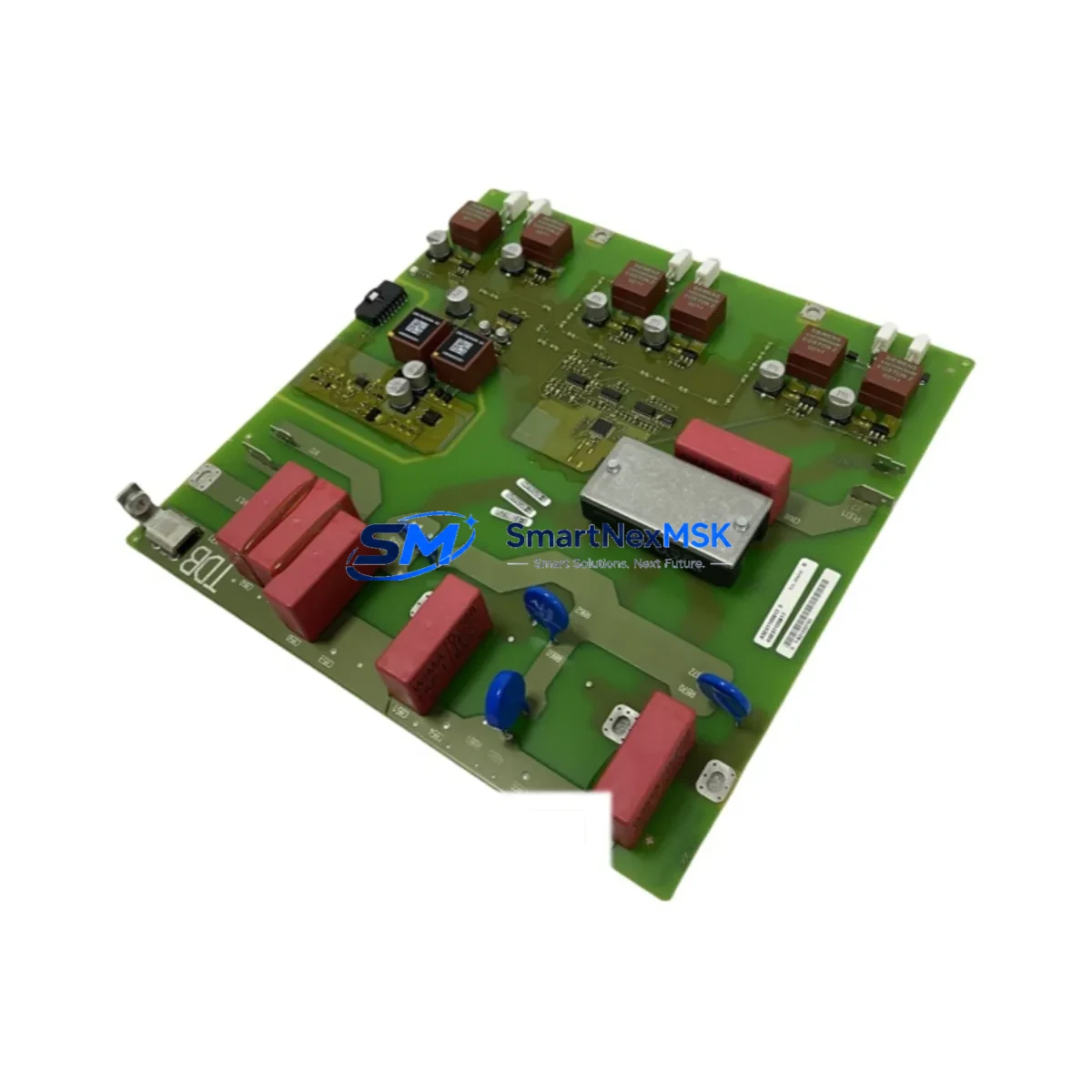
Siemens A5E00677657 Retrofit-Ready Power Supply for S7-300 & S7-400 Control Systems
The Siemens A5E00677657 is a retrofit-ready power supply module engineered for seamless integration into legacy SIMATIC S7-300 and S7-400 automation platforms. As industrial facilities face increasing pressure to extend the operational life of existing control infrastructure while managing obsolescence risk, this module provides a verified drop-in replacement path for discontinued or end-of-life power supply units within the S7-300 and S7-400 rack ecosystems. Whether you are upgrading a control cabinet in a continuous process plant, modernizing a batch control system, or recovering from an unplanned power supply failure, the A5E00677657 is stocked and ready for immediate dispatch with a 12-month warranty.
This module is compatible with standard S7-300 DIN-rail mounting racks and interfaces directly with the backplane bus used across the S7-300 series. Engineers replacing aging PS 307 family power supplies will find that terminal block wiring layouts, input voltage ratings, and output current specifications align with the original installation requirements, minimizing re-engineering time and reducing the risk of wiring errors during changeover. Before installation, technicians should verify the input AC voltage range (typically 120/230 V AC selectable), confirm the DC output current capacity matches the aggregate load of installed CPU modules such as the CPU 315-2 DP or CPU 317-2 PN/DP, and check that the rack slot assignment does not conflict with any existing SM 321 digital input modules or SM 331 analog input modules already installed in the chassis.
For S7-400 applications, the A5E00677657 supports integration into UR1 and UR2 universal racks alongside PS 405 and PS 407 series power supply slots. Customers migrating from older PS 405 10A units should confirm backplane connector pinout compatibility and ensure that the total power budget accounts for any CP 443-1 Ethernet communication processors or FM 455 function modules drawing from the same rack bus. In multi-rack configurations connected via IM 460/IM 461 interface modules, the power distribution architecture should be reviewed to confirm that each rack’s local power supply is independently sized.
Upgrade Compatibility Table
| Parameter | Details |
|---|---|
| Compatible Platform | SIMATIC S7-300, SIMATIC S7-400 |
| Replaces | PS 307 series, PS 405 series (verify output current rating) |
| Mounting | Standard S7-300 DIN-rail rack / S7-400 UR1, UR2 universal rack |
| Input Voltage | 120/230 V AC (selectable) — confirm site supply before installation |
| Communication Compatibility | PROFIBUS DP, PROFINET (via CPU/CP modules in same rack) |
| Retrofit Recommendation | Direct replacement; verify output current vs. rack load budget |
| Commissioning Note | Re-address module slots in STEP 7 / TIA Portal if CPU memory reset is performed |
| Warranty | 12 Months from date of shipment |
Retrofit Planning for Existing Automation Systems
A successful retrofit begins well before the physical swap. Start by exporting the current STEP 7 or TIA Portal project and creating a full backup of the CPU 315-2 DP or CPU 317-2 PN/DP program, including all data blocks, symbol tables, and hardware configuration files. If the system uses a TP 700 Comfort HMI panel or an OP 177B operator panel, export all HMI screen configurations and tag mappings so that any communication link interruptions during the power cycle do not result in lost HMI project data.
Next, audit the full rack population. Document every installed module: SM 321 digital input cards, SM 322 digital output cards, SM 331 analog input modules, and any CP 342-5 PROFIBUS communication processors. Confirm that the aggregate current draw of all installed modules does not exceed the output rating of the A5E00677657. Pay particular attention to high-draw modules such as FM 355 PID controllers or CP 443-1 Advanced Ethernet processors, which can significantly increase the rack’s power consumption.
Terminal block wiring should be photographed and labeled before disconnection. The A5E00677657 uses standard screw-terminal connections for AC input and DC output; ensure that wire ferrules are correctly sized and that PE (protective earth) connections are re-terminated to the original torque specification. After physical installation, perform a cold start of the CPU and verify that all I/O modules are recognized in the hardware configuration. If the CPU performs a memory reset, reload the backed-up program via a MPI/DP programming cable or Ethernet connection using STEP 7 v5.x or TIA Portal V16/V17.
Downtime Control During System Migration
Minimizing production downtime during a power supply replacement requires a structured changeover plan. Where process conditions allow, schedule the replacement during a planned maintenance window and pre-stage the A5E00677657 alongside all required tools, terminal labels, and a laptop loaded with the current STEP 7 or TIA Portal project. For critical continuous processes, consider whether a temporary bypass or manual control mode can be activated to maintain field device states during the CPU power-down period.
Before removing the existing power supply, confirm that all field devices connected through SM 321 and SM 322 I/O modules are in a safe state. After installing the A5E00677657 and restoring power, monitor the CPU diagnostic buffer for any hardware fault entries and verify that PROFIBUS DP slaves — including ET 200S distributed I/O stations or third-party drives on the DP network — re-establish communication without requiring manual re-initialization. If the system uses a CP 343-1 Lean Ethernet module for PROFINET communication, confirm that the IP address assignment is retained after the power cycle. Document the total changeover time and any deviations from the planned procedure for future maintenance records.
Retrofit Support FAQ
Q1: Is the A5E00677657 a direct replacement for the PS 307 5A power supply in an S7-300 rack?
A: The A5E00677657 is compatible with S7-300 rack installations. Before installation, verify that the output current rating matches or exceeds the aggregate load of all modules in the rack. If the existing PS 307 5A is undersized for an expanded rack, this replacement also provides an opportunity to upsize the power budget.
Q2: Will I need to re-program the CPU after replacing the power supply?
A: In most cases, no. The CPU retains its program in battery-backed RAM or on a memory card (MMC). However, if the CPU performs an automatic memory reset due to a power anomaly during changeover, you will need to reload the program from the MMC or from a STEP 7 / TIA Portal project backup via MPI or Ethernet.
Q3: What pre-shipment testing is performed on the A5E00677657?
A: Each unit undergoes functional power-on testing, output voltage verification, and visual inspection before dispatch. Units are shipped with a 12-month warranty covering manufacturing defects and functional failures under normal operating conditions.
Q4: Can this module be used in an S7-400 UR2 rack alongside a PS 405 10A?
A: Compatibility depends on the specific slot and power bus configuration of your UR2 rack. We recommend providing your full rack configuration — including all installed modules and their current draw — so our technical team can confirm suitability before shipment. Contact us at [email protected] for pre-sales compatibility verification.
© 2026 SMARTNEXMSK. All rights reserved.
Original Source: https://smartnexmsk.com
Contact: [email protected] | +86 18259474341



