
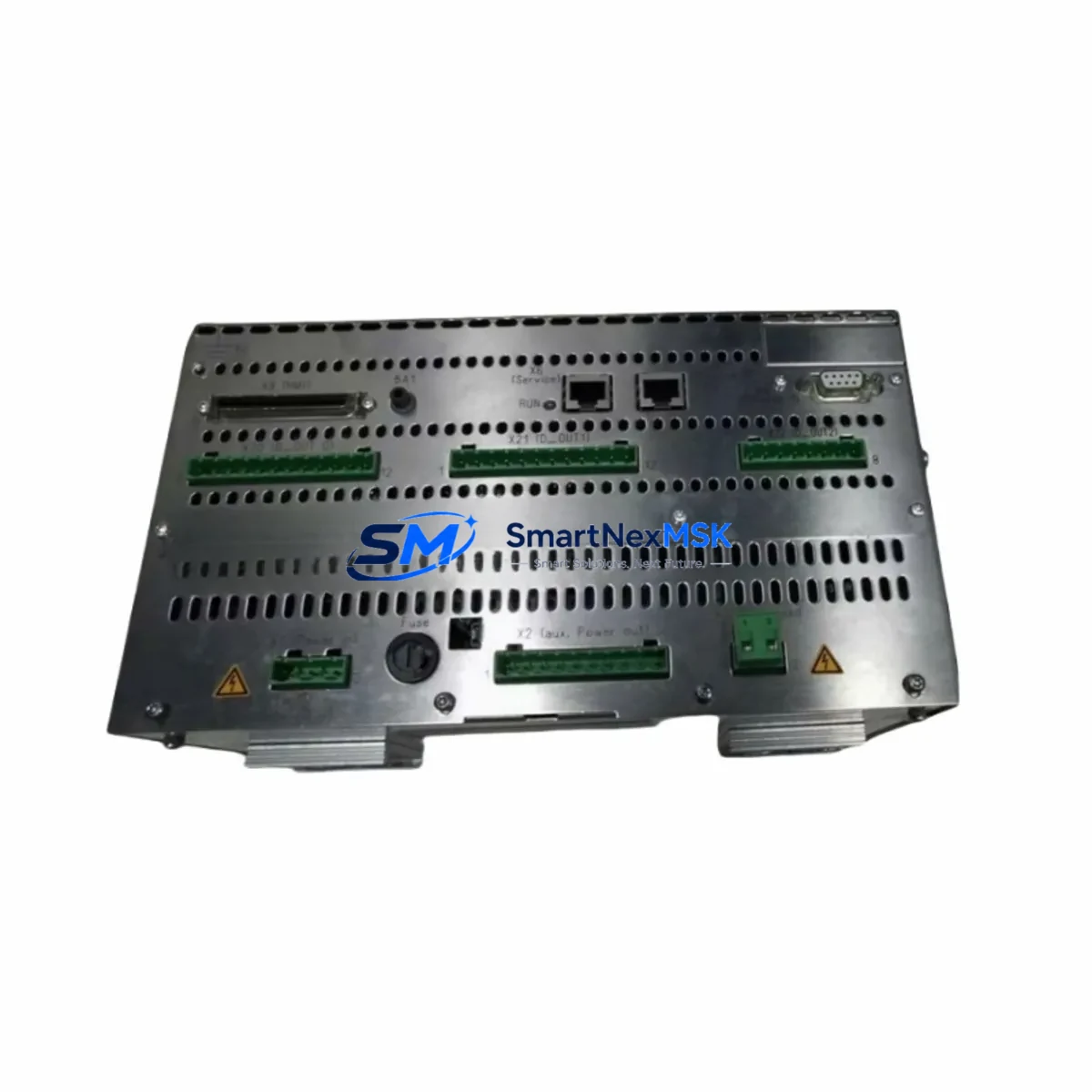
Siemens A5E00703754 Spare for SINAMICS Automation: Spare Replacement & Industrial Downtime Risk Control
The Siemens A5E00703754 is an original drive control unit (DCU) designed for the SINAMICS S120 and S150 drive series — one of Siemens’ most widely deployed variable-frequency drive platforms in industrial automation. As a core control component within the S120 booksize and chassis power sections, the A5E00703754 governs closed-loop speed and torque regulation, encoder feedback processing, and drive-level diagnostics. When this unit fails, the entire drive axis goes offline, halting production lines, conveyor systems, compressor trains, or pump stations that depend on it.
Maintaining a verified spare of the A5E00703754 in your parts inventory is a proven strategy for reducing mean time to repair (MTTR) and protecting against unplanned downtime. This unit is sourced as an original Siemens component, inspected and function-tested prior to shipment, and backed by a 12-month warranty covering manufacturing defects and operational failures under normal industrial conditions.
Spare Maintenance Table
| Parameter | Specification / Detail |
|---|---|
| Part Number (SKU) | A5E00703754 |
| Brand | Siemens |
| Series Compatibility | SINAMICS S120, S150 |
| Component Type | Drive Control Unit (DCU) |
| Form Factor | Booksize / Chassis plug-in module |
| Supply Voltage | 24 V DC (via Control Unit Link or CU320-2 backplane) |
| Communication Interface | DRIVE-CLiQ, PROFIBUS DP (firmware dependent) |
| Encoder Feedback Support | HTL, TTL, SSI, EnDat (axis-dependent) |
| Operating Temperature | 0 °C to +55 °C (derating above 40 °C) |
| Protection Class | IP20 (cabinet-mounted) |
| Weight | Approx. 1,600 g |
| Country of Origin | Germany |
| Condition | Original, tested before shipment |
| Warranty | 12 Months |
| Maintenance Recommendation | Replace at first sign of fault code F07801, F30001, or persistent A05000 alarms; inspect DRIVE-CLiQ wiring on replacement |
Maintenance Planning for Continuous Operation
When a SINAMICS S120 drive axis trips on a control unit fault, the root cause is rarely isolated to the DCU alone. A thorough maintenance engineer will treat the A5E00703754 replacement as an opportunity to audit the entire drive cabinet. Begin by inspecting the CU320-2 DP or CU320-2 PN Control Unit — the master controller that communicates with the DCU over DRIVE-CLiQ. A degraded CU320-2 can corrupt parameter sets and cause repeated DCU faults even after a new A5E00703754 is installed.
Check the Active Line Module (ALM) or Basic Line Module (BLM) that feeds the DC link. Overvoltage or undervoltage events on the DC bus are a leading cause of premature DCU failure. Verify that the 24 V DC SITOP power supply feeding the control electronics is within tolerance — a sagging 24 V rail will cause intermittent communication faults on the DRIVE-CLiQ network that mimic DCU hardware failure.
Inspect all DRIVE-CLiQ cables connecting the DCU to the Motor Module and encoder system. Bent connectors, damaged shielding, or cables routed near high-voltage busbars are common sources of signal integrity issues. While the cabinet is open, verify the condition of the SMC30 Sensor Module Cabinet-Mounted or equivalent encoder evaluation module — encoder feedback errors frequently accompany DCU faults in multi-axis S120 configurations.
For systems using PROFIBUS DP or PROFINET communication, confirm that the network termination resistors are correctly placed and that the PLC — typically a Siemens S7-300, S7-400, or S7-1500 — is not reporting communication timeouts that predate the drive fault. A communication dropout from the PLC side can trigger protective shutdowns that appear as DCU faults in the drive diagnostics.
Procurement engineers should also consider stocking the Braking Module and Braking Resistor for regenerative S120 applications, as these components experience elevated thermal stress during emergency stops and are frequently replaced alongside control units in high-cycle applications. Terminal blocks, 24 V fuse holders, and the cabinet’s fan/filter unit should be inspected and replaced on a scheduled basis to prevent the thermal conditions that accelerate DCU aging.
Site Replacement Workflow
Step 1 — Preparation: Before powering down, use the STARTER or TIA Portal commissioning tool to export the current drive parameter set (p0010 = 30, then backup via SINAMICS SD card or upload to PG/PC). This ensures the replacement A5E00703754 can be restored to the exact operating configuration without manual re-parameterization.
Step 2 — Safe Isolation: Follow LOTO (Lockout/Tagout) procedures. Discharge the DC link capacitors — allow a minimum of 5 minutes after main power isolation before opening the cabinet. Verify DC link voltage is below 50 V using a calibrated meter before touching any drive components.
Step 3 — Module Swap: Disconnect the DRIVE-CLiQ cables, 24 V supply connector, and any I/O terminal connections from the faulty DCU. Note the cable routing and labeling before removal. Install the replacement A5E00703754, reconnect all cables in the original sequence, and verify connector locking tabs are fully engaged.
Step 4 — Recommissioning: Power up the control supply first. The CU320-2 will detect the new DCU via DRIVE-CLiQ topology recognition. Restore the parameter backup. Perform a motor identification run (p1910) if the motor data was not previously stored in the Motor Module. Verify encoder feedback signals and run a no-load test before returning the axis to production.
Step 5 — Documentation: Record the replacement date, firmware version of the new DCU, and any parameter changes in the equipment maintenance log. Update the spare parts inventory to trigger reorder of a replacement A5E00703754 for the next event.
Spare Parts Support FAQ
Q1: Is the A5E00703754 compatible with both S120 booksize and chassis configurations?
The A5E00703754 is a drive control unit designed for the SINAMICS S120 platform. Compatibility with specific booksize or chassis power sections depends on the firmware version and the Motor Module variant in your cabinet. We recommend confirming your existing CU320-2 firmware version and Motor Module order number before installation. Our technical team can assist with compatibility verification prior to shipment.
Q2: How is the unit tested before shipment?
Each A5E00703754 unit undergoes functional verification including power-on self-test, DRIVE-CLiQ communication check, and firmware version confirmation. Units that fail any test stage are quarantined and not shipped. A test report is available upon request for quality-critical procurement processes.
Q3: What does the 12-month warranty cover?
The 12-month warranty covers manufacturing defects and component failures under normal operating conditions as specified in the Siemens SINAMICS S120 hardware installation manual. It does not cover damage resulting from incorrect installation, overvoltage events beyond rated limits, or unauthorized modification. Warranty claims are processed with return shipment and replacement or repair at our discretion.
Q4: How quickly can a replacement unit be shipped for an emergency downtime situation?
For urgent downtime recovery, we prioritize same-day or next-business-day dispatch for in-stock units. Contact our sales team directly at [email protected] or +86 18259474341 to confirm stock availability and arrange expedited shipping. We support DHL Express, FedEx International Priority, and air freight for time-critical industrial spare requirements.
© 2026 SMARTNEXMSK. All rights reserved.
Original Source: https://smartnexmsk.com
Contact: [email protected] | +86 18259474341



