
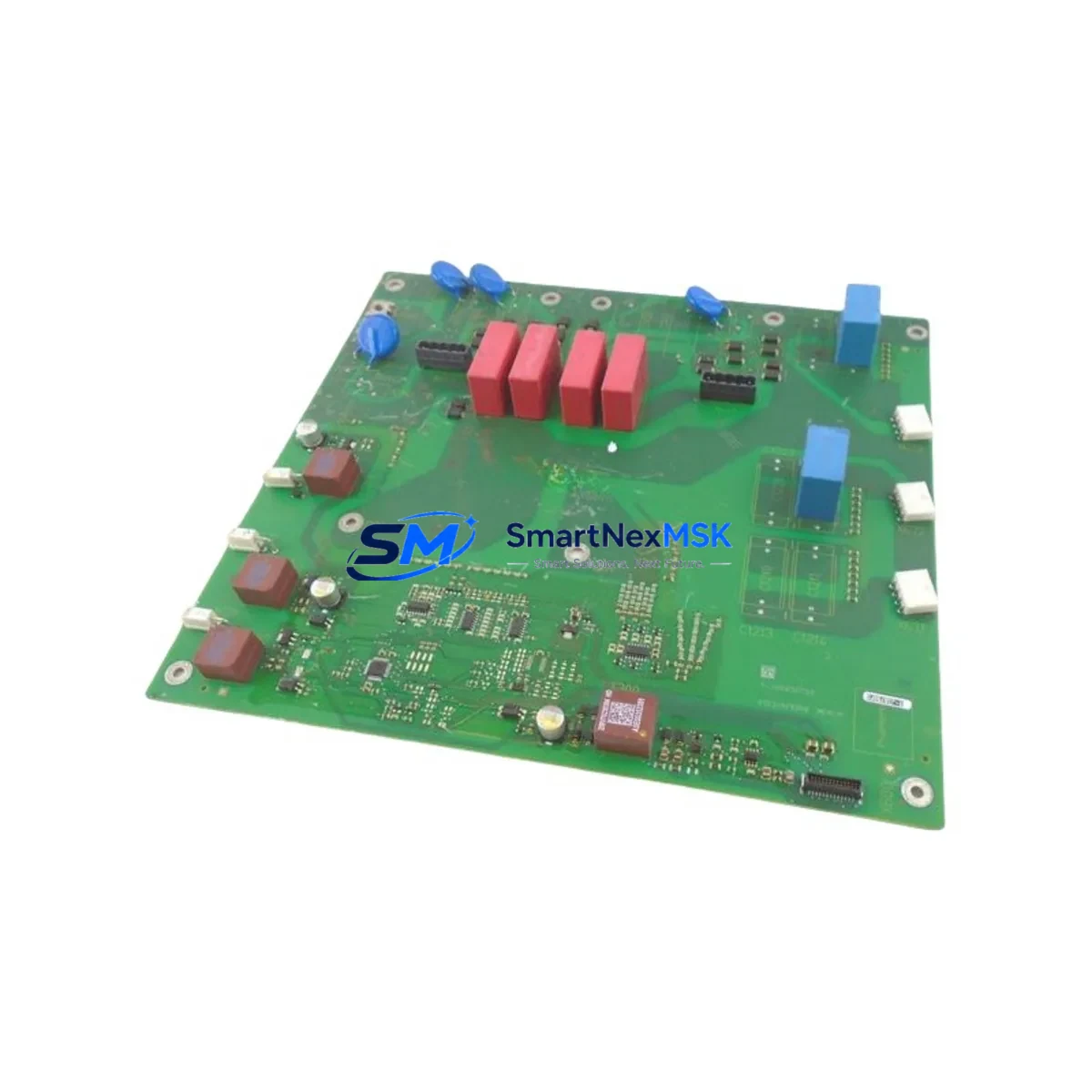
Siemens A5E31429340 Retrofit-Ready HMI Panel for SIMATIC Control Systems: Compatible Modernization and Smooth Legacy System Upgrade
The Siemens A5E31429340 is a retrofit-ready HMI panel component designed to serve as a direct replacement and functional upgrade within SIMATIC-based control architectures. Whether you are managing a planned modernization of aging production lines, responding to an end-of-life notification on legacy Siemens hardware, or sourcing a reliable spare to minimize unplanned downtime, the A5E31429340 delivers verified compatibility, documented interoperability, and the supply chain reliability that industrial operations demand.
This component is engineered for integration into existing SIMATIC HMI environments, including panel families that share the same mounting footprint, backplane connector layout, and communication interface standards. Engineers and maintenance teams working with Siemens TP, KP, or MP series operator panels will find the A5E31429340 a technically sound replacement candidate, particularly in applications where the original panel has been discontinued or where spare part lead times from OEM channels have become unacceptable.
Upgrade Compatibility Table
| Parameter | Details |
|---|---|
| SKU / Part Number | A5E31429340 |
| Brand | Siemens |
| Compatible Series | SIMATIC HMI (TP, KP, MP Panel Families) |
| Mounting Interface | Standard SIMATIC panel cutout; verify exact dimensions against original BOM |
| Communication Compatibility | PROFINET, MPI, PROFIBUS DP (verify firmware revision against target PLC) |
| Replacement Recommendation | Direct replacement for discontinued A5E-series HMI accessories; confirm connector pinout before installation |
| Commissioning Notes | Reload HMI project via WinCC Flexible or TIA Portal; verify tag mapping and screen navigation after transfer |
| Warranty | 12 Months from date of shipment |
| Origin | Germany |
| Condition | New / Surplus New |
Retrofit Planning for Existing Automation Systems
Successful integration of the A5E31429340 into a legacy control system requires a structured pre-installation review. Before removing the original panel, document the existing wiring terminations, confirm the 24 VDC power supply capacity at the panel cabinet, and photograph the terminal block layout for reference during reinstallation. Many retrofit projects involving SIMATIC HMI panels also require attention to the associated SIMATIC S7-300 or S7-400 CPU modules, particularly when the HMI communicates via MPI or PROFIBUS DP. Confirm that the CPU’s communication port configuration and baud rate settings are compatible with the replacement panel before powering the system.
In control cabinets where the A5E31429340 is installed alongside a SIMATIC ET 200S distributed I/O station or an ET 200M remote I/O rack, verify that the backplane bus termination resistors are correctly positioned and that the IM 153 interface module firmware is current. Projects involving migration from older PROFIBUS DP networks to PROFINET architectures may also require a CP 343-1 or CP 443-1 communications processor to bridge legacy field devices to the updated HMI layer.
For panel cabinet upgrades that include a SITOP PSU power supply module, confirm that the output current rating is sufficient to support the A5E31429340 alongside other 24 VDC loads in the cabinet. Undersized power supplies are a common source of intermittent HMI faults during retrofit commissioning. Similarly, if the project involves replacing a SIMATIC S7-1200 or S7-1500 PLC alongside the HMI, ensure that the TIA Portal project version is consistent across both devices to avoid tag database mismatches.
Customers upgrading from older Siemens OP 77B or TP 177B operator panels to the A5E31429340 should plan for a WinCC Flexible project migration step, converting the legacy project to TIA Portal WinCC format before downloading to the new panel. This process typically requires validation of all alarm messages, recipe data structures, and trend view configurations. Retain the original STEP 7 or WinCC Flexible project files as a backup before initiating any migration.
All units are pre-tested prior to shipment. In-stock inventory is available for immediate dispatch, supporting urgent replacement requirements and minimizing production downtime. A 12-month warranty is included with every unit.
Downtime Control During System Migration
Minimizing production interruption during an HMI panel replacement requires advance preparation and a disciplined commissioning sequence. Begin by creating a full backup of the existing HMI project using TIA Portal or WinCC Flexible, including all screen layouts, tag connections, alarm configurations, and user management settings. Store this backup on an isolated engineering workstation and verify its integrity before proceeding.
During the physical swap, label all power and communication cables before disconnection. For systems using PROFIBUS DP, note the station address of the original panel and configure the A5E31429340 to the same address to avoid disrupting the network topology. For PROFINET-connected panels, update the device name in TIA Portal to match the original configuration before downloading the project.
After installation, perform a controlled power-up sequence: energize the 24 VDC supply first, confirm the panel boots to the operating system, then establish the PLC communication link before enabling process control screens. Validate all critical HMI functions — including alarm acknowledgment, setpoint entry, and manual override controls — before returning the system to automatic operation. This structured approach consistently reduces total migration downtime to under four hours for standard single-panel replacements.
Retrofit Support FAQ
Q: Is the A5E31429340 a direct drop-in replacement for my existing SIMATIC HMI panel?
A: In most cases, yes — the A5E31429340 shares the mounting footprint and connector layout with compatible SIMATIC HMI panel families. However, we recommend confirming the exact panel cutout dimensions and connector pinout against your original installation drawings before ordering. Our technical team can assist with compatibility verification.
Q: What commissioning steps are required after installing the A5E31429340?
A: After physical installation, reload the HMI project via TIA Portal or WinCC Flexible, verify all PLC tag connections, confirm communication link status, and validate alarm and screen navigation functions. For PROFIBUS DP systems, confirm the station address matches the original configuration.
Q: How is the unit tested before shipment?
A: Every A5E31429340 unit undergoes functional testing prior to dispatch, including power-on verification and communication interface checks. Units are shipped with protective packaging to prevent transit damage. A detailed test report is available upon request.
Q: What does the 12-month warranty cover?
A: The 12-month warranty covers manufacturing defects and functional failures under normal operating conditions. It does not cover damage resulting from incorrect installation, overvoltage events, or unauthorized modification. Warranty claims are processed with a target response time of 48 business hours.
© 2026 SMARTNEXMSK. All rights reserved.
Original Source: https://smartnexmsk.com
Contact: [email protected] | +86 18259474341



