
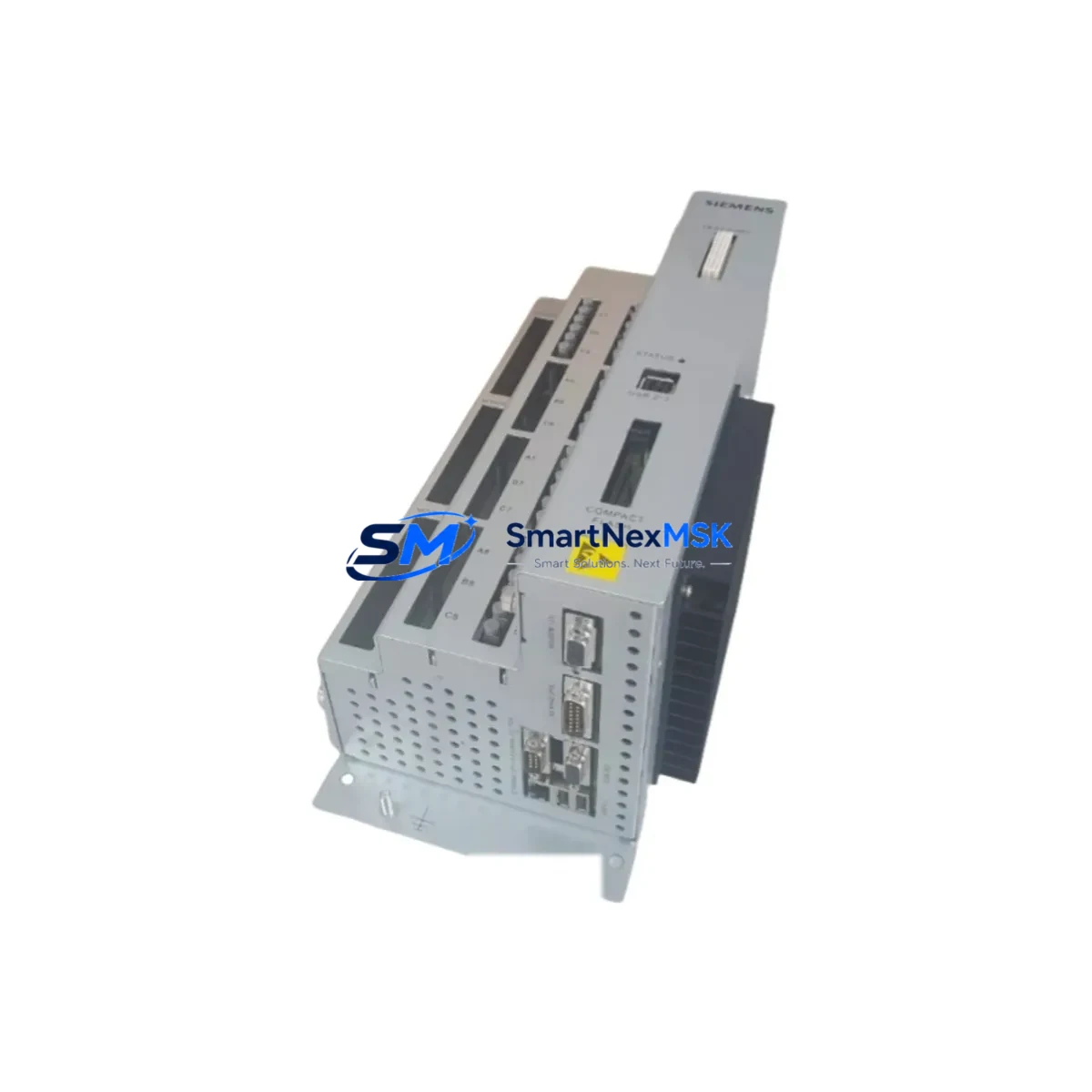
Siemens A5E33032455 Retrofit-Ready PLC Module for S7-300/S7-400 Control Systems
The Siemens A5E33032455 is a retrofit-ready PLC controller module engineered for seamless integration into existing SIMATIC S7-300 and S7-400 control architectures. As industrial facilities face increasing pressure to modernize aging automation infrastructure without full system overhauls, the A5E33032455 provides a validated, drop-in compatible upgrade path that preserves original program logic, minimizes engineering rework, and dramatically reduces planned downtime during migration. Whether you are replacing a discontinued module in a legacy control cabinet, expanding I/O capacity on an existing rack, or migrating communication protocols from PROFIBUS DP to PROFINET IO, this module delivers the compatibility and reliability that industrial engineers demand.
Sourced directly from authorized distribution channels and subject to full functional testing prior to shipment, each A5E33032455 unit is verified against Siemens factory specifications. SMARTNEXMSK maintains in-stock inventory to support urgent replacement scenarios, including unplanned shutdowns and emergency spare-part procurement. All units are covered by a 12-month warranty from the date of shipment, providing procurement teams and maintenance engineers with documented assurance of post-sale support.
Upgrade Compatibility Table
| Parameter | Details |
|---|---|
| Compatible Rack / Backplane | SIMATIC S7-300 standard rail (DIN EN 50022); S7-400 UR1/UR2 universal rack |
| Slot Interface | S7-300 bus connector (P-bus + K-bus); S7-400 backplane bus — verify slot addressing before installation |
| Communication Compatibility | PROFIBUS DP (up to 12 Mbit/s); PROFINET IO (100 Mbit/s) — confirm firmware revision matches CPU |
| Power Supply Requirement | 24 V DC via PS 307 / PS 405 / PS 407 power supply modules — verify load capacity before adding module |
| Replacement Recommendation | Direct replacement for discontinued S7-300/S7-400 variants; re-address module slot in STEP 7 or TIA Portal |
| Commissioning Notes | Upload existing program from CPU memory; verify I/O mapping; perform force test on critical outputs before live restart |
| HMI Compatibility | Compatible with SIMATIC HMI TP700, TP900, KTP series via MPI/PROFIBUS/PROFINET — re-link HMI tags after slot change |
| Warranty | 12 months from shipment date — covers manufacturing defects and functional failure under normal operating conditions |
Retrofit Planning for Existing Automation Systems
A successful retrofit of the A5E33032455 into an operational control system requires systematic pre-installation planning. Begin by auditing the existing rack configuration: identify the current slot assignments for the CPU 315-2 DP or CPU 416-3 PN/DP, the SM 321 digital input modules, SM 322 digital output modules, and any SM 331 analog input modules installed in adjacent slots. Document the terminal wiring on the front connector of the module being replaced — Siemens 40-pin front connectors are keyed and can be transferred directly to the replacement module, preserving field wiring without re-termination.
For systems using the CP 342-5 or CP 443-5 communication processors for PROFIBUS DP master functionality, verify that the A5E33032455 module address does not conflict with existing DP slave addresses configured in the hardware configuration (HW Config) within STEP 7 or TIA Portal V16/V17. If the system includes an IM 360/IM 361 interface module pair for multi-rack expansion, confirm that the expansion rack’s bus termination resistors are correctly set after the module swap.
Power budget verification is critical before installation. Calculate the total current draw from the 24 V DC backplane bus, accounting for all installed modules including the replacement A5E33032455. The PS 307 5A or PS 307 10A power supply modules have defined output current limits — exceeding these limits will cause the CPU to enter STOP mode or trigger a hardware fault. If the existing power supply is operating near capacity, consider upgrading to a PS 407 10A for S7-400 racks or adding a supplementary 24 V DC rail for field device power.
For facilities migrating from PROFIBUS DP to PROFINET IO as part of a broader network modernization, the A5E33032455 supports both protocols, allowing a phased migration approach. Existing PROFIBUS DP slaves — including ET 200S distributed I/O stations and ET 200M remote I/O racks — can remain operational during the transition period while PROFINET IO devices are commissioned in parallel. This hybrid communication architecture is fully supported within TIA Portal’s network view and allows engineers to validate the new network segment before decommissioning the legacy PROFIBUS trunk.
Downtime Control During System Migration
Minimizing unplanned downtime is the primary operational concern during any PLC module replacement. For the A5E33032455 retrofit, the recommended approach is to perform a controlled CPU STOP during a scheduled maintenance window rather than a hot-swap, as the S7-300/S7-400 platform does not support live module replacement on the standard backplane bus without specific redundancy hardware.
Before initiating the shutdown, use STEP 7 or TIA Portal to upload the complete program from the CPU’s load memory to the programming device. Save the project with a timestamped backup. If the system uses a SIMATIC Micro Memory Card (MMC) or SD card for program storage, retain the original card as a recovery medium. After installing the A5E33032455, perform a hardware configuration download to update the module catalog entry, then execute a CPU memory reset (MRES) only if required by the new module’s initialization sequence — avoid unnecessary memory resets that would erase retentive data areas (M, DB, T, C).
For systems with SIMATIC HMI panels connected via MPI or PROFIBUS, the HMI runtime will display a communication fault during the CPU STOP interval. This is expected behavior. After the CPU transitions to RUN mode following the module replacement, the HMI will automatically re-establish the communication link without requiring a panel restart, provided the MPI/PROFIBUS address and baud rate settings remain unchanged. Verify all HMI alarm screens and trend displays are functioning correctly before releasing the system to production.
SMARTNEXMSK ships the A5E33032455 with same-day dispatch for in-stock orders placed before 3:00 PM CST, supporting emergency procurement timelines. Each unit undergoes pre-shipment functional testing and is packaged in anti-static ESD protection to prevent transit damage. Delivery lead times and freight options are confirmed at order placement.
Retrofit Support FAQ
Q: Is the A5E33032455 a direct drop-in replacement for my existing S7-300 module without program changes?
A: In most cases, yes. The A5E33032455 is designed as a form-fit-function replacement for compatible S7-300/S7-400 slot positions. However, you must verify the module’s hardware catalog entry in your STEP 7 or TIA Portal project matches the replacement unit’s order number and firmware version. If the catalog entry differs, a hardware configuration update and download will be required before the CPU can recognize the module in RUN mode. The existing program logic, data blocks, and retentive memory areas are not affected by a hardware configuration download alone.
Q: What wiring changes are required when installing the A5E33032455?
A: The 40-pin Siemens front connector used on S7-300 signal modules is transferable directly from the old module to the replacement unit. Remove the front connector from the existing module, install the A5E33032455 in the same rack slot, and reattach the front connector. No re-termination of field wiring is required. For S7-400 installations, verify that the backplane bus connector is fully seated and that the module locking mechanism is engaged before powering the rack.
Q: How do I verify compatibility with my PROFIBUS DP network before installation?
A: Export the current hardware configuration from STEP 7 or TIA Portal and confirm the DP master system address, baud rate (typically 1.5 Mbit/s or 12 Mbit/s), and slave address assignments. The A5E33032455 supports the full PROFIBUS DP baud rate range. After installation, use the diagnostic buffer (CPU diagnostic functions in STEP 7) to confirm that all DP slaves have returned to data exchange state. If any slave shows configuration fault, re-download the hardware configuration to force a GSD-based re-initialization of the DP master.
Q: What does the 12-month warranty cover, and how is a warranty claim processed?
A: The 12-month warranty covers manufacturing defects and functional failures under normal industrial operating conditions (per IEC 61131-2 environmental ratings). It does not cover damage resulting from incorrect installation, overvoltage events, or physical impact. To initiate a warranty claim, contact SMARTNEXMSK at [email protected] with your order number, a description of the fault symptom, and diagnostic buffer screenshots if available. Replacement units are dispatched upon fault confirmation, with return freight covered for verified warranty cases.
© 2026 SMARTNEXMSK. All rights reserved.
Original Source: https://smartnexmsk.com
Contact: [email protected] | +86 18259474341



