
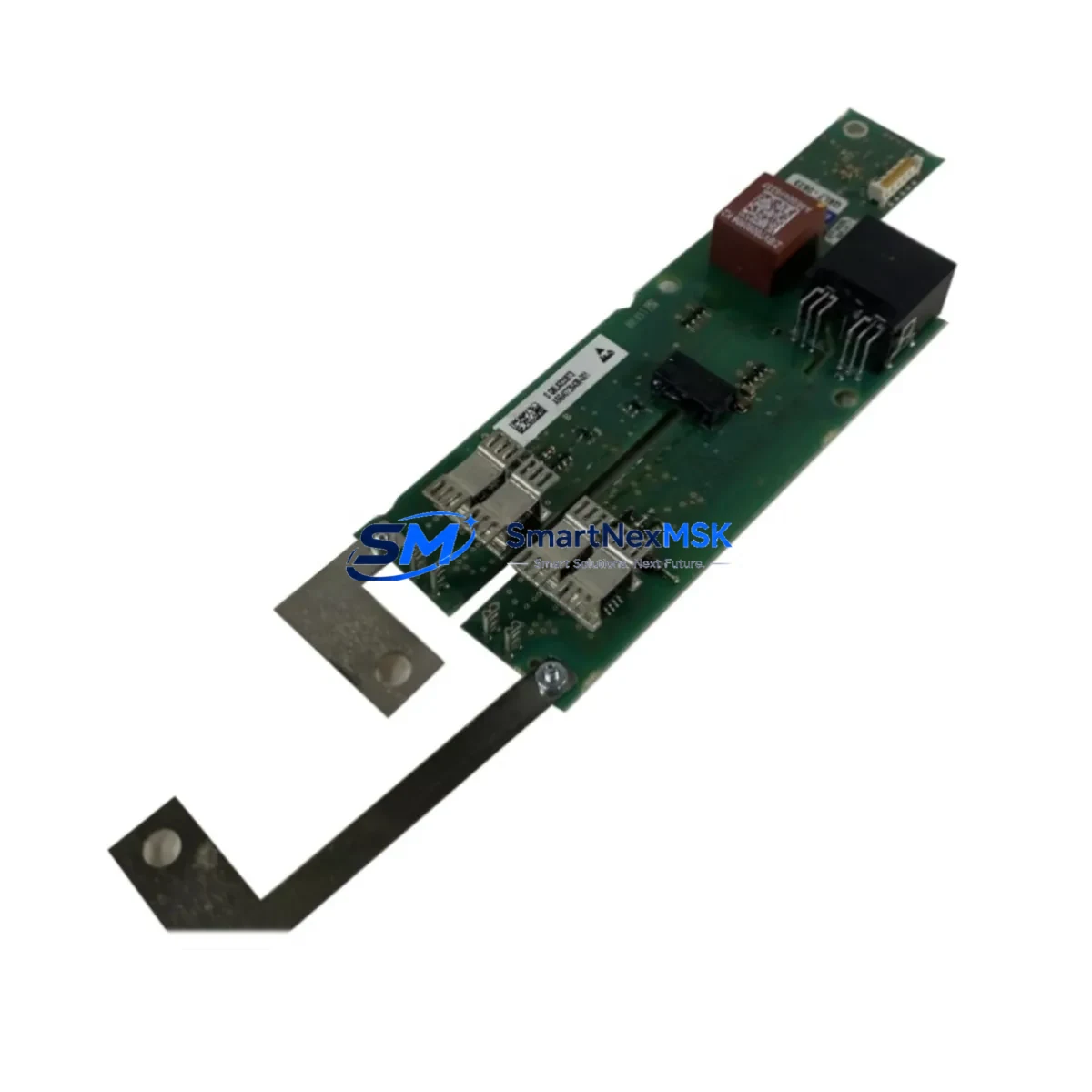
Siemens A5E40726438-001 Retrofit-Ready I/O Module for ET 200 Control Systems
The Siemens A5E40726438-001 is a field-proven I/O module from the SIMATIC ET 200 distributed I/O family, purpose-built for seamless integration into existing automation architectures and retrofit projects where minimizing downtime and preserving control logic continuity are the primary engineering objectives. Whether you are replacing an end-of-life module in a legacy production line, expanding I/O capacity in an aging control cabinet, or migrating a PROFIBUS-based system toward a modernized PROFINET infrastructure, the A5E40726438-001 provides the dimensional compatibility, terminal assignment alignment, and firmware interoperability required for a controlled, low-risk changeover.
In industrial environments where the original equipment manufacturer has discontinued a module or extended lead times have made sourcing unpredictable, maintaining a verified replacement stock of the A5E40726438-001 is a critical element of any spare parts management strategy. SMARTNEXMSK maintains dedicated inventory of this module to support emergency replacement, scheduled maintenance windows, and planned system upgrades across petrochemical, power, automotive, food processing, and discrete manufacturing facilities.
Upgrade Compatibility Table
| Parameter | Specification / Retrofit Guidance |
|---|---|
| SKU / Part Number | A5E40726438-001 (also referenced as A5E40726438) |
| Brand / Series | Siemens SIMATIC ET 200 |
| Product Type | Distributed I/O Module |
| Mounting / Form Factor | DIN rail, compatible with ET 200 backplane and terminal block system |
| Communication Interface | PROFIBUS-DP / PROFINET (series-dependent; verify with existing head station) |
| Terminal Wiring Compatibility | Plug-in terminal blocks retained from original module; no rewiring required in standard replacement |
| Backplane / Rack Interface | Direct backplane connector — verify slot position and module address assignment before installation |
| Power Supply Requirement | 24 V DC (supplied via backplane or dedicated PS module; verify current budget of existing PSU) |
| Module Address / GSD File | Retain original GSD/GSDML file; re-download to head station after module swap if required |
| HMI / SCADA Compatibility | Tag addresses and I/O mapping preserved when module type and slot position are unchanged |
| Origin | Germany |
| Retrofit Recommendation | Perform offline parameter backup before swap; restore and verify I/O forcing after installation |
| Warranty | 12 Months — covers manufacturing defects and functional failure under normal operating conditions |
Retrofit Planning for Existing Automation Systems
A successful retrofit of the A5E40726438-001 into an existing SIMATIC ET 200 station begins with a thorough audit of the current system architecture. The first step is to identify the head station model — typically a Siemens IM 151-1 or IM 151-3 PN interface module — and confirm that the existing PROFIBUS or PROFINET segment has sufficient bandwidth and address space to accommodate the replacement module without reconfiguration of the network topology.
Before removing the original module, engineers should use SIMATIC STEP 7 (v5.x) or TIA Portal to perform a full hardware configuration export and save the current program to an offline backup. If the station uses a Siemens CPU 315-2 DP or CPU 317-2 PN/DP as the controlling PLC, the program logic referencing the I/O addresses of the A5E40726438-001 should be documented and cross-checked against the replacement module’s channel mapping to confirm bit-for-bit compatibility.
Terminal wiring is one of the most time-sensitive steps in any I/O module replacement. The ET 200 system’s plug-in terminal block design — shared across the ET 200S and ET 200SP sub-families — allows the field wiring connector to be unplugged from the old module and re-inserted into the new one without disturbing individual wire terminations. This dramatically reduces the risk of wiring errors and shortens the physical swap time to minutes rather than hours. However, engineers must verify that the terminal block type (spring-loaded vs. screw-type) and current rating match the replacement module’s specification.
For systems that include a Siemens PM-E 24 VDC power module or a 6ES7 138-series power segment module, the power budget of the existing supply rail must be recalculated after adding the replacement module, particularly if the retrofit also involves adding new I/O channels. An undersized power supply is a common cause of intermittent faults after module replacement and should be ruled out before commissioning.
Communication link verification is equally critical. After the module swap, the head station should be forced into a re-initialization cycle to re-establish the PROFIBUS DP or PROFINET IO connection to the replacement module. If the system uses a Siemens CP 343-1 or CP 443-1 communications processor for Ethernet connectivity to the SCADA layer, confirm that the I/O data block addresses referenced in the HMI tag database — whether running on Siemens WinCC or a third-party SCADA platform — remain consistent with the new module’s slot assignment.
For projects involving migration from PROFIBUS to PROFINET, a Siemens IE/PB Link PN IO gateway or a PN/DP coupler may be required to bridge legacy field devices during the transition period, allowing the A5E40726438-001 to remain operational on the existing PROFIBUS segment while the upstream controller is upgraded to a PROFINET-capable CPU.
Downtime Control During System Migration
Minimizing production downtime during an I/O module replacement requires a structured migration plan that separates preparation, execution, and verification into distinct phases — each with defined time targets and rollback criteria.
During the preparation phase, all configuration backups, spare module pre-testing, and wiring documentation should be completed before the maintenance window begins. The A5E40726438-001 should be powered on and functionally verified on a bench test rig — using a portable Siemens LOGO! or S7-1200 test controller if available — to confirm that the module responds correctly to I/O forcing commands before it is installed in the live system. SMARTNEXMSK performs a pre-shipment functional check on every unit, but a site-level acceptance test is recommended for safety-critical applications.
During the execution phase, the physical swap should be performed with the station powered down and the field wiring connector pre-labeled to prevent reconnection errors. After re-energizing the station, the head station’s diagnostic LEDs and the PLC’s hardware fault register should be checked immediately to confirm that the module has been recognized and is communicating correctly. Any SF (system fault) or BF (bus fault) LED indications must be resolved before returning the system to automatic mode.
During the verification phase, each I/O channel should be individually tested using the PLC’s I/O forcing function or a dedicated field signal simulator. HMI screens referencing the affected I/O points should be monitored in real time to confirm that tag values update correctly and that no stale or frozen values remain from the pre-swap state. Only after all channels have been verified should the system be returned to normal production operation.
For plants with zero-tolerance downtime requirements, a hot-swap capable ET 200SP station with redundant head modules may be the preferred long-term architecture, allowing future module replacements to be performed without stopping the process. SMARTNEXMSK can advise on upgrade paths from legacy ET 200S configurations to hot-swap-capable ET 200SP platforms as part of a broader system modernization engagement.
Retrofit Support FAQ
Q1: Is the A5E40726438-001 a direct drop-in replacement for the original module in my ET 200 station?
In most standard ET 200 configurations, the A5E40726438-001 is a direct replacement that retains the same DIN rail footprint, backplane connector, and plug-in terminal block interface as the original module. Customers should verify the module’s channel count, signal type (digital/analog, input/output), and voltage rating against the original specification before installation. SMARTNEXMSK provides pre-sales technical support to confirm compatibility based on your existing hardware configuration.
Q2: What pre-shipment testing is performed before the module is dispatched?
Every A5E40726438-001 unit undergoes a multi-point outgoing inspection that includes visual examination for physical damage, power-on functional verification, and communication interface check. Units that do not pass inspection are quarantined and not shipped. A test record is available upon request for customers with documented quality assurance requirements.
Q3: Will replacing this module require changes to my PLC program or HMI configuration?
If the replacement module is installed in the same rack slot with the same module type and address assignment, no changes to the PLC program or HMI tag database should be required. Engineers should perform a hardware configuration download to the head station after the swap to ensure the new module is correctly recognized. If the slot position or module type differs from the original, I/O address remapping in STEP 7 or TIA Portal will be necessary.
Q4: What does the 12-month warranty cover, and how are claims handled?
The 12-month warranty covers manufacturing defects, component failures, and functional faults occurring under normal operating conditions as defined in the Siemens SIMATIC ET 200 technical documentation. It does not cover damage from incorrect installation, supply voltage outside rated limits, or unauthorized modification. Warranty claims are handled directly through SMARTNEXMSK with full documentation support, including return authorization, fault analysis, and replacement dispatch.
© 2026 SMARTNEXMSK. All rights reserved.
Original Source: https://smartnexmsk.com
Contact: [email protected] | +86 18259474341



