
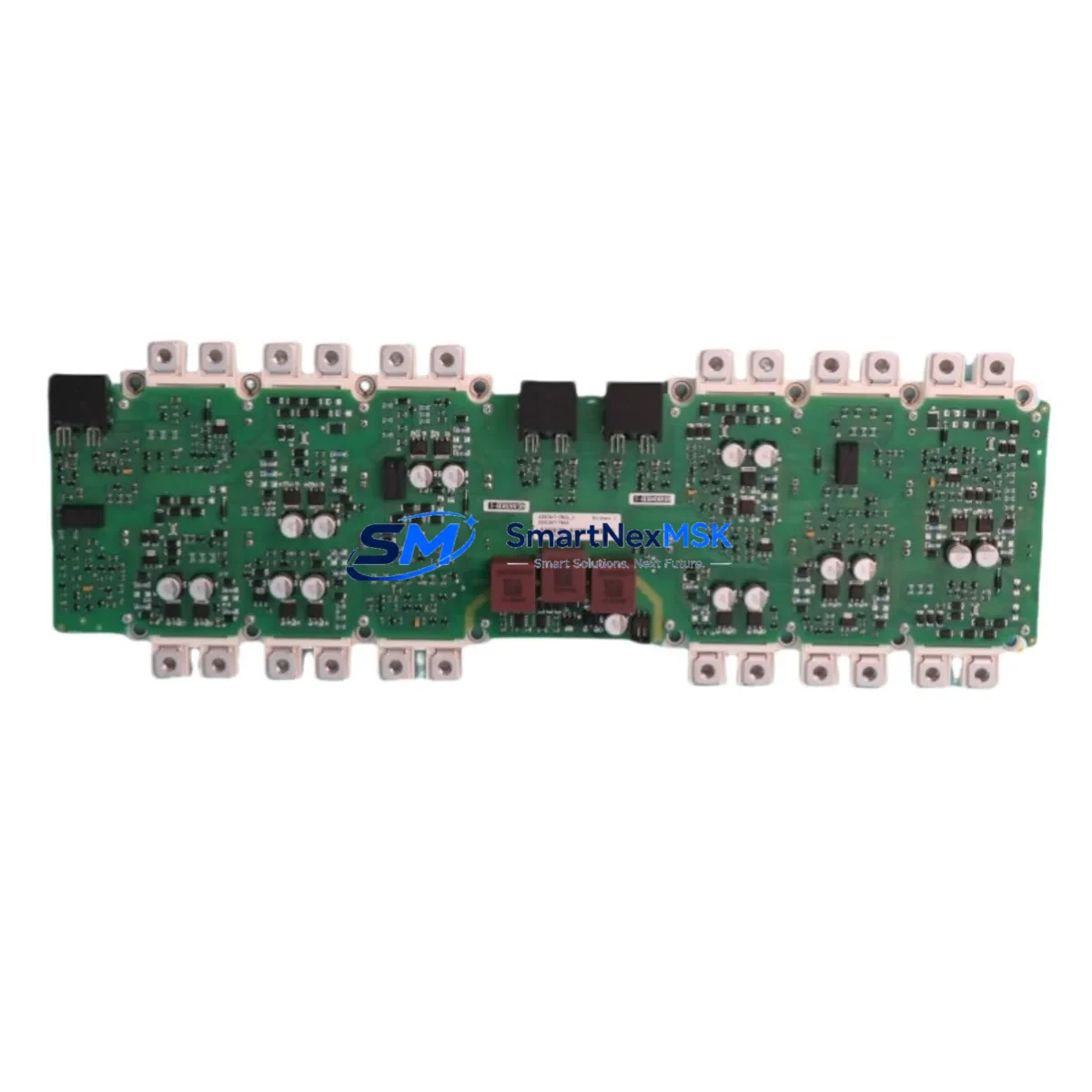
Siemens A5E45508683002 Retrofit-Ready DCR Controller for GH180 NXGpro Control Systems
The Siemens A5E45508683002 is the NXGpro Digital Controller (DCR) board designed for the SINAMICS GH180 liquid-cooled DC drive platform. As legacy GH180 installations age and original controller boards reach end-of-service, this module has become the primary retrofit solution for plants that need to extend drive life without a full cabinet replacement. SMARTNEXMSK maintains verified stock of the A5E45508683002 with full functional testing, 12-month warranty coverage, and fast international dispatch to minimise unplanned downtime on critical production lines.
The NXGpro controller architecture replaces the earlier NXG platform found in older GH180 cabinets. Engineers migrating from NXG to NXGpro must account for differences in firmware version compatibility, parameter set structure, and the physical connector layout on the backplane. The A5E45508683002 ships pre-configured to factory defaults; site-specific parameter files should be backed up from the outgoing board using STARTER or Sinamics Startdrive before removal. Where the original NXG firmware is no longer supported, the NXGpro controller provides a forward-compatible upgrade path that preserves the existing power stack, field supply, and armature bridge hardware.
During retrofit planning, the engineering team should verify the 24 V DC auxiliary supply capacity on the control cabinet bus. The NXGpro controller draws slightly higher standby current than the NXG predecessor, and an undersized SITOP PSU8200 or equivalent 24 V power supply module may cause intermittent resets under full I/O load. Terminal block assignments on the CUD (Control Unit Drive) interface connector are largely compatible, but the X177 encoder interface pinout should be cross-checked against the drive’s wiring diagram before powering up. If the installation uses a Siemens CBC10 or CBE20 communication board for PROFIBUS or PROFINET connectivity, the slot position and firmware handshake sequence must be re-validated after the controller swap.
Upgrade Compatibility Table
| Parameter | Detail |
|---|---|
| Part Number | A5E45508683002 |
| Platform | SINAMICS GH180 NXGpro |
| Replaces / Upgrades | NXG controller boards in legacy GH180 cabinets |
| Backplane Interface | GH180 standard backplane connector; verify slot alignment before insertion |
| Communication Compatibility | PROFIBUS DP (CBC10), PROFINET IRT (CBE20), USS protocol via RS485 |
| Auxiliary Supply | 24 V DC; confirm PSU capacity ≥ rated load + 20% margin |
| Encoder Interface | X177 HTL/TTL; cross-check pinout against site wiring diagram |
| Parameter Migration | Back up via STARTER / Sinamics Startdrive before removal |
| Firmware | Factory default; update to site-required version post-installation |
| Installation Requirement | ESD precautions; power-down and LOTO procedure mandatory |
| Commissioning Tool | Sinamics Startdrive (TIA Portal) or STARTER V5.4+ |
| Warranty | 12 Months — covers manufacturing defects and functional failure |
Retrofit Planning for Existing Automation Systems
A successful GH180 retrofit begins well before the maintenance window opens. The site engineer should collect the existing drive’s parameter backup, the cabinet wiring diagram, and the PLC program logic that interfaces with the drive’s speed reference and status word signals. In most GH180 installations, the higher-level controller is a Simatic S7-300 or S7-400 PLC communicating over PROFIBUS DP. After the A5E45508683002 is installed, the PROFIBUS node address must be re-entered and the GSD file version confirmed to match the master configuration in Step 7 or TIA Portal. Plants that have already migrated to a Simatic S7-1500 with a CM 1542-5 PROFIBUS master module should verify that the NXGpro drive profile is correctly mapped in the hardware configuration.
On the I/O side, the GH180 typically uses a combination of onboard digital and analogue terminals plus optional TM31 or TM41 terminal expansion modules for additional process signals. Any custom scaling applied to analogue speed references or torque limits must be re-entered after the controller replacement, as these values are stored in the controller’s non-volatile memory and are lost when the board is swapped. If the installation includes a Simatic HMI panel — such as a KTP700 or TP1200 Comfort — the drive parameter screen tags should be re-tested to confirm that read/write access to the NXGpro parameter set is functioning correctly after the firmware update.
For sites running a fieldbus architecture based on PROFINET, the CBE20 communication board must be re-assigned its IP address and device name using the Sinamics Startdrive online function or a PRONETA scan. The MAC address of the new controller board will differ from the original, so any switch port security rules or PROFINET topology records in the engineering station must be updated accordingly. Where the drive is integrated into a Safety Integrated application using a Sinamics Safety card or F-DI/F-DO configuration, the safety commissioning must be repeated in full and a new safety acceptance test documented before the machine is returned to production.
Downtime Control During System Migration
Minimising production downtime during a GH180 controller replacement requires a structured pre-outage preparation phase. Before the maintenance window, the outgoing A5E45508683002 (or its predecessor) should be fully parameterised and the parameter file archived in the plant’s document management system. A spare controller board should be pre-staged in the control room, tested on a bench supply if possible, and loaded with the correct firmware version so that the swap can be completed within a single shift.
During the outage, the sequence is: isolate and LOTO the drive cabinet, discharge the DC bus capacitors per the GH180 safety procedure, remove the defective controller board, install the A5E45508683002, restore the parameter file via Sinamics Startdrive, verify the PROFIBUS or PROFINET communication link, perform a no-load test run, and then return the drive to closed-loop speed control under process conditions. The entire sequence can typically be completed in four to six hours by a qualified drive engineer, provided the parameter backup is available and the communication configuration is documented. SMARTNEXMSK can provide pre-shipment functional test reports and, on request, a parameter loading service to reduce on-site commissioning time further.
For plants where a cold standby spare is not economically justified, SMARTNEXMSK maintains ready stock of the A5E45508683002 with same-day dispatch capability. Express freight to most industrial regions is available, and our technical team can provide remote commissioning support via video call to assist the site electrician through the startup sequence, reducing the need for a specialist drive engineer to travel to site.
Retrofit Support FAQ
Q1: Is the A5E45508683002 a direct drop-in replacement for the original NXG controller in my GH180 cabinet?
The A5E45508683002 NXGpro controller is the Siemens-designated upgrade for legacy NXG-equipped GH180 drives. The backplane connector is mechanically compatible, but the parameter structure differs between NXG and NXGpro firmware. A full parameter re-entry or migration using Sinamics Startdrive is required. Wiring to the CUD terminal block is largely unchanged, but the X177 encoder interface pinout should be verified before power-up.
Q2: What commissioning steps are required after installing the A5E45508683002?
After physical installation, connect Sinamics Startdrive (TIA Portal) or STARTER to the drive via USB or PROFIBUS. Restore the parameter backup from the outgoing board, update the firmware to the required version, re-assign the fieldbus node address or PROFINET device name, and perform a motor identification run if the motor data has changed. Verify all digital and analogue I/O signals, confirm HMI communication, and complete a supervised test run before returning the drive to automatic operation.
Q3: How do I verify wiring compatibility before the replacement?
Obtain the GH180 cabinet wiring diagram and compare the CUD terminal assignments against the A5E45508683002 installation manual (available from Siemens Industry Online Support). Pay particular attention to the 24 V supply terminals, the encoder interface (X177), the PROFIBUS connector (X126 on CBC10), and any Safe Torque Off (STO) wiring. If the existing wiring was installed to the NXG specification, minor terminal re-labelling may be required but physical rewiring is typically not necessary.
Q4: What does the 12-month warranty cover, and what is the return process?
The 12-month warranty covers manufacturing defects and functional failure under normal operating conditions. It does not cover damage caused by incorrect installation, overvoltage events, or operation outside the module’s rated environmental specifications. To initiate a warranty claim, contact SMARTNEXMSK at [email protected] with the order number, a description of the fault, and any available fault codes from the drive’s diagnostic log. A return merchandise authorisation (RMA) will be issued within one business day, and a replacement or repaired unit dispatched upon receipt and inspection of the returned module.
© 2026 SMARTNEXMSK. All rights reserved.
Original Source: https://smartnexmsk.com
Contact: [email protected] | +86 18259474341



