
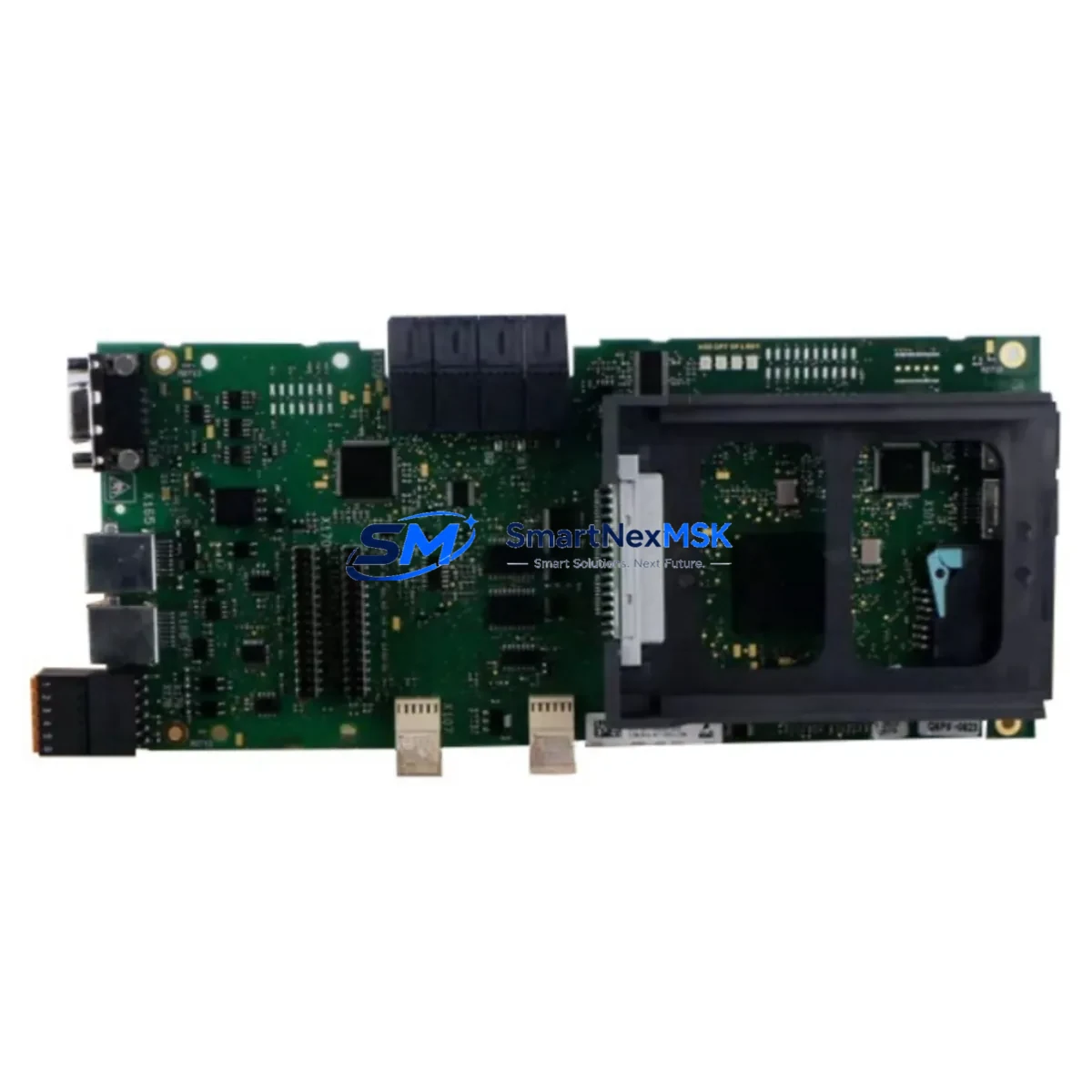
Siemens C98043-A7100-L204CUD Maintenance-Ready Spare for SIMOREG DC Master Automation
The Siemens C98043-A7100-L204CUD (also referenced as 6RY1803-0AA25-0AA1) is the CUD Central Unit Drive control board designed for the SIMOREG DC Master series of DC drive systems. In industrial maintenance environments — from steel processing lines and paper mills to mining hoists and large pump stations — this board serves as the core intelligence of the DC drive cabinet. When this component fails or degrades, the entire drive system halts, making rapid spare availability the single most critical factor in minimizing unplanned downtime.
Maintenance engineers and procurement teams managing aging SIMOREG DC Master installations understand that the C98043-A7100-L204CUD is not a commodity item. It governs speed regulation, current control, field weakening, and closed-loop feedback for the DC motor. A verified original spare — tested, serialized, and shipped with a 12-month warranty — is the only responsible choice for a production-critical drive cabinet.
Spare Maintenance Table
| Parameter | Specification / Value |
|---|---|
| Part Number | C98043-A7100-L204CUD |
| Siemens Order No. | 6RY1803-0AA25-0AA1 |
| Compatible Series | SIMOREG DC Master (6RA70 series) |
| Board Function | CUD Central Unit Drive — speed & current control |
| Rated Supply Voltage | 24 V DC (internal bus supply) |
| Communication Interface | PROFIBUS-DP, USS, serial RS-485 |
| I/O Capability | Analog inputs/outputs, digital I/O, encoder interface |
| Operating Temperature | 0 °C to +55 °C |
| Storage Temperature | -25 °C to +70 °C |
| Weight (approx.) | 600 g |
| Origin | Germany |
| Condition | Original, new or tested-good surplus |
| Warranty | 12 Months — covers functional failure under normal operating conditions |
| Shipping | Anti-static packaging, insured express freight, test report included |
Maintenance Planning for Continuous Operation
When a SIMOREG DC Master drive cabinet requires the C98043-A7100-L204CUD to be replaced, experienced maintenance engineers treat the event as a full cabinet health audit rather than a single-board swap. The CUD board interfaces with virtually every subsystem in the drive, and a board failure is frequently a symptom of upstream or downstream stress on connected components.
Begin by inspecting the 24 V DC power supply module (such as the C98043-A7002 or equivalent SIMOREG internal PSU) that feeds the CUD board. Voltage ripple or transient spikes are a leading cause of premature CUD failure. Simultaneously, check the firing pulse board (C98043-A7100-L1 or L2 variant) and the thyristor bridge assembly — if the CUD has been operating in a degraded state, overcurrent events may have stressed the power semiconductors.
The PROFIBUS-DP communication module (CBP2 or equivalent plug-in option board) seated on the CUD should be removed, inspected for corrosion on the edge connector, and reseated or replaced if communication faults were logged prior to the failure. Similarly, the encoder feedback module (SBP or equivalent) and its associated shielded cable should be tested for continuity and insulation integrity — encoder signal noise is a frequent trigger for CUD fault codes.
On the I/O side, verify the analog input/output terminal board (C98043-A7100-L3 or equivalent interface board) for correct wiring, terminal torque, and signal levels. Loose terminals on speed reference or current feedback signals can cause erratic drive behavior that is misdiagnosed as a CUD fault. Check all 24 V DC relay outputs and their associated relay modules for contact wear, particularly those driving contactor coils or safety interlocks.
For drives with field supply control, inspect the field supply board and the field current feedback circuit. A degraded field supply can cause the CUD to log field loss faults and trigger protective shutdown. If the installation includes a SIMOREG CM communications module for higher-level SCADA or DCS integration, verify that the module firmware is compatible with the replacement CUD board version.
Finally, review the DC bus fuses and AC line fuses in the drive cabinet. A CUD board failure accompanied by a blown fuse is a strong indicator of a short-circuit event in the power stage that must be resolved before the replacement board is energized. Stocking a set of spare fuses alongside the C98043-A7100-L204CUD is standard practice for any maintenance-ready spare parts program.
Site Replacement Workflow
Replacing the C98043-A7100-L204CUD in a live production environment requires a structured approach to minimize downtime and ensure system compatibility. Before the replacement window, confirm the firmware version of the existing CUD board by reading the drive parameter set (P060 or equivalent) and document all drive parameters using the SIMOREG parameter backup function or a STARTER/DriveMonitor session. This parameter backup is essential — the replacement board must be loaded with the site-specific parameter set before the drive is returned to service.
During the replacement, follow ESD precautions throughout. The CUD board is sensitive to electrostatic discharge; use a grounded wrist strap and anti-static mat. Disconnect the 24 V DC supply before removing the board. Label and photograph all connector positions before disconnection. The board slides into the drive’s electronics rack on guide rails — ensure the edge connector is fully seated and the retaining screws are torqued to specification.
After installation, restore the parameter backup and perform a no-load test run before reconnecting the motor load. Verify speed reference tracking, current limit response, and communication status on the PROFIBUS or USS network. For drives that have been idle for extended periods, a full recommissioning sequence per the SIMOREG DC Master operating manual is recommended to confirm all control loops are correctly tuned for the connected motor and load.
This workflow applies equally to planned maintenance replacements and emergency breakdown scenarios. Keeping a pre-configured, parameter-loaded spare CUD board on the shelf — tested and ready — reduces emergency replacement time from hours to under 30 minutes.
Spare Parts Support FAQ
Q1: Is the C98043-A7100-L204CUD compatible with all SIMOREG DC Master 6RA70 variants?
The C98043-A7100-L204CUD is the standard CUD board for the SIMOREG DC Master 6RA70 series. Compatibility depends on the specific drive rating and firmware version. We recommend confirming the existing board’s order number (6RY1803-0AA25-0AA1) against your drive’s nameplate and documentation before ordering. Our technical team can assist with cross-referencing if you provide the drive’s full type designation.
Q2: What testing is performed before shipment?
Each C98043-A7100-L204CUD unit undergoes functional verification prior to dispatch, including power-on self-test, communication interface check, and I/O signal validation where applicable. A test report is included with shipment. Units are packed in anti-static bags with foam protection and shipped via insured express freight to minimize transit risk.
Q3: How should this spare be stored if not immediately installed?
Store the board in its original anti-static packaging in a dry, temperature-controlled environment (0 °C to +40 °C, relative humidity below 75% non-condensing). Avoid proximity to strong magnetic fields or high-voltage equipment. Inspect the board annually if held in long-term storage, and verify connector integrity before installation. Proper storage maintains the board in service-ready condition for the duration of the 12-month warranty period from the date of purchase.
Q4: What is covered under the 12-month warranty?
The 12-month warranty covers functional failure of the C98043-A7100-L204CUD under normal operating conditions consistent with Siemens SIMOREG DC Master installation specifications. It does not cover damage resulting from incorrect installation, overvoltage events, physical impact, or operation outside rated environmental conditions. In the event of a warranty claim, we provide a replacement unit or full refund after fault verification. Contact our technical support team to initiate a warranty claim.
© 2026 SMARTNEXMSK. All rights reserved.
Original Source: https://smartnexmsk.com
Contact: [email protected] | +86 18259474341



