
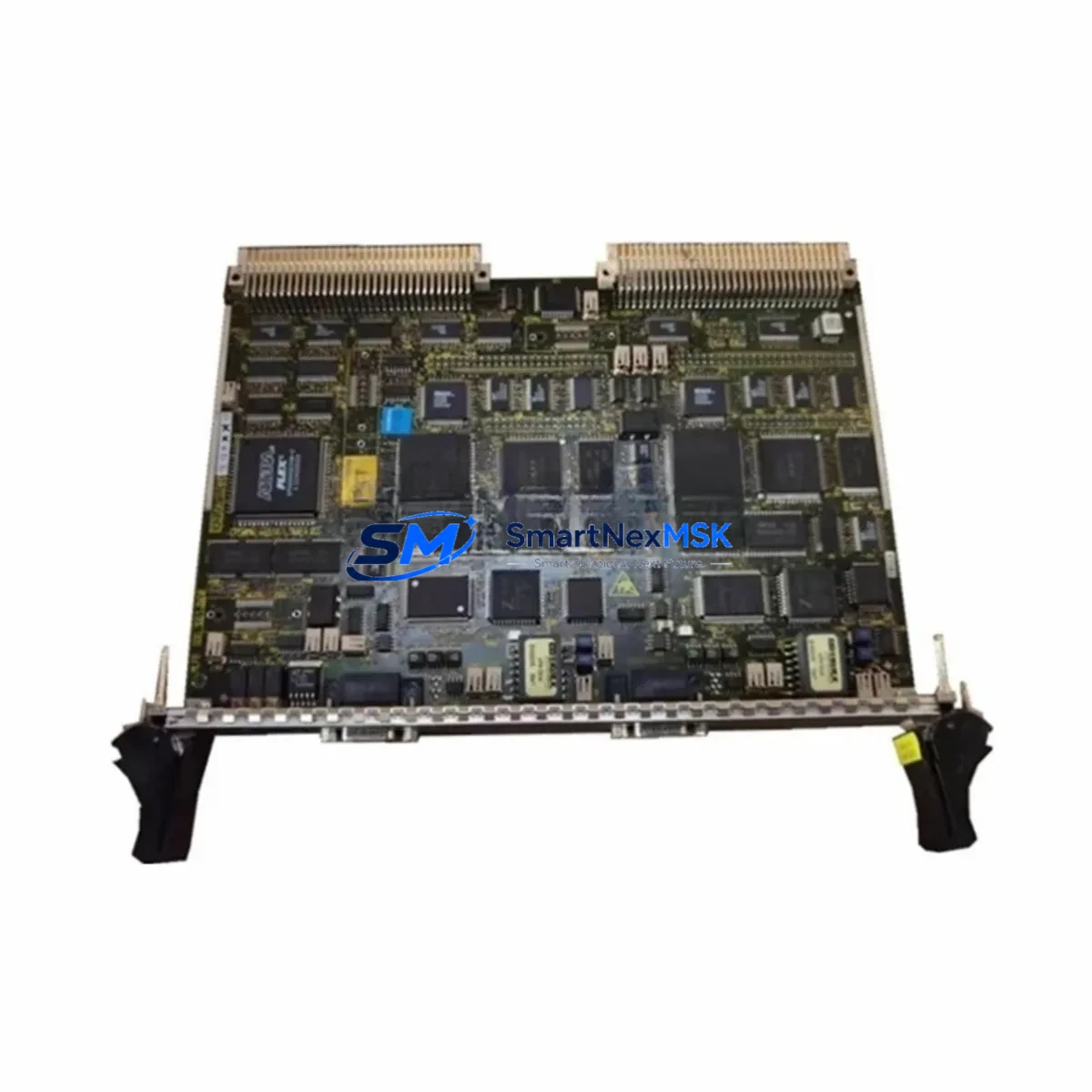
Siemens CP50M0 6DD1661-0AD0 Retrofit-Ready Communication Processor for SIMATIC TDC Control Systems
The Siemens CP50M0 (6DD1661-0AD0) is a high-performance communication processor module designed for the SIMATIC TDC (Technology and Drive Control) platform — one of Siemens’ most capable closed-loop control architectures deployed across steel mills, paper machines, rolling lines, and heavy-process industries. As legacy SIMATIC TDC installations age and original spare parts become increasingly scarce, the CP50M0 serves as a critical retrofit component enabling engineers to restore, stabilize, and modernize existing control systems without full platform replacement.
This module handles high-speed inter-rack communication within the SIMATIC TDC backplane, coordinating data exchange between the PM5 processor module, UR5200 universal rack, and peripheral I/O modules. Its role in maintaining deterministic cycle times makes it indispensable during any system recovery or upgrade project. Whether you are replacing a failed unit on a running line or executing a planned modernization, the CP50M0 6DD1661-0AD0 provides a verified drop-in solution with full backplane compatibility.
Upgrade Compatibility Table
| Parameter | Details |
|---|---|
| SKU / Order Number | CP50M0 / 6DD1661-0AD0 |
| Compatible Platform | Siemens SIMATIC TDC (Technology & Drive Control) |
| Compatible Rack | UR5200 Universal Rack; also verified with UR5210 and UR5220 configurations |
| Backplane Interface | SIMATIC TDC proprietary high-speed backplane bus; slot-specific addressing required |
| Communication Protocol | SIMATIC TDC internal bus; compatible with PROFIBUS DP via CP51M0 co-deployment |
| Replacement Compatibility | Direct replacement for failed or end-of-life CP50M0 units; verify firmware revision before swap |
| Installation Requirement | Rack power-off required; re-address module slot in STEP 7 / TDC Engineering Tool after installation |
| Power Supply Compatibility | Rack-supplied 5 VDC / 24 VDC via backplane; verify PS5200 or PS5210 power supply capacity before adding modules |
| Commissioning Note | Re-download CPU program after module swap; verify inter-module communication links in TDC project tree |
| Warranty | 12-Month Warranty — covers manufacturing defects and functional failure under normal operating conditions |
Retrofit Planning for Existing Automation Systems
Successful integration of the CP50M0 6DD1661-0AD0 into an existing SIMATIC TDC system requires careful pre-installation planning. Engineers should begin by auditing the current rack configuration in the UR5200 or equivalent universal rack, confirming available slot positions and verifying that the installed PS5200 power supply module has sufficient current headroom to support the additional communication processor load. Overloaded backplane power is a common cause of intermittent faults after module additions and must be ruled out before commissioning.
Terminal wiring for external communication links — particularly where the CP50M0 interfaces with PROFIBUS DP field devices or upstream SCADA systems — should be documented and verified against the original engineering drawings. If the existing installation uses a CP51M0 for PROFIBUS master functions alongside the CP50M0, confirm that both modules are correctly addressed within the TDC project and that no address conflicts exist on the backplane.
For systems that also include IM5000 interface modules for distributed I/O expansion or SM500-series signal modules for analog and digital I/O, the CP50M0 replacement should be treated as part of a broader rack health audit. Check all module seating, backplane connector condition, and rack grounding continuity before powering up. In older installations, corroded backplane contacts are a frequent secondary fault that surfaces only after a module swap.
Where the control system communicates with a SIMATIC S7-400 or S7-300 PLC via PROFIBUS or Industrial Ethernet, verify that the communication parameters configured in the TDC project match the partner station settings. Any mismatch in baud rate, station address, or watchdog timeout will prevent the link from establishing after the CP50M0 is replaced. Similarly, if the system includes a SIMATIC Panel PC or TP/MP-series HMI connected via MPI or PROFIBUS, confirm that HMI screen tags referencing TDC data blocks remain valid after the module address is re-assigned.
For projects involving migration from older SIMADYN D control platforms to SIMATIC TDC, the CP50M0 plays a central role in establishing the new communication backbone. Mapping legacy SIMADYN D function blocks to TDC equivalents and re-validating all inter-controller data exchange paths is essential before returning the line to production. Programming cables such as the PC Adapter USB A2 are required for online diagnostics and program download during commissioning.
Downtime Control During System Migration
Minimizing unplanned downtime is the primary operational concern during any SIMATIC TDC communication processor replacement. The recommended approach is to pre-configure the replacement CP50M0 offline using a spare rack or bench test setup, loading the correct firmware version and verifying module diagnostics before the scheduled maintenance window begins. This eliminates firmware-related delays during the live swap.
Before powering down the rack, export a full backup of the TDC CPU program, including all inter-task communication configurations and hardware configuration data, using the TDC Engineering Tool. Store this backup on an isolated engineering laptop — not on the plant network — to ensure it is available even if network connectivity is lost during the outage. If the system includes a PM5 processor module with battery-backed SRAM, verify battery condition in advance to prevent program loss during power cycling.
During the physical swap, follow ESD precautions strictly. The CP50M0 backplane connector is sensitive to electrostatic discharge, and damage may not be immediately visible but can cause intermittent communication faults under load. After seating the new module, perform a controlled power-up sequence: energize the rack, confirm module LED status, re-download the CPU program, and verify all inter-module communication links before releasing the system to operators. Document the as-found and as-left configuration for the maintenance record, including module serial numbers, firmware versions, and any parameter changes made during commissioning.
For critical production lines where even a brief outage is costly, consider maintaining a pre-configured hot-spare CP50M0 in inventory. Given the end-of-life status of many SIMATIC TDC components, securing verified spare stock now significantly reduces future recovery time and protects against supply chain delays.
Retrofit Support FAQ
Q1: Is the CP50M0 6DD1661-0AD0 a direct drop-in replacement for my existing CP50M0 unit?
In most cases, yes. The 6DD1661-0AD0 order number identifies the standard CP50M0 variant for the SIMATIC TDC platform. Before installation, confirm that the firmware revision of the replacement unit is compatible with your TDC CPU firmware version. If a firmware mismatch exists, a firmware update may be required using the TDC Engineering Tool prior to installation.
Q2: What wiring changes are required when replacing the CP50M0?
The CP50M0 itself does not have external field wiring — it communicates exclusively via the backplane bus. However, if your system uses external communication cables connected to a front connector or sub-D port on the module, document and preserve the existing cable assignments. Re-terminate cables to the same pin positions on the replacement module and verify signal continuity before powering up.
Q3: How do I verify communication compatibility after installation?
After re-downloading the TDC CPU program, use the online diagnostics function in the TDC Engineering Tool to monitor inter-module communication status. Check that all configured communication links show “OK” status and that no timeout or error flags are active. For PROFIBUS-connected devices, use a PROFIBUS diagnostic tool or the integrated bus monitor to confirm that all slave stations are responding correctly.
Q4: What does the 12-month warranty cover?
The 12-month warranty covers manufacturing defects and functional failure under normal operating conditions from the date of shipment. Each unit undergoes functional testing prior to dispatch. The warranty does not cover damage resulting from incorrect installation, overvoltage, ESD damage, or use outside the module’s specified environmental ratings. For warranty claims or technical support, contact our team directly.
© 2026 SMARTNEXMSK. All rights reserved.
Original Source: https://smartnexmsk.com
Contact: [email protected] | +86 18259474341



