
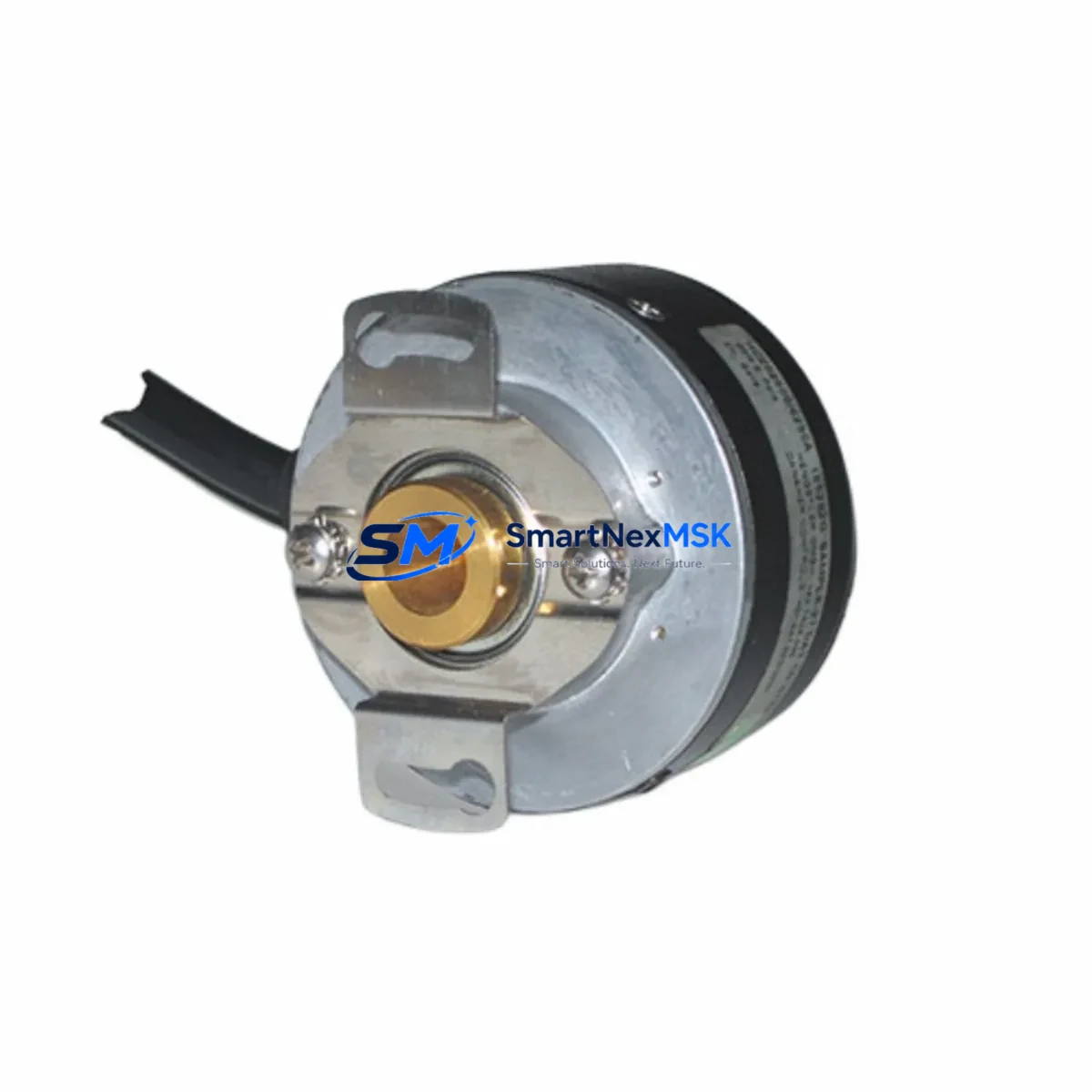
Siemens HC202500/0XX0XM5 Retrofit-Ready Servo Motor for SIMOTICS S-1FK2 Control Systems
The Siemens HC202500/0XX0XM5 is a high-performance synchronous servo motor from the SIMOTICS S-1FK2 series, engineered for precision motion control in demanding industrial automation environments. As legacy SIMOTICS S-1FK2 installations age and original spare parts become increasingly difficult to source, the HC202500/0XX0XM5 serves as a verified retrofit-ready replacement that enables smooth modernization of existing servo drive systems without requiring full machine redesign. Whether you are managing a planned upgrade cycle or responding to an unplanned motor failure on a production line, this unit is stocked and ready for immediate dispatch with full pre-shipment testing and a 12-month warranty.
This motor is fully compatible with Siemens SINAMICS S120 drive systems, which are the standard servo drive platform paired with the S-1FK2 motor family. The SINAMICS S120 booksize and chassis units communicate with the motor via the DRIVE-CLiQ interface, and the HC202500/0XX0XM5 retains the standard DRIVE-CLiQ encoder connector pinout, eliminating the need for encoder cable modifications during replacement. Engineers performing the swap should verify the motor module firmware version on the SINAMICS S120 Control Unit — typically a CU320-2 DP or CU320-2 PN — to ensure compatibility with the motor’s electronic nameplate data transmitted over DRIVE-CLiQ.
Upgrade Compatibility Table
| Parameter | Details |
|---|---|
| SKU / Part Number | HC202500/0XX0XM5 |
| Brand / Manufacturer | Siemens |
| Series | SIMOTICS S-1FK2 |
| Motor Type | Synchronous Servo Motor |
| Compatible Drive Platform | Siemens SINAMICS S120 (Booksize / Chassis) |
| Encoder Interface | DRIVE-CLiQ (standard pinout retained) |
| Compatible Control Units | CU320-2 DP, CU320-2 PN |
| Shaft / Flange Compatibility | Standard IEC flange; verify shaft diameter and key dimensions against OEM drawing |
| Power Connector | Standard Siemens servo power connector; confirm terminal assignment before wiring |
| Cooling Method | Natural convection (verify against original motor order code suffix) |
| Installation Requirement | Horizontal or vertical mounting; confirm orientation with original machine documentation |
| Replacement Recommendation | Direct drop-in for HC202500/0XX0XM5; re-parameterize motor data set in SINAMICS S120 after swap |
| Commissioning Note | Run motor identification (rotating measurement) via STARTER or TIA Portal after installation |
| Warranty | 12 Months from date of shipment |
Retrofit Planning for Existing Automation Systems
Successful retrofit of the HC202500/0XX0XM5 into an existing SIMOTICS S-1FK2 installation requires a structured pre-replacement audit. Begin by documenting the current motor’s order code suffix characters, which encode shaft type, brake option, encoder resolution, and connector orientation. The replacement unit must match these suffix positions to avoid mechanical interference or encoder signal mismatch. If the original motor included an integrated holding brake, confirm that the brake control output on the associated SINAMICS S120 Motor Module is correctly configured and that the brake release voltage matches the replacement unit’s specification.
On the drive side, the SINAMICS S120 Motor Module — whether a Single Motor Module or Double Motor Module — must have its motor data set updated to reflect the HC202500/0XX0XM5 nameplate parameters. This is typically performed through TIA Portal V16 or later using the Drive Control Chart (DCC) or standard servo commissioning wizard. Engineers should export the existing drive project backup from the CU320-2 before beginning any hardware swap to preserve the original speed controller gains, torque limits, and safety function configurations stored in the Safety Integrated parameters.
The PROFINET or PROFIBUS DP communication link between the CU320-2 and the upstream SIMATIC S7-1500 or S7-300 PLC controller must remain uninterrupted during the motor swap. In most retrofit scenarios, the PLC program logic does not require modification, as the axis object in TIA Portal references the drive by its PROFINET device name rather than motor-specific parameters. However, if the machine uses a SIMATIC HMI panel — such as a TP700 Comfort or KTP900 Basic — verify that any motor status screens displaying encoder position or motor temperature are reading from the correct drive data block addresses after recommissioning.
For systems that include a SINAMICS S120 Line Module and a shared DC bus architecture, confirm that the total connected motor load after replacement does not exceed the Line Module’s rated output current. In multi-axis cabinets where the HC202500/0XX0XM5 shares a DC bus with other servo axes — for example, axes driven by 1FK7 or 1FT7 series motors — the Line Module’s power balance calculation should be reviewed if the replacement motor has a different rated current than the original. The SINAMICS S120 Chassis Line Module or Active Line Module firmware should also be at a compatible version level with the Motor Module firmware to avoid DRIVE-CLiQ topology errors on startup.
Terminal wiring at the motor junction box should be verified against the original wiring diagram before energizing. Pay particular attention to the PE (protective earth) bonding, shield termination of the encoder cable, and the power cable screen connection at the motor cable entry. Use a shielded servo cable rated for the motor’s current and the installation’s cable tray environment. If the original installation used a Siemens MOTION-CONNECT 800PLUS cable, the replacement cable should match the same flex rating and outer diameter to fit existing cable carriers and conduit entries.
Downtime Control During System Migration
Minimizing production downtime during an HC202500/0XX0XM5 motor replacement requires advance preparation and a disciplined commissioning sequence. Before the maintenance window opens, pre-configure the replacement motor’s data set in a TIA Portal offline project and validate it against the original drive backup. This allows the on-site engineer to perform a rapid online download to the CU320-2 immediately after the mechanical swap, rather than entering motor parameters manually at the HMI or handheld operator panel.
Where possible, perform the motor swap during a scheduled production break rather than in response to an emergency failure. An unplanned failure of the original motor may leave the SINAMICS S120 in a fault state with active safety functions locked. In this case, the engineer must first acknowledge all drive faults via the STARTER diagnostic tool or TIA Portal online mode, confirm that the Safety Integrated functions have been properly reset, and verify that the encoder signal is valid before commanding the axis to move. The original PLC program logic and HMI screen navigation should remain fully intact throughout this process, as the axis object references are preserved in the S7 program.
To protect the original program logic, always create a full project backup — including the S7-1500 CPU program, the SINAMICS S120 drive project, and the HMI project — before beginning any hardware intervention. Store the backup on a secure engineering laptop and a network share. After the motor replacement and recommissioning, perform a controlled test cycle at reduced speed and torque to verify encoder feedback direction, brake function, and axis homing behavior before returning the machine to full production speed. Document the post-commissioning test results and update the machine’s maintenance log with the replacement motor’s serial number and installation date.
Retrofit Support FAQ
Q1: Is the HC202500/0XX0XM5 a direct drop-in replacement for the original SIMOTICS S-1FK2 motor on my machine?
In most cases, yes — provided the order code suffix characters match the original motor’s shaft, brake, encoder, and connector configuration. We recommend sharing the original motor’s nameplate data or order code with our technical team before ordering so we can confirm dimensional and electrical compatibility. Our pre-shipment testing verifies encoder signal integrity and winding insulation resistance on every unit.
Q2: Do I need to re-parameterize the SINAMICS S120 drive after installing the replacement motor?
Yes. After installing the HC202500/0XX0XM5, you must update the motor data set in the SINAMICS S120 Motor Module using TIA Portal or STARTER. Run the motor identification routine (rotating measurement if mechanically safe, or stationary measurement as an alternative) to allow the drive to auto-tune the current controller. This step is critical for achieving rated torque accuracy and protecting the motor from overcurrent faults during acceleration.
Q3: What should I check regarding terminal wiring and power connections before energizing the replacement motor?
Verify the U/V/W phase sequence against the original wiring diagram, confirm the PE bonding at both the motor terminal box and the drive cabinet entry, and check that the encoder cable shield is terminated correctly at the Motor Module’s shield clamp. Do not energize the motor until the DRIVE-CLiQ connection is confirmed active and the CU320-2 has recognized the motor’s electronic nameplate without topology errors.
Q4: What does the 12-month warranty cover, and what is the process for a warranty claim?
The 12-month warranty covers manufacturing defects, winding failures, encoder faults, and bearing failures under normal operating conditions from the date of shipment. It does not cover damage caused by incorrect installation, overvoltage, contamination, or mechanical overload. To initiate a warranty claim, contact our sales team with the unit’s serial number, installation date, fault description, and drive fault codes. We will arrange return shipping and provide a replacement or repair within an agreed lead time.
© 2026 SMARTNEXMSK. All rights reserved.
Original Source: https://smartnexmsk.com
Contact: [email protected] | +86 18259474341



