
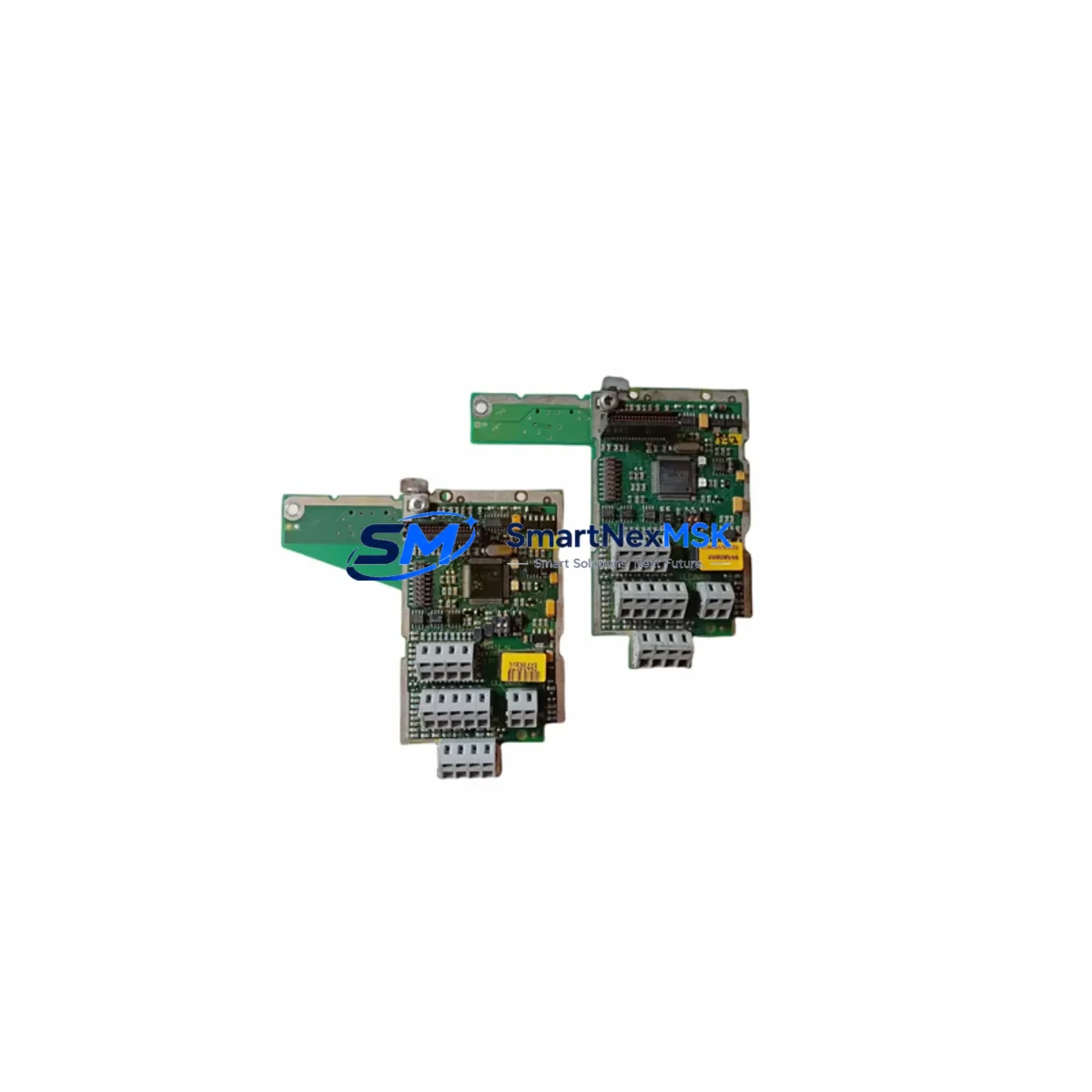
Siemens ULC0065 Retrofit-Ready Unitary Controller for APOGEE Control Systems
The Siemens ULC0065 is a field-proven unitary controller engineered for seamless, low-disruption integration into existing APOGEE building automation and industrial control architectures. As legacy APOGEE Unitary Controllers reach end-of-life or become increasingly difficult to source, the ULC0065 serves as a direct retrofit-ready replacement that preserves your existing wiring infrastructure, P1 communication bus topology, and BACnet/IP network configuration — dramatically reducing both engineering hours and system downtime during migration.
Whether you are upgrading a single air-handling unit controller, replacing a failed module in a multi-zone VAV system, or executing a phased modernization of an entire building automation network, the ULC0065 delivers the compatibility and reliability that facilities engineers and system integrators demand. Its compact DIN-rail-compatible form factor fits standard control cabinets without panel modification, and its onboard I/O configuration mirrors the legacy pinout of earlier APOGEE unitary modules — allowing technicians to reuse existing terminal blocks and field wiring with minimal rework.
Before beginning any retrofit, engineers must verify the following critical parameters against the existing installation: available 24 VAC power supply capacity at the controller panel (the ULC0065 draws approximately 15 VA); terminal block wiring assignments for analog inputs (AI), analog outputs (AO), binary inputs (BI), and binary outputs (BO); backplane slot addressing if the controller is installed within an APOGEE MEC or FLN panel; module instance numbers and BACnet device IDs to avoid address conflicts on the BACnet/IP or MS/TP segment; application program compatibility with the Siemens APOGEE Insight or TALON engineering workstation; HMI graphic page bindings that reference the replaced controller’s object names; P1 bus termination resistor placement when the ULC0065 occupies an end-of-line position; and field commissioning sequences including point-by-point I/O verification and trend log validation.
Upgrade Compatibility Table
| Parameter | Legacy APOGEE Unitary Controller | Siemens ULC0065 | Retrofit Notes |
|---|---|---|---|
| Power Supply | 24 VAC, Class 2 | 24 VAC, Class 2 (~15 VA) | Verify transformer VA capacity before swap |
| Communication Protocol | P1 Bus / BACnet MS/TP | P1 Bus / BACnet MS/TP / BACnet/IP | Confirm MS/TP baud rate matches segment (typically 76.8 kbps) |
| Analog Inputs | 4–8 AI (10K thermistor / 0–10 VDC) | 8 Universal AI | Reuse existing field wiring; reconfigure input type in software |
| Analog Outputs | 2–4 AO (0–10 VDC) | 4 AO (0–10 VDC) | Direct terminal reuse; verify actuator impedance |
| Binary Inputs | 4–8 BI (dry contact) | 8 BI (dry contact / pulse) | No wiring change required for dry contact types |
| Binary Outputs | 2–4 BO (triac / relay) | 4 BO (triac) | Confirm load current does not exceed triac rating |
| Backplane / Rack Interface | APOGEE MEC slot or standalone | Standalone DIN-rail mount | Panel adapter bracket may be required for MEC slot installations |
| Programming Tool | APOGEE Insight / TALON | APOGEE Insight / TALON / PPCL | Existing PPCL application programs transferable with minor object remapping |
| HMI Integration | APOGEE Insight graphics | APOGEE Insight graphics | Update object instance references in graphic pages after replacement |
| Installation | Panel-specific mounting | DIN-rail, 35 mm standard | Compatible with standard control cabinet DIN rails; no panel modification needed |
| Warranty | N/A (legacy / discontinued) | 12-Month Warranty | Covered from date of shipment; includes pre-shipment functional verification test |
Retrofit Planning for Existing Automation Systems
A successful ULC0065 retrofit begins well before the technician arrives on site. The engineering team should pull existing panel drawings and cross-reference terminal assignments against the ULC0065 wiring diagram. In most APOGEE Unitary installations, the 24 VAC power feed is shared across multiple controllers on the same transformer secondary — it is essential to calculate the aggregate VA load, including the Siemens RXM24 or equivalent power supply module, any co-located APOGEE TEC (Terminal Equipment Controller) units, and downstream field devices such as VAV actuators and damper motors.
On the communication side, the ULC0065 connects to the P1 bus using the same two-wire shielded cable as its predecessors. If the installation includes an APOGEE FLN (Field Level Network) panel with an integrated Siemens PXC Modular controller acting as the FLN master, the ULC0065 will appear as a standard FLN device and requires only a unique FLN address assignment. For sites that have already migrated the supervisory layer to BACnet/IP using a Siemens PXC100 or PXC200 series controller, the ULC0065 can be configured as a BACnet MS/TP slave on the same trunk, maintaining full interoperability without gateway hardware.
I/O expansion requirements should also be assessed during planning. If the legacy controller was supplemented by an APOGEE XTM (Expansion Terminal Module) or a standalone Siemens TEC I/O expander, the ULC0065’s eight universal analog inputs and four binary outputs may be sufficient to consolidate those functions into a single module — simplifying the panel layout and reducing the number of communication nodes on the FLN segment. Where additional I/O is still required, the ULC0065 supports connection to Siemens ASC (Application Specific Controller) expansion modules via the local expansion bus.
Programming migration is typically the most time-sensitive phase. Existing PPCL (Point Programming Control Language) application files stored on the APOGEE Insight workstation can be uploaded to the ULC0065 after adjusting object instance numbers to match the new controller’s BACnet device ID. Technicians should also verify that any APOGEE Insight trend logs, alarm definitions, and schedule objects referencing the replaced controller are updated to point to the new device before the system is returned to automatic operation. Where the site uses a Siemens TALON CT (Commissioning Tool) for field programming, the ULC0065 is fully supported and requires no additional software licensing.
For control cabinets housing multiple APOGEE modules — including APOGEE MEC (Modular Equipment Controller) backplanes, communication cards, and power distribution modules — the ULC0065’s standalone DIN-rail form factor allows it to be positioned adjacent to existing rack-mounted hardware without requiring backplane slot availability. This is particularly advantageous in retrofit scenarios where the original MEC rack is fully populated or where the rack itself is being decommissioned as part of a broader system modernization.
Downtime Control During System Migration
Minimizing facility or production downtime during a ULC0065 swap requires a structured hot-swap protocol. Where the controlled equipment — typically an air-handling unit, fan coil, or VAV terminal — can be placed in manual override at the actuator level, the controller replacement can proceed without interrupting HVAC service to the occupied zone. The recommended sequence is: place all binary outputs in the de-energized (safe) state; disconnect the P1 bus connector from the legacy controller; remove the controller from its mounting position; install the ULC0065; reconnect field wiring terminal by terminal using the pre-verified wiring schedule; reconnect the P1 bus; power up the controller; and confirm communication with the APOGEE Insight workstation before releasing outputs to automatic control.
For critical process control applications where even brief interruptions are unacceptable, a parallel commissioning approach is recommended: install the ULC0065 alongside the existing controller, configure and verify all I/O points and communication links while the legacy controller remains in service, then execute a coordinated cutover during a scheduled maintenance window. This approach preserves the original program logic and HMI graphic bindings throughout the transition and allows the engineering team to validate the replacement controller’s behavior against live process data before the final switchover.
Protecting the original control program is equally important. Before any hardware is removed, the existing PPCL application should be backed up from the APOGEE Insight workstation and stored with the project documentation. If the site uses a Siemens APOGEE Insight Server for centralized program storage, confirm that the backup copy reflects the most recent field modifications — particularly any manual overrides or setpoint adjustments made since the last scheduled backup. All ULC0065 units supplied by SMARTNEXMSK undergo a pre-shipment functional verification test covering power-up, I/O point check, and communication link confirmation, ensuring the replacement controller arrives ready for immediate installation and reducing on-site commissioning time.
Retrofit Support FAQ
Q1: Is the ULC0065 a direct drop-in replacement for all APOGEE Unitary Controller variants?
The ULC0065 is compatible with the majority of APOGEE Unitary Controller applications, including VAV, fan coil, and AHU control. However, installations using the older APOGEE TEC 1000 or TEC 2000 series with proprietary expansion modules should be reviewed by an APOGEE-certified engineer to confirm I/O count and communication protocol compatibility before ordering.
Q2: Can I reuse my existing field wiring and terminal blocks?
In most cases, yes. The ULC0065’s terminal layout is designed to align with standard APOGEE Unitary wiring conventions. Technicians should verify terminal assignments against the ULC0065 wiring diagram prior to installation. Analog input type configuration (thermistor vs. voltage) must be set in software to match the connected sensor type. Binary output triac ratings should also be confirmed against the connected load before energizing.
Q3: What commissioning steps are required after installation?
After physical installation and wiring verification, the technician should: assign a unique FLN or BACnet MS/TP address; upload the application program from the APOGEE Insight workstation; perform a point-by-point I/O verification against the control sequence of operations; confirm P1 bus communication with the FLN master controller; update HMI graphic page object references; and validate trend log and alarm configurations. A full functional test under automatic control should be completed before the system is returned to normal operation.
Q4: What does the 12-month warranty cover, and what is the return process?
All ULC0065 units supplied by SMARTNEXMSK carry a 12-month warranty from the date of shipment, covering manufacturing defects and functional failures under normal operating conditions. Each unit undergoes a pre-shipment functional verification test covering power-up, I/O point check, and communication link confirmation. In the event of a warranty claim, contact our technical support team with the order reference and a description of the fault. Replacement units are dispatched promptly to minimize system downtime, and failed units are returned for root-cause analysis.
© 2026 SMARTNEXMSK. All rights reserved.
Original Source: https://smartnexmsk.com
Contact: [email protected] | +86 18259474341



