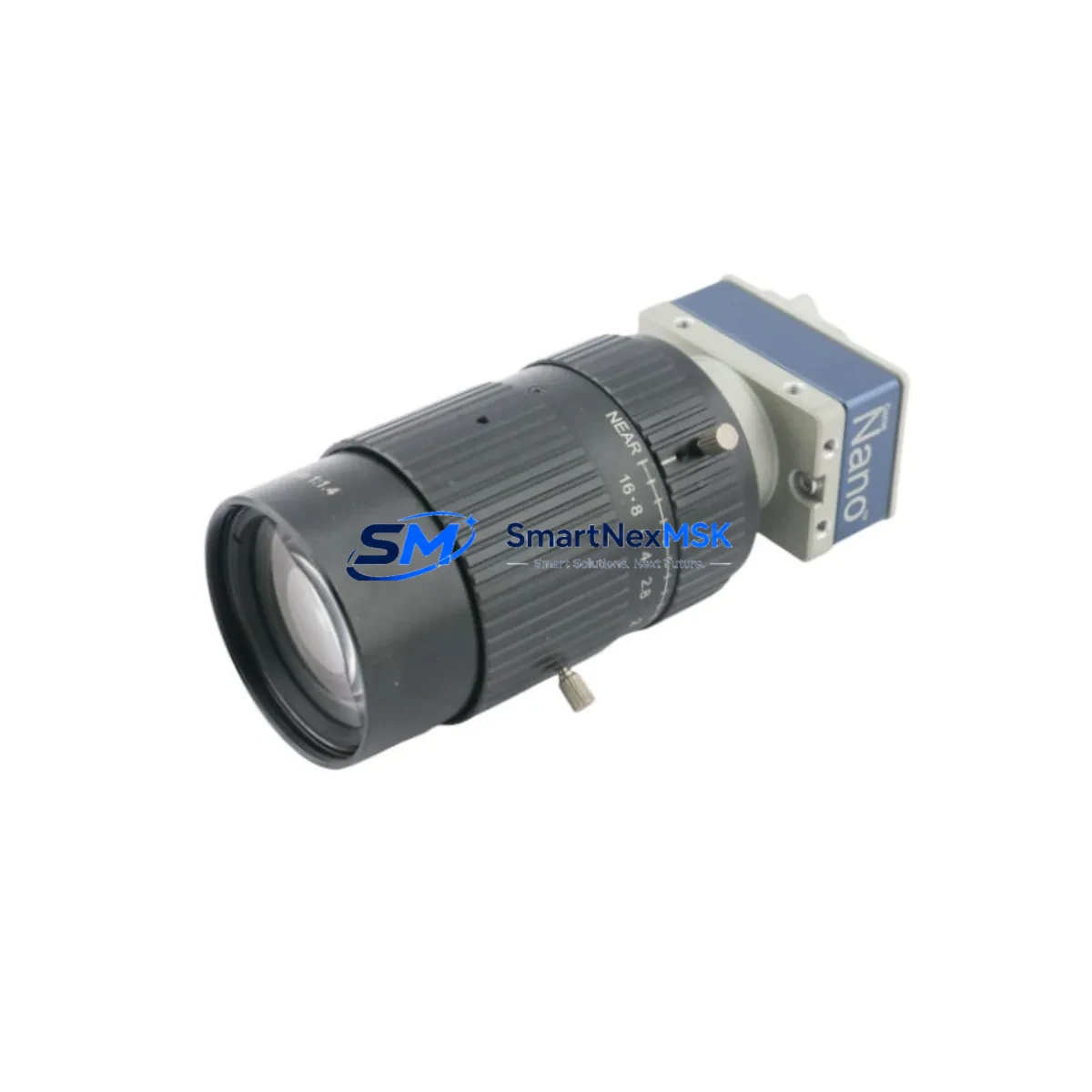
Teledyne BOT-DG3-DA-4900C-00 Maintenance-Ready Spare Genie Nano: Spare Replacement & Industrial Downtime Risk Control
When a machine vision system goes offline on a production line, every minute of unplanned downtime translates directly into lost output and escalating recovery costs. The Teledyne BOT-DG3-DA-4900C-00 is a 4.9-megapixel GigE Vision industrial camera from the Genie Nano series — a compact, high-performance imaging component widely deployed in automated inspection, robotic guidance, and quality control applications across manufacturing, semiconductor, pharmaceutical, and logistics environments. Maintaining a verified spare of this unit in your parts inventory is one of the most effective strategies for protecting continuous operation and minimizing mean time to repair (MTTR).
This listing supplies an original Teledyne BOT-DG3-DA-4900C-00 unit, sourced, inspected, and dispatched with a 12-month warranty. Each unit undergoes functional verification prior to shipment to ensure it meets the electrical and imaging specifications required for direct field replacement.
Spare Maintenance Table
| Parameter | Specification |
|---|---|
| Part Number / SKU | BOT-DG3-DA-4900C-00 |
| Brand | Teledyne DALSA |
| Series | Genie Nano |
| Resolution | 4.9 MP (2464 × 2056) |
| Interface | GigE Vision (1000BASE-T) |
| Sensor Type | CMOS Color |
| Frame Rate | Up to 23 fps @ full resolution |
| Power Supply | Power over Ethernet (PoE) or Hirose 6-pin |
| Operating Temperature | 0°C to +50°C |
| Lens Mount | C-Mount |
| Compatibility | GigE Vision 1.2 / GenICam compliant; compatible with Cognex, Halcon, NI Vision, Sapera LT SDK |
| Housing / Protection | Compact industrial housing, IP30 rated |
| Installation | Direct drop-in replacement for BOT-DG3-DA-4900C-00 in existing Genie Nano mounting brackets |
| Maintenance Recommendation | Inspect lens mount, clean sensor window, verify GigE cable integrity and PoE injector output at each planned maintenance interval |
| Warranty | 12 Months — functional defects covered; includes pre-shipment test report |
Maintenance Planning for Continuous Operation
Replacing a BOT-DG3-DA-4900C-00 in the field is rarely an isolated task. Maintenance engineers and procurement engineers who have managed Genie Nano deployments know that a camera failure often signals stress on adjacent components in the same imaging station or control enclosure. A disciplined replacement workflow should extend beyond the camera body itself.
Begin by inspecting the GigE network cable and RJ45 connectors running from the camera to the frame grabber or industrial switch — cable degradation is a leading cause of intermittent image dropout that is frequently misdiagnosed as camera failure. Verify the PoE injector or managed PoE switch port supplying power to the camera; a marginal PoE output can cause the BOT-DG3-DA-4900C-00 to power cycle under load without triggering a hard fault. If the system uses a Hirose 6-pin power cable instead of PoE, inspect the connector for pin corrosion and confirm the DC supply voltage is within specification.
At the control cabinet level, check the 24VDC power supply module feeding the vision station — voltage sag under simultaneous I/O load is a common but overlooked contributor to imaging instability. Review the I/O trigger wiring between the PLC and the camera’s hardware trigger input; a worn or intermittent trigger signal will produce missed acquisitions that appear as camera faults. If the system uses an opto-isolated trigger interface board or signal isolator between the PLC output card and the camera trigger line, inspect the isolator for input threshold drift, particularly in high-cycle applications.
For systems integrated with a Cognex In-Sight vision controller or a PC-based Sapera LT host, confirm that the GigE adapter driver and SDK version remain compatible with the replacement unit’s firmware. Genie Nano firmware updates can shift GenICam feature names, which may require a brief reconfiguration of the vision application. Keep a copy of the original camera configuration file — exported via Teledyne’s CamExpert tool — so that parameters such as exposure time, gain, white balance, and trigger mode can be restored immediately after swap-in.
If the imaging station includes a strobe controller or LED illumination driver, verify strobe timing synchronization with the new camera’s exposure window. Strobe-to-exposure misalignment is a frequent source of image quality regression after a camera replacement that is not caught until the first production run. Also confirm the integrity of the C-mount lens and any spacer rings — mechanical shock during a camera failure event can shift focus or damage the lens mount thread.
For facilities running older Genie Nano installations, consider scheduling a concurrent inspection of the industrial Ethernet switch serving the vision network segment, the frame grabber card if applicable, and any terminal blocks or DIN rail power distribution modules in the same enclosure. Proactive replacement of aging consumables during a planned camera swap reduces the probability of a secondary failure within the same maintenance window.
Site Replacement Workflow
Step 1 — Pre-replacement verification: Confirm the replacement unit’s part number matches BOT-DG3-DA-4900C-00 exactly. Check the firmware version label and compare against the site’s approved firmware baseline. Export the existing camera’s configuration using CamExpert before powering down.
Step 2 — Safe power-down: Disable the PLC trigger output to the camera station. Power down the PoE injector or disconnect the Hirose power cable. Allow 30 seconds for capacitor discharge before disconnecting the GigE cable.
Step 3 — Physical swap: Remove the failed unit from its mounting bracket. Install the replacement BOT-DG3-DA-4900C-00 using the same bracket and hardware — the Genie Nano series uses a standardized 4-hole M3 mounting pattern, ensuring mechanical compatibility across the series. Reconnect the GigE cable and power source.
Step 4 — Configuration restore: Power up the PoE injector or reconnect the Hirose supply. Open CamExpert or the site’s vision application and load the saved configuration file. Verify that all GenICam parameters — trigger mode, exposure, gain, pixel format — are correctly applied.
Step 5 — Functional test: Enable the PLC trigger output and run a test acquisition sequence. Confirm image quality, trigger latency, and frame rate against the site’s acceptance criteria before returning the station to production. Document the replacement in the site’s maintenance log, including the new unit’s serial number and firmware version.
This workflow supports a target replacement time of under 60 minutes for a prepared maintenance team, minimizing production impact and ensuring system compatibility is maintained without requiring a full vision system recalibration.
Spare Parts Support FAQ
Q1: What is the warranty coverage for the BOT-DG3-DA-4900C-00 spare unit?
Each unit is covered by a 12-month warranty against functional defects from the date of shipment. A pre-shipment functional test report is included. Units that fail to perform to specification within the warranty period are eligible for replacement or refund subject to standard RMA procedures.
Q2: How do I confirm compatibility before ordering?
The BOT-DG3-DA-4900C-00 is a direct replacement for any existing Genie Nano unit of the same part number. Compatibility with your vision software stack depends on GigE Vision 1.2 and GenICam compliance — both of which this unit meets. If your application uses a specific SDK version, contact our technical team with your current firmware version and SDK release to confirm compatibility before dispatch.
Q3: What is the recommended spare parts inventory strategy for Genie Nano cameras?
For production lines with a single critical vision station, maintaining a minimum of one verified spare BOT-DG3-DA-4900C-00 on-site is recommended. For multi-station lines or 24/7 operations, a two-unit buffer reduces exposure to extended lead times during peak demand periods. Spare units should be stored in anti-static packaging in a temperature-controlled environment and inspected annually.
Q4: Can this unit replace an older or discontinued Genie Nano variant?
The BOT-DG3-DA-4900C-00 is designed as a like-for-like replacement within the Genie Nano 4.9MP GigE color camera family. Cross-variant substitution — for example, replacing a monochrome variant or a different resolution model — requires compatibility verification of pixel format, resolution, and lens optical path. Contact our engineering support team to confirm suitability for non-identical substitutions before installation.
© 2026 SMARTNEXMSK. All rights reserved.
Original Source: https://smartnexmsk.com
Contact: [email protected] | +86 18259474341