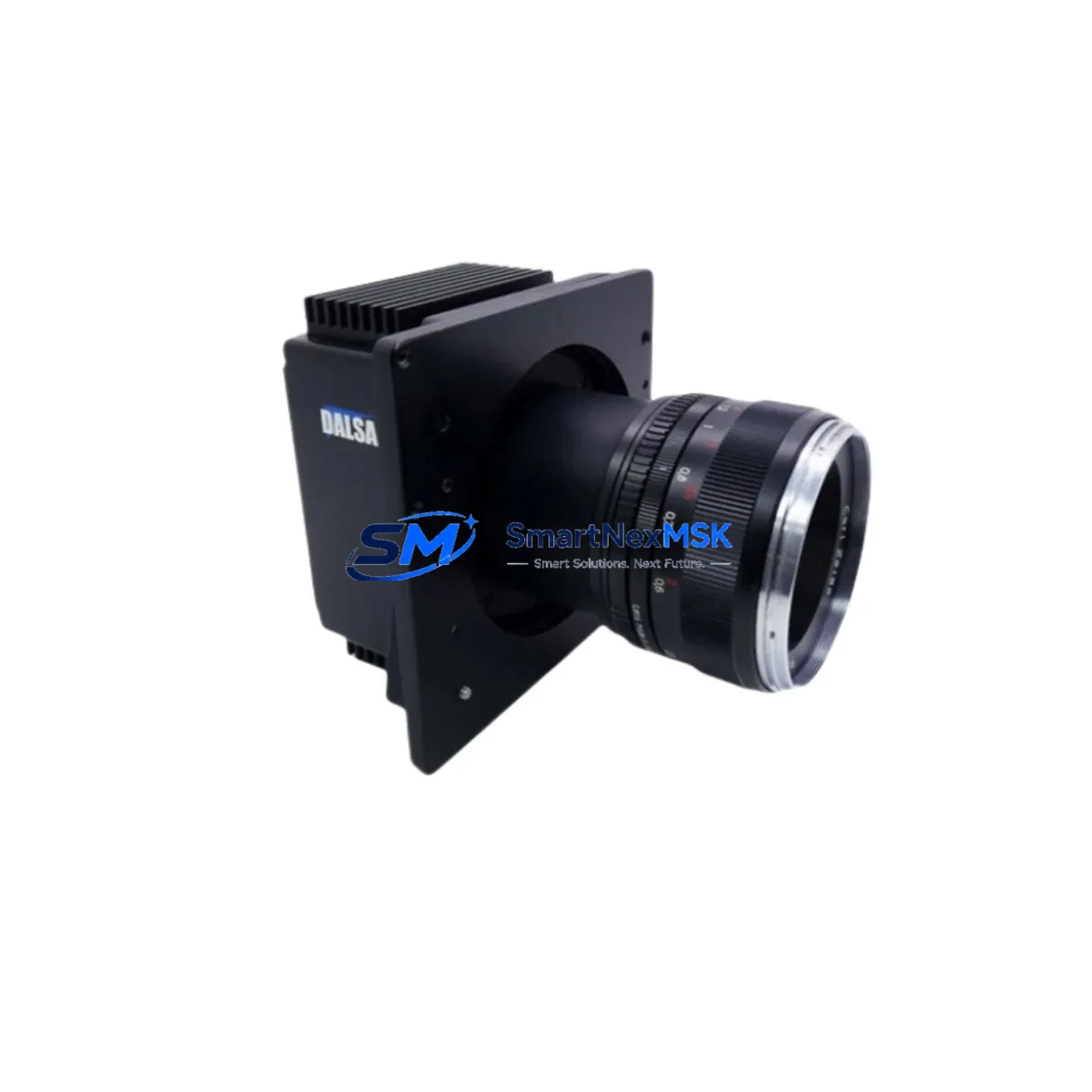
Teledyne Dalsa PC-30-04K80-00 Retrofit-Ready Line Scan Camera for Piranha Series Control Systems
The Teledyne Dalsa PC-30-04K80-00 is a high-performance 4K CCD line scan camera engineered for seamless integration into existing Piranha-series machine vision systems. Designed with retrofit compatibility as a core requirement, this unit addresses the growing demand for drop-in replacements in aging inspection lines, web inspection systems, and industrial imaging platforms where the original Piranha 4K modules have reached end-of-life or are no longer available through standard distribution channels. Whether your facility is managing a planned upgrade cycle or responding to an unplanned camera failure, the PC-30-04K80-00 provides a technically validated path to restore full system functionality with minimal downtime and without requiring a complete vision system redesign.
The camera operates over the Camera Link interface standard, ensuring backward compatibility with existing frame grabbers such as the Teledyne Dalsa Xcelera-CL PX4 and similar Camera Link-compliant acquisition boards already installed in your imaging host PC. This eliminates the need to replace the frame grabber, reconfigure the PCIe slot allocation, or rewrite low-level acquisition drivers — a critical advantage when the goal is to minimize the scope of change during a retrofit. The Camera Link MDR-26 connector pinout is preserved, meaning existing cable assemblies and breakout panels can typically be reused without modification, subject to cable length and signal integrity verification.
Resolution is maintained at 4096 pixels across the scan line, matching the pixel count of the legacy Piranha 4K CCD platform. This ensures that existing calibration files, pixel mapping tables, and image processing algorithms developed for the original camera remain valid after substitution. Engineers performing the swap should verify the line rate setting in the acquisition software — typically configured through Sapera LT or a compatible SDK — to confirm that the trigger frequency, exposure time, and scan speed parameters align with the new unit’s timing specifications. Minor adjustments to the EXSYNC signal timing may be required depending on the conveyor speed and the original camera’s operating mode.
Upgrade Compatibility Table
| Parameter | PC-30-04K80-00 (Replacement) | Legacy Piranha 4K CCD |
|---|---|---|
| Interface | Camera Link (Base/Medium) | Camera Link (Base/Medium) |
| Resolution | 4096 pixels | 4096 pixels |
| Sensor Type | CCD Line Scan | CCD Line Scan |
| Connector | MDR-26 (Camera Link) | MDR-26 (Camera Link) |
| Power Supply | +12 VDC via Camera Link | +12 VDC via Camera Link |
| SDK Compatibility | Sapera LT, GenICam | Sapera LT |
| Frame Grabber Compatibility | Xcelera-CL PX4, Xcelera-CL PX1 | Xcelera-CL PX4, Xcelera-CL PX1 |
| Trigger Input | EXSYNC (Camera Link) | EXSYNC (Camera Link) |
| Installation | Direct mount, same form factor | Original mount |
| Commissioning Note | Line rate and exposure re-verification required | N/A |
| Warranty | 12 Months | N/A (EOL) |
Retrofit Planning for Existing Automation Systems
A successful retrofit of the PC-30-04K80-00 into an existing Piranha-based inspection system begins with a structured pre-installation audit. Before removing the legacy camera, document the current acquisition parameters stored in the Sapera LT configuration file, including the active Camera Link configuration (Base, Medium, or Full), the EXSYNC trigger source, the exposure time in microseconds, and the line rate in kHz. These values serve as the baseline for post-installation verification and should be archived in the project change record.
The host PC running the vision application will typically house a Teledyne Dalsa Xcelera-CL PX4 frame grabber or an equivalent Xcelera-CL PX1 board. Confirm that the installed Sapera LT driver version supports the PC-30-04K80-00 firmware revision. In most cases, updating to the latest Sapera LT release resolves any minor API-level incompatibilities introduced between camera generations. If the system uses a third-party frame grabber from Matrox or Euresys, verify Camera Link compliance and confirm that the acquisition board’s timing engine supports the camera’s LVAL and FVAL signal behavior.
Lighting and optics should be evaluated as part of the retrofit scope. The PC-30-04K80-00 uses a standard F-mount or M72 lens interface depending on the variant configuration. If the existing optical assembly uses a C-mount adapter, confirm the back focal distance is maintained within tolerance. LED line light controllers and strobe drivers connected to the STROBE output of the Camera Link interface should be tested for compatibility with the new camera’s strobe timing logic before the system is returned to production.
For systems that include a Teledyne Dalsa Genie Nano area scan camera operating in parallel for defect classification, or a Linea 2 line scan camera used in a secondary inspection lane, the retrofit of the PC-30-04K80-00 in the primary lane does not affect those subsystems provided the frame grabber channels are independently configured. Similarly, if the vision host communicates inspection results to a Siemens S7-1500 PLC or an Allen-Bradley ControlLogix controller via Ethernet/IP or PROFINET, the communication link operates independently of the camera hardware and requires no reconfiguration during the camera swap.
Facilities using a Cognex In-Sight vision system in an adjacent inspection station should note that the PC-30-04K80-00 operates exclusively under PC-based Sapera LT control and does not interface directly with In-Sight hardware. The two systems share only the production line trigger signal, which is typically distributed from the line PLC through a digital I/O module. Verify that the trigger signal voltage level (typically 5V or 24V depending on the I/O card) is compatible with the EXSYNC input specification of the replacement camera.
Downtime Control During System Migration
Minimizing unplanned downtime during a camera retrofit requires a parallel preparation strategy. Before scheduling the physical swap, pre-configure the PC-30-04K80-00 on a bench test station using a representative Xcelera-CL PX4 frame grabber and a calibrated light source. Load the archived Sapera LT configuration file and verify that the camera achieves stable image acquisition at the target line rate. Capture a reference flat-field image and compare it against the stored calibration baseline to confirm that the pixel response uniformity is within the acceptable tolerance for your inspection algorithm.
During the physical installation window, follow a structured sequence: power down the vision host PC and the camera power supply, disconnect the Camera Link cable at the frame grabber end first to protect the acquisition board, remove the legacy Piranha camera from the mount, install the PC-30-04K80-00 using the existing mounting hardware, reconnect the Camera Link cable, and restore power in the reverse sequence. The entire physical swap can typically be completed in under 30 minutes by a technician familiar with the system layout.
After power-up, reload the pre-validated Sapera LT configuration and perform a live acquisition test before reconnecting the inspection result output to the line PLC. This isolation step ensures that any residual parameter mismatch is identified and corrected before the camera output influences production decisions. Once the live image is confirmed stable and the flat-field calibration is applied, re-enable the EXSYNC trigger from the PLC and verify that the inspection pass/fail output signals are functioning correctly at the line controller. Document the final operating parameters and update the system maintenance record to reflect the completed retrofit.
Retrofit Support FAQ
Q: Is the PC-30-04K80-00 a direct drop-in replacement for the legacy Teledyne Dalsa Piranha 4K CCD camera?
A: Yes, the PC-30-04K80-00 is designed as a functional replacement for the Piranha 4K CCD line scan platform. It shares the same Camera Link interface, MDR-26 connector, 4096-pixel resolution, and +12 VDC power supply configuration. Minor re-verification of line rate and exposure timing parameters is recommended after installation to confirm alignment with your specific application requirements.
Q: What commissioning steps are required after installing the PC-30-04K80-00?
A: After physical installation, reload your archived Sapera LT configuration file and perform a flat-field calibration using a uniform white reference target. Verify the EXSYNC trigger timing, confirm the line rate matches your conveyor speed, and check that the Camera Link signal integrity is within specification using the frame grabber’s diagnostic tools. Re-enable the PLC trigger output only after stable image acquisition is confirmed.
Q: Can the existing Camera Link cable and frame grabber be reused with the PC-30-04K80-00?
A: In most cases, yes. The PC-30-04K80-00 uses the standard MDR-26 Camera Link connector and is compatible with Teledyne Dalsa Xcelera-CL series frame grabbers. Existing Camera Link cables can be reused provided they meet the length and signal integrity requirements for the configured Camera Link mode. Inspect the cable for physical damage and verify signal quality using the frame grabber’s built-in diagnostics before returning the system to production.
Q: What warranty coverage is provided with the PC-30-04K80-00?
A: Every PC-30-04K80-00 unit supplied by SMARTNEXMSK is covered by a 12-month warranty against manufacturing defects and functional failures under normal operating conditions. Each unit undergoes pre-shipment functional testing to verify image acquisition performance, Camera Link signal integrity, and trigger response before dispatch. Warranty claims are supported directly through our technical team with documented RMA procedures and replacement lead times communicated at the time of claim.
© 2026 SMARTNEXMSK. All rights reserved.
Original Source: https://smartnexmsk.com
Contact: [email protected] | +86 18259474341