
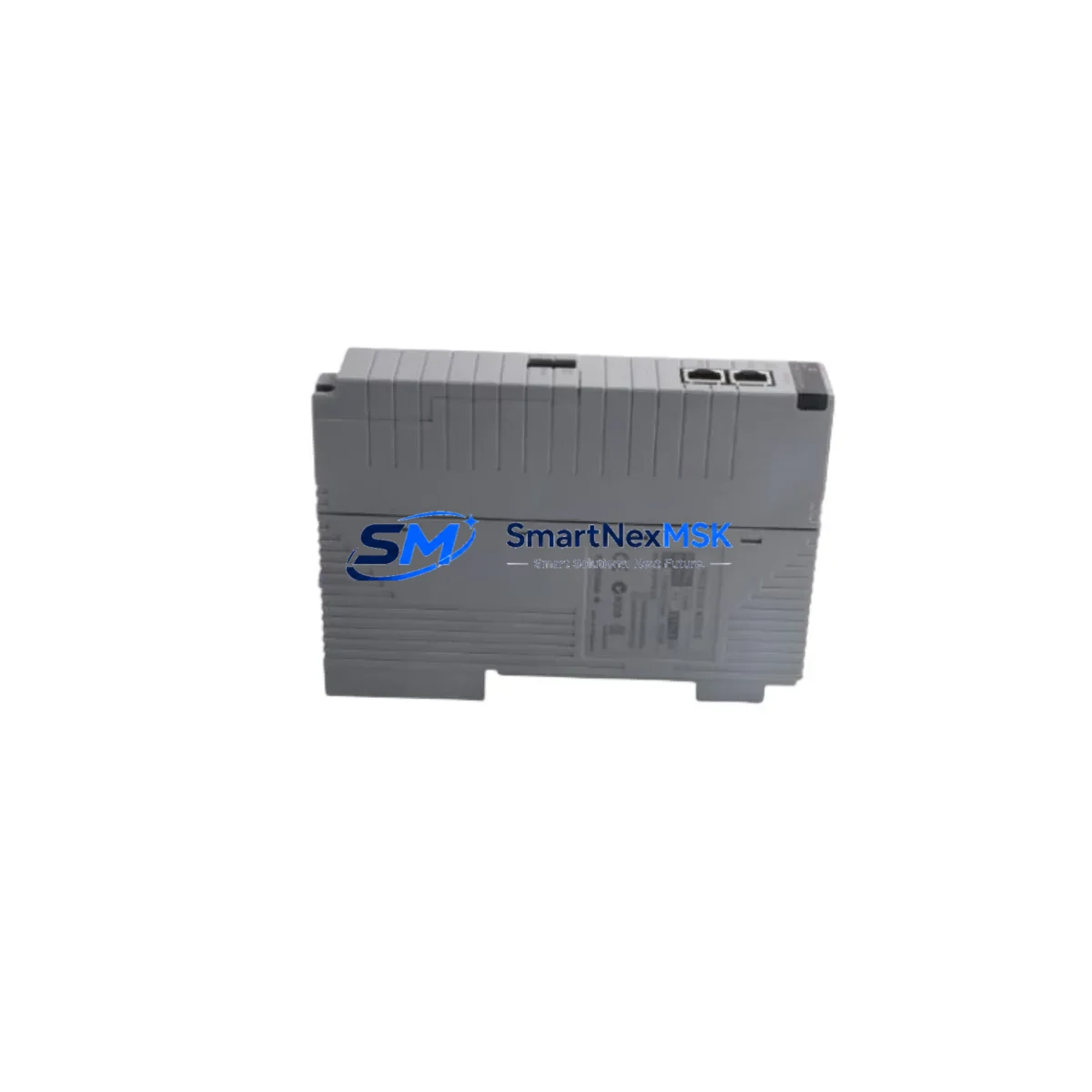
Yokogawa CP451-11 S2 Retrofit-Ready CPU for CENTUM CS3000 Control Systems
The Yokogawa CP451-11 S2 is a high-reliability central processing unit designed for the CENTUM CS3000 distributed control system platform. As legacy DCS installations age and original spare parts become increasingly scarce, the CP451-11 S2 has become one of the most sought-after retrofit components for engineers managing long-running process automation infrastructure in refining, petrochemical, power generation, and pharmaceutical facilities. SMARTNEXMSK maintains verified stock of the CP451-11 S2, fully tested and backed by a 12-month warranty, to support planned upgrades and emergency replacements with minimal lead time.
Whether you are executing a scheduled control system modernization or responding to an unplanned CPU failure, the CP451-11 S2 provides a direct hardware path to restoring or upgrading your CENTUM CS3000 architecture without requiring full platform migration. Its compatibility with the existing CENTUM CS3000 control bus, I/O assignment structure, and HMI communication layer means that experienced DCS engineers can complete a swap with controlled downtime and without rewriting core function blocks or reconfiguring field instrument loops.
Upgrade Compatibility Table
| Parameter | Details |
|---|---|
| SKU / Part Number | CP451-11 S2 |
| Brand / Manufacturer | Yokogawa Electric Corporation |
| Compatible Platform | CENTUM CS3000 Distributed Control System |
| Module Type | DCS Central Processing Unit (CPU Module) |
| Backplane / Rack Interface | CENTUM CS3000 standard control bus backplane; compatible with RIO bus and ESB bus configurations |
| Communication Compatibility | Vnet/IP, Ethernet-based HIS/ENG communication; compatible with existing HMI (HIS) station links |
| I/O Compatibility | Supports existing IOM (I/O Module) assignments; no re-addressing required for standard configurations |
| Installation Requirement | Direct slot replacement; verify power supply capacity (typically PW481 or PW482 series) before installation |
| Replacement Recommendation | Suitable as direct replacement for failed or end-of-life CP451-11 units; confirm firmware revision compatibility with site engineer |
| Commissioning Notes | Restore CPU database from Engineering Workstation (EWS); verify domain address and station number assignment post-installation |
| Warranty | 12 Months — covers manufacturing defects and functional failure under normal operating conditions |
| Origin | Japan |
| Condition | New / Refurbished-to-New Standard (specify at order) |
Retrofit Planning for Existing Automation Systems
A successful CP451-11 S2 retrofit begins well before the physical module swap. Engineers should start by auditing the existing control cabinet to confirm that the installed power supply — typically a PW481-10-S1 or PW482-10-S1 unit — can sustain the load of the replacement CPU alongside active I/O modules. Insufficient power headroom is one of the most common causes of post-retrofit instability and should be resolved before any hardware is removed from service.
Next, verify the backplane and rack configuration. The CP451-11 S2 is designed for the CENTUM CS3000 standard control unit (SCU) rack. If the existing installation uses an older rack variant or a non-standard slot assignment, confirm physical and electrical compatibility before proceeding. In multi-node architectures where the CP451-11 S2 operates alongside additional field control stations (FCS), each node’s domain address and station number must be documented and preserved to avoid communication conflicts after the swap.
I/O module continuity is another critical planning step. The CP451-11 S2 maintains compatibility with the full range of CENTUM CS3000 IOM types, including analog input modules (AAI141-S00), analog output modules (AAO141-S00), digital input modules (ADV151-P00), and digital output modules (ADV551-P00). Engineers should confirm that module addresses and channel assignments in the existing FCS database match the physical wiring in the marshalling cabinet before the CPU is replaced.
For sites running Vnet/IP communication, the network topology connecting the CP451-11 S2 to HIS (Human Interface Stations) and the Engineering Workstation (EWS) should be verified for IP address consistency. If the site uses a dual-redundant Vnet/IP ring, both network ports on the replacement CPU must be connected and tested before the old unit is decommissioned. Communication cables, including the ESB bus cables linking the CPU to remote I/O units, should be inspected for integrity as part of the pre-retrofit checklist.
Program compatibility is typically preserved when replacing a CP451-11 S2 with an equivalent unit, as the FCS database resides on the Engineering Workstation rather than on the CPU itself. However, engineers should confirm that the firmware version of the replacement module is compatible with the existing FCS application software version. A database download from the EWS to the new CPU is required after installation, and a full function block execution test should be performed in simulation mode before returning the unit to live control.
HMI screen continuity is maintained through the HIS stations, which communicate with the CPU via Vnet/IP. After the CPU replacement, operators should verify that all HIS faceplates, trend displays, and alarm windows are updating correctly and that no communication timeouts are present in the system event log. If the site uses a CENTUM CS3000 OPC server for third-party SCADA integration, the OPC connection should also be tested post-commissioning.
Downtime Control During System Migration
Minimizing unplanned downtime during a CP451-11 S2 replacement requires a structured migration plan that protects existing program logic and maintains field control continuity throughout the transition. The recommended approach is to perform the replacement during a scheduled maintenance window, with the process placed in manual control or with critical loops transferred to backup regulatory control where available.
Before removing the existing CPU, perform a full FCS database backup from the Engineering Workstation and verify the backup file integrity. This ensures that the complete function block library, loop tuning parameters, interlock logic, and sequence programs can be restored to the replacement module without data loss. Store the backup on both the EWS local drive and a removable medium as a precaution.
During the physical swap, power down the control unit following the documented CENTUM CS3000 shutdown procedure. Remove the CP451-11 S2 from its slot, install the replacement module, and restore power. The system will initialize and await a database download from the EWS. Complete the download, verify the station number and domain address assignment, and perform a controlled startup sequence. Monitor the system event log for any communication errors or I/O module faults during the first 15 minutes of operation.
For sites where continuous operation is required, a hot-standby redundant CPU configuration using a paired CP451-11 S2 allows the replacement to be performed with zero process interruption. In this configuration, the standby CPU takes over control while the primary is replaced, and the new primary is synchronized before being returned to active status. SMARTNEXMSK can supply matched pairs of CP451-11 S2 modules for redundant configurations, with pre-shipment functional testing to confirm synchronization compatibility.
All units supplied by SMARTNEXMSK are subject to pre-shipment functional testing, including power-on verification, communication port testing, and where applicable, database load testing. Each CP451-11 S2 ships with a test report and is covered by a 12-month warranty against manufacturing defects and functional failure under normal operating conditions.
Retrofit Support FAQ
Q: Is the CP451-11 S2 a direct drop-in replacement for an existing CP451-11 unit in a CENTUM CS3000 system?
A: In most standard configurations, yes. The CP451-11 S2 is designed for direct slot replacement within the CENTUM CS3000 SCU rack. Engineers should confirm firmware revision compatibility and perform a database download from the EWS after installation. No rewiring of field instruments or I/O modules is required for a standard replacement.
Q: What commissioning steps are required after installing the CP451-11 S2?
A: After physical installation, restore the FCS database from the Engineering Workstation, verify the domain address and station number assignment, confirm Vnet/IP communication to all HIS stations, and perform a function block execution test. Check the system event log for any I/O module faults or communication errors before returning the unit to automatic control.
Q: Can the CP451-11 S2 be used in a redundant CPU configuration?
A: Yes. The CENTUM CS3000 platform supports hot-standby redundant CPU configurations using paired CP451-11 S2 modules. SMARTNEXMSK can supply matched pairs with pre-shipment synchronization testing. Confirm that both units carry the same firmware revision before configuring the redundant pair.
Q: What does the 12-month warranty cover, and what is the process for a warranty claim?
A: The 12-month warranty covers manufacturing defects and functional failure under normal operating conditions from the date of shipment. To initiate a warranty claim, contact SMARTNEXMSK at [email protected] with the order reference, a description of the fault, and the system event log if available. Replacement or repair will be arranged with priority handling to minimize site downtime.
© 2026 SMARTNEXMSK. All rights reserved.
Original Source: https://smartnexmsk.com
Contact: [email protected] | +86 18259474341



