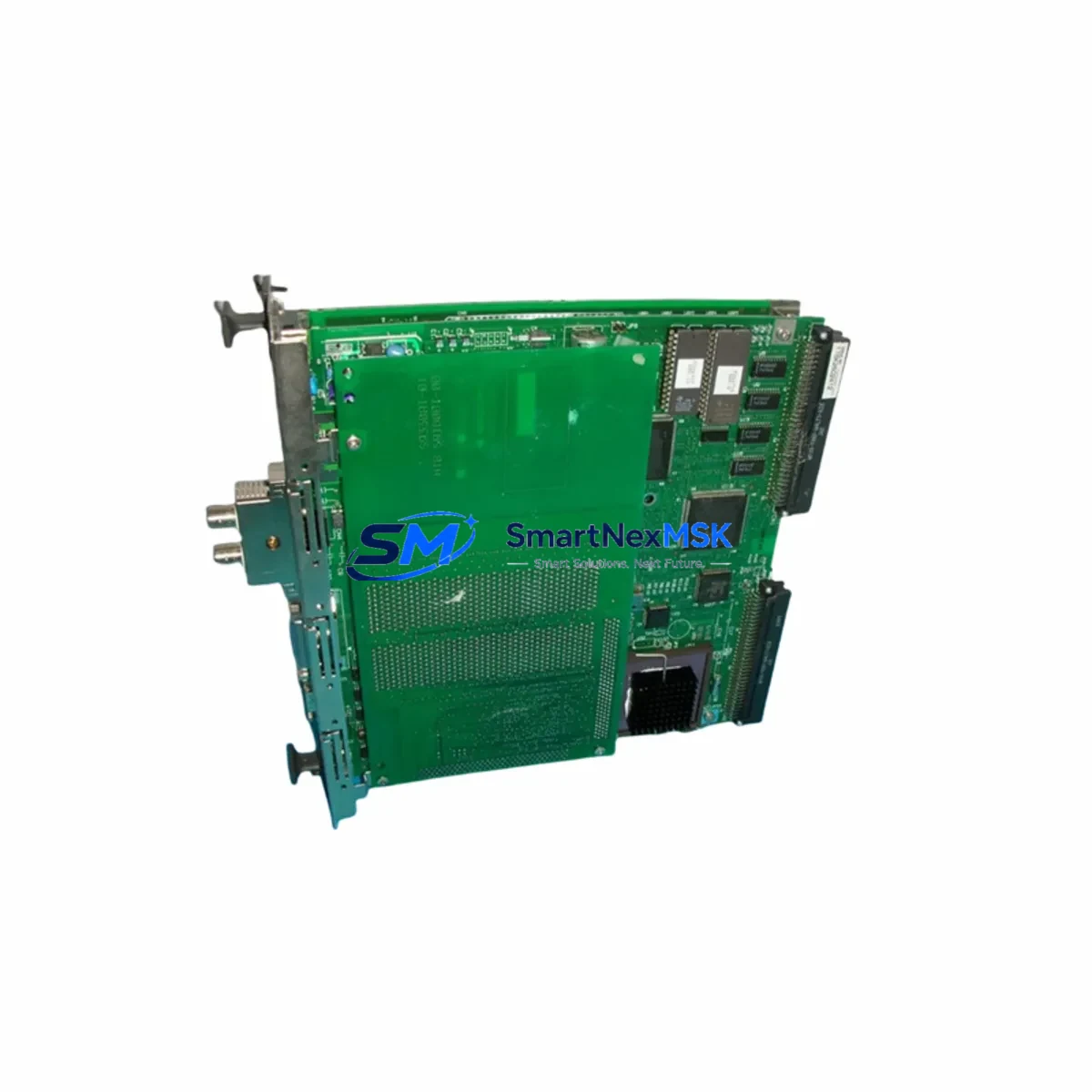
YOKOGAWA F3YD64-1P Spare for STARDOM FCN Automation: Spare Replacement & Downtime Risk Control
The YOKOGAWA F3YD64-1P is a 64-channel transistor digital output module designed for the STARDOM FCN and FCJ autonomous controllers. In continuous process environments — petrochemical, power generation, water treatment, and discrete manufacturing — this module serves as a critical I/O interface between the controller and field actuators, solenoid valves, motor starters, and indicator lamps. When an F3YD64-1P fails or degrades, the downstream impact is immediate: loss of output control, process deviation, and unplanned shutdown.
Maintaining a verified spare of the F3YD64-1P in your parts inventory is a fundamental element of any STARDOM-based maintenance strategy. This listing provides an original, tested unit with full functional verification prior to shipment, backed by a 12-month warranty — ensuring your team can execute a rapid swap and restore normal operation with minimal downtime.
Spare Maintenance Table
| Parameter | Specification |
|---|---|
| Part Number | F3YD64-1P |
| Brand | YOKOGAWA |
| Series | STARDOM FCN / FCJ |
| Module Type | 64-Channel Transistor Digital Output (DO) |
| Output Type | Transistor (NPN/PNP configurable per channel group) |
| Output Channels | 64 channels |
| Rated Load Voltage | 24 VDC |
| Max Load Current | 0.1 A per channel |
| Isolation | Photocoupler isolation between field and logic side |
| Compatibility | STARDOM FCN-100, FCN-500, FCJ autonomous controllers |
| Backplane Interface | STARDOM FCN/FCJ base unit slot (direct plug-in) |
| Operating Temperature | 0°C to 55°C |
| Storage Temperature | -20°C to 70°C |
| Humidity | 10% to 90% RH (non-condensing) |
| Origin | Japan |
| Condition | Original, tested before shipment |
| Warranty | 12 Months |
| Maintenance Note | Inspect field wiring, terminal blocks, and fuse protection on replacement |
Maintenance Planning for Continuous Operation
When a maintenance or procurement engineer schedules replacement of the F3YD64-1P, the scope of inspection should extend beyond the module itself. The STARDOM FCN/FCJ control cabinet houses multiple interdependent components, and a thorough site inspection during the replacement window significantly reduces the risk of repeat failures.
Begin with the FCN-100 or FCN-500 CPU module — verify firmware version compatibility with the replacement DO module and confirm that the controller’s diagnostic log shows no pre-existing I/O bus errors. Next, inspect the F3BU05-0N or F3BU16-0N base unit (backplane) for slot contact corrosion or mechanical damage, as a degraded backplane connector can cause intermittent output faults even with a new module installed.
On the field wiring side, check the terminal block assemblies connected to the F3YD64-1P output channels. Loose or oxidized terminals are a common root cause of channel-level failures that are misdiagnosed as module faults. If the system uses F3NC96-0N or F3NC32-0N digital input modules in the same cabinet for feedback confirmation of actuator states, verify their channel integrity simultaneously — a failed DI feedback loop can mask DO output issues during commissioning.
For cabinets with mixed I/O, also inspect the F3AD08-6R analog input module and any F3DA04-1N analog output modules sharing the same base unit, as power distribution irregularities can affect all slots. The 24 VDC field power supply feeding the DO module’s load side should be measured under load — voltage sag below 21.6 VDC will cause transistor output under-drive and erratic actuator behavior.
If the STARDOM system communicates via Ethernet-based FOUNDATION Fieldbus or PROFIBUS-DP, inspect the F3LE01-5T or F3LP02-0N communication modules for link status and error counters. Communication module faults can trigger false DO channel inhibits at the controller level. Finally, review the F3SP66-4S or F3SP71-4N sequence CPU modules if ladder logic controls the DO outputs — a corrupted program block can produce output behavior that mimics hardware failure.
Stocking a verified F3YD64-1P alongside these associated components in your spare parts cabinet ensures that any single-point failure in the STARDOM I/O subsystem can be resolved within one maintenance shift.
Site Replacement Workflow
Step 1 — Pre-replacement verification: Confirm the failed module’s slot address in the FCN/FCJ configuration tool (STARDOM Engineering Tool or Vnet/IP configurator). Document the current I/O mapping and output channel assignments before powering down the slot.
Step 2 — Safe isolation: Place the controller in manual mode or transfer control to a redundant path if available. De-energize the 24 VDC field power supply feeding the F3YD64-1P load side. Do not remove the module under live field voltage — transistor output modules are sensitive to hot-swap without proper sequencing.
Step 3 — Module swap: Remove the faulty F3YD64-1P from the base unit slot. Insert the replacement unit, ensuring the module latch engages fully. Reconnect field wiring to the terminal block, verifying wire positions against the documented channel map.
Step 4 — Functional test: Restore field power and controller I/O scan. Use the FCN diagnostic screen to confirm all 64 channels report correct output status. Force-test a representative sample of output channels (minimum 10%) against known field loads before returning the system to automatic mode.
Step 5 — Documentation: Record the replacement date, module serial number, and test results in the equipment maintenance log. Update the spare parts inventory to trigger reorder of a replacement unit — maintaining at least one verified spare per STARDOM cabinet is the recommended minimum stock level for continuous-process facilities.
This workflow is compatible with both hot-standby and simplex STARDOM FCN configurations and supports legacy system life extension without requiring controller firmware upgrades or I/O reconfiguration.
Spare Parts Support FAQ
Q1: Is this F3YD64-1P compatible with both FCN-100 and FCN-500 controllers?
Yes. The F3YD64-1P is designed for the STARDOM FCN platform and is slot-compatible with FCN-100, FCN-500, and FCJ base units. No hardware modification is required. Confirm your base unit model (F3BU05-0N or F3BU16-0N) to ensure slot count availability before ordering.
Q2: What pre-shipment testing is performed on this unit?
Each F3YD64-1P is functionally tested prior to shipment, including channel-level output verification and isolation integrity checks. Units that do not pass full functional testing are not listed for sale. A test report is available upon request for critical infrastructure procurement.
Q3: How should this spare be stored before installation?
Store in original anti-static packaging in a dry environment between -20°C and 70°C with humidity below 75% RH. Avoid storage near strong electromagnetic sources. Inspect the module visually for connector pin condition before installation if stored for more than 12 months.
Q4: What does the 12-month warranty cover?
The 12-month warranty covers manufacturing defects and functional failure under normal operating conditions as specified in the YOKOGAWA F3YD64-1P datasheet. Warranty claims require return of the defective unit. Damage caused by incorrect installation, field overvoltage, or ESD mishandling is excluded. Contact our technical team for RMA initiation within the warranty period.
© 2026 SMARTNEXMSK. All rights reserved.
Original Source: https://smartnexmsk.com
Contact: [email protected] | +86 18259474341