
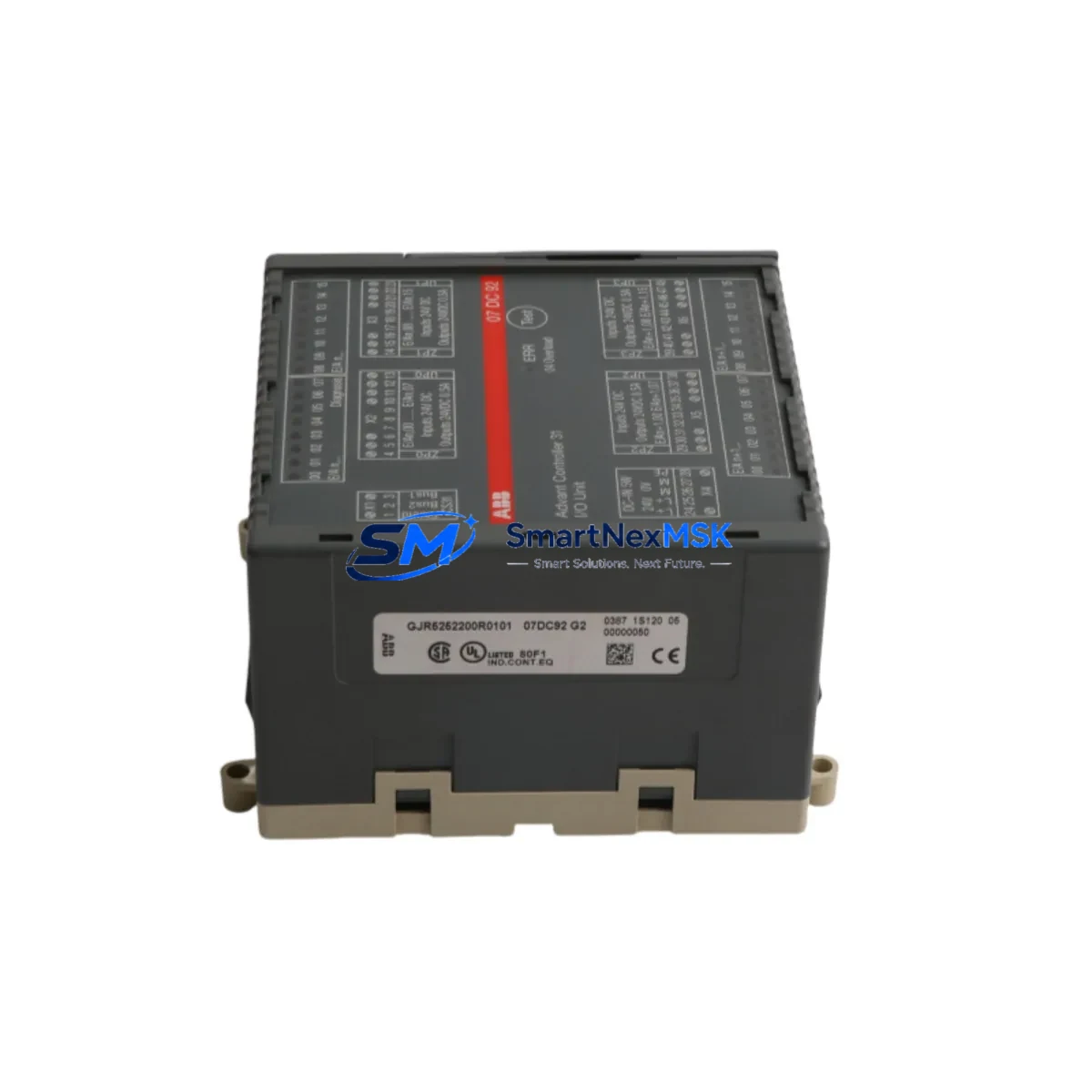
ABB 07DC92 GJR5252200R0101 Spare for AC500 Automation: Spare Replacement & Industrial Downtime Risk Control
The ABB 07DC92 (catalog reference GJR5252200R0101) is a central processing unit module within the ABB AC500 PLC platform — one of the most widely deployed programmable logic controller families in process automation, machine control, and utility infrastructure. When this CPU module fails or reaches end-of-service life, the entire control loop it governs is at risk of unplanned shutdown. Sourcing a verified, original-grade spare before failure occurs is the single most effective strategy for protecting production continuity.
This listing provides a maintenance-ready, tested unit of the ABB 07DC92 GJR5252200R0101, supplied with full functional verification, original firmware compatibility, and a 12-month warranty covering defects in materials and workmanship. Each unit is inspected prior to dispatch to confirm communication integrity, I/O bus response, and power-on self-test completion — giving maintenance engineers confidence before the module ever reaches the control cabinet.
Spare Maintenance Table
| Parameter | Specification / Detail |
|---|---|
| Part Number | 07DC92 |
| Catalog / Order Reference | GJR5252200R0101 |
| Brand | ABB |
| Series | AC500 |
| Module Type | PLC CPU Module |
| Compatible Platform | ABB AC500 PLC System (PM5xx / PM5xx-ETH series backplanes) |
| Communication Interfaces | PROFIBUS DP, Modbus RTU/TCP, CANopen (firmware-dependent) |
| Power Supply Requirement | 24 V DC (supplied via AC500 backplane or dedicated PS501 power module) |
| Operating Temperature | 0 °C to +60 °C (standard industrial environment) |
| Mounting | DIN rail via AC500 backplane (TB511, TB521, TB541 series) |
| Origin | Germany |
| Condition | Original spare — tested and verified |
| Warranty | 12 Months — covers functional defects from date of shipment |
| Pre-shipment Test | Power-on self-test, I/O bus scan, communication port verification |
| Packaging | Anti-static bag, foam-padded carton, humidity indicator card |
Maintenance Planning for Continuous Operation
Replacing the ABB 07DC92 GJR5252200R0101 in a live AC500 system is rarely an isolated task. Experienced maintenance engineers know that a CPU module failure is often symptomatic of broader stress in the control cabinet — and that a thorough replacement procedure should include inspection of adjacent components to prevent repeat failures.
Begin with the AC500 power supply module (such as the PS501-PROG or PS501-ETH): verify output voltage stability under load, check for capacitor bulge or thermal discoloration, and confirm that the 24 V DC rail is within ±1% tolerance before inserting the replacement CPU. An unstable power rail is a leading cause of premature CPU module failure and corrupted program memory.
Next, inspect the AC500 backplane (TB511 / TB521 / TB541) for bent connector pins, oxidation on the bus contacts, and secure DIN rail seating. A damaged backplane can cause intermittent I/O faults that are misdiagnosed as CPU failures. While the cabinet is open, check the SM560 or DC532 digital I/O expansion modules for blown fuse indicators, loose terminal connections, and correct address DIP switch settings — misaddressed I/O modules will generate fault codes immediately after CPU restart.
For systems using PROFIBUS DP or Modbus RTU communication, inspect the CM572-DP communication module and associated RS-485 termination resistors. A missing or double-terminated PROFIBUS segment will prevent the new CPU from establishing master-slave communication, causing the system to remain in STOP mode even after a successful hardware swap. Similarly, verify the CI590-CS31-HA CS31 bus coupler if the installation uses remote I/O over the CS31 fieldbus.
Analog signal chains deserve particular attention during planned CPU replacement outages. Check AI523 analog input modules for correct 4–20 mA loop wiring, shielding continuity, and channel-by-channel calibration records. If the system includes signal isolators or loop-powered transmitters on critical process variables (temperature, pressure, flow), verify that isolation barriers are functioning and that no ground loops have developed — these can introduce noise that corrupts analog readings after CPU restart.
Finally, review the CP600 or CP620 HMI panel communication settings. After replacing the CPU module, the HMI Ethernet or serial link must re-establish its connection to the new CPU’s IP address or station number. Update the HMI project if the CPU firmware version has changed, and confirm that all alarm setpoints and recipe data are intact in the HMI’s non-volatile memory.
Stocking one spare 07DC92 GJR5252200R0101 per AC500 system — alongside a spare power supply module and at least one I/O expansion module — is the minimum recommended inventory posture for facilities operating with less than 4-hour MTTR targets.
Site Replacement Workflow
Step 1 — Pre-replacement backup: Use ABB Automation Builder or PS501 Control Builder Plus to export the full project backup (*.zip) including program, configuration, and I/O mapping. Store the backup on a USB drive and a network share. Confirm the firmware version of the existing 07DC92 and source a matching or compatible firmware image for the replacement unit.
Step 2 — Safe system shutdown: Place the AC500 CPU in STOP mode via the programming tool or the RUN/STOP switch. Confirm all outputs are de-energized and that field devices are in a safe state. Isolate the 24 V DC supply to the backplane using the upstream circuit breaker — do not hot-swap the CPU module without confirming the backplane supports live insertion (most AC500 configurations do not).
Step 3 — Module extraction and inspection: Remove the 07DC92 by releasing the top and bottom locking tabs. Inspect the backplane connector for damage. Insert the replacement 07DC92 GJR5252200R0101, ensuring full seating before restoring power. The CPU’s STATUS LED should cycle through its self-test sequence (red → yellow → green) within 30 seconds of power-on.
Step 4 — Program download and verification: Connect via Ethernet or USB to the CPU using Automation Builder. Download the backed-up project. Verify I/O configuration matches the physical rack layout. Switch to RUN mode and monitor the first 10 minutes of operation for any diagnostic fault codes in the system log.
Step 5 — Documentation: Record the replacement date, new module serial number, firmware version, and technician name in the equipment maintenance log. Update the spare parts inventory to trigger reorder of a replacement 07DC92 unit — maintaining a zero-gap spare stock posture.
This workflow is compatible with legacy AC500 V1.x installations and current AC500-S safety PLC configurations, making the 07DC92 GJR5252200R0101 a long-term supply solution for aging system fleets where original ABB production may be discontinued.
Spare Parts Support FAQ
Q1: Is the 07DC92 GJR5252200R0101 compatible with all AC500 backplane variants?
The 07DC92 is designed for the ABB AC500 platform and is mechanically and electrically compatible with TB511, TB521, and TB541 backplanes. Compatibility with specific I/O expansion modules depends on the firmware version loaded on the CPU. We recommend confirming your existing firmware revision before ordering; our technical team can assist with compatibility verification prior to shipment.
Q2: What pre-shipment testing is performed on each unit?
Every 07DC92 GJR5252200R0101 unit undergoes a power-on self-test, I/O bus communication scan, and Ethernet port verification before dispatch. Units that fail any test stage are quarantined and not shipped. A test report summary is available upon request for quality-critical procurement processes.
Q3: What does the 12-month warranty cover, and how is a warranty claim processed?
The 12-month warranty covers functional defects in the module attributable to materials or workmanship, commencing from the shipment date. It does not cover damage caused by incorrect installation, overvoltage events, or physical impact. To initiate a warranty claim, contact [email protected] with the order number, fault description, and photos of the installed module. Replacement or repair is typically processed within 5–10 business days of receiving the returned unit.
Q4: Can you supply the 07DC92 GJR5252200R0101 on an ongoing basis for multi-site maintenance contracts?
Yes. SMARTNEXMSK maintains long-term supply capability for the ABB AC500 product family, including discontinued and end-of-life variants. For multi-site maintenance contracts or blanket purchase orders requiring scheduled deliveries, contact our sales team to discuss volume pricing, reserved stock agreements, and lead time commitments tailored to your maintenance planning cycle.
© 2026 SMARTNEXMSK. All rights reserved.
Original Source: https://smartnexmsk.com
Contact: [email protected] | +86 18259474341



