
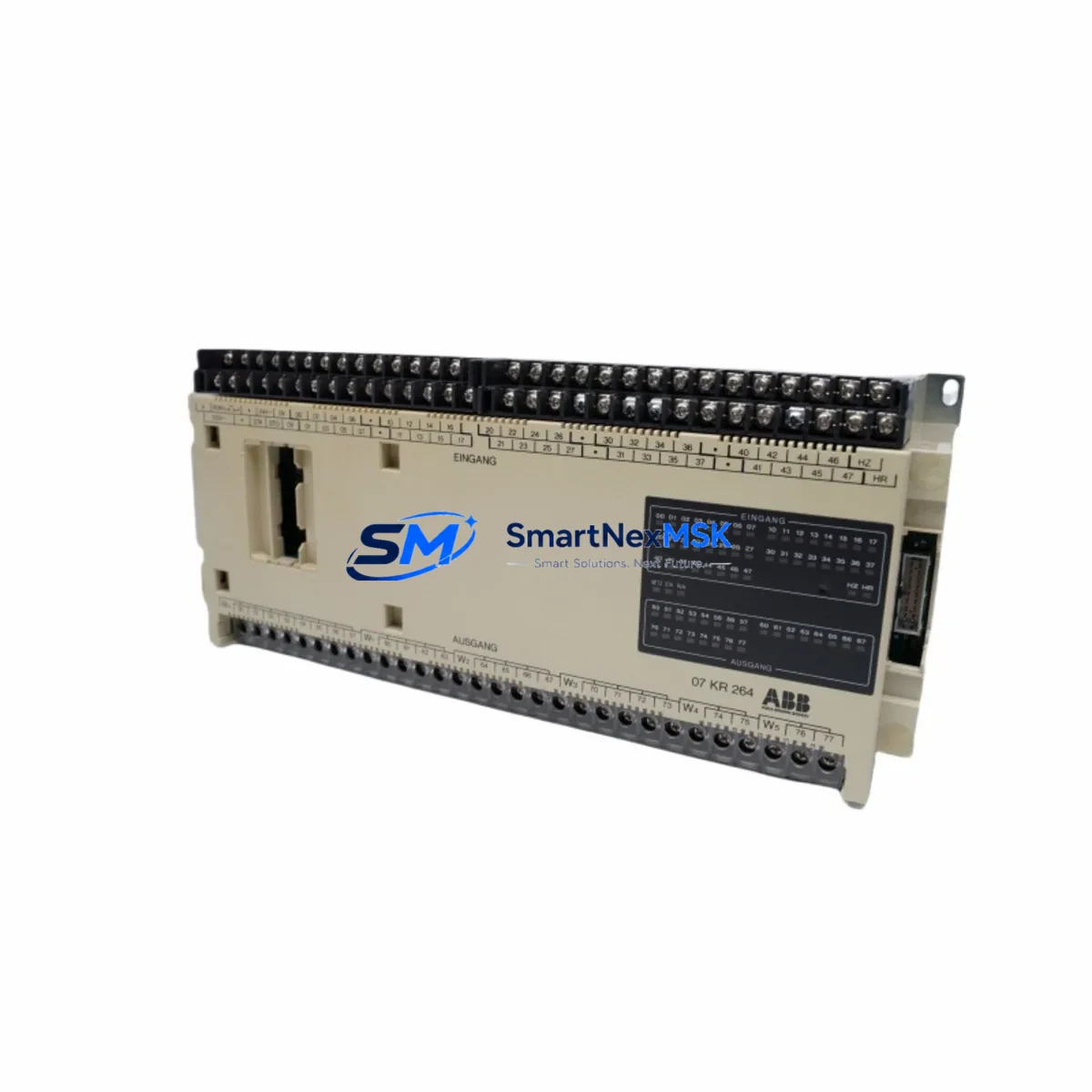
ABB 07KR240 GJV3072402R1 Spare for AC31 Automation: Spare Replacement & Industrial Downtime Risk Control
The ABB 07KR240 (catalog reference GJV3072402R1) is the central CPU module of the Advant Controller 31 (AC31) series — a proven DCS/PLC platform widely deployed in process automation, utilities, and discrete manufacturing. When this module fails or reaches end-of-service life, the entire control loop is at risk. Sourcing a verified, original-grade replacement quickly is the single most effective action a maintenance team can take to restore normal operation and protect production continuity.
This listing supplies the 07KR240 / GJV3072402R1 as a maintenance-ready spare: inspected, function-tested before dispatch, and backed by a 12-month warranty. Whether you are executing a planned overhaul, responding to an unscheduled fault, or building a strategic spare-parts buffer for an aging AC31 installation, this unit ships ready for direct installation.
Spare Maintenance Table
| Parameter | Specification / Detail |
|---|---|
| Part Number | 07KR240 |
| Catalog / Order Reference | GJV3072402R1 |
| Brand | ABB |
| Series | Advant Controller 31 (AC31) — AC31/110 |
| Module Type | DCS / PLC CPU Module |
| Processor Architecture | 16-bit, real-time multitasking OS |
| Program Memory | Up to 256 KB (application-dependent) |
| Communication Interfaces | RCOM serial, CS31 bus, optional PROFIBUS-DP via expansion |
| Supply Voltage | 24 V DC (via backplane / rack power supply) |
| Operating Temperature | 0 °C to +55 °C |
| Mounting | DIN-rail rack / AC31 backplane (07KT98 or compatible) |
| Country of Origin | Germany |
| Compatibility | Advant Controller 31, AC31/110; drop-in replacement for GJV3072402R1 variants |
| Condition | Original spare — inspected and function-tested |
| Pre-shipment Test | Power-on, communication bus, I/O scan verification |
| Warranty | 12 months from date of shipment |
| Lead Time | Ships within 1–3 business days |
Maintenance Planning for Continuous Operation
Replacing the 07KR240 CPU module is rarely an isolated task. A disciplined maintenance engineer will treat this event as an opportunity to audit the entire AC31 control cabinet and associated electrical circuits. Before returning the system to service, the following components should be inspected or replaced as part of the same maintenance window:
Power supply integrity is the first checkpoint. The AC31 rack relies on a dedicated 24 V DC power supply module — typically the ABB 07MK92 or equivalent — to deliver stable voltage to the CPU and I/O backplane. A degraded power supply is a common root cause of intermittent CPU faults and should be load-tested before the new 07KR240 is commissioned.
CS31 bus couplers and remote I/O modules (such as the 07KT98 rack coupler and 07AI91 analog input modules) communicate directly with the CPU over the CS31 field bus. Corroded terminals, loose bus connectors, or aging coupler firmware can cause the replacement CPU to report bus errors immediately after startup. Inspect all bus termination resistors and coupler status LEDs as part of the commissioning checklist.
Digital and analog I/O modules — including 07DI92 digital input cards and 07DO91 digital output cards — should be seated firmly in the backplane and their field wiring verified for continuity. A single shorted output channel can trigger CPU protective shutdown within seconds of power-on.
Communication and network modules deserve attention if the AC31 system participates in a PROFIBUS-DP or Modbus network. The 07KP90 PROFIBUS interface module, if fitted, should be checked for address conflicts and cable shielding integrity. Replacing the CPU resets the communication watchdog timers, so the network master must be informed before the new module goes live.
Relay output modules and signal isolators in the same cabinet — for example, 07LE90 relay output modules and any interposed signal isolators on 4–20 mA loops — should be visually inspected for contact wear, discoloration, or signs of overheating. These components are often overlooked during CPU-focused maintenance but are frequent contributors to recurring faults.
Terminal blocks and field wiring connected to the I/O modules should be re-torqued to manufacturer specification. Loose terminals are a leading cause of intermittent faults that are misdiagnosed as CPU failures. If the cabinet has been in service for more than five years, consider replacing the entire terminal strip as a preventive measure.
HMI and operator panel connectivity — whether via a legacy ABB OP25 operator panel or a modern SCADA gateway — should be verified after CPU replacement, as the new module may require re-pairing or address re-configuration depending on the firmware version loaded.
Maintaining a minimum stock of one spare 07KR240 / GJV3072402R1 unit, alongside a spare power supply module and at least one spare I/O card per type in use, is the industry-standard approach for AC31 installations that cannot tolerate extended downtime. For sites running multiple AC31 racks, a pooled spare strategy — with one CPU spare shared across up to three racks — balances inventory cost against availability risk.
Site Replacement Workflow
Step 1 — Isolate and document. Before removing the faulty 07KR240, record the current program version, parameter settings, and I/O configuration using the ABB Advant Builder or compatible programming tool. Export the application program to a laptop or USB drive. Confirm that the backup is readable before proceeding.
Step 2 — De-energize safely. Isolate the 24 V DC supply to the rack. Follow site LOTO (Lockout/Tagout) procedures. Verify zero voltage at the backplane power connector before touching any module.
Step 3 — Remove and inspect. Extract the faulty CPU module. Inspect the backplane connector for bent pins, corrosion, or debris. Clean with dry compressed air if necessary. Do not use solvents on the backplane PCB.
Step 4 — Install the replacement 07KR240. Seat the new module firmly until the locking tabs engage. Reconnect any external cables (RCOM, programming port). Verify that the module firmware version is compatible with the application program version on file — if a firmware update is required, perform it before loading the application.
Step 5 — Load program and verify. Restore power. Load the saved application program. Perform a full I/O scan and verify that all field signals are reading correctly. Check CS31 bus status LEDs for green indication on all connected nodes.
Step 6 — Return to service. Notify the control room operator. Perform a supervised production trial run of at least 15 minutes before handing the system back to operations. Document the replacement in the site maintenance log, including the serial number of the removed module and the replacement unit.
This workflow minimizes total downtime to typically under two hours for a prepared maintenance team, and eliminates the risk of re-introducing the same fault through inadequate commissioning.
Spare Parts Support FAQ
Q1: Is this 07KR240 an original ABB module or a third-party compatible unit?
This is an original ABB 07KR240 (GJV3072402R1) spare — not a clone, copy, or third-party compatible. Each unit is sourced from verified industrial supply channels and undergoes pre-shipment functional testing. The 12-month warranty covers defects in materials and workmanship under normal operating conditions.
Q2: How do I confirm compatibility with my specific AC31 installation before ordering?
The 07KR240 / GJV3072402R1 is the standard CPU module for the Advant Controller 31 and AC31/110 platforms. Compatibility is confirmed by matching the catalog reference on the module faceplate or in your system documentation. If your installation uses a different AC31 variant (e.g., AC31/100 with a different CPU reference), please contact us with your existing module’s full part number before ordering.
Q3: What is your recommended spare-parts stocking strategy for AC31 systems?
For a single AC31 rack installation, we recommend holding one spare CPU module (07KR240), one spare power supply, and one spare of each I/O card type in use. For multi-rack installations, a pooled strategy of one CPU spare per three racks is typical. Given that the AC31 platform is mature and ABB has transitioned to newer architectures, sourcing spares proactively — rather than reactively — is strongly advised to avoid extended lead times during a production emergency.
Q4: What pre-shipment testing is performed, and what does the 12-month warranty cover?
Every 07KR240 unit undergoes power-on verification, CS31 bus communication test, and I/O scan validation before dispatch. The 12-month warranty covers functional failure under normal industrial operating conditions. It does not cover damage caused by incorrect installation, overvoltage, or physical impact. Warranty claims are processed with a replacement-first policy to minimize your downtime.
© 2026 SMARTNEXMSK. All rights reserved.
Original Source: https://smartnexmsk.com
Contact: [email protected] | +86 18259474341



