
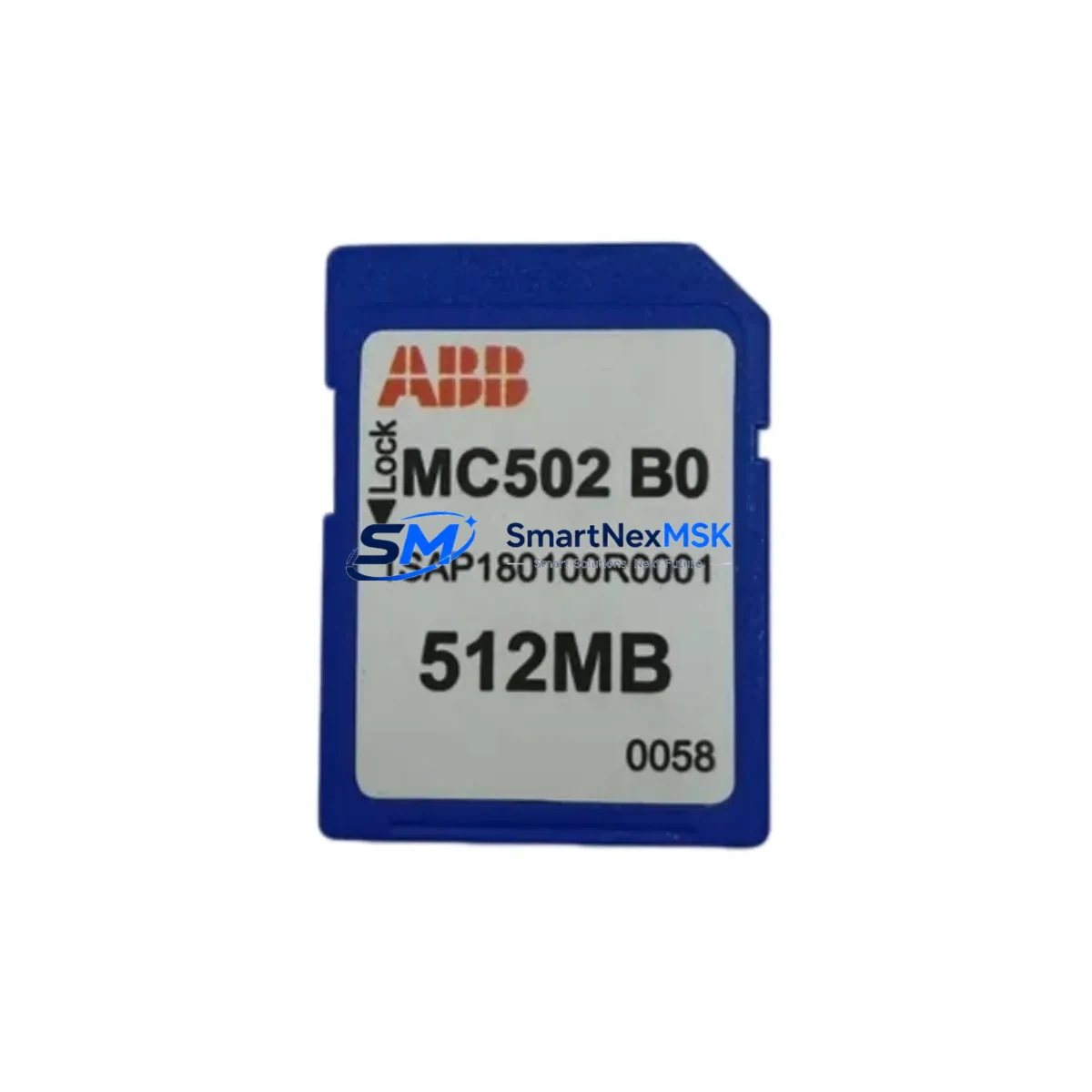
ABB 1SAP180100R0001 Maintenance-Ready Spare AC500 Automation
The ABB 1SAP180100R0001 (MC502-B0) is an original SD memory card module designed for the ABB AC500 PLC platform — one of the most widely deployed modular programmable logic controller families in industrial automation. This spare part is critical for maintenance engineers managing control systems in manufacturing, process automation, power distribution, and infrastructure applications. Holding a verified stock of the 1SAP180100R0001 directly reduces unplanned downtime risk: when a memory card fails or becomes corrupted, the ability to swap in a tested, pre-configured replacement within minutes — rather than waiting days for procurement — is the difference between a controlled maintenance event and a costly production stoppage.
Every unit supplied by SMARTNEXMSK is sourced as an original ABB component, individually inspected, and function-tested prior to shipment. A 12-month warranty covers each unit against manufacturing defects and operational failure under normal industrial use conditions. Our inventory is maintained to support both planned procurement cycles and emergency replacement orders, with same-day dispatch available for in-stock items.
Spare Maintenance Table
| Parameter | Specification |
|---|---|
| Part Number | 1SAP180100R0001 |
| Model / Designation | MC502-B0 |
| Brand | ABB |
| Product Series | AC500 PLC Platform |
| Product Type | SD Memory Card Module |
| Compatible CPUs | AC500 PM5xx / PM5xx-ETH series (PM554, PM564, PM573, PM583, PM591, PM592, PM595) |
| Interface | Integrated SD card slot on AC500 CPU module |
| Function | Program storage, data logging, firmware backup, recipe management |
| Operating Temperature | -25°C to +70°C (storage); 0°C to +60°C (operation) |
| Protection Class | IP20 (installed in CPU module) |
| Origin | Germany (DE) |
| Warranty | 12 Months — covers manufacturing defects and operational failure |
| Pre-shipment Test | Yes — function-verified before dispatch |
| Condition | Original New / Genuine ABB |
| Typical Application | Program backup, CPU replacement, system migration, emergency restore |
| Maintenance Recommendation | Replace every 5–7 years or upon any CPU swap; always back up program before removal |
Maintenance Planning for Continuous Operation
When a maintenance or reliability engineer schedules a planned inspection or responds to an AC500 CPU fault, the 1SAP180100R0001 memory card is rarely the only component that warrants attention. A disciplined spare parts strategy for AC500-based control cabinets should account for the full electrical and communication ecosystem surrounding the CPU.
Start with the CPU module itself — the PM554-TP-ETH or PM564-T are common hosts for the MC502-B0 card, and a spare CPU should be held alongside the memory card to enable a complete controller swap if the CPU board fails. The TB521-ETH terminal base, which the CPU mounts onto, is a mechanical and electrical interface component that degrades with repeated insertion cycles and should be inspected for contact wear during any CPU-level maintenance.
Digital and analog I/O modules — such as the DC532 (16 DI/16 DO) or AX522 (4 AI/2 AO) — share the same backplane bus and are subject to field wiring stress, surge events, and thermal cycling. During a memory card replacement event, it is good practice to verify I/O module status LEDs and check for any latched fault diagnostics in the Automation Builder engineering software.
Power supply integrity is foundational. The CP502 or CP504 AC500 power supply modules should be checked for output voltage stability (24 VDC nominal) and capacitor aging, particularly in systems older than five years. A failing power supply can corrupt memory card data and cause intermittent CPU resets that are misdiagnosed as memory card failures.
Communication modules such as the CM572-DP (PROFIBUS DP master/slave) or CM589-PNIO (PROFINET IO) sit adjacent to the CPU on the terminal base and should be inspected for firmware currency and connector integrity. In systems using Modbus RTU or serial communication, the CM577-RS module and its RS-485 termination resistors are common sources of intermittent faults that surface during CPU-level maintenance windows.
For control cabinets with HMI integration, the CP635 or CP651 operator panels communicate with the AC500 CPU via Ethernet or serial links. Verifying HMI firmware compatibility with the restored CPU program version is a mandatory step after any memory card swap or CPU replacement. Signal isolators and surge protection devices on analog input channels — particularly in process environments with long cable runs — should also be inspected and replaced on a scheduled basis to protect I/O module inputs from field-induced transients.
Site Replacement Workflow
Step 1 — Pre-replacement backup: Before removing the existing 1SAP180100R0001 card, use ABB Automation Builder to upload and archive the current PLC program, data blocks, and hardware configuration to an engineering workstation. Confirm the backup file is complete and version-stamped.
Step 2 — Safe CPU shutdown: Place the AC500 CPU in STOP mode via the keyswitch or Automation Builder. Confirm all controlled outputs are in a safe state. De-energize the control cabinet following site lockout/tagout (LOTO) procedures.
Step 3 — Memory card removal and inspection: Remove the existing MC502-B0 card from the CPU slot. Inspect the card slot contacts for corrosion or debris. If the card is being replaced due to corruption, do not attempt to reuse it — retain it for failure analysis.
Step 4 — New card installation: Insert the replacement 1SAP180100R0001 into the CPU memory card slot until it clicks into place. Re-energize the cabinet and allow the CPU to complete its boot sequence.
Step 5 — Program download and verification: Download the archived program from the engineering workstation to the CPU via Automation Builder. Verify program checksum, I/O configuration, and communication module parameters. Place the CPU in RUN mode and confirm normal operation across all I/O channels and communication links.
Step 6 — Documentation: Record the replacement date, new card serial number, program version, and technician name in the site maintenance log. Update the spare parts inventory to trigger reorder of a replacement unit.
This workflow supports legacy AC500 systems operating on older CPU generations, enabling extended service life without requiring a full controller platform migration. Compatibility between the MC502-B0 card and current AC500 CPU firmware versions has been verified, making this spare suitable for both active production systems and long-term maintenance contracts.
Spare Parts Support FAQ
Q1: Is the 1SAP180100R0001 compatible with all AC500 CPU variants?
The MC502-B0 is compatible with the AC500 PM5xx CPU series, including PM554, PM564, PM573, PM583, PM591, PM592, and PM595 variants. It is not designed for the AC500-S safety CPU or AC500-XC extreme condition variants — please confirm your CPU part number before ordering. If you are unsure, contact our technical team with your CPU model and firmware version for compatibility confirmation.
Q2: What does the 12-month warranty cover, and how is it claimed?
The 12-month warranty covers manufacturing defects and operational failure under normal industrial operating conditions. It does not cover damage caused by incorrect installation, overvoltage events, or physical mishandling. To claim warranty service, contact [email protected] with your order number, a description of the fault, and photographic evidence. We will arrange return, inspection, and replacement or refund within 10 business days of receiving the returned unit.
Q3: How should the 1SAP180100R0001 be stored as a long-term spare?
Store the card in its original anti-static packaging in a dry environment at 10–30°C with relative humidity below 70% (non-condensing). Avoid storage near strong magnetic fields or high-vibration equipment. Inspect the card annually for physical damage. For critical systems, we recommend holding a minimum of two units in your spare parts inventory to cover both planned and emergency replacement scenarios.
Q4: Can I use this card to migrate a program from an older AC500 CPU to a newer one?
Yes — the MC502-B0 can be used as a program transfer medium between compatible AC500 CPU generations, subject to firmware compatibility. Always use ABB Automation Builder to validate the program against the target CPU hardware configuration before going live. For cross-generation migrations, our team can provide pre-shipment configuration support upon request.
© 2026 SMARTNEXMSK. All rights reserved.
Original Source: https://smartnexmsk.com
Contact: [email protected] | +86 18259474341



