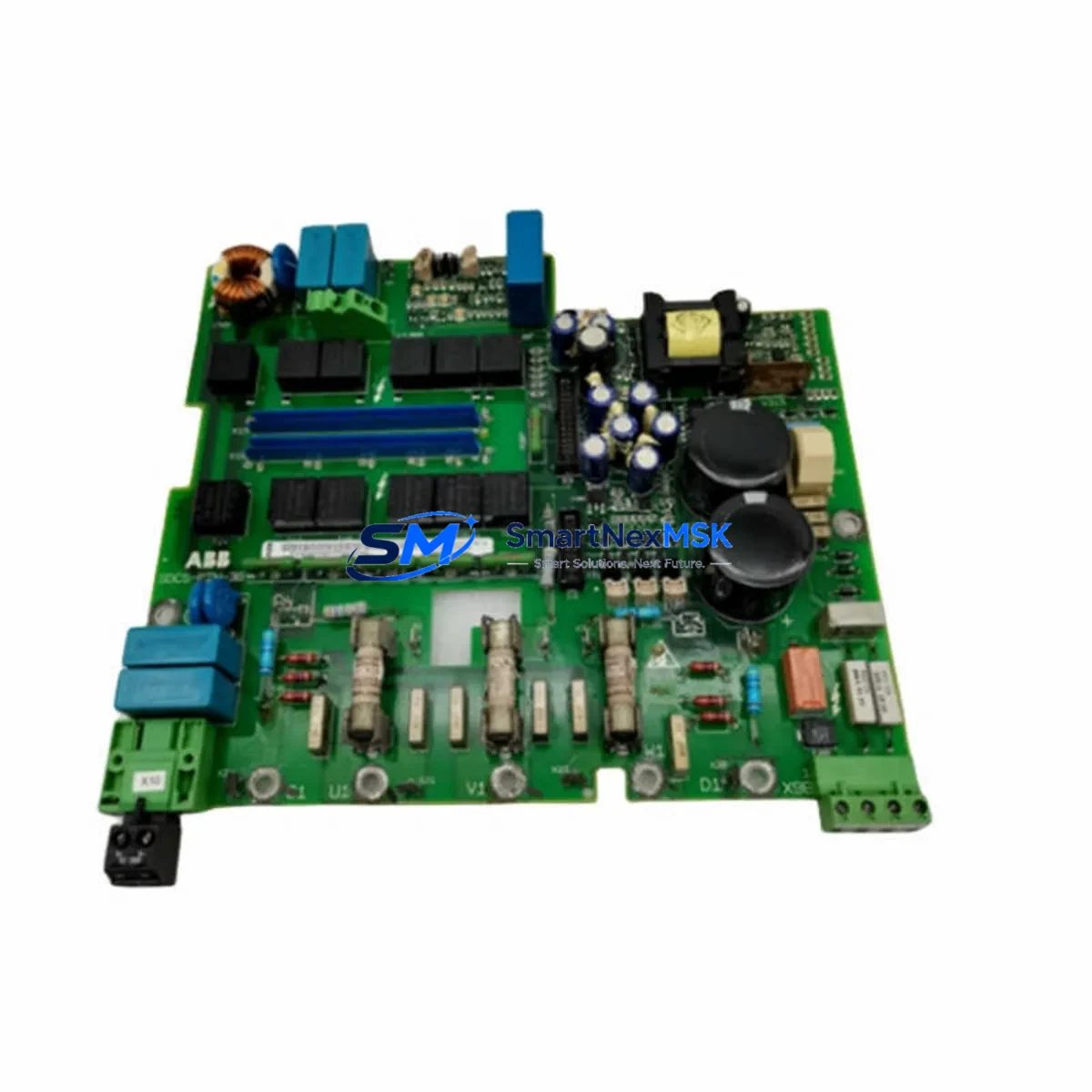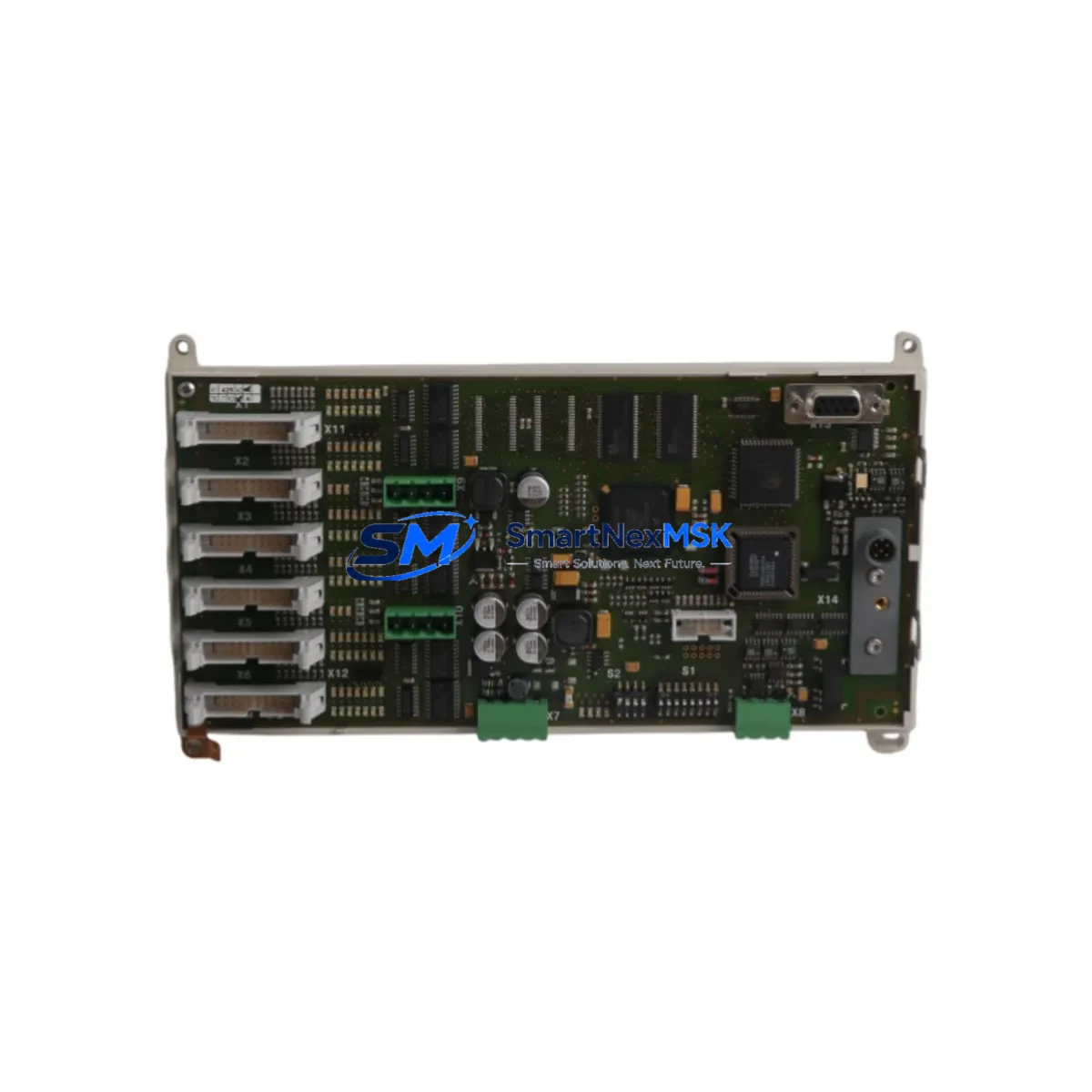
ABB 1SAY130110R0100 07SS91C2 Retrofit-Ready DCS Communication Module for AC500 Freelance Control Systems
The ABB 1SAY130110R0100 (alternate part reference: 07SS91C2) is a DCS communication module engineered for the ABB AC500 and Freelance distributed control system platforms. As legacy Freelance DCS installations approach end-of-life and spare parts become increasingly scarce, this module serves as a verified retrofit-ready replacement that enables plant engineers to restore system integrity, extend operational life, and defer costly full-system migrations. Whether you are replacing a failed unit on a running line or pre-positioning stock for a planned shutdown, the 1SAY130110R0100 is a direct-fit solution backed by a 12-month warranty and pre-shipment functional testing.
Upgrade Compatibility Table
| Parameter | Details |
|---|---|
| Part Number | 1SAY130110R0100 / 07SS91C2 |
| Brand | ABB |
| Compatible Platform | ABB AC500, Freelance DCS |
| Module Function | DCS Communication Module |
| Backplane Interface | AC500 standard rack bus; compatible with PM5xx and PM5x5 CPU backplanes |
| Communication Protocol | PROFIBUS DP, HART, or platform-native fieldbus (verify per system revision) |
| Installation Requirement | Slot into existing AC500 rack; no mechanical modification required |
| Replacement Scope | Direct replacement for discontinued 07SS91C2 and equivalent Freelance DCS comm modules |
| Wiring Compatibility | Existing terminal wiring retained; verify terminal block pitch before installation |
| Firmware / Program Compatibility | Compatible with existing Freelance Engineering Workstation (EWS) project files; confirm firmware revision match |
| HMI Integration | Compatible with ABB Operate IT / System 800xA HMI tag mapping; verify OPC server configuration |
| Commissioning Note | Module address must be re-confirmed in EWS after slot insertion; cold restart recommended |
| Warranty | 12 months from date of shipment |
| Pre-Shipment Test | Full functional test performed before dispatch |
| Origin | Germany (DE) |
Retrofit Planning for Existing Automation Systems
Successful integration of the 1SAY130110R0100 into an existing Freelance DCS or AC500 control system requires a structured pre-installation review. Begin by auditing the power supply capacity of the rack. The ABB PS501 or PS502 power supply modules feeding the backplane must have sufficient headroom to support the communication module’s current draw alongside co-installed I/O modules such as the AI523 analog input module or the DI524 digital input module. Overloaded power rails are a common cause of intermittent communication faults after retrofit.
Next, inspect the rack and backplane. The 1SAY130110R0100 is designed for the AC500 standard rack family. If the existing installation uses an older Freelance rack with a non-standard bus connector pitch, a rack adapter or full rack replacement may be required. In multi-rack configurations, verify that the inter-rack communication cable — typically connecting via the CS31 bus or a dedicated PROFIBUS segment — remains intact and properly terminated after the module swap.
Terminal wiring should be documented before removal of the legacy module. Photograph or log all field wiring connections at the terminal block. The 1SAY130110R0100 uses a standard removable terminal block, which simplifies re-wiring and reduces the risk of mis-termination. If the existing installation uses a CI590-CS31-HA communication interface module for remote I/O expansion, confirm that the new module’s address settings do not conflict with existing node assignments on the CS31 bus.
For systems running PROFIBUS DP fieldbus segments, verify that the GSD file for the 1SAY130110R0100 is loaded into the Freelance Engineering Workstation. The EWS project must reflect the correct module type in the hardware configuration tree before the updated project is downloaded to the PM5xx CPU. Failure to update the hardware configuration will result in a configuration mismatch fault on startup. If the plant uses a CI854 PROFIBUS DP master module or a CI856 PROFIBUS DP slave interface, confirm that the new communication module’s station address is unique within the segment.
HMI integration should be validated after the module is online. If the control system feeds an ABB Operate IT or System 800xA SCADA layer, verify that all OPC tags associated with the replaced module are resolving correctly. In some Freelance DCS installations, the HMI tag database references the physical slot address of the communication module; a slot change will require a tag re-map in the OPC server configuration. Programming cables such as the TK501 USB programming cable may be needed to access the CPU for a firmware check or project re-download during commissioning.
Downtime Control During System Migration
Minimizing unplanned downtime is the primary concern during any DCS communication module replacement. The recommended approach is a hot-swap preparation strategy: before the maintenance window, pre-configure the replacement 1SAY130110R0100 offline using a bench-top AC500 rack or a spare PM5xx CPU with the existing EWS project loaded. This allows the module address, communication parameters, and firmware version to be verified before the unit reaches the plant floor.
During the maintenance window, follow a structured sequence: isolate the affected rack segment, document all field wiring, remove the failed or end-of-life module, insert the 1SAY130110R0100, reconnect field wiring using the documented terminal layout, and perform a controlled cold restart of the CPU. The Freelance EWS should be connected via the TK501 programming cable or Ethernet to monitor the startup sequence and confirm that all I/O modules — including any co-installed AO523 analog output modules or DO524 digital output modules — return to normal scan status.
If the system cannot tolerate a full CPU restart, consult the Freelance DCS hot-insertion guidelines for your specific firmware revision. Some AC500 configurations support module insertion without a full CPU stop, but this must be validated against the installed firmware version before attempting in a live environment. Maintaining the original program logic in the EWS project and avoiding any tag renaming or address reassignment during the swap will protect control continuity and reduce the risk of process upsets.
Retrofit Support FAQ
Q1: Is the 1SAY130110R0100 a direct drop-in replacement for the 07SS91C2?
Yes. The 1SAY130110R0100 and 07SS91C2 are cross-referenced part numbers for the same ABB Freelance DCS communication module. The physical form factor, backplane connector, and terminal block layout are identical, allowing direct slot-for-slot replacement without mechanical modification. Confirm the firmware revision in your EWS project matches the module’s installed firmware before downloading the project.
Q2: What commissioning steps are required after installation?
After physical installation, connect the Freelance Engineering Workstation via the TK501 programming cable or Ethernet. Verify the module appears correctly in the hardware configuration tree. Confirm the module address matches the EWS project assignment. Perform a cold restart of the PM5xx CPU and monitor the diagnostic display for any configuration mismatch or communication fault codes. Validate all associated I/O channels are scanning normally before returning the system to automatic control.
Q3: Will existing field wiring need to be modified?
In most cases, no. The 1SAY130110R0100 uses a removable terminal block compatible with standard AC500 rack wiring practices. Document all existing terminal connections before removal of the legacy module. Re-terminate using the documented layout. If the existing installation uses non-standard cable ferrules or a custom terminal adapter, verify physical compatibility before installation.
Q4: What does the 12-month warranty cover, and is pre-shipment testing performed?
Every 1SAY130110R0100 unit is subject to full functional testing prior to dispatch, including communication interface verification and power-on self-test. The 12-month warranty covers manufacturing defects and functional failures under normal operating conditions from the date of shipment. Units showing physical damage caused by incorrect installation, overvoltage, or environmental exposure outside the rated specification are excluded. Contact our technical team at [email protected] for warranty claims or pre-sales compatibility verification.
© 2026 SMARTNEXMSK. All rights reserved.
Original Source: https://smartnexmsk.com
Contact: [email protected] | +86 18259474341