
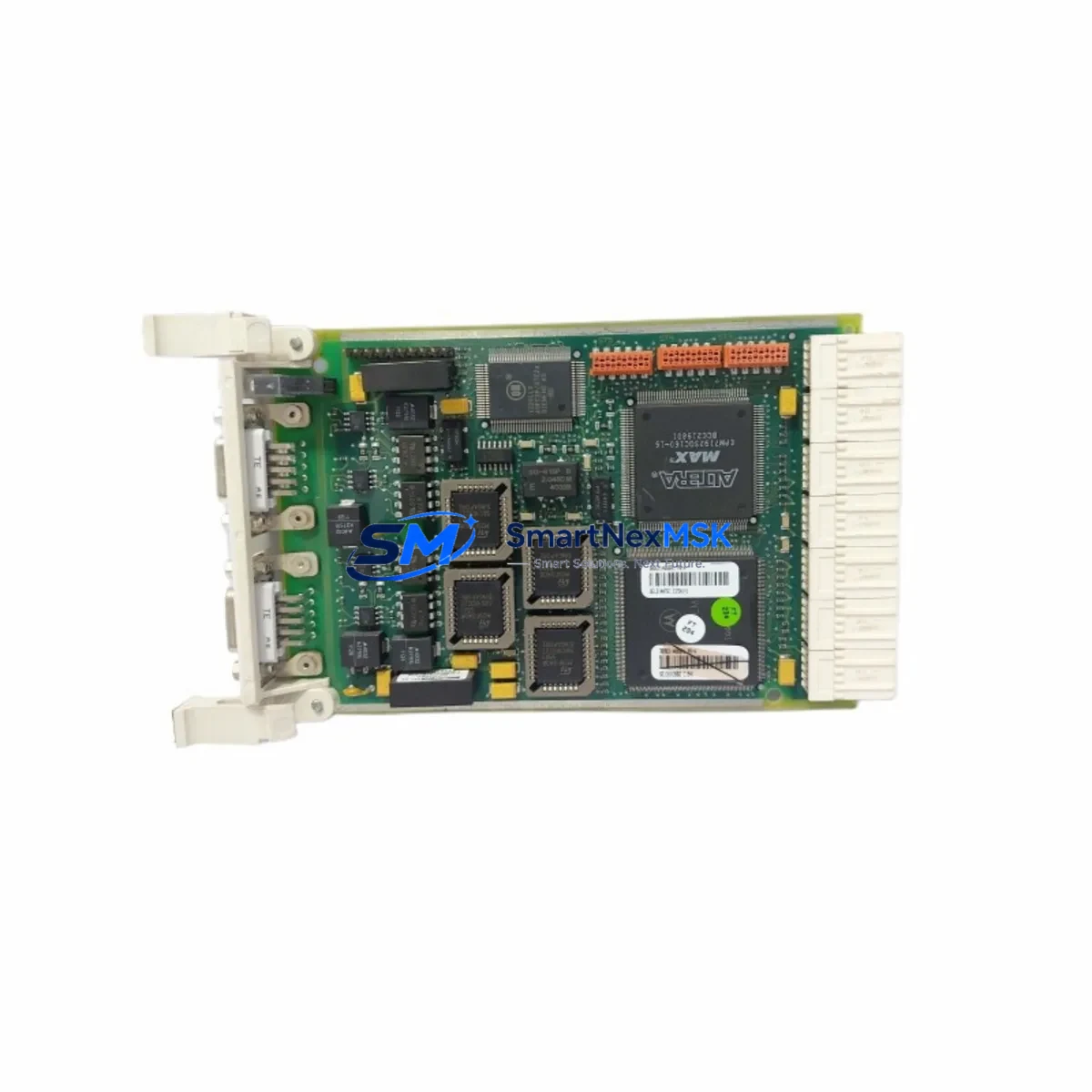
ABB 3BSE014666R1 CI541V1 Retrofit-Ready PROFIBUS DP Module for AC500 Control Systems
The ABB 3BSE014666R1 CI541V1 is a PROFIBUS DP communication interface module designed for the ABB AC500 PLC platform. As legacy automation systems face end-of-life support challenges, the CI541V1 has become a critical retrofit component for engineers tasked with upgrading aging control architectures without full system replacement. Whether you are migrating from an older ABB Advant or Masterpiece series controller, expanding an existing AC500 rack, or recovering a failed communication node on a live production line, the 3BSE014666R1 provides a verified, drop-in upgrade path that preserves your existing PROFIBUS DP network topology and field device wiring.
This module slots directly into the AC500 CPU rack alongside standard I/O modules such as the DI524, DO524, AI523, and AO523, and communicates with the CPU module — for example the PM573-ETH or PM591 — via the internal backplane bus. No additional interface adapters or bus couplers are required for standard rack installations. The CI541V1 supports up to 125 PROFIBUS DP slave stations per segment, making it suitable for large-scale distributed I/O architectures involving remote I/O stations, variable frequency drives, intelligent motor control centers, and third-party field instruments.
Upgrade Compatibility Table
| Parameter | Details |
|---|---|
| SKU / Part Number | 3BSE014666R1 / CI541V1 |
| Brand | ABB |
| Compatible Series | ABB AC500 (PM571, PM572, PM573, PM581, PM582, PM583, PM591, PM592) |
| Communication Protocol | PROFIBUS DP (EN 50170 / IEC 61158) |
| Backplane Interface | AC500 internal K-Bus (rack slot installation) |
| Max Slave Stations | Up to 125 per PROFIBUS DP segment |
| Baud Rate | 9.6 kbps – 12 Mbps (auto-negotiated) |
| Installation Requirement | DIN rail rack mount; AC500 compatible backplane required |
| Replacement For | CI541, CI540, and legacy ABB Advant PROFIBUS interface cards |
| Programming Tool | ABB Automation Builder / PS501 Control Builder Plus |
| Retrofit Recommendation | Direct slot replacement; verify GSD file version and slave address mapping before commissioning |
| Commissioning Note | Update PROFIBUS master configuration in Automation Builder; re-download program to CPU after module swap |
| Warranty | 12 Months — covers manufacturing defects and functional failure under normal operating conditions |
Retrofit Planning for Existing Automation Systems
Successful integration of the CI541V1 into an existing control system begins well before the module arrives on site. Engineers should start by auditing the current PROFIBUS DP network: document all slave station addresses, GSD files in use, baud rate settings, and cable termination status at both ends of the segment. In many retrofit scenarios involving older ABB S800 I/O stations or third-party PROFIBUS slaves such as Siemens ET 200M remote I/O, the slave address assignments are stored in the master configuration within the programming software rather than on the module itself — meaning a replacement CI541V1 will inherit the correct configuration once the updated project is downloaded to the CPU.
Before removing the failed or obsolete module, back up the full project from the AC500 CPU using ABB Automation Builder or the legacy PS501 Control Builder Plus environment. Confirm that the CPU module — whether a PM573-ETH, PM591, or PM592 — retains its program in non-volatile memory so that a power cycle during the swap does not result in a cold-start with no logic loaded. If the system uses a TB521-ETH or TB511 terminal base for the CPU, verify that the base is compatible with the replacement module’s form factor before proceeding.
Power supply capacity is a frequently overlooked factor in rack-level retrofits. The CI541V1 draws power from the AC500 backplane, and adding or replacing communication modules changes the total load on the rack power supply — typically a PM-series power supply module such as the PS501 or a dedicated 24 VDC rail supply. Calculate the updated current budget across all installed modules including digital input modules like the DI524, analog output modules like the AO523, and any additional communication modules such as the CI590-CS31 for CS31 bus expansion. If the existing power supply is operating near its rated output, a supply upgrade may be required before the retrofit is complete.
For systems that include an HMI panel — such as an ABB CP600 series operator panel or a third-party panel connected via Modbus TCP or PROFIBUS — verify that the HMI tag database references the correct PLC variable addresses after the module swap. Communication module slot changes can shift I/O module addressing in some AC500 configurations, which may require HMI screen variable remapping and a full functional test of all alarm and setpoint screens before returning the system to automatic operation.
If the retrofit involves migrating from a legacy ABB Advant Controller 31 or AC31 platform to the AC500, the CI541V1 enables continuity of the PROFIBUS DP field network while the controller hardware is replaced. In this scenario, the existing PROFIBUS cable infrastructure, DB9 connectors, and field device wiring can typically be reused without modification, significantly reducing installation time and the risk of wiring errors during commissioning.
Downtime Control During System Migration
Minimizing unplanned downtime during a communication module replacement requires a structured pre-outage preparation process. Before scheduling the maintenance window, obtain a verified replacement CI541V1 from stock and confirm it has passed outgoing functional testing. At SMARTNEXMSK, each unit undergoes bench-level power-on verification and communication port testing prior to shipment, reducing the risk of receiving a non-functional module during a time-critical repair.
During the outage window, follow a defined sequence: isolate the PROFIBUS segment, remove the failed module, install the CI541V1 in the same rack slot, restore power, and download the pre-backed-up project to the CPU. In most AC500 installations, this sequence can be completed in under 30 minutes by a qualified automation technician familiar with the Automation Builder environment. If the system uses a hot-standby CPU configuration with redundant communication paths, the CI541V1 swap can often be performed with reduced-mode operation rather than a full process shutdown, preserving control continuity for critical process loops.
After the module is installed and the program is downloaded, perform a structured commissioning check: verify that all PROFIBUS slave stations appear online in the diagnostic view, confirm that I/O data is exchanging correctly between the CPU and field devices, and check that HMI screens are displaying live process values. Document the commissioning results and update the site maintenance record before returning the system to full automatic operation.
Retrofit Support FAQ
Q: Is the 3BSE014666R1 CI541V1 a direct replacement for the CI541 and CI540 modules?
A: Yes. The CI541V1 (3BSE014666R1) is the current production version of the CI541 PROFIBUS DP master module for the AC500 platform. It is physically and functionally compatible with the same rack slot positions and backplane interface as the earlier CI541 and CI540 variants. After installation, re-download the Automation Builder project to the CPU to ensure the module configuration is correctly applied.
Q: What wiring changes are required when replacing a failed CI541 with the CI541V1?
A: In most cases, no wiring changes are required. The PROFIBUS DP cable connects to the module’s DB9 port using the same pinout as the previous module. Verify that the bus termination resistors at both ends of the PROFIBUS segment are correctly enabled, and confirm that the cable shield is properly grounded at the control cabinet entry point. No changes to field device wiring or slave station terminal blocks are necessary.
Q: How do I verify compatibility between the CI541V1 and my existing PROFIBUS slave devices?
A: Compatibility is determined by the GSD (General Station Description) files loaded into the PROFIBUS master configuration in Automation Builder. The CI541V1 supports the full PROFIBUS DP-V0 and DP-V1 protocol stack, making it compatible with the vast majority of PROFIBUS slave devices from ABB, Siemens, Phoenix Contact, Pepperl+Fuchs, and other manufacturers. Import the existing GSD files into your Automation Builder project and verify that slave addresses match the physical device settings before commissioning.
Q: What does the 12-month warranty cover, and what is the process for a warranty claim?
A: The 12-month warranty covers manufacturing defects and functional failures under normal operating conditions from the date of shipment. If the module fails within the warranty period, contact our sales team with the order reference and a description of the fault. We will arrange a replacement unit and provide a return shipping label for the defective module. Warranty does not cover damage resulting from incorrect installation, overvoltage, or physical impact.
© 2026 SMARTNEXMSK. All rights reserved.
Original Source: https://smartnexmsk.com
Contact: [email protected] | +86 18259474341



