
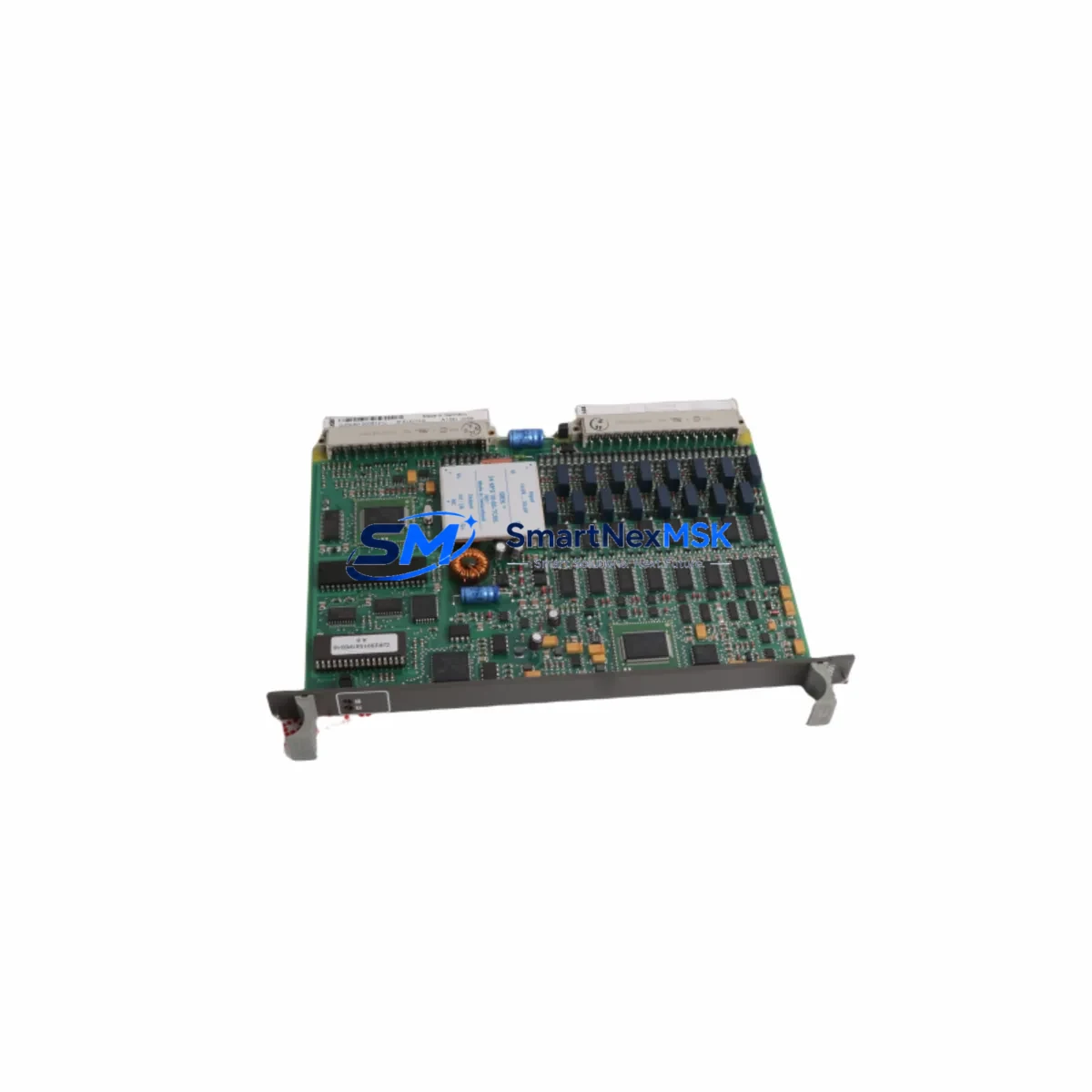
ABB 81EU01H-E GJR2391500R1210 Retrofit-Ready Universal Input Module for AC500 Control Systems
The ABB 81EU01H-E (GJR2391500R1210) is a universal input module engineered for the ABB AC500 PLC platform, one of the most widely deployed modular control systems in industrial automation. As legacy AC500 installations age and original spare parts become increasingly difficult to source, this module serves as a verified retrofit-ready replacement that preserves existing wiring layouts, terminal assignments, and program logic — enabling smooth system modernization with minimal disruption to production continuity.
Designed for engineers and maintenance teams managing aging control infrastructure, the 81EU01H-E supports a broad range of analog and digital input signal types, making it suitable for retrofit projects across process control, machine automation, energy management, and building automation applications. Whether you are replacing a failed module in an active production line or upgrading a control cabinet as part of a planned system overhaul, this unit provides the compatibility and reliability required for mission-critical environments.
Upgrade Compatibility Table
| Parameter | Details |
|---|---|
| Part Number | 81EU01H-E |
| Reference Number | GJR2391500R1210 |
| Platform Compatibility | ABB AC500 Series (PM571, PM581, PM591, PM595) |
| Module Type | Universal Input Module |
| Backplane Interface | AC500 S500 I/O bus — direct slot-compatible |
| Terminal Wiring | Compatible with existing AC500 terminal block layouts; no rewiring required in standard configurations |
| Communication Compatibility | PROFIBUS DP, Modbus RTU, CANopen (via AC500 CPU configuration) |
| Installation Requirement | DIN rail mount; fits standard AC500 expansion rack |
| Replacement Recommendation | Direct replacement for discontinued 81EU01H-E variants; verify firmware revision on target CPU |
| Commissioning Notes | Module address must be confirmed in PS501 Control Builder Plus; I/O mapping review recommended |
| Warranty | 12 Months — covers manufacturing defects and functional failure under normal operating conditions |
Retrofit Planning for Existing Automation Systems
Successful integration of the ABB 81EU01H-E into an existing AC500 installation requires a structured pre-replacement assessment. Begin by auditing the current control cabinet configuration: confirm the CPU variant in use — whether a PM571, PM581, PM591, or PM595 — as each has specific firmware requirements that affect module recognition and I/O channel mapping. The expansion rack and backplane must be inspected to ensure the target slot is mechanically and electrically compatible with the S500 I/O bus standard.
Terminal block wiring should be documented before removal of the existing module. In most AC500 retrofit scenarios, the TB521 or TB541 terminal base units remain in place, allowing the 81EU01H-E to be inserted without disturbing field wiring — a critical advantage when minimizing downtime is a priority. If the installation uses a DC532 digital combination module or an AI531 analog input module in adjacent slots, verify that the new module’s channel configuration does not conflict with existing I/O address assignments in the PLC program.
For systems communicating over PROFIBUS DP, confirm that the GSD file loaded in the engineering station matches the module’s hardware revision. Projects migrating from older 07KT98 or 07KT97 Advant Controller platforms to the AC500 architecture will need to remap I/O variables and update HMI tag references accordingly — particularly if the supervisory layer uses ABB CP600 or third-party SCADA panels connected via Modbus TCP. Communication links to remote I/O stations using CI590-CS31 or CI501-PNIO communication interface modules should also be validated post-installation to confirm data integrity across the network.
Power budget verification is essential before commissioning. Calculate the total current draw of all modules installed in the rack, including the 81EU01H-E, and confirm that the PS501 or PS560 power supply module provides sufficient capacity with an appropriate safety margin. Overloading the backplane power rail is a common cause of intermittent faults in retrofit projects and must be ruled out before final sign-off.
Downtime Control During System Migration
Minimizing production downtime during a module replacement or system migration is a primary concern for any industrial maintenance team. The 81EU01H-E’s slot-compatible design with the AC500 S500 I/O bus means that physical installation can typically be completed within a standard maintenance window — often under 30 minutes for a single module swap when the terminal base remains in place.
Before initiating the replacement, export and archive the current PLC program from PS501 Control Builder Plus, including all variable declarations, I/O configurations, and communication settings. This backup ensures that the original control logic can be restored immediately if any compatibility issue is identified during commissioning. If the system is running a redundant CPU configuration, the switchover sequence should be planned and tested in advance to maintain control continuity during the hardware change.
After physical installation, perform a cold start of the CPU and monitor the diagnostic buffer for any module fault codes. Verify that all input channels are reading correctly against known field signals before releasing the system to automatic operation. For critical process loops, a manual override or bypass strategy should be in place during the validation period to protect downstream equipment and personnel. Each unit shipped by SMARTNEXMSK undergoes functional testing prior to dispatch, reducing the risk of DOA failures and supporting faster on-site commissioning.
Retrofit Support FAQ
Q1: Is the ABB 81EU01H-E (GJR2391500R1210) a direct drop-in replacement for the original module?
In the majority of AC500 installations, yes. The module is physically and electrically compatible with the AC500 S500 I/O bus and uses the same terminal base footprint. However, engineers should verify the firmware version on the target CPU using PS501 Control Builder Plus to confirm full functional compatibility before installation.
Q2: What wiring changes are required during replacement?
In standard configurations using TB521 or TB541 terminal bases, no field wiring changes are required. The terminal base remains mounted on the DIN rail and the new module is inserted directly. If the existing installation uses a non-standard wiring arrangement or custom terminal adapters, a wiring audit is recommended prior to replacement.
Q3: How do I verify communication compatibility after installation?
After inserting the module and performing a CPU cold start, open PS501 Control Builder Plus and check the I/O configuration tree for module recognition. For PROFIBUS DP networks, confirm the module address matches the GSD file configuration. For Modbus RTU or CANopen links, verify register mapping and baud rate settings in the communication interface module — such as the CI590-CS31 — have not been altered.
Q4: What does the 12-month warranty cover?
The 12-month warranty covers manufacturing defects and functional failures under normal operating conditions from the date of shipment. Each unit is tested prior to dispatch. Warranty claims are supported by SMARTNEXMSK’s technical team via email at [email protected] or by phone at +86 18259474341. Physical damage caused by incorrect installation, overvoltage, or environmental factors outside the module’s rated specifications is not covered.
© 2026 SMARTNEXMSK. All rights reserved.
Original Source: https://smartnexmsk.com
Contact: [email protected] | +86 18259474341



