
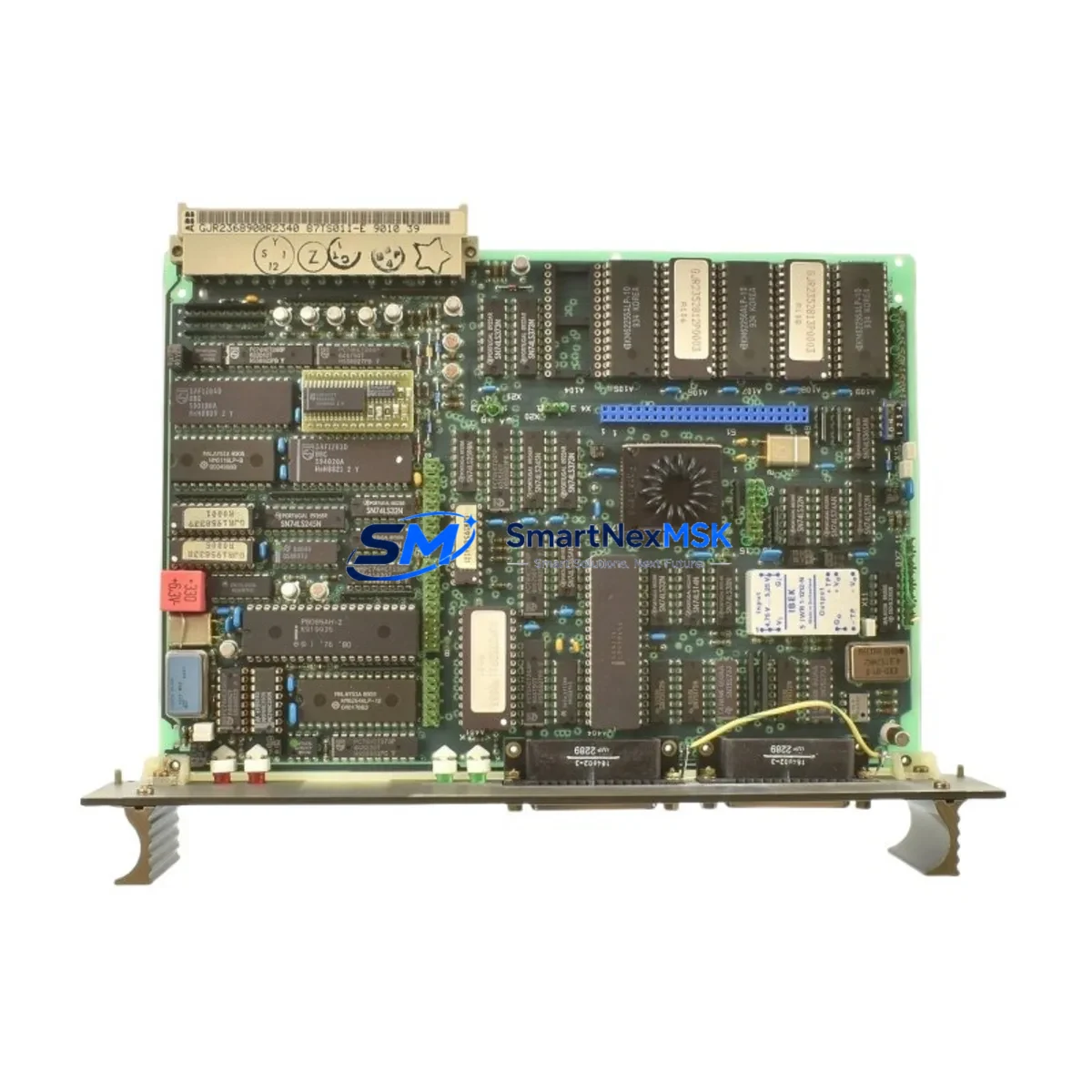
ABB 87TS01E GJR2368900R2342 Retrofit I/O for S800 Systems: Compatible Modernization and Smooth Legacy Upgrade
The ABB 87TS01E (part number GJR2368900R2342) is a terminal I/O control module engineered for the ABB S800 I/O platform — one of the most widely deployed distributed I/O architectures in process automation, power generation, and continuous manufacturing. As original S800 hardware reaches end-of-life and spare parts become increasingly scarce, the 87TS01E remains a critical retrofit component for engineers tasked with sustaining aging control systems without full DCS replacement.
This module is designed for direct installation into S800 I/O stations, maintaining full compatibility with the existing ModuleBus backplane communication protocol. It supports DIN rail mounting in standard S800 field enclosures and integrates seamlessly with ABB’s AC800M controller family, including the PM861, PM864, and PM866 processor modules. For sites running ABB Freelance or Symphony Plus DCS architectures, the 87TS01E provides a validated upgrade path that preserves existing field wiring, terminal assignments, and I/O channel mapping.
Upgrade Compatibility Table
| Parameter | Details |
|---|---|
| Compatible Series | ABB S800 I/O (S800 I/O Station, S800L) |
| Replaces / Supersedes | 87TS01E-GJR2368900R2342, 87TS01I-E (earlier revision) |
| Backplane Interface | ModuleBus (optical or electrical, station-dependent) |
| Mounting | DIN rail, S800 I/O station slot |
| Communication Protocol | PROFIBUS-DP, ModuleBus, compatible with AC800M |
| Power Supply Compatibility | 24 VDC via S800 I/O station power supply (e.g., SD821, SD822) |
| Installation Requirement | No hardware modification required for direct slot replacement |
| Firmware / Configuration | Re-download required via Control Builder M after module swap |
| Warranty | 12 months from date of shipment |
| Origin | Germany (ABB Automation Products GmbH) |
Retrofit Planning for Existing Automation Systems
Successful integration of the 87TS01E into a legacy control system requires systematic pre-installation verification across several engineering domains. Before removing the failed or obsolete module, engineers should document the current I/O channel configuration using ABB Control Builder M, capturing all signal types, scaling parameters, and alarm thresholds assigned to the module’s channels.
Power budget verification is the first physical check. The S800 I/O station’s power supply — typically an SD821 or SD822 — must have sufficient headroom to support the replacement module. In dense I/O stations where multiple AI810, AO810, DI810, or DO810 modules are installed alongside communication interfaces such as the CI854 PROFIBUS DP adapter or CI858 DNALink module, total station current draw must be recalculated before commissioning the 87TS01E.
Terminal wiring on the TB820 or TB840 terminal base must be inspected for correct field signal connections. Unlike some competing platforms, the S800 I/O system separates the module from the terminal base, meaning field wiring remains undisturbed during module replacement — a significant advantage for minimizing retrofit risk. Engineers should verify that the terminal base revision is compatible with the 87TS01E and that no corrosion, loose ferrules, or incorrect wire gauges are present.
Backplane slot addressing must be confirmed in the Control Builder M hardware configuration. The module address is determined by its physical slot position in the S800 I/O station, and any mismatch between the configured address and the physical installation will result in a communication fault on the AC800M controller. After physical installation, a full download of the controller application — including the hardware configuration — is required to re-establish module recognition.
For sites where the S800 I/O station communicates via an older CI810 or CI820 ModuleBus coupler, engineers should assess whether the coupler firmware supports the 87TS01E revision. In some cases, a coupler firmware update or replacement with a CI854A PROFIBUS adapter may be required to achieve full compatibility. This is particularly relevant in brownfield installations where the original S800 hardware was commissioned more than ten years ago.
HMI screen updates in ABB 800xA or Freelance Operations should be reviewed to confirm that faceplates, trend displays, and alarm pages referencing the replaced module’s I/O tags remain correctly mapped after the hardware swap. Tag names and OPC DA/UA paths should be validated against the updated hardware configuration before returning the system to automatic control.
Downtime Control During System Migration
Minimizing unplanned downtime during S800 I/O module replacement requires a structured hot-swap or cold-swap strategy depending on the station’s redundancy configuration. For non-redundant I/O stations, the recommended approach is to pre-stage the 87TS01E with its configuration verified offline, schedule the swap during a planned maintenance window, and execute the physical replacement within a defined time window — typically under 15 minutes for an experienced technician.
Before initiating the swap, place all affected control loops in manual mode at the DCS operator station. For critical process loops, coordinate with the field operations team to ensure manual valve positions or motor states are held stable during the module offline period. The AC800M controller will generate a hardware fault alarm when the module is removed; this alarm should be acknowledged and suppressed in the 800xA alarm management system to prevent nuisance escalation during the planned maintenance activity.
After installing the 87TS01E and downloading the updated hardware configuration, perform a channel-by-channel I/O verification using the Control Builder M online diagnostic view. Confirm that all analog input signals are reading within expected engineering unit ranges, all digital outputs are responding correctly to controller commands, and no communication faults are active on the ModuleBus or PROFIBUS segment. Only after successful I/O verification should control loops be returned to automatic mode.
For sites requiring zero-downtime migration, ABB’s S800 I/O redundancy option — using paired modules with an RFO800 redundancy switchover unit — allows hot replacement of the 87TS01E without interrupting process control. In this configuration, the standby module assumes control automatically upon removal of the primary, and the replacement module is inserted and synchronized without any process disturbance.
Retrofit Support FAQ
Q1: Is the ABB 87TS01E GJR2368900R2342 a direct drop-in replacement for earlier S800 I/O terminal modules?
A: Yes. The 87TS01E is designed for direct slot replacement within the S800 I/O station without modification to the TB820 or TB840 terminal base or field wiring. A Control Builder M hardware configuration download is required after installation to re-establish module communication with the AC800M controller.
Q2: What commissioning steps are required after installing the 87TS01E?
A: After physical installation, perform a full hardware configuration download via Control Builder M, verify ModuleBus communication status on the CI854 or CI810 coupler, conduct channel-by-channel I/O signal verification, and confirm all process alarms and HMI faceplates are functioning correctly before returning loops to automatic control.
Q3: Can the 87TS01E be used in S800L compact I/O stations as well as full-size S800 stations?
A: Compatibility depends on the specific S800L station variant and backplane revision. We recommend providing your station model number and existing module configuration for a pre-sale compatibility assessment. Our technical team will confirm fit before shipment.
Q4: What warranty and pre-shipment testing does SMARTNEXMSK provide for the 87TS01E?
A: Every 87TS01E unit shipped by SMARTNEXMSK undergoes functional testing prior to dispatch, including power-on verification and communication interface checks. All units are covered by a 12-month warranty from the date of shipment, covering manufacturing defects and functional failures under normal operating conditions.
© 2026 SMARTNEXMSK. All rights reserved.
Original Source: https://smartnexmsk.com
Contact: [email protected] | +86 18259474341



