
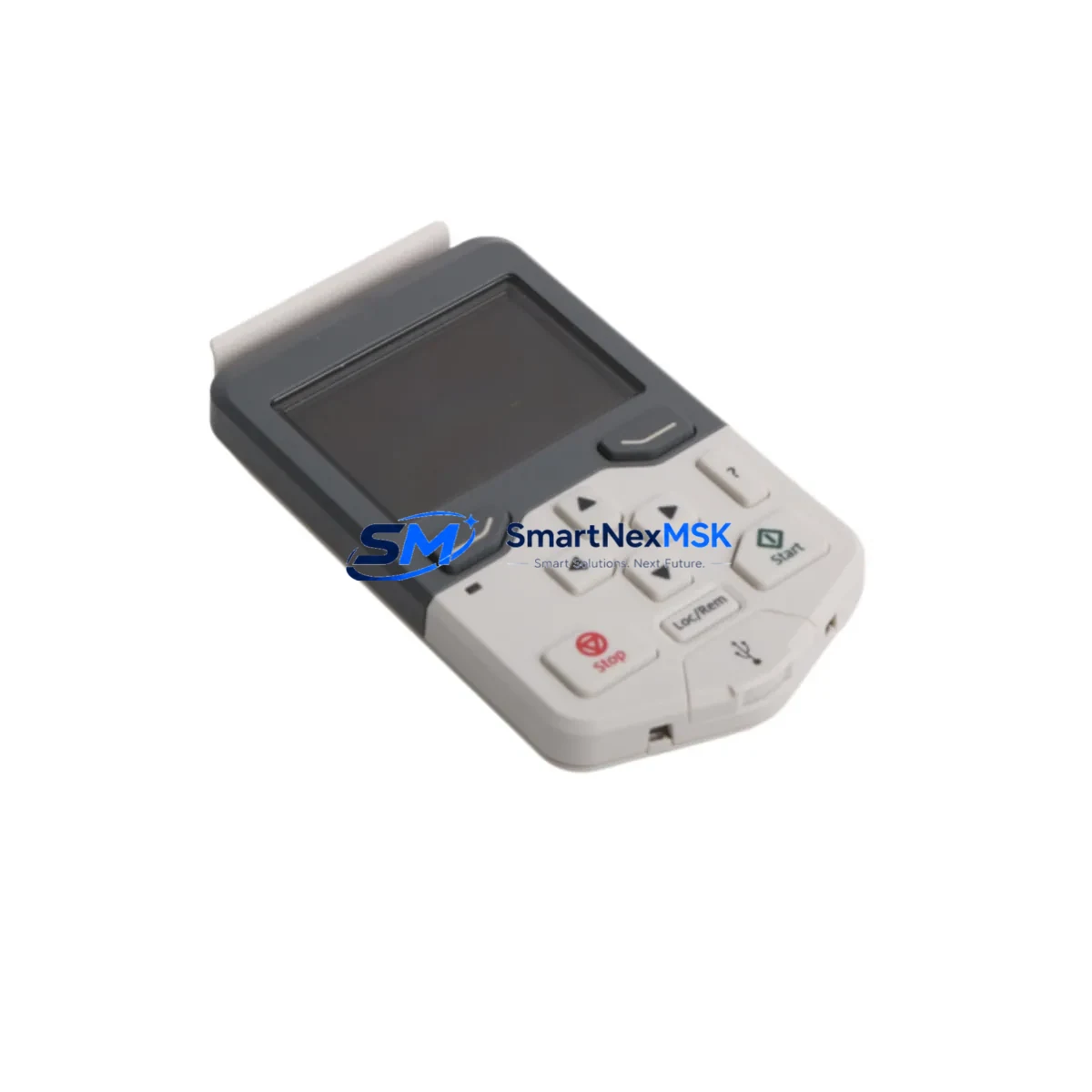
ABB ACS-AP-S Retrofit-Ready VFD Keypad for ACS Series Drives: Compatible Modernization for Legacy Control Systems
The ABB ACS-AP-S is a retrofit-ready intelligent operator panel designed for seamless integration into ABB ACS Series variable frequency drives. Whether you are replacing a failed keypad on an aging ACS355 or ACS550 installation, upgrading the operator interface on an ACS580 or ACS800 drive cabinet, or migrating a legacy ACS880 system to a more maintainable configuration, the ACS-AP-S delivers the compatibility, reliability, and field-proven performance that industrial automation engineers demand.
Sourced directly from authorized supply channels and subject to full pre-shipment functional testing, every ACS-AP-S unit shipped by SMARTNEXMSK is verified against ABB’s original factory specifications. Our 12-month warranty covers all hardware defects and ensures your retrofit project is protected from day one of commissioning.
Upgrade Compatibility Table
| Parameter | Details |
|---|---|
| Compatible Drive Series | ACS355, ACS550, ACS580, ACS800, ACS880 |
| Panel Interface | Integrated RJ-45 / panel bus connector; plug-and-play with ACS drive front port |
| Communication Protocol | ABB Drive Panel Bus (proprietary); compatible with Modbus RTU via drive gateway |
| Mounting | Direct front-panel mount; no additional bracket required for standard ACS enclosures |
| Display | Graphical LCD with multi-language support including English and Chinese |
| Replacement Recommendation | Direct drop-in for ACS-AP-I, ACS-AP-W (verify drive firmware version before swap) |
| Commissioning Note | Parameter backup via panel recommended before replacement; restore after installation |
| Warranty | 12 Months — covers all hardware defects from date of shipment |
Retrofit Planning for Existing Automation Systems
Successful retrofit of the ACS-AP-S into an existing control system requires careful pre-installation planning across several dimensions. Before removing the legacy keypad, engineers should use the existing panel or a PC tool such as ABB Drive Composer to perform a full parameter backup. This protects the motor control configuration, PID tuning values, and any custom macro settings accumulated over years of operation.
In cabinet installations where the ACS355 or ACS550 drive is mounted alongside an ABB ACH550 HVAC drive or a legacy ACS400 unit, verify that the panel bus cable routing does not introduce ground loops. The ACS-AP-S uses a shielded RJ-45 cable — ensure the shield is terminated at one end only, consistent with ABB’s EMC installation guidelines.
For systems that include an ABB RDNA-01 DeviceNet adapter module or an RPBA-01 PROFIBUS adapter, the ACS-AP-S replacement does not affect fieldbus communication since these adapters connect directly to the drive’s option slot, independent of the operator panel. Similarly, if the drive cabinet includes an RAIO-01 analog I/O extension module or an RDIO-01 digital I/O extension module for additional signal handling, these remain fully operational during and after the keypad swap.
In multi-drive installations where an ACS800 or ACS880 is networked via an FCAN-01 CANopen adapter or an FEPL-02 EtherCAT adapter, the panel replacement can be performed drive-by-drive without interrupting the fieldbus network, provided the drive is placed in local control mode before the swap. Coordinate with the PLC program — typically running on an ABB AC500 controller or a Siemens S7-300 — to ensure the drive’s run/stop command source is switched from fieldbus to local before disconnecting the panel.
Where the system includes an ABB CP600 HMI or a third-party SCADA terminal monitoring drive status via Modbus TCP, confirm that the HMI tag mapping references drive parameters by address rather than by panel display label, so that the new ACS-AP-S panel does not require HMI screen reconfiguration. After installation, perform a live parameter comparison between the backup file and the drive’s current parameter set to confirm integrity before returning the drive to automatic mode.
Downtime Control During System Migration
Minimizing production downtime during a keypad replacement on an ACS Series drive requires a structured, time-boxed approach. The physical swap of the ACS-AP-S takes under five minutes on a de-energized drive — the primary time investment is in pre-work and post-installation verification.
Begin by scheduling the replacement during a planned maintenance window or shift changeover. Before de-energizing the drive, document the current operating setpoint, acceleration/deceleration ramp times, and any active fault history from the existing panel. If the drive is part of a cascade or follower configuration — for example, a master-follower setup between two ACS880 units on a common DC bus — ensure the master drive is also placed in a safe state before proceeding.
After installing the ACS-AP-S, power up the drive and immediately verify that the panel communicates correctly by checking that the drive firmware version and parameter count match the backup. Restore parameters from backup if any discrepancy is detected. Run the drive in local mode at reduced speed for a brief functional test before returning to remote/auto control. This sequence typically keeps total downtime to under 30 minutes, including parameter verification and a short test run — well within the tolerance of most planned maintenance windows.
For critical continuous-process applications where even a 30-minute window is constrained, consider pre-staging a second ACS-AP-S with the parameter set pre-loaded, so that the swap and restore sequence is reduced to under 10 minutes on the floor.
Retrofit Support FAQ
Q: Is the ACS-AP-S a direct replacement for the ACS-AP-I and ACS-AP-W panels?
A: The ACS-AP-S is mechanically and electrically compatible with ACS drives that support the AP panel family. The primary difference is the display type — the ACS-AP-S features a graphical display versus the basic display on the ACS-AP-I. Verify your drive’s firmware version supports the ACS-AP-S; drives running older firmware may require a firmware update before the graphical panel is fully functional.
Q: Do I need to re-wire the control cabinet when replacing the keypad?
A: No re-wiring is required. The ACS-AP-S connects via the standard RJ-45 panel port on the front of the ACS drive. If your existing installation uses a remote mounting kit with an extension cable, the same cable is compatible with the ACS-AP-S.
Q: What pre-shipment testing does SMARTNEXMSK perform on the ACS-AP-S?
A: Every unit undergoes a functional power-on test, display verification, and keypad response check before shipment. Units are packed in anti-static protective packaging. A test report is available upon request for quality-critical procurement.
Q: What does the 12-month warranty cover?
A: The 12-month warranty covers all hardware defects in materials and workmanship from the date of shipment. It does not cover damage resulting from incorrect installation, overvoltage events, or physical impact. Warranty claims are processed within 5 business days of receiving the returned unit, with replacement or full refund options available.
© 2026 SMARTNEXMSK. All rights reserved.
Original Source: https://smartnexmsk.com
Contact: [email protected] | +86 18259474341



