
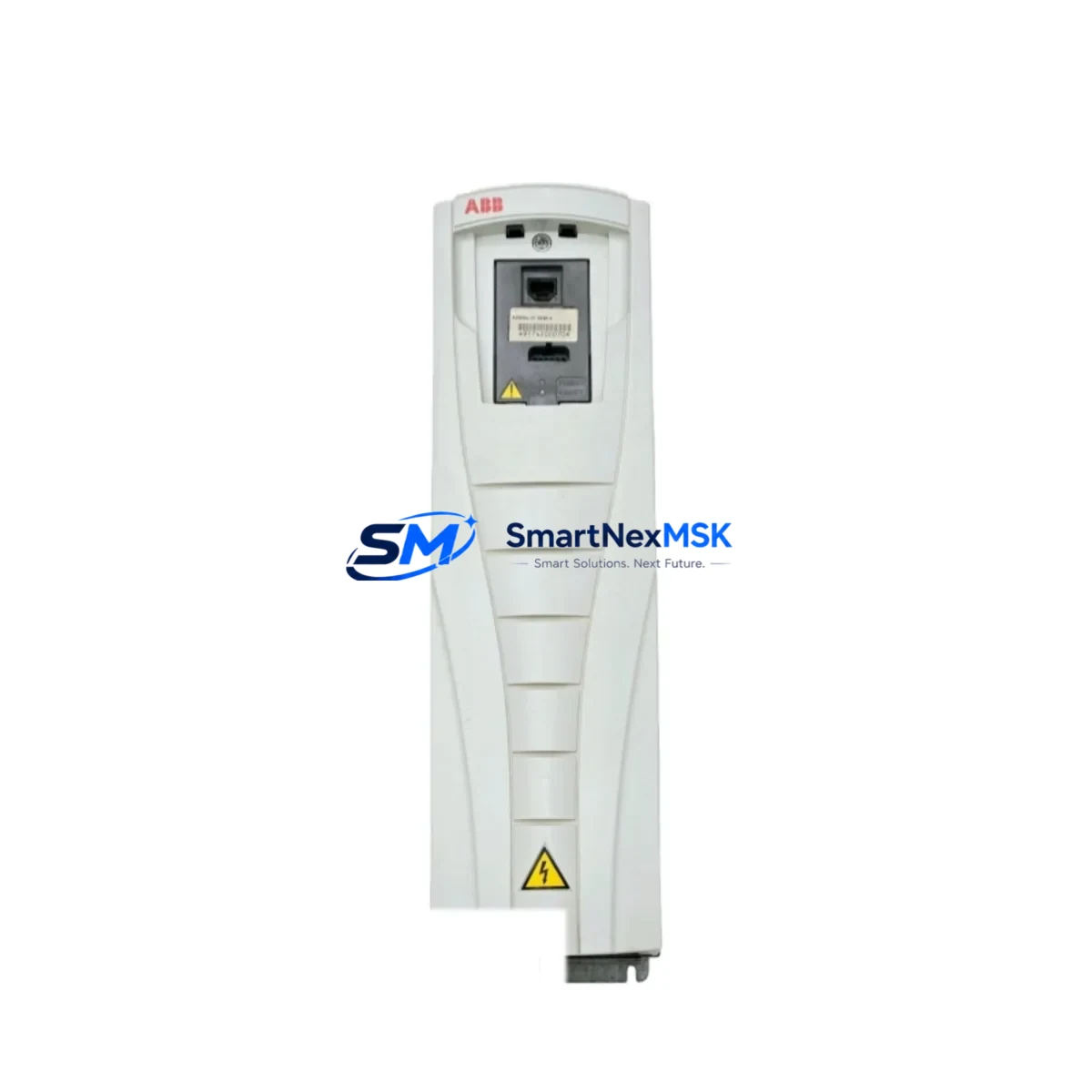
ABB ACS550-01-023A-4 Retrofit-Ready VFD for ACS550 Control Systems
The ABB ACS550-01-023A-4 is an 11 kW (15 HP), 380–480 V three-phase variable frequency drive engineered for seamless integration into existing ACS550 series installations. Whether you are replacing a failed unit on an aging production line, upgrading a legacy control cabinet, or migrating from an earlier ABB ACS400 or ACS350 platform, this drive is designed to minimize engineering effort and reduce unplanned downtime. With a standard IP21 enclosure, DIN-rail-compatible mounting footprint, and full compatibility with the ACS550 parameter set, the ACS550-01-023A-4 delivers a verified drop-in retrofit path for plant engineers and system integrators worldwide.
Before committing to a replacement, engineers should confirm several critical compatibility points. First, verify that the incoming power supply meets the 380–480 V AC, 3-phase, 50/60 Hz specification and that the upstream circuit breaker or fuse rating aligns with the drive’s 23 A input current draw. Second, inspect the existing terminal block wiring: the ACS550-01-023A-4 uses the same X1 power terminal layout and X2 control terminal pinout as other ACS550 variants, so existing motor cables and control wiring can typically be reconnected without modification. Third, confirm the backplane or cabinet mounting rail dimensions — the drive’s 105 mm width fits standard 19-inch control cabinet cutouts used across the ACS550 family.
For sites running PROFIBUS-DP or Modbus RTU fieldbus topologies, the ACS550-01-023A-4 supports the RPBA-01 PROFIBUS adapter and RMBA-01 Modbus adapter, both of which are slot-compatible with the drive’s option slot. If the legacy installation used an RDNA-01 DeviceNet adapter or an RCAN-01 CANopen module, these can be transferred directly to the replacement unit without reconfiguration, preserving the existing network node address and baud rate settings. This is particularly valuable in multi-drive systems where re-addressing a single node would otherwise require a full network audit.
Program migration is straightforward. The ACS550 parameter set can be backed up using the ACS-CP-C control panel or the DriveStudio PC tool via the RUSB-02 USB adapter cable. Once the replacement drive is installed, the parameter file can be restored in under five minutes, retaining all PID tuning values, acceleration/deceleration ramps, fault trip limits, and I/O function assignments. If the original installation used an RAIO-01 analog I/O extension module or an RDIO-01 digital I/O module for expanded signal handling, these modules are fully compatible with the ACS550-01-023A-4 and require no firmware update.
HMI integration should also be validated before commissioning. Sites using an ABB CP600 or CP400 operator panel connected via the drive’s RS-485 port will find that existing screen templates and drive parameter links remain valid, as the ACS550-01-023A-4 exposes the same parameter address map. For SCADA systems polling drive status via Modbus TCP through an FENA-21 Ethernet adapter, no changes to the polling register list are required.
Upgrade Compatibility Table
| Parameter | Detail |
|---|---|
| SKU / Model | ACS550-01-023A-4 |
| Power Rating | 11 kW / 15 HP |
| Input Voltage | 380–480 V AC, 3-Phase, 50/60 Hz |
| Output Current | 23 A |
| Enclosure | IP21 (UL Type 1) |
| Compatible Series | ABB ACS550 (all variants) |
| Upgrade From | ACS400, ACS350, ACS355 (with adapter) |
| Fieldbus Options | PROFIBUS (RPBA-01), Modbus RTU (RMBA-01), DeviceNet (RDNA-01), CANopen (RCAN-01), Ethernet (FENA-21) |
| I/O Extension | RAIO-01 (Analog), RDIO-01 (Digital) |
| Control Panel | ACS-CP-C, ACS-CP-D (compatible) |
| Parameter Backup Tool | DriveStudio + RUSB-02 USB Adapter |
| Installation | Direct panel mount, DIN rail compatible |
| Commissioning | Parameter restore via control panel or PC tool |
| Warranty | 12 Months from date of shipment |
Retrofit Planning for Existing Automation Systems
A successful retrofit begins with a thorough site survey. Document the existing ACS550 drive’s parameter list, motor nameplate data, and all connected I/O signals before powering down. In multi-drive cabinet installations, identify whether the ACS550-01-023A-4 shares a common DC bus with adjacent drives — if so, coordinate the replacement sequence to avoid disrupting the DC link voltage balance. For systems where the drive controls a pump or fan via a PID loop referencing a 4–20 mA pressure or flow transmitter wired to the RAIO-01 analog input module, verify that the transmitter signal range and scaling parameters (Group 40 in the ACS550 parameter set) are correctly restored after the parameter upload.
In retrofit projects involving migration from an older ACS400 platform, the motor cable and output filter (if an NOCH-01 output choke or dU/dt filter is installed) can typically be reused, provided the cable length does not exceed the ACS550’s maximum recommended motor cable length for the given switching frequency. If the legacy system used an EMC filter integrated into the ACS400 frame, confirm that the ACS550-01-023A-4’s built-in C2 EMC filter meets the site’s conducted emission requirements, or add an external NEHF-xx line filter if stricter Class C1 compliance is needed.
For control cabinet upgrades where the ACS550-01-023A-4 replaces a third-party drive (Siemens MICROMASTER 440, Schneider Electric ATV312, or Yaskawa V1000), a terminal adapter plate and parameter re-mapping exercise will be required. In these cross-brand migrations, pay particular attention to the motor thermal model settings, fault relay output wiring (relay RO1/RO2 on the X2 terminal block), and the enable/run permissive signal logic, which may differ between manufacturers.
Downtime Control During System Migration
Minimizing production downtime during a drive replacement requires advance preparation. Before the maintenance window opens, pre-configure the replacement ACS550-01-023A-4 on a bench using DriveStudio and the RUSB-02 cable: load the backed-up parameter file, set the motor nameplate data, and run a motor identification routine (ID Run) if the motor is accessible offline. This reduces on-site commissioning time to a simple swap-and-verify sequence.
During the physical replacement, label all control wiring before disconnection and photograph the terminal block layout. Reconnect in reverse order, starting with the control terminals (X2) before the power terminals (X1). After power-up, verify the drive’s output frequency reference, run/stop command source, and fault relay status before releasing the process to automatic control. For critical continuous processes, consider keeping the old drive on standby in bypass mode (if a bypass contactor is installed) until the replacement unit has completed a full production cycle without fault.
Post-commissioning, log the drive’s operating hours, ambient temperature, and first fault history over the initial 72-hour run period. This baseline data supports warranty claims and provides early warning of any wiring or parameter issues that were not apparent during bench testing.
Retrofit Support FAQ
Q: Is the ACS550-01-023A-4 a direct drop-in replacement for other ACS550 11 kW variants?
A: Yes. All ACS550-01-0xxA-4 frame sizes share the same mounting footprint, terminal layout, and parameter structure. The ACS550-01-023A-4 is dimensionally and electrically interchangeable with other 11 kW ACS550 units. No mechanical modification to the cabinet is required.
Q: Can I reuse my existing fieldbus adapter and I/O extension modules?
A: Yes. The RPBA-01, RMBA-01, RDNA-01, RAIO-01, and RDIO-01 option modules are all compatible with the ACS550-01-023A-4. Simply transfer the modules from the old drive to the new unit. Node addresses and baud rate settings stored in the adapter are retained.
Q: What pre-shipment testing is performed on each unit?
A: Every ACS550-01-023A-4 unit undergoes a full power-on functional test, output voltage balance check, and control terminal I/O verification before shipment. A test report is available upon request. Units are shipped in original or equivalent protective packaging to prevent transit damage.
Q: What does the 12-month warranty cover?
A: The 12-month warranty covers manufacturing defects, component failures under normal operating conditions, and verified compatibility issues identified during installation. Warranty claims are supported by our technical team via email and phone. Replacement or repair is arranged within the warranty period at no additional cost to the buyer.
© 2026 SMARTNEXMSK. All rights reserved.
Original Source: https://smartnexmsk.com
Contact: [email protected] | +86 18259474341



