
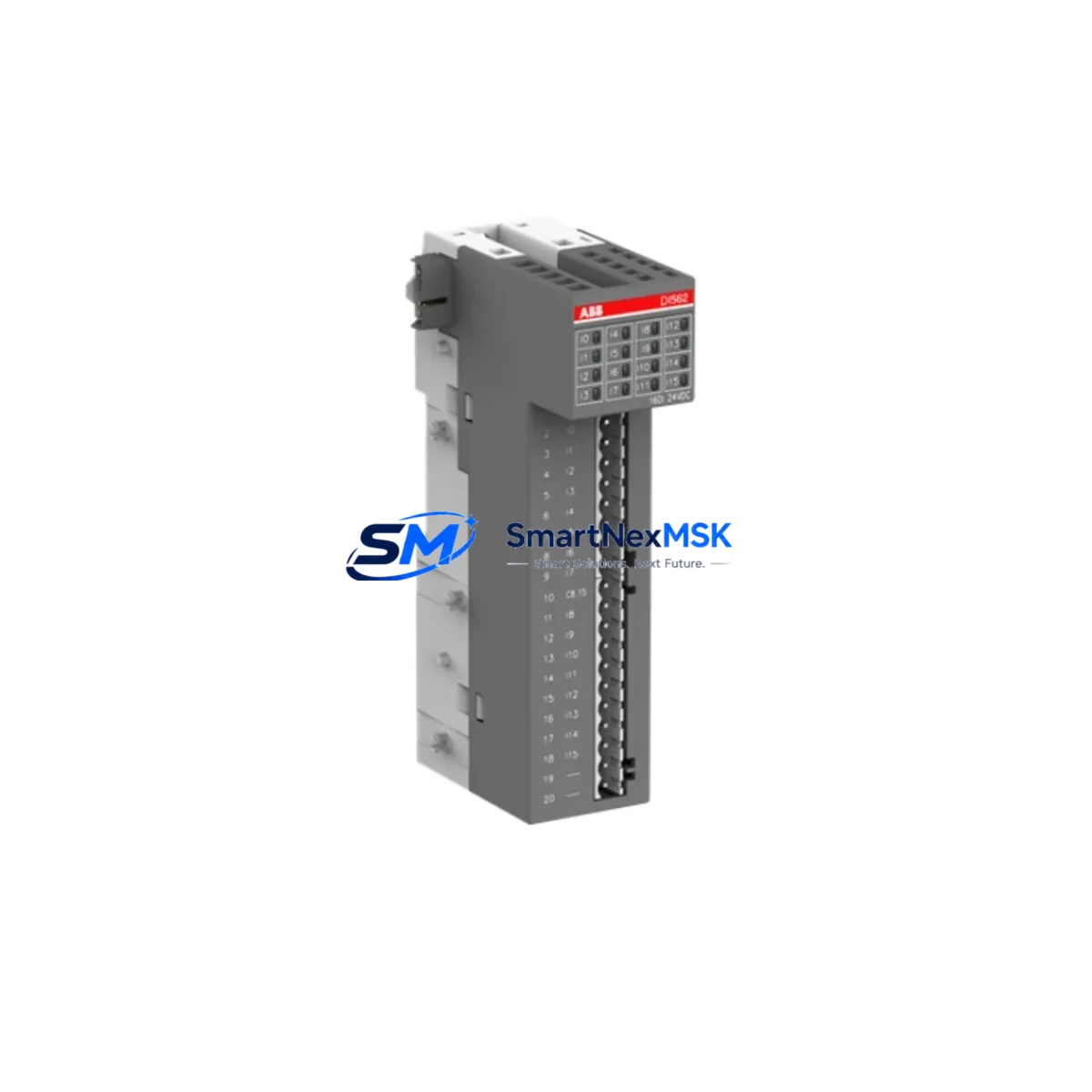
ABB AI561 1TNE968902R1101 Retrofit-Ready Analog Input Module for AC500 Control Systems
The ABB AI561 (1TNE968902R1101) is an 8-channel, 12-bit analog input module engineered for the ABB AC500 PLC platform. Designed to accept both 4–20 mA current loop and 0–10 V voltage signals, this module delivers high-resolution process data acquisition for demanding industrial environments including chemical processing, water treatment, power generation, and discrete manufacturing. As legacy AC500 installations age and original spare parts become increasingly scarce, the AI561 serves as the definitive retrofit-ready replacement — offering full hardware and firmware compatibility with existing AC500 backplanes, terminal wiring, and control programs.
Whether you are replacing a failed unit on a running line, upgrading an aging control cabinet, or executing a planned modernization of a distributed control system, the AI561 1TNE968902R1101 integrates without requiring changes to the PLC program, I/O addressing, or HMI tag mapping. This makes it one of the most operationally safe drop-in replacements available for AC500-based automation systems.
Upgrade Compatibility Table
| Parameter | Details |
|---|---|
| Compatible Platform | ABB AC500 PLC Series (PM571, PM581, PM591, PM595) |
| Replaces / Supersedes | AI561 variants with earlier firmware; legacy AC500 analog input modules |
| Signal Types | 4–20 mA (current), 0–10 V (voltage), configurable per channel |
| Resolution | 12-bit (0–4095 counts) |
| Number of Channels | 8 differential analog input channels |
| Backplane Interface | AC500 S500 I/O bus — direct plug-in, no adapter required |
| Terminal Wiring | Compatible with existing TB521 and TB541 terminal base units |
| Communication Compatibility | PROFIBUS DP, Modbus RTU, CANopen (via AC500 CPU communication modules) |
| Installation Requirement | DIN rail mount via TB521/TB541; no mechanical modification needed |
| Commissioning Note | Verify channel scaling in PS501 Control Builder; re-download I/O configuration if firmware version differs |
| Warranty | 12 months from date of shipment — covers manufacturing defects and functional failure |
Retrofit Planning for Existing Automation Systems
Retrofitting an AC500-based control system requires a structured approach to ensure continuity of process control and minimal disruption to production. When replacing the AI561 1TNE968902R1101 in an existing panel, the first step is to audit the TB521 or TB541 terminal base currently installed. These terminal bases remain in place during module swap, preserving all field wiring connections and eliminating the need to re-terminate individual signal cables — a critical advantage when working with 4–20 mA transmitters wired to pressure, temperature, or flow sensors.
Before removing the failed module, document the current I/O configuration using ABB PS501 Control Builder Plus. Export the hardware configuration file and verify that the AI561 channel assignments, scaling parameters, and filter settings match the replacement unit’s default configuration. If the existing program uses symbolic addressing, the new module will inherit the same tag names automatically. For installations using absolute I/O addressing, confirm that the module slot position on the AC500 S500 backplane remains unchanged.
Power supply capacity is a key consideration during any AC500 retrofit. The AI561 draws its operating power from the S500 bus via the terminal base. Verify that the installed PS501 or PS502 power supply module can support the total current draw of all I/O modules on the rack, particularly if additional modules such as a DI581 digital input module or AO561 analog output module have been added to the system since original commissioning. Overloading the bus power supply is a common cause of intermittent faults in expanded AC500 systems.
For systems that include CM572 PROFIBUS DP communication modules or CM575 CANopen modules, the AI561 data is transmitted to the master PLC via the AC500 internal bus — no changes to the fieldbus configuration are required when performing a like-for-like module replacement. However, if the retrofit is part of a broader migration from PROFIBUS to PROFINET using a CM589 Ethernet communication module, the I/O module addresses must be re-mapped in the updated hardware configuration before downloading to the CPU.
HMI screens connected to the AC500 CPU via CP600 series operator panels or third-party SCADA systems using OPC-DA or OPC-UA will continue to display analog values without modification, provided the PLC program tag structure is preserved. If the HMI uses direct register addressing rather than symbolic tags, verify that the analog input data registers assigned to the AI561 channels have not shifted due to any rack reconfiguration.
For installations involving AC500 eCo series CPUs such as the PM554 or PM556, confirm that the AI561 firmware version is compatible with the eCo platform’s I/O bus specification. In some legacy installations, a TA526 bus adapter may be required to interface S500 I/O modules with eCo-series CPUs. Always cross-reference the hardware compatibility matrix in the AC500 system manual before finalizing the retrofit bill of materials.
Downtime Control During System Migration
Minimizing unplanned downtime is the primary operational objective during any analog input module replacement. For the AI561 1TNE968902R1101, the physical swap can typically be completed in under 15 minutes when the terminal base remains in place and the replacement module is pre-configured. The recommended procedure is to place the AC500 CPU in STOP mode before removing the module, which freezes all output states and prevents uncontrolled actuator movement during the transition. Most AC500 CPUs support a configurable output freeze or last-value-hold behavior that can be activated via PS501 Control Builder before initiating the swap.
To protect the original program logic, always maintain a backup copy of the PLC project file — including the hardware configuration, program blocks, and variable tables — on a secure engineering workstation before beginning any field replacement. If the replacement AI561 requires a firmware update to match the existing system version, this can be performed offline using the ABB Automation Builder software suite before the module is installed in the rack, further reducing on-site commissioning time.
After installing the replacement module and restoring CPU operation, perform a channel-by-channel verification of analog input values against known process references — such as a calibrated 4–20 mA signal generator or a live transmitter at a known process condition. This step confirms that signal scaling, offset, and filter settings are correctly applied before returning the system to automatic control. All units shipped by SMARTNEXMSK undergo pre-shipment functional testing to verify channel accuracy and communication integrity, reducing the risk of commissioning delays caused by defective hardware.
Retrofit Support FAQ
Q1: Is the AI561 1TNE968902R1101 a direct drop-in replacement for older AC500 analog input modules?
Yes. The AI561 is designed for direct installation into any AC500 S500 I/O rack using a compatible TB521 or TB541 terminal base. No changes to field wiring, PLC program, or I/O addressing are required for a like-for-like replacement. Channel configuration parameters are retained in the PLC project file and are re-applied automatically upon CPU restart.
Q2: What commissioning steps are required after installing the replacement module?
After physical installation, place the CPU in RUN mode and verify that all 8 analog input channels display expected process values in PS501 Control Builder or the connected HMI. If any channel shows an out-of-range or error value, check terminal wiring continuity, confirm the signal type (current vs. voltage) matches the channel configuration, and verify that the field transmitter is powered and operational. No firmware download is required for a standard like-for-like replacement.
Q3: Can the AI561 be used in systems that are migrating from PROFIBUS to PROFINET?
Yes. The AI561 communicates with the AC500 CPU via the internal S500 I/O bus, which is independent of the fieldbus protocol used for upstream communication. Whether the AC500 CPU is connected to a PROFIBUS master via a CM572 module or to a PROFINET controller via a CM589 Ethernet module, the AI561 analog input data is available to the CPU program without modification. Only the upstream communication module and its associated hardware configuration need to be updated during a fieldbus migration.
Q4: What does the 12-month warranty cover, and what is the return process?
All AI561 1TNE968902R1101 units supplied by SMARTNEXMSK are covered by a 12-month warranty from the date of shipment. The warranty covers manufacturing defects, component failure, and functional non-conformance under normal operating conditions. Pre-shipment testing is performed on every unit to verify channel accuracy and bus communication. To initiate a warranty claim, contact [email protected] with your order reference and a description of the fault. Replacement units are dispatched from stock to minimize system downtime.
© 2026 SMARTNEXMSK. All rights reserved.
Original Source: https://smartnexmsk.com
Contact: [email protected] | +86 18259474341



