
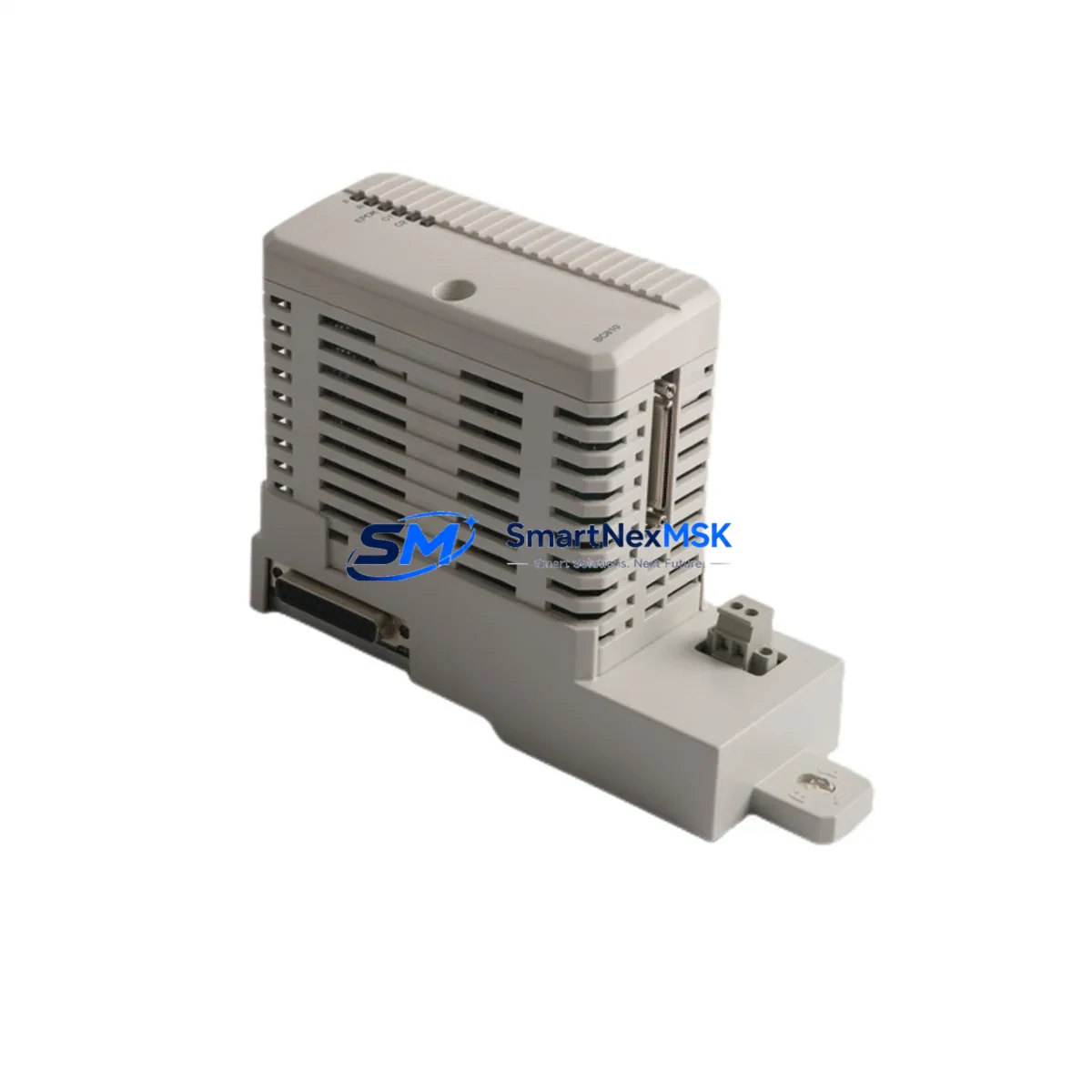
ABB BC810K02 3BSE031155R1 Retrofit-Ready CEX-Bus Communication for AC800M Control Systems
The ABB BC810K02 (3BSE031155R1) is a CEX-Bus Communication Unit engineered for the ABB AC800M distributed control system platform. As legacy AC800M installations age and original spare parts become increasingly scarce, the BC810K02 has become a cornerstone component in retrofit projects, control cabinet upgrades, and system continuity programs across process industries including oil & gas, power generation, pulp & paper, and chemical manufacturing.
Whether you are replacing a failed unit on a running production line, upgrading an aging communication backbone, or migrating from an earlier AC800M hardware revision to a current firmware baseline, the BC810K02 provides the CEX-Bus interface layer that connects the PM861A or PM864A processor module to expansion I/O racks, remote I/O stations, and fieldbus gateways. Its role in the AC800M backplane architecture makes it a non-negotiable component when restoring or extending system capacity.
SMARTNEXMSK maintains verified stock of the BC810K02 with full functional testing, 12-month warranty coverage, and same-week dispatch capability for urgent retrofit and breakdown recovery scenarios.
Upgrade Compatibility Table
| Parameter | BC810K02 (3BSE031155R1) | Retrofit Notes |
|---|---|---|
| Compatible Platform | ABB AC800M (all revisions) | Verify firmware version on PM861A / PM864A before swap |
| Bus Interface | CEX-Bus (Controller Extension Bus) | Incompatible with S800 I/O ModuleBus — confirm rack type before ordering |
| Backplane Slot | Dedicated CEX-Bus slot on AC800M CPU rack | Direct drop-in replacement; no slot reassignment required |
| Power Supply | Backplane-powered (no external 24 VDC required) | Verify PM820 or PM825 power module capacity before adding expansion |
| Communication Compatibility | PROFIBUS DP, Modbus RTU, Foundation Fieldbus (via gateway) | Confirm CI854A gateway module configuration is preserved post-swap |
| Replacement Path | Direct replacement for BC810K01 (earlier revision) | No hardware modification required; update module address in Control Builder M |
| Installation Requirement | DIN rail or rack-mount per AC800M chassis | Torque terminal screws to spec; inspect CEX-Bus connector pins before seating |
| Commissioning Tool | ABB Control Builder M (Professional or Plus) | Re-download application after module swap; verify I/O mapping in diagnostic view |
| Warranty | 12-Month Warranty — covers functional failure under normal operating conditions; pre-shipment functional test included | |
Retrofit Planning for Existing Automation Systems
A successful BC810K02 retrofit begins well before the physical swap. Engineers replacing a failed or end-of-life CEX-Bus unit must first audit the existing AC800M rack configuration, documenting the slot assignments of all installed modules — including the PM861A processor module, TB807 terminal base, and any CI854A PROFIBUS communication interface currently in service. This audit prevents address conflicts and ensures the replacement module is recognized correctly by the controller firmware without requiring a full project re-download.
Power budget verification is the next critical step. The PM820 or PM825 power supply module feeding the AC800M rack must have sufficient headroom to support the BC810K02 alongside all co-installed I/O and communication modules. In systems where the rack is near capacity, engineers should measure actual rail current draw before proceeding. Overloading the backplane power rail is a common cause of intermittent faults that are difficult to diagnose post-installation and can mask the root cause of the original failure.
Terminal wiring and field cable continuity should be verified at the TB820 or TB840 terminal block level before powering down the rack. Photograph or document all wiring positions — particularly for analog I/O channels connected through AI810 or AO810 analog modules — as these are sensitive to any interruption in signal reference. For digital I/O, confirm that the DI810 or DO810 modules are correctly addressed in the Control Builder project before the swap to avoid I/O mapping errors after restart.
Communication link integrity must be preserved throughout the migration. If the BC810K02 is part of a PROFIBUS DP segment managed through a CI854A interface module, the segment termination resistors and cable shielding must remain intact during the module exchange. Any disruption to the PROFIBUS segment will cause all downstream field devices — including valve positioners, flow transmitters, and motor drives — to enter fault state simultaneously, significantly extending downtime and complicating post-swap diagnostics.
For systems using Modbus RTU over RS-485, verify that the baud rate, parity, and stop-bit settings stored in the Control Builder project match the physical configuration of the replacement BC810K02. These parameters are not automatically transferred from the failed module and must be re-entered or restored from a project backup. Maintaining an up-to-date Control Builder M project archive — including all CI854A and CI801 fieldbus interface configurations — is strongly recommended as part of any retrofit preparation protocol.
HMI screen updates are frequently overlooked in retrofit planning. If the plant uses an ABB Panel 800 series HMI or a third-party SCADA system communicating via OPC DA or OPC UA, verify that the tag database references the correct module address after the swap. Stale tag mappings will cause HMI alarms and operator confusion even when the underlying control logic is functioning correctly. Update and re-test all affected HMI faceplates before returning the system to automatic operation.
Downtime Control During System Migration
Minimizing unplanned downtime during a BC810K02 replacement requires a structured hot-swap protocol. Where the process permits, place the AC800M controller in manual mode and transfer critical control loops to local panel control before de-energizing the rack. This preserves process continuity and gives the engineering team a controlled window to complete the physical swap without triggering emergency shutdowns or safety system activations.
Before removing the failed BC810K02, export the current Control Builder M project to a secure backup location. This backup captures the full application logic, I/O configuration, module addressing, and communication parameters — including all CI854A PROFIBUS and CI801 fieldbus settings. If the replacement module requires a firmware update to match the system baseline, perform this update on the bench using a TK212A programming cable and a laptop running Control Builder M before installing the module in the rack. Bench-updating eliminates the risk of a firmware mismatch causing the controller to reject the new module during startup.
After physical installation, power up the rack in stages: confirm the PM820 or PM825 power module reaches stable output before enabling the processor. Allow the PM861A or PM864A to complete its self-test sequence, then download the application from the Control Builder project. Verify all I/O channels report correctly in the diagnostic view before returning loops to automatic mode. A structured loop check — starting with the most critical process variables and working through AI810, AO810, DI810, and DO810 channel groups — ensures that no wiring errors or address conflicts were introduced during the swap.
For sites with redundant AC800M configurations, the migration can be performed with zero process interruption by switching to the redundant controller, replacing the module on the primary controller, and then performing a controlled switchback after verification. This approach is strongly recommended for continuous process industries where even brief control interruptions carry significant safety or production cost implications. SMARTNEXMSK can provide pre-tested, firmware-matched BC810K02 units to support planned maintenance windows and minimize on-site commissioning time.
Retrofit Support FAQ
Q1: Is the BC810K02 (3BSE031155R1) a direct replacement for the BC810K01?
Yes. The BC810K02 is the current production revision of the BC810K01 and is a direct drop-in replacement. No hardware modification or rack reconfiguration is required. After installation, update the module firmware to the current baseline using Control Builder M and re-download the application project to ensure full compatibility with the existing AC800M software environment.
Q2: What commissioning steps are required after installing the BC810K02?
After physical installation, connect to the AC800M via Control Builder M using a TK212A programming cable or Ethernet. Verify that the module is recognized in the hardware tree, confirm the CEX-Bus address assignment matches the project configuration, download the application, and perform a full I/O loop check. For PROFIBUS segments managed through a CI854A, verify that all slave devices are online and reporting correctly before returning the system to automatic control.
Q3: How do I verify wiring compatibility when replacing a failed BC810K02 in an existing installation?
Document all terminal connections at the TB807 or TB820 terminal base before removing the failed module. Verify that field cable shielding is intact and that no terminals show signs of corrosion or mechanical damage. After installing the replacement module, use a multimeter to confirm continuity on all signal circuits before powering up. For analog channels, verify that 4–20 mA loop power is present and that signal levels are within the expected range before enabling automatic control.
Q4: What does the 12-month warranty cover, and what is the dispatch timeline?
All BC810K02 units supplied by SMARTNEXMSK are covered by a 12-month warranty against functional failure under normal operating conditions. Each unit undergoes pre-shipment functional testing to verify CEX-Bus communication integrity and backplane interface performance. Standard dispatch is within 3–5 business days; expedited same-week dispatch is available for breakdown recovery scenarios. Contact our technical team at [email protected] to confirm stock availability and lead time for your specific requirement.
© 2026 SMARTNEXMSK. All rights reserved.
Original Source: https://smartnexmsk.com
Contact: [email protected] | +86 18259474341



