
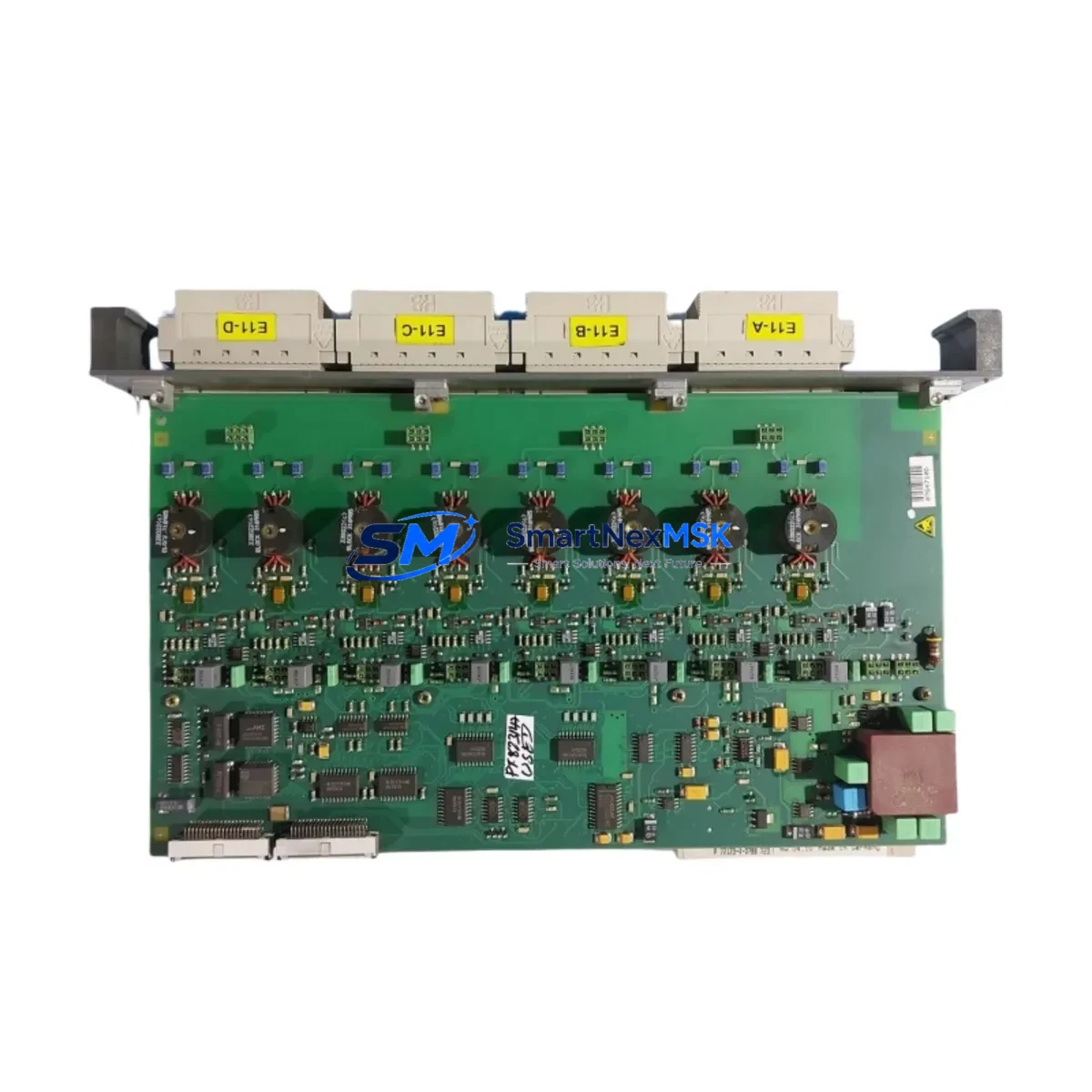
ABB CAO10 Retrofit-Ready Analog Output Module for AC500 Control Systems
The ABB CAO10 is a 4-channel analog output module designed for seamless integration into ABB AC500 series programmable logic controller platforms. As legacy control systems age and original spare parts become increasingly difficult to source, the CAO10 serves as a verified retrofit-ready replacement for discontinued or end-of-life analog output modules within the AC500 ecosystem. Whether you are upgrading an aging production line, restoring a failed control cabinet, or migrating from an older AC31 or AC100 platform to the AC500 architecture, the CAO10 provides the signal resolution, channel density, and backplane compatibility required for a smooth, low-risk transition.
Each CAO10 module ships pre-tested and verified against ABB factory specifications. Output signal ranges support both 0–10 V and 4–20 mA configurations, making it directly compatible with a wide range of field instruments including control valves, variable frequency drives, and positioners already installed in your facility. Terminal wiring follows the standard AC500 I/O convention, which means existing field cables can typically be reconnected without modification — a critical advantage when downtime windows are measured in hours, not days.
Upgrade Compatibility Table
| Parameter | CAO10 Specification | Retrofit Notes |
|---|---|---|
| Output Channels | 4 × analog output | Direct replacement for 4-ch legacy AO modules |
| Signal Range | 0–10 V / 4–20 mA | Matches standard field instrument wiring |
| Backplane Interface | AC500 S500 I/O bus | Compatible with PM571, PM581, PM591, PM595 CPUs |
| Installation | DIN rail, snap-on terminal unit | Reuse existing TU505 or TU516 terminal units |
| Communication | Local S500 I/O bus | No additional fieldbus configuration required |
| Replacement Path | AC31 / AC100 → AC500 | Requires I/O address remapping in PS501 software |
| Commissioning | PS501 Control Builder Plus | Import existing variable table; verify AO channel mapping |
| Warranty | 12 Months | Covers manufacturing defects; includes pre-ship test report |
Retrofit Planning for Existing Automation Systems
A successful CAO10 retrofit begins well before the module arrives on site. Engineers should start by auditing the existing control cabinet to confirm the CPU model in use — typically a PM571, PM581, or PM591 — and verifying that the S500 I/O bus has sufficient capacity for the replacement module. If the original system used an older AC31 processor with a proprietary I/O bus, a CPU upgrade to the AC500 family will be required alongside the CAO10 installation, and the corresponding CI590-CS31-HA communication interface module may be needed to bridge legacy field devices during the transition period.
Terminal unit selection is equally important. The CAO10 mounts onto a dedicated terminal unit such as the TU505 or TU516, which carries the field wiring independently of the module itself. In many retrofit scenarios, the terminal unit is already installed and wired, allowing the CAO10 to be hot-swapped or cold-swapped without disturbing field cables. Engineers should confirm terminal unit compatibility before ordering to avoid delays.
Power budget verification is a mandatory step. The AC500 power supply module — commonly a CP604 or CP605 — must have sufficient headroom to support the additional current draw of the CAO10 alongside existing I/O modules, communication processors, and any newly added CM589-PNIO PROFINET interface modules. A power budget spreadsheet should be completed before finalizing the bill of materials.
On the software side, the existing PS501 Control Builder Plus project file should be backed up before any hardware changes are made. The CAO10 I/O channel addresses must be mapped correctly in the hardware configuration tree, and any existing analog output function blocks referencing the old module address must be updated. If the original system used Modbus RTU or PROFIBUS DP for supervisory communication, verify that the CM572-DP or CM577-ETHCAT communication module configurations remain intact after the hardware swap. HMI screens connected via an ABB CP600 or CP620 operator panel should also be reviewed to confirm that analog output trend displays and setpoint entry fields reference the correct PLC variable addresses post-migration.
Downtime Control During System Migration
Minimizing production downtime during a CAO10 retrofit requires a structured pre-commissioning approach. Before the scheduled maintenance window, engineers should prepare a complete I/O list cross-referencing old module channel assignments with new CAO10 channel addresses. The updated PS501 project should be compiled and syntax-checked offline, and a simulation run should be performed where possible to validate analog output scaling and limit values.
During the physical swap, the recommended sequence is: isolate field power to the analog output loop, remove the failed or obsolete module, install the CAO10 onto the existing terminal unit, restore field power, download the updated program to the CPU, and perform a channel-by-channel loop check using a calibrated process calibrator. For systems where continuous process control is critical, consider placing the affected control loops in manual mode at the DCS or SCADA level before initiating the hardware change, then returning to automatic control only after loop checks are complete.
Each CAO10 unit supplied by SMARTNEXMSK undergoes a pre-shipment functional test covering output linearity, channel isolation, and signal range verification. A test report is included with every shipment, reducing the time required for incoming inspection and accelerating the path to installation.
Retrofit Support FAQ
Q: Is the CAO10 a direct drop-in replacement for older ABB analog output modules used in AC31 systems?
A: The CAO10 is designed for the AC500 S500 I/O platform and is not physically interchangeable with AC31 I/O modules. However, it is the correct replacement module when upgrading an AC31 system to the AC500 architecture. A CPU migration and I/O address remapping in PS501 are required as part of the upgrade process.
Q: Can I reuse existing field wiring and terminal units when installing the CAO10?
A: In most cases, yes. The CAO10 mounts onto standard AC500 terminal units such as the TU505 or TU516, and field wiring connected to the terminal unit does not need to be disturbed. Verify terminal unit compatibility with your specific CAO10 variant before installation.
Q: What commissioning steps are required after installing the CAO10?
A: After physical installation, download the updated PS501 project to the CPU, verify analog output channel addressing in the hardware configuration, perform a full loop check on all four output channels, and confirm HMI display values match expected engineering units. Communication links via CM572-DP or CM589-PNIO should be verified for continuity before returning the system to automatic operation.
Q: What warranty coverage is provided, and is a test report included?
A: Every CAO10 unit carries a 12-month warranty covering manufacturing defects from the date of shipment. A pre-shipment functional test report is included with each unit, documenting output accuracy, channel isolation, and signal range results.
© 2026 SMARTNEXMSK. All rights reserved.
Original Source: https://smartnexmsk.com
Contact: [email protected] | +86 18259474341



