
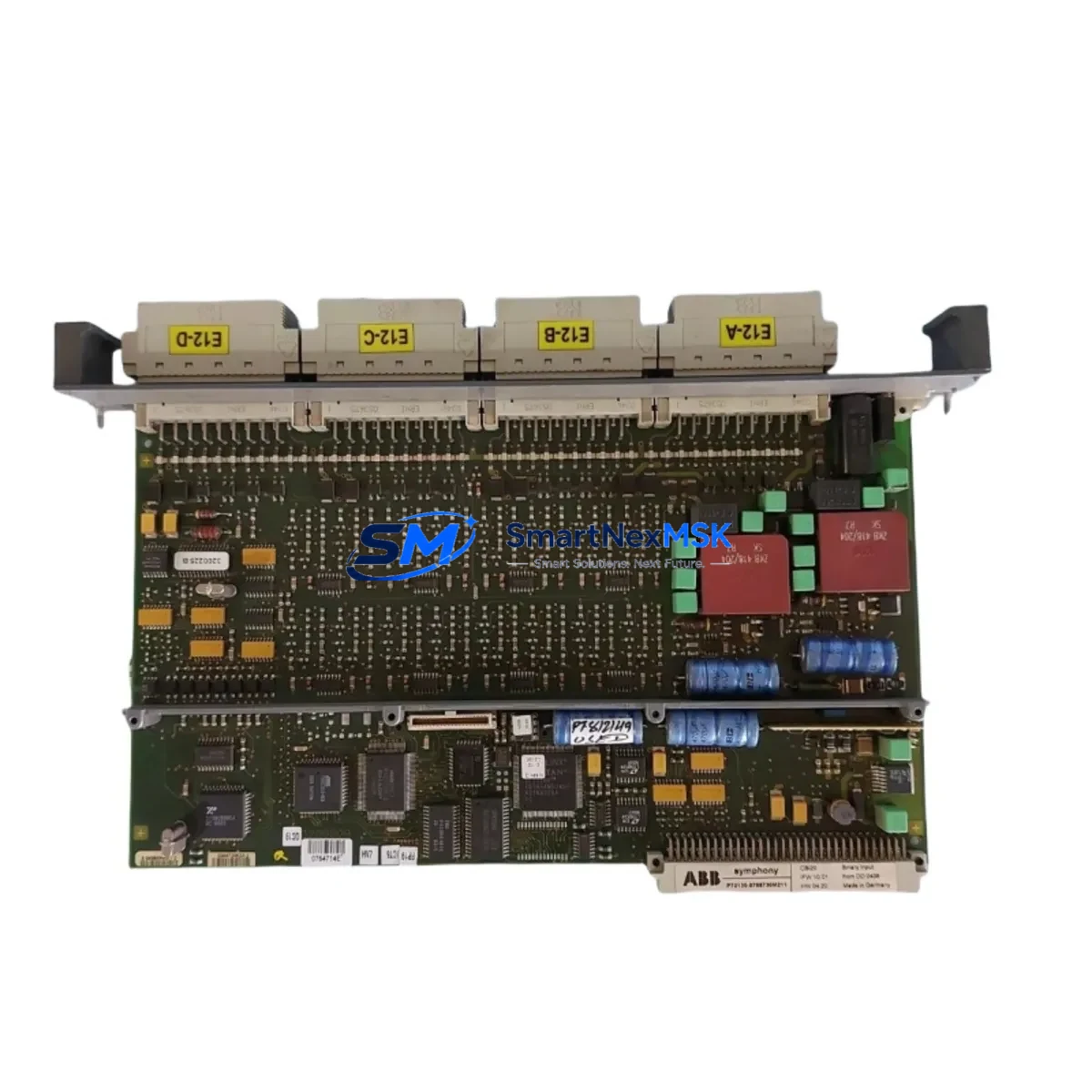
ABB CBI21 Retrofit-Ready Digital Input for AC500 Control Systems
The ABB CBI21 is a 16-channel, 24 VDC digital input module designed for the ABB AC500 PLC platform. As legacy automation systems age and original spare parts become increasingly difficult to source, the CBI21 has become a critical component in retrofit projects, discontinued-model replacements, and control cabinet upgrades across process, manufacturing, and infrastructure industries. Whether you are replacing a failed module in an existing AC500 rack or planning a phased migration from an older control platform, the CBI21 delivers the signal integrity, backplane compatibility, and software transparency that industrial engineers require.
Upgrade Compatibility Table
| Parameter | Details |
|---|---|
| Module Type | 16-Channel Digital Input, 24 VDC |
| Compatible Rack / Backplane | AC500 TB5xx series backplanes; direct slot insertion |
| Installation Requirement | DIN-rail mounted AC500 rack; no adapter required |
| Communication Compatibility | AC500 internal I/O bus; compatible with PM5xx and PM5xx-ETH CPUs |
| Replacement Recommendation | Direct replacement for CBI21; verify terminal wiring map before swap |
| Commissioning Notes | Module address auto-assigned by slot position; confirm in PS501 Control Builder |
| Warranty | 12 Months from date of shipment |
Retrofit Planning for Existing Automation Systems
Successful integration of the CBI21 into an existing control system begins well before the module arrives on site. Engineers should first audit the current AC500 rack configuration, noting the slot positions occupied by existing digital input modules, the terminal block wiring assignments, and the I/O addresses mapped in the active PLC program. In many retrofit scenarios, the CBI21 replaces an older or damaged digital input card within the same TB5xx backplane, making the physical swap straightforward — but the software and wiring verification steps are equally important.
Power budget is a key consideration. The AC500 power supply module, such as the PS501 or PS560, must have sufficient headroom to support the CBI21 alongside other installed modules including analog input cards, digital output modules, and communication interface modules. Before insertion, confirm the total current draw of all rack-mounted modules against the rated output of the installed power supply.
Terminal wiring should be mapped against the original I/O list. The CBI21 uses a standard 40-pin front connector compatible with the AC500 terminal block system. Field wiring from sensors, proximity switches, and pushbuttons connects directly to the terminal block without rewiring the cabinet backplane. If the existing installation uses a CI590-CS31-HA communication interface module or a CI501-PNIO PROFINET adapter for distributed I/O, verify that the CBI21 slot address does not conflict with any remote I/O node addresses already configured in the network topology.
For systems that include an HMI panel — such as an ABB CP600 series operator panel or a third-party SCADA terminal communicating over Modbus TCP — the input tag names and screen element bindings should be reviewed after the module swap. If the replacement CBI21 occupies the same slot as the original module, the I/O address mapping in PS501 Control Builder will remain unchanged, and HMI screen updates are typically not required. However, if the module is installed in a new slot due to rack reconfiguration, all affected tags must be remapped and the HMI project recompiled and downloaded.
Communication link integrity should be verified after installation. In AC500 systems using the CS31 fieldbus or PROFINET, the network diagnostic tools within PS501 Control Builder provide real-time module status, input state monitoring, and fault logging. Run a full I/O scan and confirm that all 16 input channels report correctly before returning the system to production. Outgoing test documentation should include a channel-by-channel verification record, which also supports the 12-month warranty claim process if a fault is identified post-installation.
Downtime Control During System Migration
Minimizing unplanned downtime is the primary concern in any live-system retrofit. For the CBI21 swap, the recommended approach is a hot-standby preparation strategy: pre-configure the replacement module offline, document the existing terminal wiring with photographs and a written I/O list, and prepare the updated PLC program (if slot reassignment is required) in advance on a development machine running PS501 Control Builder.
During the maintenance window, power down only the affected rack section if the AC500 system supports segmented power isolation. Remove the original module, insert the CBI21, reconnect the terminal block, and restore power. The AC500 CPU will automatically detect the new module in its slot and resume normal scan cycle operation without requiring a full program download, provided the module type and slot address are unchanged. This approach typically reduces the physical swap time to under 15 minutes, preserving the original ladder logic, function block diagrams, and structured text routines without modification.
For more complex migrations — such as transitioning from a legacy S800 I/O system or a third-party Modicon or Siemens rack to an AC500 platform — a parallel-run commissioning strategy is recommended. Install the new AC500 rack alongside the existing system, map all I/O signals to the new modules including the CBI21 for digital inputs, and perform a controlled cutover during a scheduled production stop. This approach protects the original control logic and allows full functional testing before the legacy system is decommissioned.
Retrofit Support FAQ
Q: Is the CBI21 a direct drop-in replacement for an existing AC500 digital input module?
A: Yes, provided the replacement module is of the same type (16-channel, 24 VDC DI) and is installed in the same rack slot. The AC500 CPU assigns I/O addresses by slot position, so no program changes are required for a same-slot swap.
Q: What wiring checks are required before installing the CBI21?
A: Verify the terminal block pin assignment against the original I/O list, confirm field wiring polarity for 24 VDC sourcing or sinking inputs, and check that the terminal block locking mechanism is fully engaged after insertion.
Q: How is the CBI21 commissioned after installation?
A: Connect to the AC500 CPU via the USB programming port or Ethernet using PS501 Control Builder. Navigate to the hardware configuration tree, confirm the CBI21 appears in the correct slot, and run an online I/O force test to verify all 16 channels respond correctly to field signals.
Q: What does the 12-month warranty cover?
A: The warranty covers manufacturing defects and functional failures under normal operating conditions from the date of shipment. Each unit undergoes pre-shipment functional testing. Warranty claims are supported with test documentation and are processed directly through our sales team.
© 2026 SMARTNEXMSK. All rights reserved.
Original Source: https://smartnexmsk.com
Contact: [email protected] | +86 18259474341



