
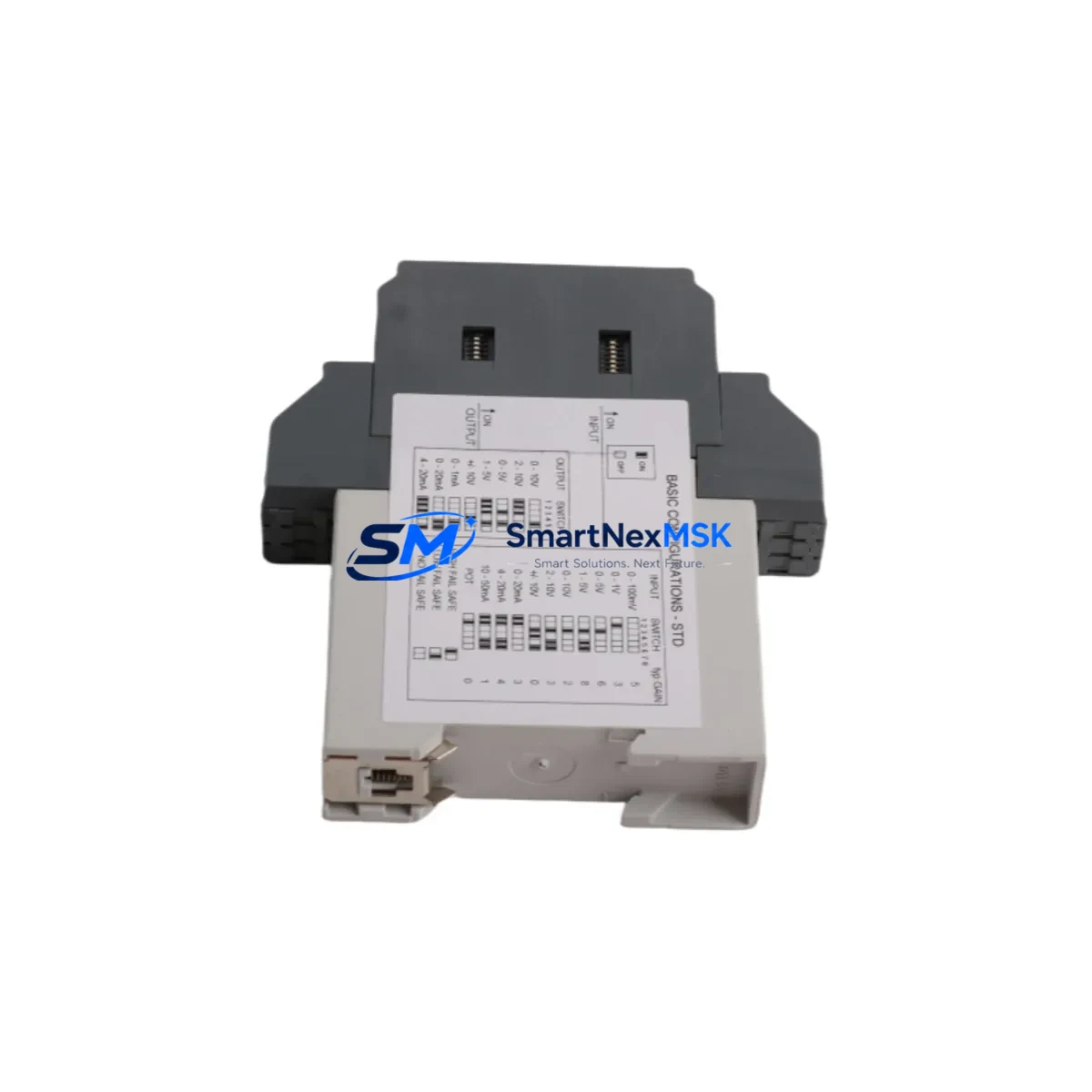
ABB CC-U/STD 1SVP040000R1700 Retrofit-Ready Control Unit for AC500 Control Systems
The ABB CC-U/STD 1SVP040000R1700 is a standard CPU control unit designed for the ABB AC500 Compact PLC platform. As legacy AC500 installations age and original spare parts become increasingly difficult to source, this unit serves as a verified retrofit-ready replacement for end-of-life and discontinued control modules across a wide range of industrial automation environments. Whether you are upgrading a legacy control cabinet, migrating from an older AC500-eCo variant, or restoring a production line after an unplanned failure, the CC-U/STD 1SVP040000R1700 provides a reliable, specification-matched solution backed by a 12-month warranty and pre-shipment functional testing.
This control unit is engineered for direct integration into existing AC500 rack and backplane assemblies. It supports the standard Compact Control Builder (CCB) programming environment, meaning existing IEC 61131-3 programs — including Ladder Diagram, Function Block Diagram, Structured Text, and Sequential Function Chart — can be transferred, validated, and reloaded without requiring a full software rewrite. For engineers managing brownfield retrofit projects, this compatibility dramatically reduces engineering hours and minimizes the risk of logic errors introduced during migration.
Before installation, retrofit engineers should verify several critical parameters. First, confirm the power supply capacity of the existing PS501 or PS502 power supply module — the CC-U/STD draws standard AC500 CPU bus current, and any marginal power budget in the original cabinet design must be recalculated if additional I/O modules have been added since the original commissioning. Second, inspect the terminal wiring on the existing backplane connector and confirm that the slot addressing matches the replacement unit’s expected module address configuration. Third, if the system uses a TB521 or TB541 terminal base, verify that the base version is compatible with the current firmware revision of the replacement CPU.
Communication link continuity is another key consideration during migration. The CC-U/STD 1SVP040000R1700 supports standard PROFIBUS DP, Modbus RTU, and Modbus TCP/IP communication protocols. If the existing system uses a CM572-DP PROFIBUS master module or a CM589-PNIO PROFINET I/O coupler, these communication modules can typically remain in place during the CPU swap, provided the GSD files and network configuration parameters are preserved and re-imported after the new CPU is initialized. For systems using a CM578-CN CANopen master, the node address and baud rate settings must be re-entered manually after the CPU replacement.
I/O expansion continuity is equally important. Digital input modules such as the DC532 and DC522, analog input modules such as the AI531, and analog output modules such as the AO523 will retain their hardware configuration as long as the rack slot assignments are not changed during the retrofit. Engineers should document the full I/O map prior to shutdown and cross-reference it against the replacement CPU’s configuration file to confirm that no address conflicts exist before powering up the new unit.
Upgrade Compatibility Table
| Parameter | Detail |
|---|---|
| SKU / Part Number | CC-U/STD 1SVP040000R1700 |
| Brand | ABB |
| Series | AC500 Compact PLC |
| Programming Environment | Compact Control Builder (CCB) — IEC 61131-3 |
| Backplane / Rack Interface | AC500 standard backplane; compatible with TB521, TB541 terminal bases |
| Communication Protocols | PROFIBUS DP, Modbus RTU, Modbus TCP/IP (via CM modules) |
| Compatible I/O Modules | DC532, DC522, AI531, AO523, DI524 and standard AC500 I/O range |
| Power Supply Compatibility | PS501, PS502 (verify bus current budget before installation) |
| Installation Requirement | Slot address verification; firmware version cross-check required |
| Replacement Scope | Direct retrofit for discontinued or end-of-life AC500 CPU variants |
| Commissioning Note | Re-import CCB project file; verify I/O map and communication parameters |
| Warranty | 12 months from date of shipment; pre-shipment functional test included |
| Origin | Germany |
Retrofit Planning for Existing Automation Systems
A successful retrofit begins well before the maintenance window opens. Start by pulling the full system architecture from the existing CCB project file, including the CPU configuration, communication module assignments, and I/O channel mapping. If the original project file is unavailable — a common situation in aging plants where documentation has not been maintained — the CC-U/STD 1SVP040000R1700 can be used to perform an online upload from the existing CPU before it is removed, provided the old unit is still partially functional.
In multi-rack configurations, the replacement CPU must be assigned the correct rack number and slot position before the system is powered up. If the installation includes a CM572-DP PROFIBUS master module managing remote I/O stations, the DP master configuration must be re-validated after the CPU swap to ensure that all slave addresses are correctly recognized. Similarly, if the control system interfaces with an ABB CP600 or CP620 HMI panel, the HMI communication driver settings — including the PLC IP address or PROFIBUS node address — must be updated to reflect any changes made during the migration.
For systems that include a PM573 or PM591 CPU in a parallel or redundant configuration, the retrofit plan must account for the handover logic between the primary and standby controllers. In these cases, it is strongly recommended to perform the CPU replacement during a planned shutdown rather than a hot-swap, to avoid unintended failover events that could disrupt the production process.
Terminal wiring on the existing backplane should be inspected and photographed before removal. Any field wiring connected to DI524 digital input modules or AO523 analog output modules should be labeled and documented. If the control cabinet includes a TA521 or TA526 terminal adapter, confirm that the adapter’s wiring harness is compatible with the replacement CPU’s connector pinout before reassembly.
Downtime Control During System Migration
Minimizing unplanned downtime is the primary operational concern in any PLC retrofit project. For the CC-U/STD 1SVP040000R1700, the recommended migration sequence is: (1) back up the existing CCB project file and all communication module configurations; (2) document the current I/O status and process variable values; (3) notify all upstream and downstream control systems of the planned maintenance window; (4) power down the control cabinet in the correct sequence to avoid voltage spikes on the backplane; (5) replace the CPU module and verify physical seating on the backplane connector; (6) power up and perform a cold-start initialization; (7) reload the CCB project file and verify all I/O channels; (8) re-establish communication links with PROFIBUS, Modbus, or PROFINET devices; (9) perform a full functional test before returning the system to automatic mode.
For critical production lines where even a brief interruption is unacceptable, consider staging the replacement CPU in a test rack with a duplicate I/O configuration before the live cutover. This allows the engineering team to validate the program logic, communication parameters, and HMI interface in a controlled environment, reducing the risk of unexpected behavior during the live migration. Pre-shipment functional testing of the CC-U/STD 1SVP040000R1700 is performed before dispatch, but site-level validation remains the responsibility of the commissioning engineer.
Retrofit Support FAQ
Q1: Is the CC-U/STD 1SVP040000R1700 a direct drop-in replacement for older AC500 CPU variants?
A: In most cases, yes. The CC-U/STD is designed for the standard AC500 backplane and is compatible with the Compact Control Builder programming environment. However, engineers should verify the firmware version and terminal base compatibility before installation, as minor hardware revisions may require a firmware update before the CCB project file can be loaded.
Q2: Can I reuse my existing PROFIBUS and Modbus communication modules after the CPU swap?
A: Yes. Communication modules such as the CM572-DP and CM589-PNIO are independent of the CPU module and can remain in their existing rack slots. After the CPU replacement, re-import the communication module configuration files in CCB and verify that all network addresses and baud rate settings are correctly restored.
Q3: What pre-shipment testing is performed on the CC-U/STD 1SVP040000R1700?
A: Each unit undergoes a functional power-on test and basic I/O verification before shipment. Units are shipped with original or equivalent packaging to prevent transit damage. A 12-month warranty is provided from the date of shipment, covering manufacturing defects and functional failures under normal operating conditions.
Q4: What should I do if the replacement CPU does not recognize the existing I/O modules after installation?
A: First, verify that the CCB project file has been correctly loaded and that the I/O module addresses match the physical slot positions in the rack. If the issue persists, perform a hardware scan in CCB to detect all connected modules and compare the result against the original configuration. Check that all backplane connectors are fully seated and that the power supply output voltage is within specification. If the problem cannot be resolved on-site, contact our technical support team with the CCB diagnostic log for remote assistance.
© 2026 SMARTNEXMSK. All rights reserved.
Original Source: https://smartnexmsk.com
Contact: [email protected] | +86 18259474341



