
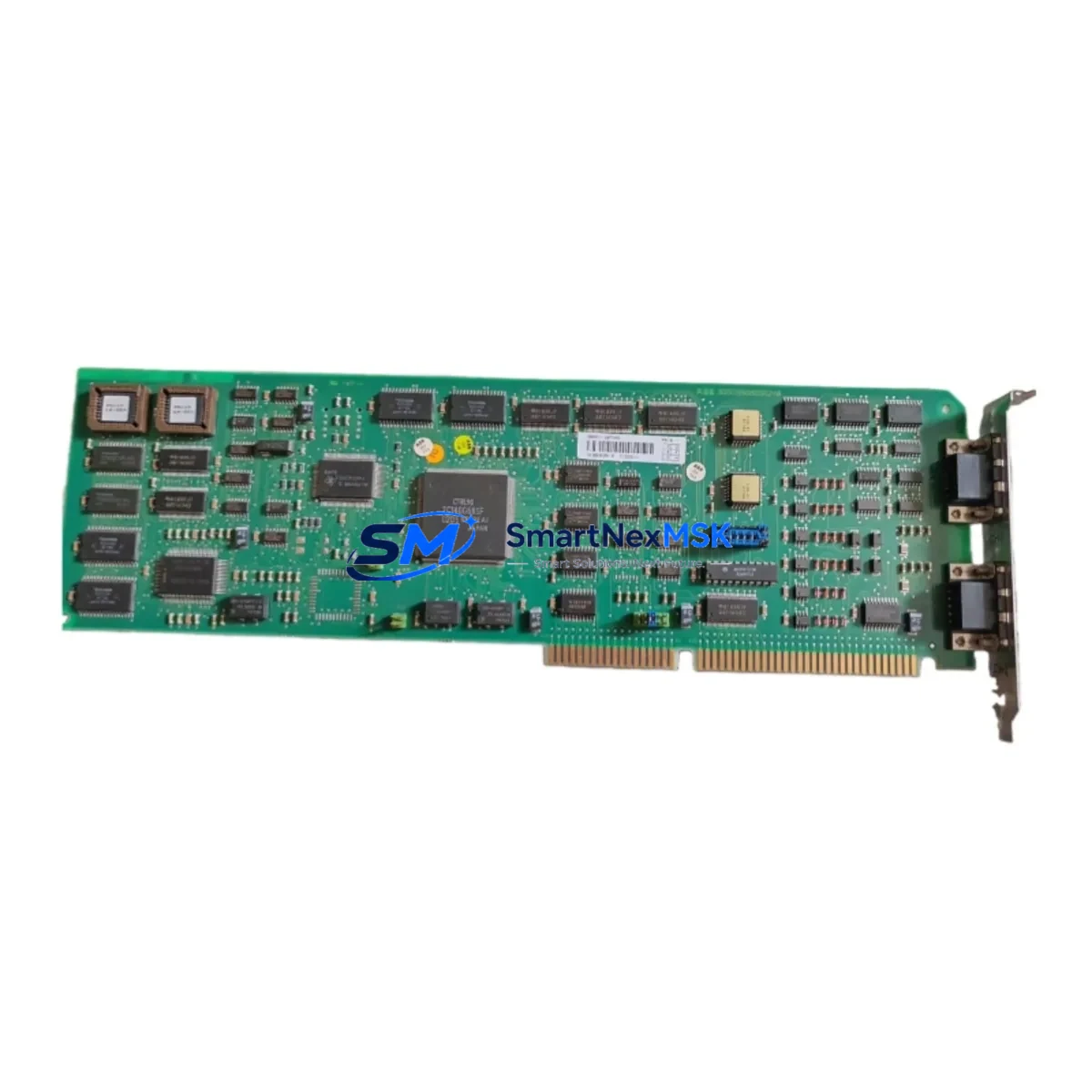
ABB CI526V1 3BSE012870R1 Retrofit-Ready PROFIBUS DP Interface for AC500 Control Systems
The ABB CI526V1 (part number 3BSE012870R1) is a PROFIBUS DP communication interface module engineered for the ABB AC500 PLC platform. Designed to support legacy system modernization, this module serves as a direct retrofit replacement for aging or discontinued PROFIBUS communication cards in existing AC500 control cabinets. Whether you are upgrading a production line, restoring a failed communication link, or migrating from an older AC500 CPU configuration, the CI526V1 provides a reliable, specification-matched solution that minimizes engineering rework and reduces total downtime.
The CI526V1 integrates directly into the AC500 backplane, supporting standard PROFIBUS DP-V0 and DP-V1 protocol communication at baud rates up to 12 Mbit/s. It is compatible with the PM571, PM581, PM591, PM595, and PM564 CPU modules, making it suitable for a wide range of installed AC500 base configurations. When replacing a failed or end-of-life communication module, engineers should verify the existing backplane slot assignment, confirm the module address configuration in the PS501 Control Builder Plus programming environment, and validate that the PROFIBUS master or slave GSD file remains consistent with the replacement unit.
Before installation, it is essential to review the power budget of the existing AC500 rack. The CI526V1 draws power from the TB511 or TB521 terminal base, and the total current consumption across all installed modules — including I/O modules such as the DC532 digital input module, DA501 analog output module, and AI531 analog input module — must remain within the rated capacity of the PS501 or PS560 power supply module. Failure to account for cumulative current draw is a common source of instability during retrofit commissioning.
Upgrade Compatibility Table
| Parameter | Details |
|---|---|
| Compatible CPU Modules | PM571, PM581, PM591, PM595, PM564 (AC500 series) |
| Communication Protocol | PROFIBUS DP-V0 / DP-V1, up to 12 Mbit/s |
| Terminal Base | TB511 / TB521 (required, sold separately) |
| Backplane Interface | AC500 standard internal bus, slot-compatible |
| Installation Requirement | DIN rail mount via TB511/TB521; no additional wiring adapter required |
| Programming Environment | ABB PS501 Control Builder Plus (CoDeSys-based) |
| Replacement Recommendation | Direct drop-in for CI526V1 in same terminal base; verify GSD file version |
| Commissioning Focus | Module address, PROFIBUS node ID, DP master configuration, baud rate match |
| Warranty | 12 months from date of shipment |
Retrofit Planning for Existing Automation Systems
Successful retrofit of the CI526V1 into an operational control system requires a structured pre-installation review. Begin by documenting the existing PROFIBUS network topology, including all slave device addresses, GSD file versions, and the current baud rate setting on the DP master. In many legacy AC500 installations, the PROFIBUS master role is handled by the CPU module itself or by a dedicated CI541V1 PROFIBUS master module. If the CI526V1 is being installed as a DP slave interface, confirm that the upstream master’s configuration table includes the correct GSD entry for the CI526V1.
Terminal wiring should be verified against the original panel drawings. The CI526V1 connects to the PROFIBUS network via a standard DB9 connector on the TB511 or TB521 terminal base. Shielding continuity, termination resistor placement at both ends of the PROFIBUS segment, and cable impedance (typically 150 Ω for Type A cable) must all be confirmed before powering the system. In retrofit scenarios where the original cable infrastructure is being reused, it is advisable to perform an insulation resistance test and verify signal integrity with a PROFIBUS diagnostic tool before commissioning.
For systems that also include the CI522A or CI532V04 communication modules handling Modbus TCP or Ethernet IP traffic, ensure that the replacement of the PROFIBUS interface does not disrupt the overall communication schedule managed by the AC500 CPU. The PS501 Control Builder Plus project should be backed up before any hardware change, and the module configuration in the hardware tree must be updated to reflect the new CI526V1 slot assignment. If the existing project was developed on an older version of Control Builder Plus, verify compatibility with the firmware version on the replacement CI526V1 before going live.
In control cabinets where space is constrained, the physical dimensions of the CI526V1 on its TB511 terminal base should be confirmed against the available DIN rail space. Adjacent modules such as the DC532 digital I/O module or the AX521 communication processor should not be displaced during installation. Label all terminal connections before removal of the original module, and photograph the existing wiring layout as a reference for reinstallation.
Downtime Control During System Migration
Minimizing production downtime during a PROFIBUS communication module replacement requires advance preparation and a clearly defined switchover procedure. Where possible, the replacement CI526V1 should be pre-configured and tested offline using a bench-top AC500 rack with a compatible PM581 or PM591 CPU before being brought to the production floor. This allows the module address, PROFIBUS node ID, and DP configuration to be validated in a controlled environment without affecting live production.
On the day of the switchover, coordinate with the operations team to schedule the replacement during a planned maintenance window. Export the current PS501 Control Builder Plus project and store a backup on an external drive. Power down the AC500 rack in the correct sequence — first the field devices, then the I/O modules, and finally the CPU and power supply. Remove the failed or end-of-life CI526V1 from its TB511 terminal base, install the replacement unit, and restore power in reverse order. After power-up, monitor the PROFIBUS diagnostic LEDs on the CI526V1 to confirm that the DP communication link is established before releasing the system to production.
If the system cannot be taken offline, consider using a hot-standby AC500 configuration where a redundant CPU and communication module are already in place. In non-redundant systems, the original program logic stored in the PM CPU’s flash memory will be retained during the module swap, provided the CPU is not powered down. Confirm with the site engineer that the HMI screens — typically connected via the CP600 or CP620 operator panel — continue to display correctly after the PROFIBUS link is restored, and verify all I/O status indicators before resuming automated control.
Retrofit Support FAQ
Q: Is the CI526V1 3BSE012870R1 a direct replacement for an existing CI526V1 in my AC500 system?
A: Yes. The CI526V1 3BSE012870R1 is the standard part number for the CI526V1 PROFIBUS DP interface module. It installs into the same TB511 or TB521 terminal base as the original unit. No wiring changes are required. Verify that the PROFIBUS node address and GSD file configuration in your PS501 project match the replacement module before going live.
Q: What commissioning steps are required after installing the replacement module?
A: After installation, power up the AC500 rack and observe the PROFIBUS diagnostic LEDs on the CI526V1. Connect a laptop running PS501 Control Builder Plus and perform an online comparison between the stored project and the live hardware configuration. Confirm that the PROFIBUS DP master recognizes the CI526V1 as a slave device, check the diagnostic buffer for any communication errors, and verify that all downstream PROFIBUS slave devices — such as remote I/O stations or variable frequency drives — are communicating correctly.
Q: Can the CI526V1 be used in an AC500 system that also uses Modbus TCP or Ethernet communication modules?
A: Yes. The CI526V1 operates independently on the AC500 internal bus and does not interfere with other communication modules such as the CI522A Modbus TCP interface or the CI541V1 PROFIBUS master. Each communication module occupies its own slot on the AC500 backplane and is addressed independently in the PS501 hardware configuration. Confirm that the total number of communication modules does not exceed the maximum supported by your AC500 CPU variant.
Q: What warranty and testing does SMARTNEXMSK provide with this module?
A: Every CI526V1 3BSE012870R1 shipped by SMARTNEXMSK is covered by a 12-month warranty from the date of shipment. Prior to dispatch, each unit undergoes functional verification including power-on testing and communication interface checks. Units are packaged in anti-static protective packaging to prevent damage during transit. For warranty claims or technical support, contact our team directly.
© 2026 SMARTNEXMSK. All rights reserved.
Original Source: https://smartnexmsk.com
Contact: [email protected] | +86 18259474341



