
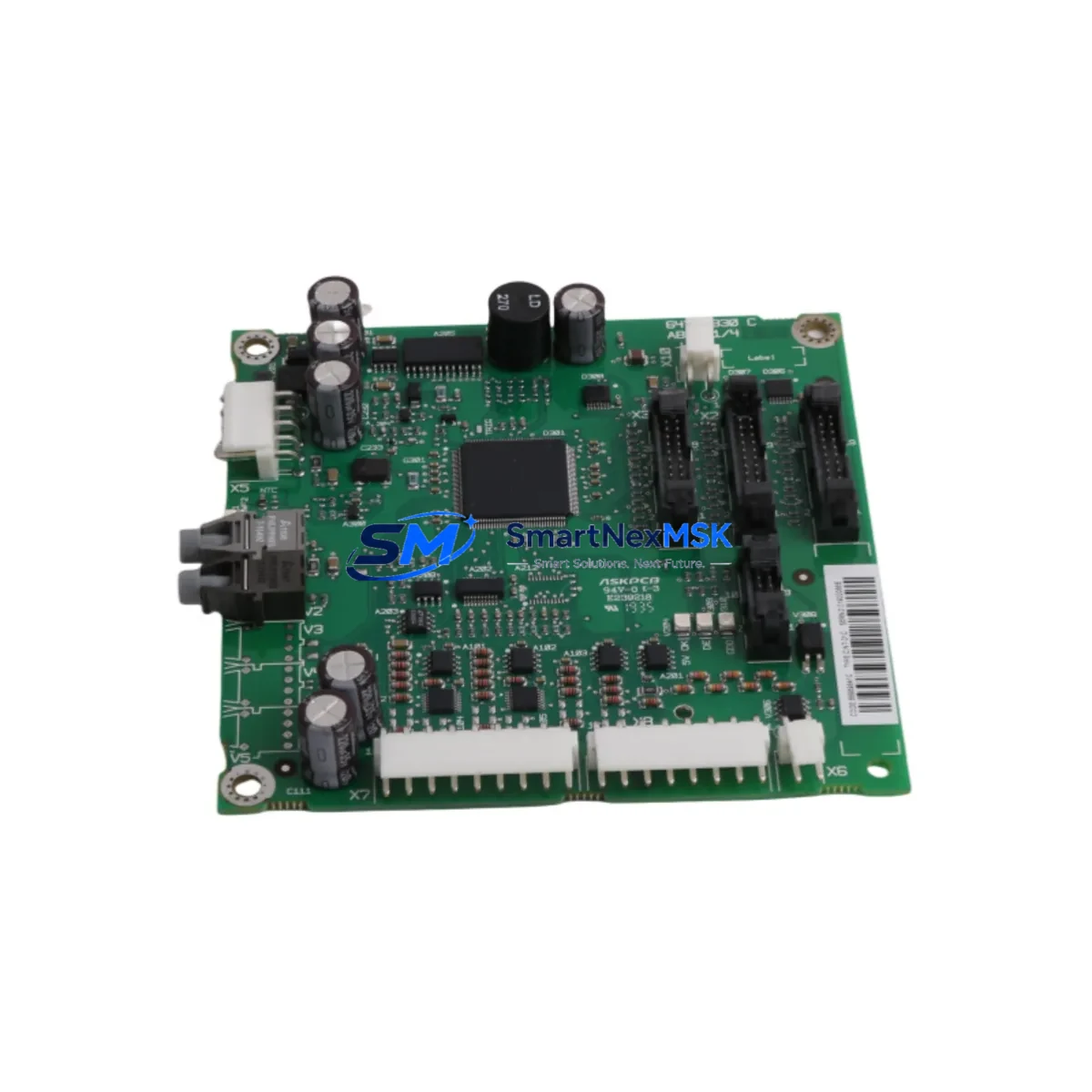
ABB CINT-01C Maintenance-Ready Spare for ACS800 Automation
The ABB CINT-01C is an original fieldbus interface board designed for the ACS800 series variable frequency drives. In industrial automation environments where unplanned downtime translates directly into production loss, having a verified, ready-to-install CINT-01C spare on hand is a fundamental element of any serious maintenance strategy. This board enables seamless PROFIBUS-DP, DeviceNet, and CANopen communication between the ACS800 drive and the plant-level control network, making it a critical link in distributed automation architectures. Whether you are managing a continuous process line, a conveyor system, or a multi-axis motion application, the CINT-01C ensures that your drive remains fully integrated with the supervisory control layer.
Sourced directly from authorized supply channels, each CINT-01C unit supplied by SMARTNEXMSK undergoes pre-shipment functional verification and is backed by a 12-month warranty. We maintain long-term stock availability to support both emergency replacement orders and planned maintenance procurement cycles, ensuring your engineering and purchasing teams can rely on consistent lead times regardless of market conditions.
Spare Maintenance Table
| Parameter | Specification |
|---|---|
| Part Number / SKU | CINT-01C |
| Brand | ABB |
| Compatible Series | ACS800 (all frame sizes supporting RDCO slot) |
| Supported Protocols | PROFIBUS-DP, DeviceNet, CANopen |
| Interface Slot | RDCO option slot on ACS800 control board |
| Supply Voltage | Powered via drive control board (no external supply required) |
| Operating Temperature | 0°C to +55°C (ambient, drive enclosure) |
| Origin | Germany (Original ABB manufacture) |
| Product Condition | New / Original — pre-shipment tested |
| Warranty | 12 Months from date of shipment |
| Typical Application | Process automation, conveyor drives, pump/fan control, motion systems |
| Maintenance Recommendation | Inspect connector pins and seating annually; replace if communication faults recur after firmware reset |
| Compatibility Verification | Confirm ACS800 firmware version supports selected fieldbus protocol before installation |
Maintenance Planning for Continuous Operation
When a fieldbus communication fault is traced to the CINT-01C, experienced maintenance engineers know that the board itself is rarely the only component that warrants inspection. A systematic approach to drive cabinet maintenance during a CINT-01C replacement should include a review of the following associated components and subsystems:
The ACS800 RMIO control board hosts the RDCO option slot into which the CINT-01C is installed. If the CINT-01C replacement does not resolve communication errors, the RMIO board itself should be evaluated for firmware corruption or hardware faults. Similarly, the RDCO-02 or RDCO-03 fiber optic communication module — used in multi-drive configurations — should be inspected for connector contamination or fiber damage, as degraded optical links can mimic fieldbus board failures.
On the power side, the ACS800 APOW power supply board provides regulated voltage to the control electronics. A marginal APOW can cause intermittent resets of the CINT-01C and should be checked during any extended maintenance window. The 24 VDC auxiliary power supply feeding the control cabinet should also be verified for voltage stability, as fluctuations below specification can corrupt fieldbus communication frames.
For I/O integrity, inspect the AIMA-01 or AINT analog and digital I/O extension modules installed in the ACS800 for loose terminal connections or moisture ingress, particularly in high-humidity or washdown environments. Terminal blocks and DIN rail-mounted terminal strips connecting field sensors and actuators to the drive I/O should be torque-checked and visually inspected for oxidation.
Communication infrastructure upstream of the drive should not be overlooked. The PROFIBUS network termination resistors at both ends of the bus segment must be confirmed active, and the bus cable shield continuity should be verified. In DeviceNet installations, the network power supply tap and trunk cable connectors are common failure points that can cause node dropouts misattributed to the drive interface board.
For sites running ABB Panel Builder or AC500 PLC systems as the fieldbus master, confirm that the master configuration file (GSD for PROFIBUS, EDS for DeviceNet) matches the CINT-01C firmware version installed. A mismatch here will prevent the drive from being recognized on the network even after a successful board replacement. Finally, if the ACS800 is part of a system monitored via an ABB ACS-AP-I or ACS-AP-W control panel, verify that the panel communication parameters are restored after the board swap, as some parameter sets are stored locally on the CINT-01C.
Site Replacement Workflow
Replacing the CINT-01C on an ACS800 drive is a straightforward procedure when approached methodically, and can typically be completed within a planned maintenance window of 30 to 60 minutes by a qualified drive technician. The following workflow is recommended to minimize downtime and ensure system compatibility is maintained throughout the replacement process.
Step 1 — Pre-replacement preparation: Before powering down the drive, document the current fieldbus node address, baud rate, and any drive parameters stored in the CINT-01C parameter set (parameter groups 51–53 on ACS800). Use the ACS-AP panel or DriveWindow software to export the full parameter backup to a PC or USB device. This ensures that communication settings can be restored immediately after the new board is installed, avoiding a second downtime event for parameter re-entry.
Step 2 — Safe isolation: Follow your site’s lockout/tagout (LOTO) procedure. After the main contactor opens, wait a minimum of 5 minutes for the DC bus capacitors to discharge before opening the drive cabinet. Verify zero voltage on the DC bus terminals using a calibrated meter before touching any internal components.
Step 3 — Board removal and installation: The CINT-01C is seated in the RDCO option slot on the RMIO control board. Release the retaining clip, disconnect the ribbon cable, and remove the board. Install the replacement CINT-01C by reversing this sequence, ensuring the ribbon cable connector is fully seated and the retaining clip is engaged. Inspect the RDCO slot connector pins on the RMIO board for any signs of corrosion or mechanical damage before inserting the new board.
Step 4 — Parameter restore and network commissioning: Power up the drive and restore the parameter backup. Confirm the fieldbus node address and baud rate match the network configuration. Cycle the fieldbus master to force a re-scan of the network and verify that the ACS800 node appears online with correct I/O mapping. Run a test cycle at reduced speed before returning the drive to full production load.
Step 5 — Documentation: Record the replacement date, new board serial number, and post-replacement test results in the equipment maintenance log. Update the site spare parts inventory to trigger reorder of a replacement CINT-01C unit, maintaining your buffer stock for the next event.
Spare Parts Support FAQ
Q1: Is the CINT-01C compatible with all ACS800 frame sizes?
The CINT-01C is compatible with all ACS800 drive variants that feature the RDCO option slot on the RMIO control board. This covers the majority of ACS800 single-drive and cabinet-mounted configurations. For ACS800 multidrive cabinet units, confirm the specific RMIO board variant installed, as some early production units used a different option slot pinout. If you provide your drive’s full type code, our technical team can confirm compatibility before shipment.
Q2: How does SMARTNEXMSK verify the CINT-01C before shipment?
Each CINT-01C unit undergoes a pre-shipment inspection that includes visual examination for physical damage, connector pin integrity check, and where test equipment is available, functional verification of the fieldbus communication interface. Units are shipped in anti-static packaging with individual labeling. A 12-month warranty covers defects in materials and workmanship from the date of shipment, with direct technical support available from our engineering team.
Q3: What is the recommended spare parts stocking strategy for the CINT-01C?
For sites operating three or more ACS800 drives on a common fieldbus network, we recommend maintaining a minimum of one CINT-01C unit in local spare stock at all times. For critical process applications where a single drive failure causes a full line stoppage, a one-for-one spare ratio is advisable. Given that the ACS800 series is a mature platform with a large installed base, long-term supply of the CINT-01C is supported through authorized aftermarket channels, and SMARTNEXMSK maintains ongoing stock to support both emergency and scheduled procurement.
Q4: Can the CINT-01C be used to upgrade an ACS800 from one fieldbus protocol to another?
Yes. The CINT-01C supports PROFIBUS-DP, DeviceNet, and CANopen on a single board, with the active protocol selected via drive parameters. If your site is migrating from one fieldbus standard to another — for example, from DeviceNet to PROFIBUS as part of a control system modernization — the CINT-01C can support this transition without requiring a different interface board, provided the ACS800 firmware version is compatible with the target protocol. Contact our team with your drive type code and target protocol for pre-migration compatibility confirmation.
© 2026 SMARTNEXMSK. All rights reserved.
Original Source: https://smartnexmsk.com
Contact: [email protected] | +86 18259474341



